
Unlock Your Financial Data with a PDF to Text Converter
Discover how a PDF to text converter can automate bookkeeping, eliminate manual data entry, and improve accuracy. Learn to extract financial data seamlessly.
A PDF to text converter does exactly what it says on the tin: it pulls the raw, editable text out of a PDF file. For anyone dealing with financial documents, this is the key to turning static files like invoices and bank statements into data you can actually use. At Mintline, we've built our platform to do just that, using AI to ensure the numbers are extracted with high accuracy so you can trust your data.
Why Your Trapped PDF Data Is a Goldmine
Think about all your financial documents—invoices, bank statements, receipts. They're packed with business intelligence, but most of it is locked away inside PDFs. These files are essentially static images of text, making them a real headache to work with.
If you've ever had to manually type this information into a spreadsheet or your accounting software, you know it's not just tedious; it's a massive drain on time and resources. This manual slog is also a breeding ground for human error. A single misplaced decimal point or an incorrect date can create a cascade of reconciliation problems down the line.
The cost isn't just the time spent on data entry. It's also the missed opportunity for real-time financial analysis. When your data is stuck in a digital filing cabinet, you can't easily track spending, forecast cash flow, or make quick, informed business decisions.
Turning Static Files into Strategic Assets
A modern PDF to text converter—especially an intelligent platform like Mintline—is much more than a simple utility. It's a strategic tool. It doesn't just scrape raw text; it understands it. Our AI intelligently identifies and pulls out structured data, knowing the difference between a date, an invoice number, a vendor name, and a transaction amount. You can get a deeper understanding of why this matters by reading our article on structured vs unstructured data.
This process transforms your static documents into a live stream of actionable insights, ready to be fed directly into your bookkeeping and financial planning workflows. It's about turning isolated files into a secure, interconnected data network.
The Push for Automation in the Netherlands
For businesses here in the Netherlands, automating this kind of data extraction is quickly moving from a "nice-to-have" to a necessity. The shift is being driven by the need for better efficiency and the pressure to comply with new digital workflow standards.
The market size tells the story. Europe’s PDF conversion market has already hit USD 390 million, with the Netherlands accounting for around USD 35 million of that. And it’s only set to grow, pushed along by data privacy regulations and the fact that 92% of Dutch enterprises are already using automated tools to help them stay compliant.
By automating data extraction, businesses don't just save time—they build a more reliable and responsive financial foundation. This shift is critical for maintaining a competitive edge.
To really get the most out of your digital documents, you need to understand the tools that can process and make sense of them at scale. It’s worth exploring how Content Intelligence Platforms are using AI to find the hidden value in all sorts of business content.
Choosing the Right Way to Convert PDFs to Text
When you're handling financial documents, getting the text out of a PDF is only half the battle. The real challenge is choosing a method that respects the sensitivity of the data, gets the numbers right, and doesn't create hours of manual cleanup. The approach you take matters—a lot.
Let's walk through the common options, from the simplest to the most advanced, so you can see where Mintline fits in and why it's built the way it is.
The most straightforward method, of course, is the good old copy-and-paste. You highlight the text you need, copy it, and drop it into a spreadsheet or document. It’s free, it’s fast, and for grabbing a single sentence or a company address, it’s perfectly fine.
But have you ever tried this with a bank statement? The columns get jumbled, the spacing goes haywire, and you’re left with a wall of text that’s completely unusable. The time you spend trying to fix that mess completely negates the "quickness" of the method.
The Pitfalls of Free OCR Tools
So, what’s the next step up? Many people turn to free online Optical Character Recognition (OCR) tools. These websites let you upload a PDF, and they scan it to pull out the text. They’re certainly more powerful than copy-pasting, especially for scanned documents where the text isn't selectable.
The problem is, their accuracy is all over the place. A free tool might nail a simple text document but completely stumble over the dense, structured data in a financial statement. It might misread an '8' as a 'B' or a '1' as an 'I', and those tiny errors can throw your entire reconciliation process into chaos.
Even more concerning is the security risk. When you upload a bank statement or a client invoice to a random free website, where does that data go? You're essentially handing over sensitive financial information with no guarantee of privacy or security.
Choosing a conversion method isn't just about getting text out of a PDF; it's about getting the right text out, securely and in a usable format. For financial data, precision and privacy are non-negotiable.
Why Specialised AI-Powered Platforms Are Different
This brings us to specialised platforms like Mintline. Our solution is built from the ground up to handle the unique challenges of financial documents. It doesn't just "read" text; it understands context.
Using AI trained on millions of invoices, receipts, and statements, Mintline's pdf to text converter knows what it's looking for. It doesn’t just see a string of numbers—it identifies an invoice total, a transaction date, or a vendor name. It pulls this data out in a clean, structured way that's ready to be used in your accounting software, no manual formatting required.
Yes, there's a cost involved, but the return on that investment is massive. You get near-perfect accuracy, robust security, and you save an incredible amount of time. We believe this is the only sustainable way to manage financial document workflows efficiently.
To make the choice clearer, let's compare these approaches side-by-side.
Comparison of PDF to Text Conversion Approaches
Here’s a quick breakdown of how the common methods stack up against each other when it comes to accuracy, security, and real-world application.
| Conversion Method | Best For | Accuracy | Security Risk | Typical Use Case |
|---|---|---|---|---|
| Copy-Paste | Single sentences or short paragraphs | Low | Low | Grabbing a quick note from a document |
| Generic OCR Tool | Non-sensitive, simple documents | Medium | High | Digitising an old, non-confidential letter |
| Mintline Platform | Financial documents (invoices, statements) | High | Very Low | Automating bookkeeping and financial workflows |
Ultimately, the right tool depends entirely on the job. For trivial tasks, a quick copy-paste might do. But for any serious financial work where accuracy and security are paramount, leaning on a specialised platform isn't just a good idea—it's essential.
Getting Hands-On: Extracting Transaction Data with Mintline
Alright, let's move from theory to practice. Seeing a specialised pdf to text converter in action is where the real "aha!" moment happens. I'll walk you through how a small Dutch business can take a messy folder of PDF bank statements and turn it into clean, structured data for its bookkeeping software using our platform.
First things first, you need to gather your documents. Forget processing one PDF at a time—that’s the old way. With Mintline, you can just drag and drop a whole batch of monthly or quarterly statements at once. The platform is built to handle volume, which immediately saves you from that tedious, repetitive upload cycle.
Once your files are in, Mintline’s AI takes over. This isn't just basic text scraping; it’s a much smarter process. The AI actually analyses the document’s layout to pinpoint key financial details, which is precisely where it outshines generic tools.
It's no surprise that intelligent document processing—the field that powers this kind of advanced PDF conversion—is booming in the Netherlands. The market hit USD 55.8 million in 2023 and is on track to explode to USD 334.7 million by 2030. This growth is fuelled by the country’s role as a major tech hub, where over 70% of businesses already use digital document workflows.
Turning Raw Text into Tidy Entries
Mintline’s AI is trained to intelligently tag specific bits of information. Think of it as a virtual bookkeeper that knows exactly what to look for:
- Transaction Dates: It picks out the exact date for each transaction, cleverly ignoring other dates floating around on the page.
- Vendor Descriptions: It isolates the merchant or company name tied to every line item.
- Debit and Credit Amounts: It accurately tells the difference between money coming in and money going out, sorting them into the right columns.
This whole process transforms a jumbled, hard-to-read PDF into perfectly organised rows of data. The image below gives you a clear picture of how different methods stack up and why a dedicated platform is so much more effective.
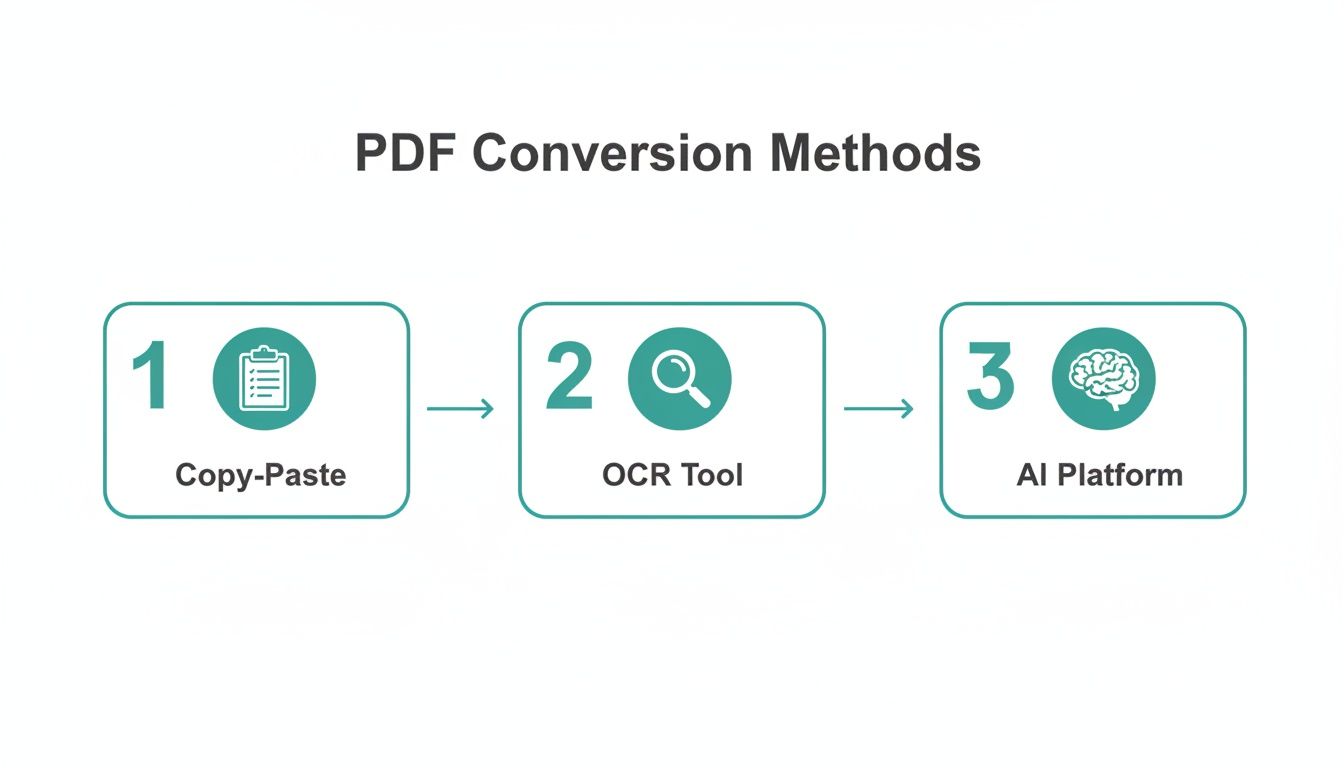
As you can see, there's a world of difference. Moving from manual copy-pasting to a smart AI platform like Mintline dramatically boosts the quality and usability of your data.
The Quick Review and Final Check
Of course, no automation is perfect without a quick human check at the end. Mintline makes this easy by presenting the extracted data in a clean, spreadsheet-like view. You can scan the columns in a few seconds to make sure everything lines up. For financial documents, other specialised tools like a bank statement converter can also be a big help in digitising transactions from PDFs.
Here’s a pro tip I always share for multi-page statements: check the summary totals. Mintline usually pulls these out, giving you a lightning-fast way to confirm that the sum of the extracted transactions matches what the bank statement says. It's a simple check that can catch any oddities in seconds.
The goal here isn't just to pull data out; it's to do it with confidence. A quick final review transforms a powerful automated process into a completely reliable one, giving you back hours of your time each month.
The entire workflow is designed to be fast and almost effortless. A task that used to mean hours of painstaking, error-prone data entry can now be done in minutes. That dreaded monthly chore? It’s now just a minor blip on your radar.
Spotting and Sidestepping Common PDF Conversion Traps
Converting a PDF to text seems straightforward, right? In reality, especially when you're handling financial documents, the path is loaded with hidden traps. Our experience at Mintline has shown us that a generic PDF to text converter often creates more headaches than it solves, leaving you with hours of tedious cleanup work.
One of the biggest hurdles is how these tools handle structured data. You might feed an invoice into a free converter and get all the text back, but it's often a jumbled mess. Columns get scrambled, and suddenly, dates, item descriptions, and prices are all mashed together in one long, useless string. Now it’s on you to manually pick it all apart.
Another classic pitfall is missing the small details. Think about the fine print on an invoice—tax rates, late fees, or specific payment terms. Basic converters often just skip right over this stuff, which means you’re left with an incomplete and inaccurate picture of the transaction.
The Real Price of "Free" Online Tools
The temptation to use a free online tool is understandable, but the security risks are just too high to ignore. When you upload a sensitive bank statement or a confidential client invoice to some random website, you lose all control. Where is that data being stored? Who has access to it? It could be sitting on an insecure server, sold off to data brokers, or leaked in a breach.
For any business handling its own finances, let alone a client's, this is a gamble you can’t afford to take. A professional platform like Mintline is built with security at its core. It uses serious encryption and EU-based data storage, ensuring your financial information stays private and protected from the second you upload it.
The true cost of a "free" converter isn't about money. It’s the risk of exposing sensitive data and the countless hours you'll waste fixing its errors. Making security your top priority from day one is simply non-negotiable.
It's no surprise that The Netherlands is a significant player in Europe's USD 555.36 million PDF software market; there's a real focus here on handling documents securely and efficiently. With over 65% of Dutch SMEs relying on PDF to text converters to connect different systems, the demand for trustworthy solutions is massive. This has pushed the development of tools that can now hit 98% accuracy using AI, massively reducing document processing time. You can dig deeper into these trends by exploring more data on the European PDF software market.
Dodgy Scans and Why You Always Need to Double-Check
Let's be honest, not all PDFs are made equal. A crisp, digitally born invoice is one thing, but a blurry, low-resolution photo of a crumpled receipt is a completely different beast for software to tackle. These poor-quality scans are notorious for causing character recognition errors—a ‘5’ becomes an ‘S’, an ‘8’ turns into a ‘B’—silently throwing your financial data off track.
This is exactly why a final validation step is so critical. Mintline doesn't just dump the data on you; it presents it in a clean, structured format ready for review. This lets you give the results a quick once-over to confirm everything is spot-on before you push it to your accounting software. It’s a simple step, but it’s the one that ensures your books are always accurate and gives you complete confidence in your numbers.
Getting the Extracted Data into Your Bookkeeping Workflow
Pulling clean data out of a PDF with a pdf to text converter is a great first step, but it’s not the end goal. The real magic happens when you get that information flowing smoothly into your financial systems. It’s about turning what was a painful, multi-step manual chore into a slick, automated process.
This is exactly where the structured data from a tool like Mintline proves its worth. Once you have those neatly organised columns—vendor names, transaction dates, invoice totals—you can start plugging that information directly into your accounting software. The job stops being about tedious data entry and becomes a much simpler task of data mapping.
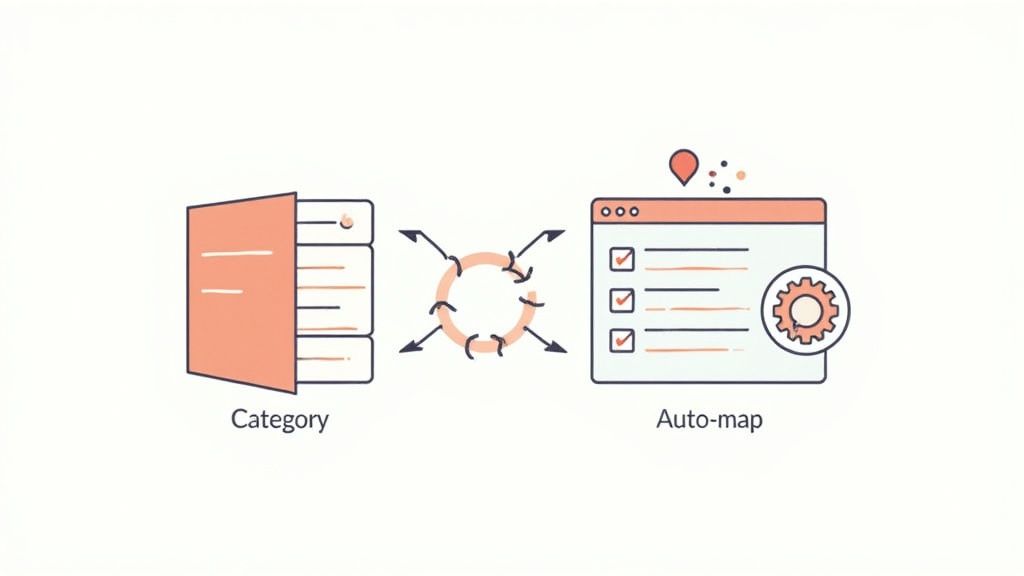
Think of it like connecting the dots. You're simply linking the "Vendor" column from your extracted text to the "Supplier" field in your bookkeeping platform. Or you’re making sure the "Amount" column correctly populates the "Total" field. With a platform like Mintline, a lot of this mapping is already handled for you, which makes getting started much easier.
Go from Manual Matching to Smart, Automated Rules
The biggest time-saver here is setting up automation rules, particularly for all those recurring transactions you deal with. I’m talking about the monthly invoices that land in your inbox like clockwork—software subscriptions, rent, utility bills. Instead of having to categorise them one by one every single time, you can build a rule.
For instance, you can tell Mintline: "Anytime a transaction from 'Vendor X' comes through, automatically code it to the 'Software Expenses' account." You do this once. From that moment on, every invoice from that supplier gets sorted without you having to do a thing.
This completely shifts how you work, moving from being reactive to proactive. You’re no longer just churning through documents; you're actually building an intelligent system that understands your business's financial habits.
The whole point is to create a true end-to-end pipeline. An invoice PDF arrives, Mintline pulls out and categorises the data, and a perfectly coded entry shows up in your books. All of it happens with barely any human touch.
A Few Practical Tips for a Smooth Integration
To make sure this all works as smoothly as possible, it pays to follow a few best practices we've picked up over the years. These small habits can save you a lot of headaches and ensure your data flows accurately from one system to the next.
- Standardise Your Naming: Before you even think about mapping, take a moment to make sure your vendor names are consistent between Mintline and your accounting software. It’s a simple check that prevents duplicates and confusion down the line.
- Test with a Small Batch: Please don't try to sync a full year's worth of data on your first go. Start small. Run a single month of transactions to test your mapping and make sure your automation rules are firing correctly.
- Review Your Rules Periodically: Your business changes, and so will your expenses. Set a reminder to spend a few minutes each quarter looking over your automation rules. It’s a quick way to ensure they still reflect your current spending categories.
By investing a little time upfront to get this integration right, you’re moving way beyond simple data extraction. You're building a reliable, automated financial workflow that not only frees up a huge amount of your time but also seriously improves the accuracy and timeliness of your bookkeeping.
Frequently Asked Questions About PDF to Text Converters
When you start digging into document conversion, especially with sensitive financial data on the line, a lot of questions pop up. It’s only natural. Here are some straight answers to the things we get asked most often about using a PDF to text converter, so you can feel confident about automating your bookkeeping.
How Secure Are My Financial Documents During Conversion?
This is, without a doubt, the most critical question. The honest answer? It completely depends on the tool you use.
Many free, web-based converters are a real gamble with privacy. The moment you upload a file, you have no real idea where it's being stored or who might have access. It could be sitting on an insecure server, leaving your confidential data wide open.
A professional platform like Mintline, on the other hand, is built from the ground up with security at its core. We treat your data like our own, using robust AES-256 encryption while it's moving and while it's stored. All data is kept on secure, EU-based servers, and we have a rock-solid policy: your information is never shared with third parties. Period.
Security shouldn't be a feature; it should be the foundation. For any business handling financial documents, choosing a tool with transparent, high-level security protocols isn't just a good idea—it's essential.
What Makes a Converter Accurate?
Accuracy all comes down to the technology running behind the scenes. Basic tools rely on simple Optical Character Recognition (OCR), which often gets tripped up by anything more complicated than a plain text document. Think about the complex tables in bank statements or invoices—this is where basic OCR often creates a mess, jumbling columns or misreading numbers. A ‘5’ becoming an ‘S’ is a classic, frustrating example.
This is where more advanced platforms really shine. Mintline uses AI and machine learning models that have been specifically trained on millions of financial documents. This means the software doesn't just read the text; it understands the context. It knows how to spot an invoice number, a vendor name, or a transaction total, leading to a much higher accuracy rate, often hitting over 98%.
Can I Convert Scanned or Low-Quality PDFs?
You can, but your results will always be tied to the quality of the original document. A blurry, crooked, or low-resolution PDF will challenge even the smartest OCR engine. An AI-powered tool like Mintline will certainly give you a better shot at a clean result than a generic converter, but you might still need to do a quick manual check.
To get the best results from any PDF to text converter, a little prep goes a long way:
- Good lighting is key. If you're scanning a physical document, make sure it's well-lit to avoid shadows.
- Keep it flat. Creases and crumpled paper can distort the text and confuse the software.
- Aim for high resolution. Scanning at 300 DPI (dots per inch) or higher gives the engine the clarity it needs to work its magic.
Taking a moment to do this properly from the start helps the software accurately recognise every character and maintain the document’s layout, saving you a headache later.
Ready to stop chasing receipts and automate your bookkeeping? Mintline uses AI to match every bank transaction with its corresponding document, turning hours of manual work into minutes. Get started for free and see how it works.