


Upload Knab Bank Statements to Mintline
Import your Knab statement PDFs and automatically match receipts to transactions. Works with any Knab account type.
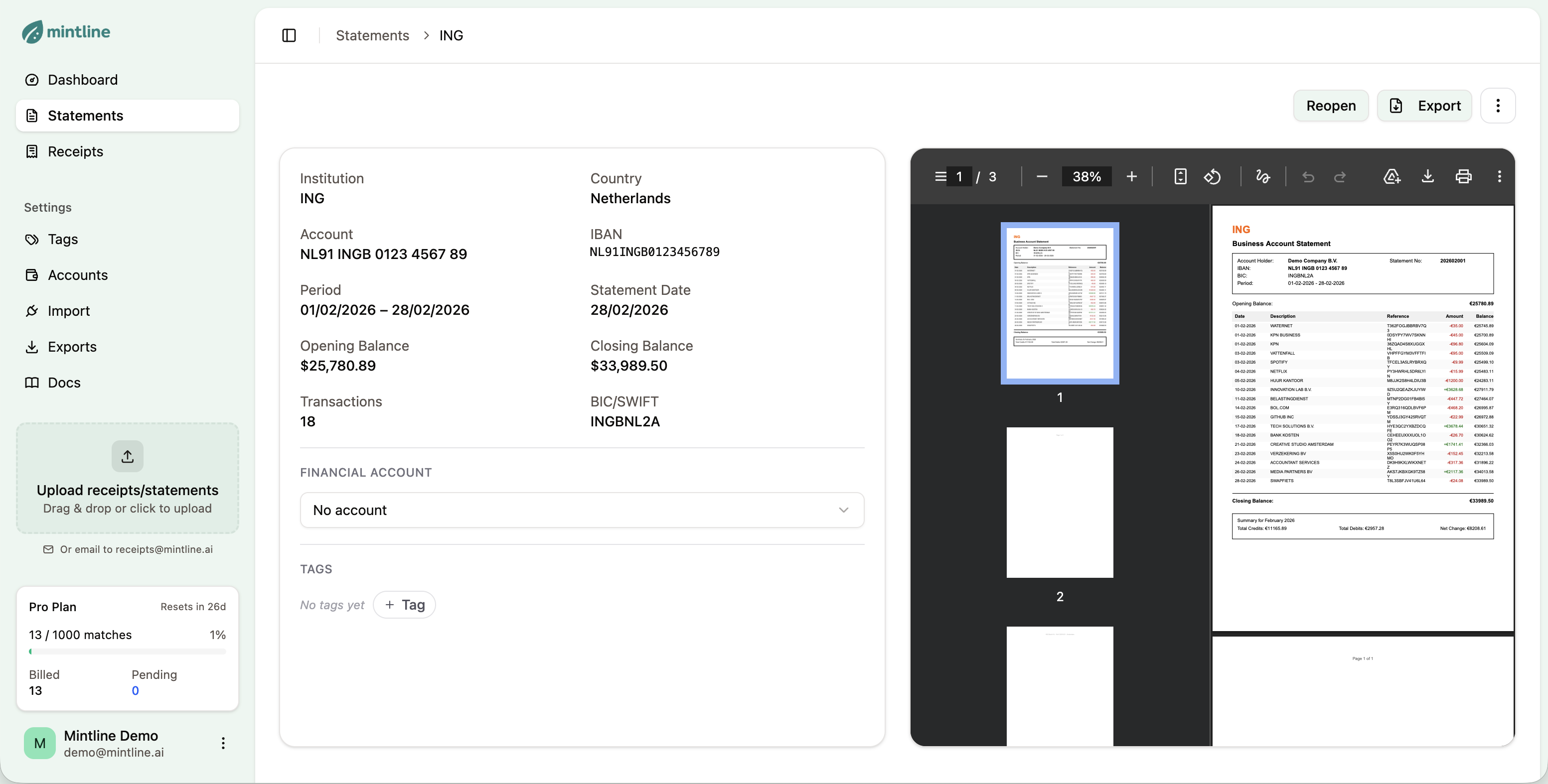
How to Import Knab Statements
Get your Knab transactions into Mintline in under 2 minutes.
Download from Knab
Log in to your Knab online banking. Go to your account statements and download the PDF for the period you want to import.
Upload to Mintline
Drag and drop your PDF into Mintline, or click to browse. You can also forward statement emails to receipts@mintline.ai.
Review Extracted Data
Mintline extracts all transactions automatically. Review the data and start matching with your receipts.
What Mintline Extracts from Knab Statements
Knab provides straightforward PDF statements that Mintline processes with high accuracy. We extract all transaction data including detailed payment descriptions and IBAN references.
Sample Extracted Transaction
Why Use Mintline with Knab
Perfect for ZZP'ers and freelancers using Knab
Extracts invoicing and payment references
Handles Knab's straightforward statement format
Works with both personal and business Knab accounts
Supports Knab Beleggen (investment) account exports
Compatible with Knab's integrated invoicing references
Frequently Asked Questions
Everything you need to know about importing Knab statements.
Log in to Knab online banking, go to 'Afschriften', select the period you want, and click 'Download PDF'. Knab also sends monthly statement emails that you can forward to Mintline.
Absolutely! Many ZZP'ers (freelancers) use Knab for its low fees and freelancer focus. Mintline complements this by automatically matching your receipts to Knab transactions, making tax time easier.
Yes! Forward any email with a Knab statement PDF attachment to receipts@mintline.ai. Mintline automatically extracts the PDF and processes it.
Knab Beleggen (investment) account statements can be uploaded, but Mintline focuses on expense transactions. Investment trades may not match to receipts, but the data is still organized.
No problem! Upload your Knab statements going forward, and you can also upload statements from your previous bank. Mintline handles multiple banks seamlessly.
Also Works With Other Banks
Mintline supports statements from most major Dutch and international banks.
View all supported banks →Start Importing Knab Statements Today
Free plan includes 50 matches per month. No credit card required.
Get Started Free