
Upload Bank Statements
Upload your bank statements to Mintline and automatically extract all transactions for matching.
Three Ways to Upload
Drag and Drop
Drag your bank statement PDF onto the upload area in the left sidebar. Mintline detects it's a statement and begins processing.
Click to Upload
Click the upload area, select your PDF, and Mintline processes it automatically.
Email Forwarding
Forward bank statement emails to receipts@mintline.ai. Mintline extracts the PDF attachment automatically.
What Gets Extracted
When you upload a statement, Mintline's AI extracts:
Institution
Bank name and logo
Account Details
Account number, IBAN, BIC/SWIFT
Period & Balances
Statement start/end dates, opening and closing balances
Transactions
Each transaction with date, description, amount, and type
Viewing Statements
Go to Statements in the sidebar. You'll see two tabs:
- •Active - Statements with unmatched transactions needing review
- •Completed - Fully reviewed statements
Click any statement to see full details, the PDF viewer, all extracted transactions, and match status for each transaction.
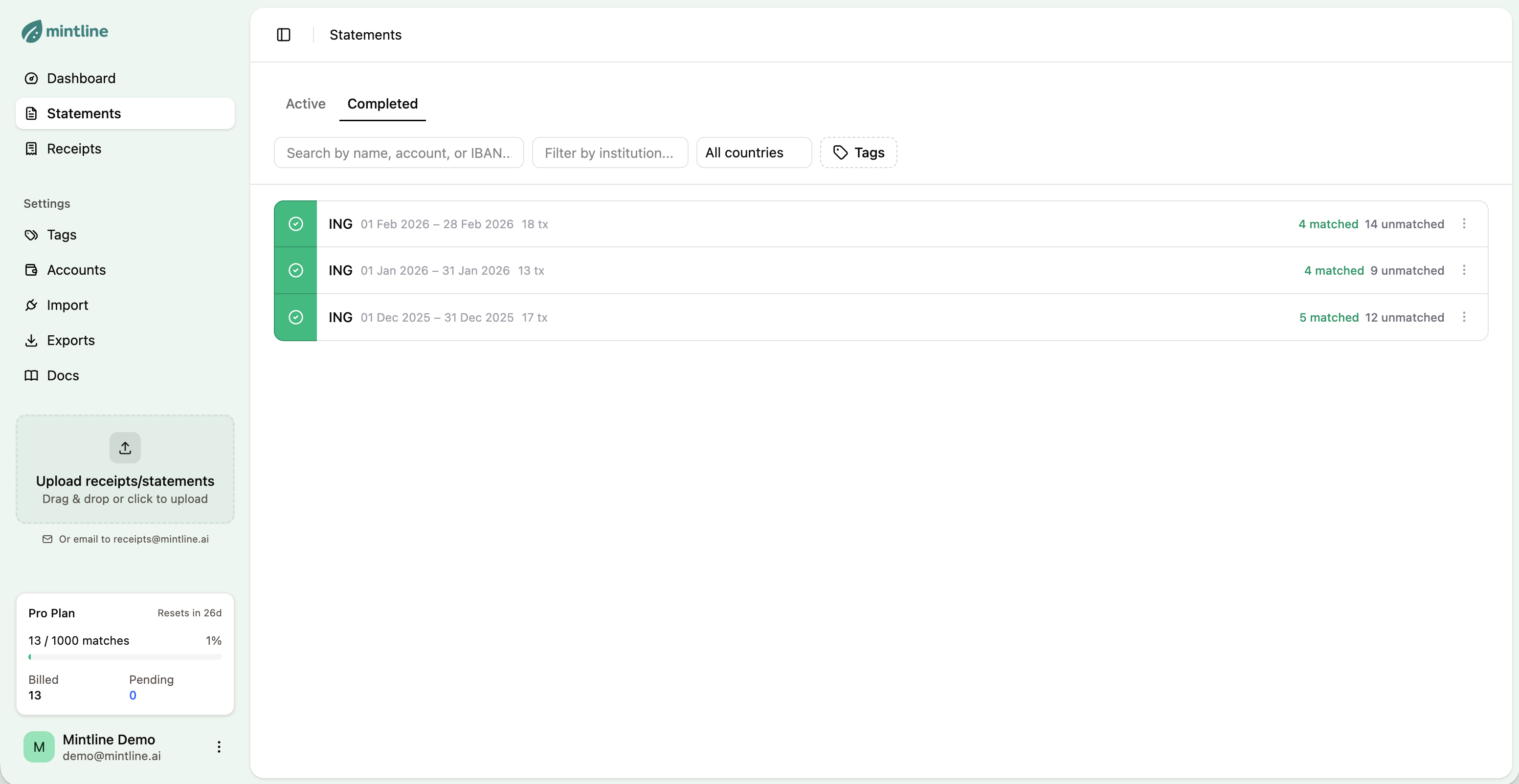
Statements list with active and completed tabs
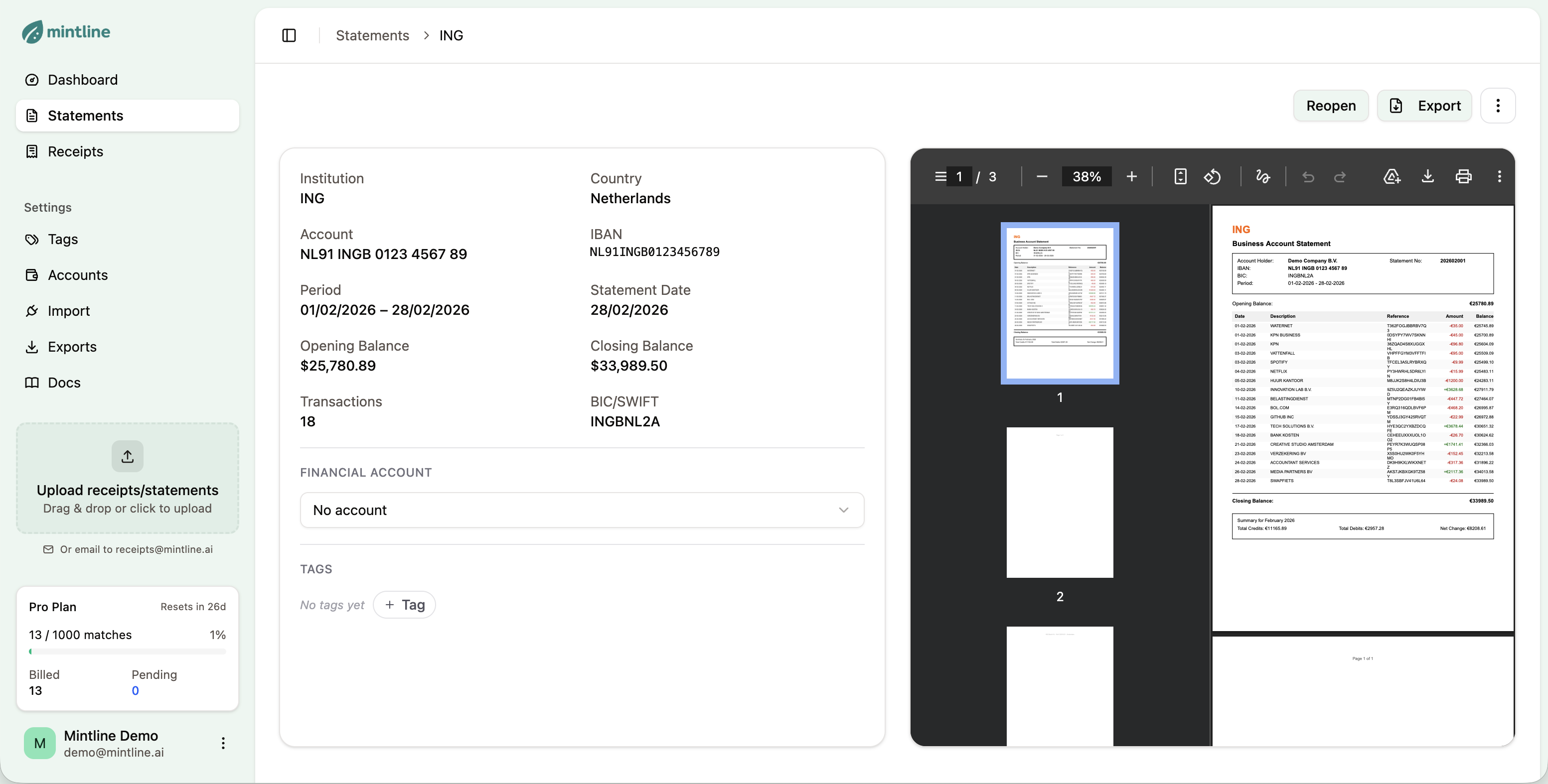
Statement detail view with extracted transactions
Supported Banks
Mintline supports statements from most major banks including ING, ABN AMRO, Rabobank, Deutsche Bank, Barclays, HSBC, and many more. The AI adapts to different statement formats automatically.
Tips
- 1Use PDF format from your online banking (not scanned images)
- 2Upload complete multi-page statements
- 3Upload statements before or shortly after uploading receipts for best matching
Next Steps
Once statements are uploaded, add receipts so Mintline can match them.
Learn how matching works →