
A Guide to Accounts Payable Automation Software
Discover how accounts payable automation software transforms Dutch businesses. Learn about features, benefits, and implementation with our expert guide.
If you've ever felt like your finance team is drowning in a sea of paperwork, you're not alone. Staring at stacks of invoices can feel like a constant bottleneck, holding your business back from what it does best. This is where accounts payable automation software comes in. Think of it as a smart system that uses technology to automatically grab, process, and pay invoices, getting you out of the weeds of manual data entry and endless approval chases. It turns a notoriously slow and error-prone job into a smooth, efficient, and well-controlled process.
Why Manual AP Is Costing Your Business More Than Just Money
Picture your company's cash flow as a busy motorway. In this picture, a manual accounts payable process is a perpetual traffic jam. Every paper invoice that lands on a desk is another car joining the gridlock, getting stuck at the tollbooth of manual data entry, navigating confusing roundabouts for approvals, and occasionally breaking down due to a lost document or human error.
This gridlock doesn't just slow down your finance team; it creates a knock-on effect for the entire business. Payments get delayed, which can frustrate suppliers and damage hard-won relationships. Even worse, you're likely missing out on early payment discounts—the financial equivalent of a clear, open express lane—all because the paperwork couldn't get through the system in time. The hidden costs start to pile up fast.
The True Price of Inefficiency
The real cost of a manual AP process goes far beyond what you pay your staff. Think about the time and resources spent just fixing simple mistakes. A single typo can easily lead to a duplicate payment, an overpayment, or a compliance headache that takes hours of detective work to sort out. It’s no surprise that studies show processing a single invoice manually can be surprisingly expensive, eating into funds that should be fuelling growth.
These hidden costs often include:
- Human Error: From a misplaced decimal point to paying the same invoice twice, mistakes are a natural part of any manual system, and they can be incredibly costly to fix.
- Wasted Time: Your team spends valuable hours chasing down managers for approvals, printing documents, and painstakingly matching invoices to purchase orders instead of focusing on high-value financial analysis.
- Missed Opportunities: Sluggish processing means you're almost certainly leaving money on the table by missing early payment discounts, which can add up to significant savings over a year.
- Strained Supplier Relationships: Nothing sours a vendor relationship faster than late payments. This can lead to less favourable terms down the line or even make them reluctant to prioritise your business.
A slow, manual accounts payable process isn't just an operational headache—it's a direct drain on your company's agility and profitability, creating unnecessary risks and blocking your path to financial clarity.
Manual vs Automated Accounts Payable: A Quick Comparison
To really see the difference, it helps to put the two approaches side-by-side. The table below shows just how much changes when you move from the old way of doing things to a modern, automated system.
| Process Step | Manual AP (The Old Way) | Automated AP (The Modern Way) |
|---|---|---|
| Invoice Arrival | Invoices arrive by post or email, needing manual sorting and organisation. | Invoices are captured automatically from any source (email, scanner, portal). |
| Data Entry | A team member manually types invoice details into the accounting system. | AI and OCR technology extract all key data instantly, with high accuracy. |
| Approval Routing | Paper invoices are physically walked around the office or forwarded via email chains. | Invoices are routed automatically based on pre-set rules (amount, department, etc.). |
| Payment Processing | Payments are scheduled and executed manually, one by one. | Approved invoices are queued for payment and processed in batches automatically. |
| Record Keeping | Filing cabinets overflow with paper; finding an old invoice is a major task. | All documents are stored in a searchable, secure digital archive for easy access. |
As you can see, the contrast is stark. Automation doesn't just speed things up; it brings a new level of control and visibility to the entire process.
Manual accounts payable is a classic example of inefficient bookkeeping. To dig deeper into how this affects your bottom line, it's worth exploring how efficient bookkeeping can help your business save time and money. For businesses here in the Netherlands, this kind of operational drag is a real barrier to staying competitive.
This is precisely where accounts payable automation software steps in, clearing the road for smooth, predictable financial operations. A solution like Mintline is designed to provide that clear route to efficiency, getting your cash flow moving freely again.
How Accounts Payable Automation Software Actually Works
Think of accounts payable automation software as a digital command centre for your entire finance team. Right now, you’re probably drowning in a chaotic mix of emailed invoices, paper documents, and random PDFs. An automated system changes all that by creating a single, intelligent pipeline where every invoice is captured, processed, and tracked.
This process kicks off the second an invoice lands. It doesn't matter if it’s a PDF in an email or a paper document that’s been scanned; the software immediately pulls it in. It’s like having a tireless assistant who’s always on duty, ready to sort, read, and make sense of every single bill. Solutions like Mintline are built to handle this initial capture stage perfectly, so you never have to worry about an invoice getting lost in a crowded inbox or a stack of papers again.
The diagram below really highlights the common bottlenecks that manual AP processes create, from the moment an invoice is received to when it's finally paid.
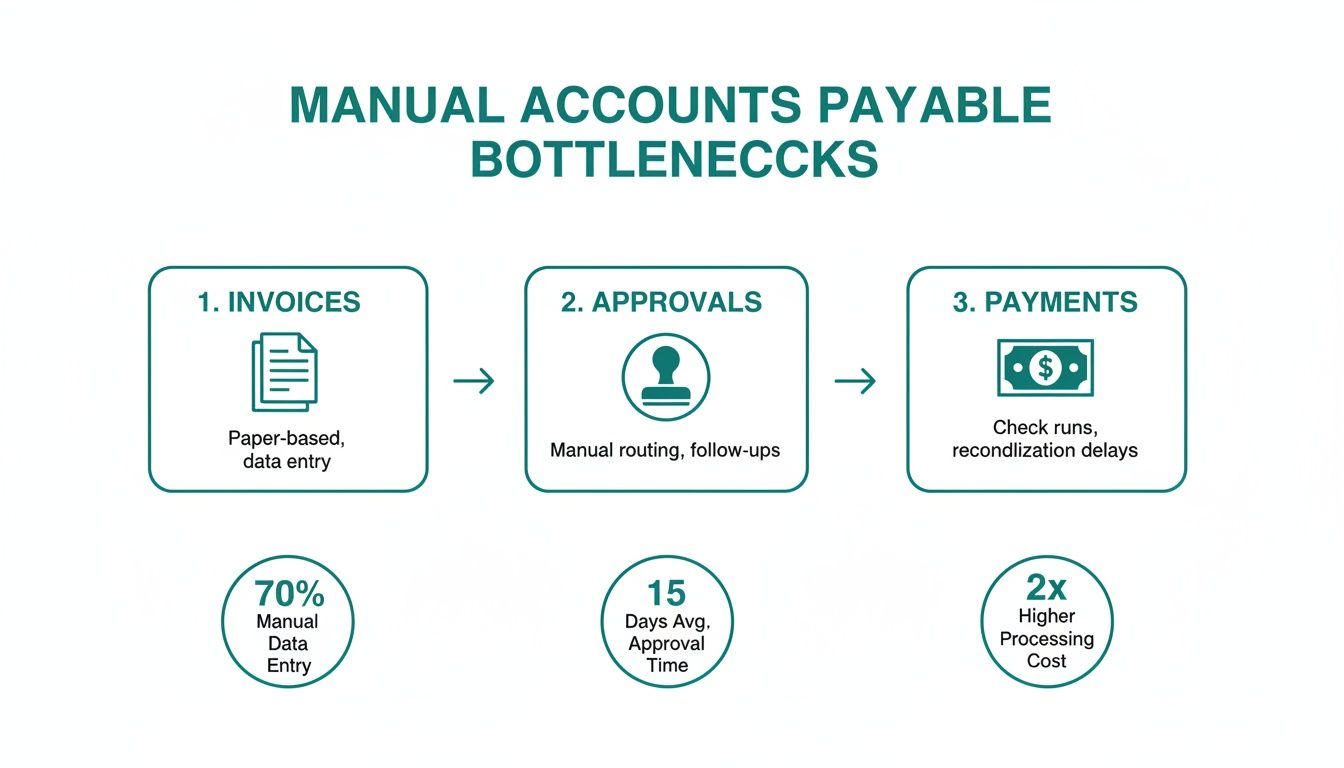
As you can see, every manual touchpoint introduces delays and opens the door for human error, bogging down the entire financial workflow.
From Document to Data with Intelligent Capture
Once an invoice is securely in the system, the smart technology takes over. The software uses Optical Character Recognition (OCR) to read the text on the document, just like your eyes would. But modern platforms go a step further. Systems like Mintline are powered by Artificial Intelligence (AI) to not just read the words, but to actually understand what they mean.
This is what makes it true automation, not just basic scanning. The software can pinpoint and pull out all the critical information with remarkable accuracy. We're talking about things like:
- Vendor Name: Who is this bill from?
- Invoice Number: The unique code for this transaction.
- Invoice Date and Due Date: When was it sent and when does it need to be paid?
- Line-Item Details: A breakdown of the specific products or services.
- Total Amount: The final figure you need to pay.
This technique, often called intelligent document processing, transforms a flat image or PDF into structured, actionable data. It completely gets rid of the most mind-numbing and error-prone part of traditional AP: manual data entry. You can dive deeper into this topic by reading our detailed guide on intelligent document processing.
Automated Validation and Approval Workflows
With all the data neatly extracted, the software then puts on its auditor hat. It can perform an automated three-way match, which is a cornerstone of good accounting practice. This is where the system automatically checks the invoice details against the matching purchase order (PO) and the goods receipt note (GRN).
The whole point of a three-way match is to confirm that you’re only paying for what you ordered and what you actually received. The software instantly flags any mismatches—like a different price or quantity—so a human can investigate, stopping costly overpayments before they ever happen.
Once everything checks out, the invoice moves on to the approval stage. Forget about chasing people down the hall or forwarding endless email chains. The system uses digital workflows that you can set up yourself. You can create rules based on the invoice amount, department, or project, and the software automatically sends it to the right person.
Approvers get a notification right away and can review and sign off on invoices from anywhere, even on their phone. This one change can cut approval times down from weeks to a matter of hours. Better yet, the entire journey is logged, creating a crystal-clear audit trail of who approved what and when. The whole sequence, managed by platforms like Mintline, gives you complete oversight and control from start to finish.
The Core Features That Define Powerful AP Automation
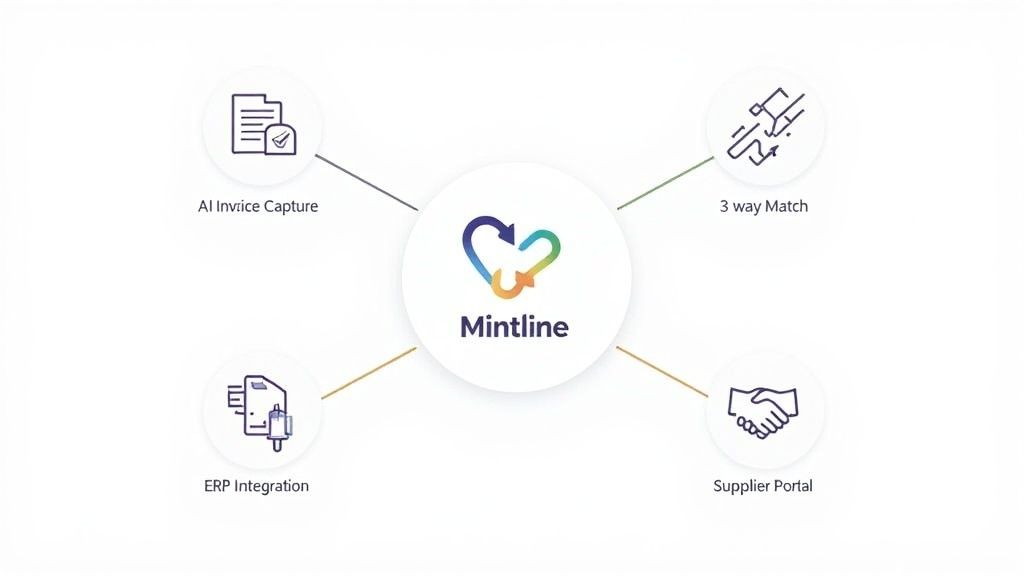
Let's be clear: not all accounts payable automation software is created equal. While many platforms can digitise an invoice, the truly effective solutions offer a set of smart features that work together to completely transform how your finance team operates. These core capabilities are what separate a basic scanning tool from a strategic asset that delivers real, measurable value.
A powerful system, like Mintline, goes far beyond simple data entry. It creates an interconnected hub for managing the entire payables process, establishing a single source of truth that’s intelligent, secure, and always accessible. Let’s break down the essential features that make this happen.
AI-Powered Invoice Capture and Data Extraction
At the heart of any modern AP automation platform is AI-powered invoice capture. This is a massive leap forward from older OCR technology, which often just turned an image into a messy block of text. Think of modern AI as a financial detective—it doesn't just read an invoice, it understands it.
The AI learns to pinpoint vendors, find invoice numbers, and pull out specific line-item details, even if the document is poorly formatted or complex. This intelligence means the system gets smarter with every invoice it sees, achieving accuracy rates that manual data entry simply can't compete with. It’s the key to finally getting rid of the mind-numbing hours spent keying in and correcting data.
Automated Three-Way Matching
One of the most crucial control points in any AP department is three-way matching. This is where you verify an invoice against its corresponding purchase order and goods receipt note. You’re essentially confirming that you’re only paying for what you ordered and actually received.
Doing this by hand is a slow, painstaking chore. Automation software does it in seconds.
The system instantly flags any mismatches—whether it’s a wrong price, an incorrect quantity, or a missing item—long before the invoice gets approved for payment. This proactive check catches expensive errors before they hit your books and stops fraudulent or duplicate payments in their tracks.
With automated matching, your AP process shifts from reactive problem-solving to proactive financial control. It acts as a digital gatekeeper, ensuring every payment is accurate and justified before a single euro leaves your account.
Flexible and Customisable Approval Workflows
Every business has its own chain of command. A rigid, one-size-fits-all approval workflow is a recipe for frustration and delays. This is why powerful accounts payable automation software must offer flexible, rules-based approval routing.
You can design workflows that automatically direct invoices to the right people based on rules you set. For example:
- Invoice Amount: High-value invoices can go straight to senior management, while smaller ones are handled by department heads.
- Vendor: Bills from a specific supplier can be sent directly to the relevant project manager.
- Department or GL Code: Invoices are automatically routed to the budget owner responsible for that particular cost centre.
This level of customisation ensures that approvals are never the bottleneck. Approvers get instant notifications and can review and sign off on invoices from their phone or laptop, turning a process that once took weeks into one that can be done in minutes.
Seamless ERP Integration and Supplier Portals
Finally, a top-tier AP solution has to play nicely with your existing financial systems. Seamless ERP integration is non-negotiable; it ensures your accounting system remains the undisputed source of truth. With a platform like Mintline, approved invoice data flows directly into your ERP, which means no more manual reconciliation and your financial records are always accurate and up to date.
On top of that, a self-service supplier portal is a game-changer. It empowers your vendors and drastically cuts down the admin work for your team. Suppliers can log in to check an invoice’s status, update their own contact information, and view payment schedules. This transparency puts an end to the endless back-and-forth emails and phone calls, freeing up your team to focus on more strategic tasks and helping you build stronger supplier relationships.
Measuring the Tangible Benefits and ROI of Automation
Talking about features is one thing, but the real test of any accounts payable automation software is the measurable impact it has on your bottom line. Bringing in a platform like Mintline isn't just about swapping paper for pixels; it’s a strategic move that should deliver a clear return on investment (ROI). You'll see the benefits show up in your cash flow, your team's productivity, and even in the quality of your supplier relationships.
This shift is particularly relevant for businesses here in the Netherlands. The push for AP automation has really picked up speed, thanks to things like EU e-invoicing rules and a generally more complex regulatory environment. Dutch finance teams are turning to cloud-based solutions to hit some impressive targets, like achieving 60–80% straight-through invoice processing and slashing operational costs by 50% or more. You can dig deeper into these trends with detailed reports on the Dutch automation market.
Ultimately, making this move helps you get a much better handle on your cash flow and strengthens those all-important supplier partnerships.
Slashing Invoice Processing Costs
One of the first and biggest wins you'll see is a massive drop in what it costs to process a single invoice. Manual processing is surprisingly expensive when you add up all the time your team spends on data entry, printing, chasing approvals, filing, and fixing the inevitable mistakes. Study after study shows that automation can cut these costs dramatically.
Just think about it: what if processing an invoice went from 20 minutes of manual work down to just a few minutes of automated capture and a quick review? Now, multiply that time saved across hundreds, or even thousands, of invoices every month. The financial benefit quickly becomes impossible to ignore. With a system like Mintline in place, your team is no longer bogged down by tedious work and can focus on more valuable tasks like financial analysis and planning.
Shrinking Approval Cycles from Weeks to Days
We’ve all seen it happen. In a manual system, an invoice can get stuck on someone's desk or lost in an email inbox for weeks, waiting for a signature. These delays clog up the whole system, stalling payments, annoying suppliers, and making it nearly impossible to forecast your cash flow with any real accuracy.
Automated workflows completely change the game. Invoices are instantly sent to the right approver based on rules you’ve already set up. Automatic reminders make sure nothing slips through the cracks.
This shift means approval cycles that once took weeks can now be wrapped up in just a few days, sometimes even hours. The result is a much more agile and predictable finance function that puts you back in control.
Capturing Early Payment Discounts
Many of your suppliers likely offer a small discount—usually around 1-2%—if you pay them early, say within 10 days instead of the usual 30. That might not sound like much, but over a year, it can add up to some serious savings. The problem is, with slow manual processes, most companies can't get invoices approved and paid quickly enough to actually take advantage of these offers.
By speeding up the entire invoice journey, AP automation turns this missed opportunity into a new source of cash. When you can consistently capture these discounts, your accounts payable department starts to look less like a cost centre and more like a profit generator. In many cases, these savings alone can pay for the software over time.
This boost in efficiency also ripples out to other areas. The clean, timely data from an automated AP system makes it much easier to automate financial reporting and get a clearer picture of the company's financial health.
Eliminating Errors and Enhancing Security
Manual data entry is a minefield of potential mistakes. We're talking about duplicate payments, overpayments, or simple typos that send money to the wrong bank account. Accounts payable automation software virtually wipes out these human errors by using AI to pull and double-check data with incredible accuracy.
On top of that, you get powerful built-in defences against both mistakes and fraud. Features like automated three-way matching and duplicate invoice detection act as a safety net. This not only protects your company’s cash but also gives you a complete, unchangeable audit trail for every single transaction. A platform like Mintline doesn't just make your process faster—it makes it fundamentally safer.
A Practical Checklist for Choosing Your AP Software
Picking the right accounts payable automation software isn't just about buying a new tool; it's a decision that will ripple through your entire finance department for years. You're not just looking for a product with a long feature list—you're looking for a partner that genuinely understands how your business works. To find that fit, you need to look past the marketing hype and focus on what will actually make a difference for your team.
This checklist is designed to help you do just that. We'll walk through the essential criteria to help you vet potential vendors and choose a solution that solves today's headaches and is ready to grow with you tomorrow. For businesses here in the Netherlands, that also means keeping a close eye on local requirements and integrations.
Integration with Your Existing Systems
Your new AP software has to play nicely with the systems you already use. If it doesn't connect seamlessly with your financial stack, you’re just trading one set of manual tasks for another, which completely misses the point of automation. Think of it as adding a new member to your team—they need to communicate fluently with everyone else.
When you're talking to vendors, get specific about their integration capabilities:
- ERP Compatibility: How deep does the integration with Dutch ERPs like AFAS and Exact go? You need more than a simple data export. Look for a true two-way sync that ensures your financial records are always accurate and up-to-date, without any manual reconciliation.
- Ease of Connection: What does the setup actually involve? Some integrations require a full-blown IT project, while others are much more straightforward. A solution like Mintline is built to connect easily, so you can get up and running without weeks of technical headaches.
- Future-Proofing: Does the platform have an open API? Your business will evolve, and so will your software needs. An open API gives you the flexibility to build custom connections down the road.
Security and Compliance Standards
When you're dealing with sensitive financial data, security can't be an afterthought. It has to be baked into the core of the platform. You need complete confidence that your invoices, supplier details, and payment information are locked down and protected from any unauthorised access. This is especially crucial for any business operating under strict European privacy laws.
A vendor’s commitment to security is a non-negotiable. Look for proof of robust encryption, secure data centres, and a clear, proactive approach to regulatory compliance.
Make sure any software you consider ticks these boxes:
- GDPR Adherence: The platform must be fully compliant with the General Data Protection Regulation (GDPR). Ask for their policies on data processing and storage, especially regarding where your data is held—it should be within the EU.
- Data Encryption: Don't settle for less than AES-256 encryption for your data, both when it's being sent (in transit) and when it's being stored (at rest).
- Access Controls: The system must let you define who can see and do what. Granular, role-based permissions are essential to ensure team members only have access to the information they absolutely need to do their jobs.
User Experience and Team Adoption
The most feature-packed software on the market is worthless if your team hates using it. A clunky interface or a steep learning curve is a recipe for disaster. People will quickly fall back on their old spreadsheets and manual workarounds, and you'll never see the benefits you paid for. The goal is to find something that feels natural and intuitive from the moment you log in.
Look for a platform with a clean, user-friendly design that makes everyday tasks feel effortless. A system like Mintline, for instance, focuses on a simple user experience that transforms complex approval workflows into a few easy clicks. This approach means your team can get comfortable with the software quickly, without needing months of training. Ultimately, a platform that your people actually enjoy using is the one that will deliver the best results.
Rolling Out AP Automation and Sidestepping Common Roadblocks
Getting accounts payable automation software up and running is about so much more than just flipping a switch on a new platform. It’s a real shift that touches your people, your established processes, and even your company culture. A smooth rollout is critical—it’s what gets your team excited about the change and ensures you start seeing a return on your investment right from the start.
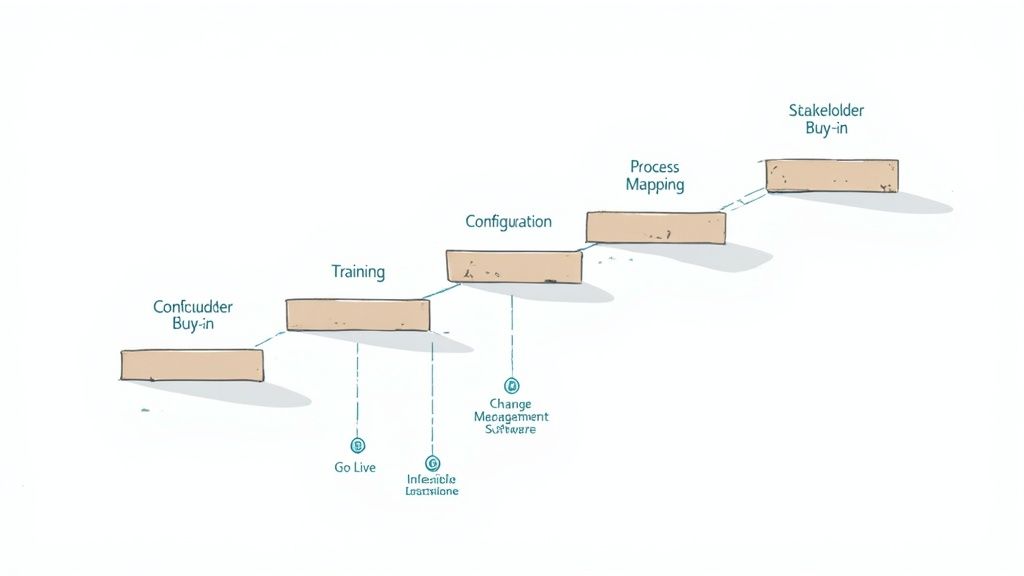
Think of a well-planned implementation as a roadmap. It guides your finance department from the old, manual ways of working towards a much more efficient future. Working with a supportive partner like Mintline can make all the difference, helping you navigate not just the technical setup but the human side of the transition, too.
Charting Your Course: A Phased Approach
A structured plan is the secret to avoiding headaches and building positive momentum. When you break the project down into clear, manageable phases, it keeps everyone on the same page and focused on the end goal. A typical rollout follows a logical path from initial planning all the way to full-scale adoption.
Your journey to automation will generally follow these key stages:
- Map Your Process and Get Everyone on Board: Before you touch a single thing, you need to understand exactly how you work today. Sketch out every single step of your current AP process, from the moment an invoice lands on someone's desk to the final payment confirmation. This is where you’ll pinpoint the real bottlenecks. Use this map to get buy-in from key decision-makers by showing them precisely which problems the new software will solve.
- Configure the System and Move Your Data: Now it’s time to make the software your own. You’ll set up custom approval workflows that match your company’s unique structure and chain of command. You also need a solid plan for migrating your existing vendor information—a clean, accurate start is essential.
- Train the Team and Start Small: Don’t unleash the new system on everyone at once. Start with a small pilot group. This gives you a chance to gather real-world feedback and iron out any wrinkles before the company-wide launch. Your training should focus not just on how to click the buttons, but why the new system makes each person’s job easier.
- Go Live and Keep Improving: Once the system is live, keep a close eye on performance and see how well your team is adopting it. Ask for feedback regularly. This isn't a "set it and forget it" deal; you'll want to find opportunities to tweak and refine things over time, ensuring the software grows with your business.
Avoiding Common Implementation Pitfalls
Even with the best plan in the world, a few common missteps can throw your project off course. Knowing what these are ahead of time means you can actively avoid them and keep things running smoothly.
The single biggest risk in any software project is underestimating the human element. The technology is often the easy part—getting people to change their ingrained habits is the real challenge.
Here are three critical mistakes to watch out for:
- Forgetting About Change Management: Simply announcing a new tool and expecting everyone to jump on board is a recipe for disaster. You have to communicate the benefits early and often, listen to people's concerns, and involve your team in the process. When people feel like they’re part of the solution, adoption rates go through the roof.
- Underestimating the Data Migration: Moving all your vendor details, historical invoices, and payment records is a bigger job than most people think. Starting with messy or incomplete data can hamstring your new system from day one. Make sure you dedicate enough time and resources to clean and validate your data before you move it over.
- Picking a Rigid, Inflexible Solution: Your business isn't static, so your software shouldn't be either. Avoid systems that lock you into one specific way of doing things. A flexible platform lets you adjust workflows and add integrations as your needs change, which is vital for optimising your entire financial workflow.
Time to Modernise Your Accounts Payable
If there's one thing we've learned navigating the world of modern finance, it's this: running your accounts payable manually is like trying to win a Grand Prix on a bicycle. It’s just not built for the speed and complexity of today's business. For any growing business in the Netherlands, sticking with paper invoices and manual approvals is a surefire way to create bottlenecks, invite financial risk, and slow everything down.
The good news? The era of lost invoices, tedious data entry, and chasing down signatures is well and truly over. Making a change isn't just a "nice-to-have" anymore—it's essential for staying competitive and building a resilient business.
As we’ve covered, switching to accounts payable automation software brings a host of powerful, tangible benefits. This is about so much more than just doing things faster. It’s about turning a necessary but costly part of your back office into a smart, strategic asset that actually improves your financial health.
Turning Knowledge into Action
You now have a solid understanding of the what, why, and how. The next logical step is to move from simply recognising the problem to taking decisive action. When you automate your AP process, you set off a positive chain reaction that benefits the entire company.
Just think about the knock-on effects:
- A More Strategic Team: You free up your finance experts from mind-numbing, repetitive tasks, allowing them to focus on what really matters—financial analysis and strategic planning.
- Serious Cost Reductions: You can slash invoice processing costs, say goodbye to accidental duplicate payments, and finally start capturing those valuable early payment discounts.
- Tighter Security & Compliance: You create an iron-clad system for your financial data, complete with crystal-clear audit trails and powerful controls to stop fraud in its tracks.
- Real-Time Financial Clarity: You gain instant visibility into your cash flow, which means you can make better, more informed decisions that help steer the business forward.
This is your chance to build a finance department that’s not just efficient, but intelligent and ready for the future. The technology is here and ready to go. All it takes is that first step. It’s time to stop pushing paper and start pushing your business to the next level.
Ready to turn this understanding into a reality for your business? See how Mintline can tackle your specific AP headaches and help you build the smart, future-proof finance function you need. Explore Mintline's AI-powered platform today.