
Your Guide to Accounts Payable Def and Its Process
Understand the accounts payable def with our complete guide. We break down the AP process, journal entries, and the benefits of automation for your business.
Ever wonder what "accounts payable" really means? Strip away the jargon, and it's simply the money your business owes to suppliers for things you've already received but haven't paid for yet.
Think of it as your company's running "tab" or a short-term IOU list. It's a crucial liability that shows up on your balance sheet, and managing it well—ideally with smart tools like Mintline—is key to your financial health.
What Is Accounts Payable in Simple Terms?
At its heart, accounts payable (AP) is the system you use to track and manage all the short-term debts you owe to your vendors. It's much more than just a line item in your accounting software; it's a living, breathing part of your day-to-day financial operations that directly shapes your cash flow and supplier relationships.
When an invoice for new office chairs or a monthly software subscription lands on your desk, that amount gets logged into your accounts payable. This "tab" stays open until you cut the cheque or make the transfer, officially settling the debt. In accounting speak, AP is considered a current liability because these bills are almost always due within a year.
The Role of AP in Your Business
Accounts payable is far more than just a bill-paying department. A well-organised AP process acts as a financial gatekeeper, ensuring every payment that goes out the door is legitimate, accurate, and on time. It’s your first line of defence against paying the same invoice twice, catching costly errors, and even protecting the company from fraud.
Without a solid AP system in place, a business can quickly lose its grip on its financial obligations. The scale of these short-term debts is massive. To give you a sense of the economic weight, Dutch companies reported 'Other accounts payable' totalling around EUR 32,798 million back in mid-2008. That number underscores just how fundamental these liabilities are to the entire commercial ecosystem.
To give you a quick reference, here’s a simple breakdown of the core ideas.
Key Accounts Payable Concepts at a Glance
This table summarises the core components of Accounts Payable for a quick and easy understanding.
| Component | Simple Explanation | Business Impact |
|---|---|---|
| Invoice | The bill sent by a supplier for goods or services. | Triggers the AP process; it's the official request for payment. |
| Vendor | The supplier or company you owe money to. | Strong vendor relationships rely on timely and accurate payments. |
| Current Liability | A debt that must be paid within one year. | Affects your company's working capital and short-term financial health. |
| Payment Term | The agreed-upon timeframe for paying an invoice (e.g., Net 30). | Dictates your cash flow timing and helps avoid late fees. |
These concepts all fit together to form the foundation of an effective accounts payable function.
The Opposite Side of the Coin
Another great way to understand AP is to look at its direct opposite: accounts receivable (AR). While AP is all about the money you owe to others, AR is the money that others owe to you.
A simple way to remember the difference is:
- Payable: Money you must pay out.
- Receivable: Money you expect to receive.
Both are two sides of the same coin and give you a full picture of your company's financial position. You can explore the relationship between accounts payable and accounts receivable to see how they balance each other out.
Ultimately, accounts payable is the control centre for managing your expenses, protecting your cash reserves, and building the strong, reliable relationships you need with the vendors who help your business succeed.
From Invoice to Payment: The Accounts Payable Workflow
To really get to grips with what accounts payable is, let's walk through the life of an invoice from the moment it lands in your business. This journey highlights all the checkpoints, and more importantly, the common roadblocks that can gum up the works and cause financial stress. Before we even start, it's vital to know the critical differences between an invoice and a receipt.
It all kicks off when a supplier's invoice arrives, whether it’s a physical letter or a PDF attachment in an email. The first task is invoice capture—getting all that crucial data off the document and into your accounting software. This step is a classic bottleneck. Why? Because manual data entry is tedious, slow, and riddled with potential for human error. One wrong digit can throw off payments and cause chaos later.
With the data in the system, it needs to be categorised. This is called invoice coding. Someone on the AP team—or sometimes the department that made the purchase—assigns the expense to the correct general ledger account, like "Office Supplies" or "Software Subscriptions." Getting the coding right is non-negotiable for accurate financial reports and smart budgeting; it's how you know precisely where your money is going.
Verifying the Details
Next, the invoice has to pass the most crucial test of all: the three-way match. Think of this as the cornerstone of AP control, a methodical check to ensure everything is above board before any money leaves your account.
It involves cross-referencing three documents:
- The Purchase Order (PO): Your company's internal document that green-lit the purchase in the first place.
- The Receiving Report: The proof that you actually received the goods or services you ordered.
- The Supplier's Invoice: The bill that's asking for payment.
If the item, quantity, and price match up across all three, the invoice gets the go-ahead. But if there’s a discrepancy—even a small one—the AP team has to put on their detective hats and figure out why. This often kicks off a painful chain of emails and phone calls, delaying the entire process. This validation step is your best line of defence against paying too much or falling for a fraudulent bill.
Getting Approval and Settling the Bill
Once everything is verified, the invoice enters the approval workflow. Who needs to sign off? That depends entirely on your company's rules. It might be a department head, a manager, or for a large expense, even a C-level executive. Hunting down the right person for approval can be a major source of delay, especially in big companies with complex hierarchies or remote teams.
An inefficient approval process is one of the most common reasons for paying suppliers late. It's not surprising when you learn that up to 84% of a typical AP team member's day can be eaten up by manual, low-value tasks like data entry and chasing approvals.
After the final sign-off is secured, the invoice is queued up for payment. The AP team makes the payment—by bank transfer, cheque, or another method—ensuring it’s done within the agreed terms to avoid late fees and keep suppliers happy. The last step is to record the payment in the accounting system, which officially closes the loop and settles the debt on your books.
This flowchart gives you a simple visual of the journey.
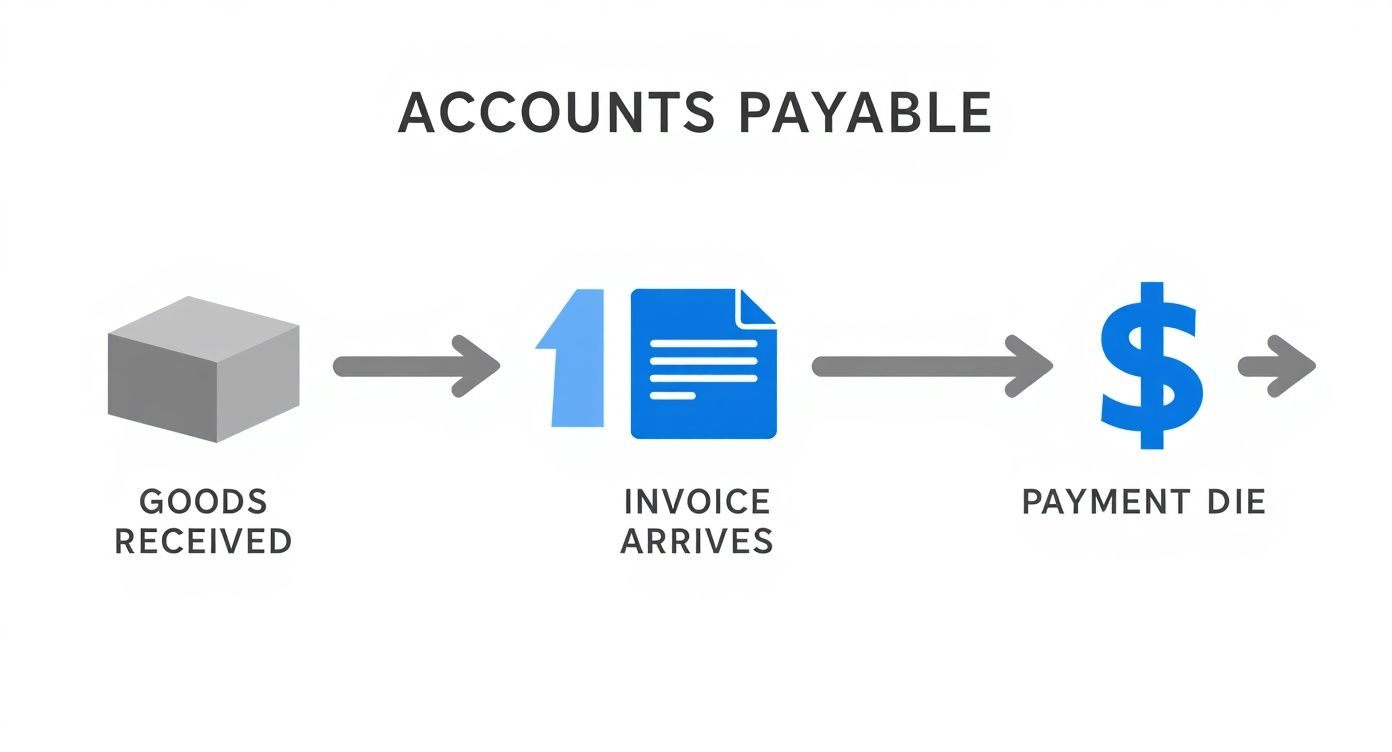
As you can see, a traditional AP workflow is very linear, with plenty of places for things to get held up. Every single one of these steps is an opportunity for improvement and a reason why businesses are increasingly turning to automation to handle these manual touchpoints.
How to Record Accounts Payable Journal Entries
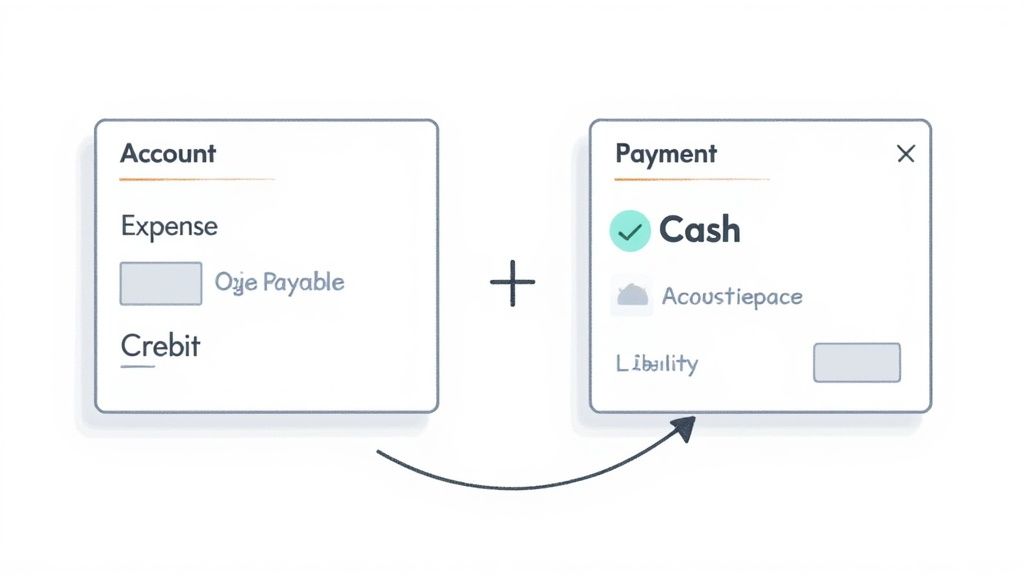
Knowing the AP workflow is one thing, but the real "aha!" moment comes when you see how it all plays out in your company's books. Every single AP transaction is captured using a system called double-entry bookkeeping. At its core, this just means every event affects at least two accounts, keeping the fundamental accounting equation (Assets = Liabilities + Equity) perfectly balanced.
The whole process boils down to two key moments: first, when you get an invoice and recognise you owe money, and second, when you actually pay it. Let's walk through exactly how to record these events with simple journal entries.
Recording the Initial Liability
Let's imagine you've just hired a marketing agency to run a campaign. They send you an invoice for €1,500. You haven't paid them a cent yet, but the moment you accept that invoice, you've officially incurred both an expense and a liability.
Here's how you’d record it in your books:
- Debit (Dr) Marketing Expenses for €1,500: A debit increases an expense account. This entry shows your company has consumed the marketing services.
- Credit (Cr) Accounts Payable for €1,500: A credit increases a liability account. This entry is your formal IOU, acknowledging the new debt to the agency.
In a general journal, it would look clean and simple, like this:
| Account | Debit | Credit |
|---|---|---|
| Marketing Expenses | €1,500 | |
| Accounts Payable | €1,500 | |
| To record marketing services invoice |
At this stage, your expenses on the income statement have gone up, and your liabilities on the balance sheet have increased by the exact same amount. For a refresher on why this works, our guide covers the principles of the double-entry bookkeeping system in more detail.
Clearing the Liability After Payment
Fast forward 30 days, and it's time to pay that €1,500 invoice. This action also needs a journal entry to show what’s changed. Essentially, you're using one of your assets (cash) to get rid of a liability (the money you owe).
The journal entry for the payment is as follows:
- Debit (Dr) Accounts Payable for €1,500: A debit decreases a liability account. This entry cancels out the debt, showing you've fulfilled your obligation.
- Credit (Cr) Cash for €1,500: A credit decreases an asset account. This reflects the cash flowing out of your bank to settle the bill.
Key Takeaway: The first entry creates the debt on your books, and the second one clears it. This two-step dance gives you a precise, real-time picture of your company's obligations, which is absolutely vital for managing cash flow and making smart financial decisions.
The payment entry would be logged like this:
| Account | Debit | Credit |
|---|---|---|
| Accounts Payable | €1,500 | |
| Cash | €1,500 | |
| To record payment of marketing invoice |
Once this final entry is posted, your Accounts Payable balance for this particular bill is back to zero, and your Cash account is naturally lower. It’s this disciplined tracking that forms the foundation of accurate financial reporting. This is where tools like Mintline shine, by helping you keep all the supporting documents for these entries organised and audit-ready.
Why Smart AP Management Is a Game Changer
Let's be honest, accounts payable can often feel like a thankless back-office chore. It's just paying bills, right? Well, not exactly. Viewing AP as a simple administrative task is a missed opportunity. When managed smartly, it becomes a powerful tool that directly influences your company's financial health and stability.
Think of it this way: a finely tuned AP process stops being a cost centre and starts generating real value. It’s less about just processing invoices and more about strategically managing one of your most critical resources: cash.
The Art of Timing Your Payments
By getting strategic with when you pay your suppliers, you can dramatically improve your working capital. The goal isn't to pay late, but to pay on time—not necessarily early. This subtle shift means you hold onto your cash for as long as possible without damaging relationships.
That extra time gives you incredible flexibility. You can use that cash to jump on a growth opportunity, handle an unexpected expense, or simply maintain a healthier financial cushion. It’s about making your money work for you, right up until the moment it needs to leave your account.
Building Stronger Supplier Relationships
Your AP department is on the front line of your supplier relationships. Every single payment, whether it's on time and accurate or late and messy, sends a message. Consistent, reliable payments build a foundation of trust that pays dividends down the road.
This isn't just about being a good business partner; it has tangible benefits. Suppliers who trust you are often more willing to:
- Offer better payment terms or more favourable pricing.
- Give you priority service when you're in a pinch.
- Collaborate more closely on new projects.
A solid payment reputation can become a genuine competitive advantage, turning a simple transactional exchange into a strategic partnership.
Unlocking Key Financial Insights
A well-run AP function is also a goldmine of financial data. One of the most telling metrics you can pull from your AP process is Days Payable Outstanding (DPO). In simple terms, DPO tracks the average number of days it takes for your company to pay its suppliers.
A high DPO might look great on a cash flow report, but if it creeps too high, it's a red flag. It can signal financial distress and will almost certainly damage your supplier relationships. The sweet spot is a balance that keeps your vendors happy while keeping your cash flow strong.
Zooming out, these individual company payables even paint a bigger economic picture. For example, the Netherlands' balance of payments, which records all transactions with the rest of the world, is directly influenced by these commercial activities. The current account balance, which stood at EUR 5,066.5 million in December 2021, is shaped by imports that create accounts payable liabilities to foreign suppliers. You can learn more about how these financial flows impact the Dutch national economy.
Ultimately, managing accounts payable effectively is all about control, insight, and strategy. By getting a firm grip on this core function with tools like Mintline, you can transform a routine task into a powerful engine for improving cash flow, strengthening partnerships, and driving sustainable business growth. It's a true game changer.
Getting Rid of the Manual Grind with AP Automation
Picture an AP process where you’re not buried under paper, chasing signatures, or fixing typos from manual data entry. This is what happens when automation takes over. AP automation software, like Mintline, is designed to methodically tackle the weak points of a traditional workflow, shifting your accounts payable from a simple cost centre to a smart, strategic part of the business.
The whole game changes right when an invoice lands. Instead of a person keying details into a spreadsheet, Optical Character Recognition (OCR) technology gets to work. This smart software reads the document and pulls out all the critical information—vendor name, invoice number, due date, and line items—with impressive accuracy. Just that one step wipes out a massive chunk of human error and frees up your team’s day.
From Manual Matching to Intelligent Verification
One of the biggest time-sinks in any AP department is the three-way match. Manually, this means someone has to physically dig up the purchase order and the receiving report to compare them against the invoice. It’s tedious and slow.
AP automation software handles this in a flash. It digitally cross-references all three documents, instantly flagging any inconsistencies for a human to review.
This isn't just about saving time; it's a powerful control mechanism. By automating the match, you dramatically cut down the risk of paying the same invoice twice, overpaying, or even falling for fraud. You ensure you only ever pay for exactly what you ordered and received.
The improvements don't end there. Once an invoice is verified, the system automatically sends it to the right person for approval based on rules you’ve already set. The invoice simply shows up in their queue, and the system can even send gentle reminders if things are held up. This stops your AP staff from having to play email tag all day, a task that can easily consume hours. To get the most out of this, it helps to understand the core concepts of automating company approval workflows.
To really see the difference, let’s compare the old way with the new.
Manual vs Automated AP Process Comparison
Here’s a side-by-side look at how specific AP tasks change when you move from a manual system to an automated one with a platform like Mintline.
| AP Task | The Manual Way | The Automated Way with Mintline |
|---|---|---|
| Invoice Entry | Someone physically types in all data from each invoice. It's slow and prone to errors. | OCR technology instantly captures and digitises invoice data with high accuracy. |
| Three-Way Matching | A team member manually hunts for and compares the PO, invoice, and receiving report. | The system automatically matches all three documents in seconds, flagging any exceptions. |
| Approval Routing | Invoices are emailed or hand-delivered for signatures, often getting lost or forgotten. | Invoices are routed to the correct approver automatically based on preset rules. |
| Payment Processing | Payments are scheduled and executed individually, creating a heavy administrative load. | Approved invoices are queued for batch payments, simplifying the entire process. |
| Visibility & Reporting | Getting a clear picture of liabilities requires manually compiling data from spreadsheets. | A real-time dashboard gives you instant visibility into cash flow and invoice statuses. |
As you can see, automation doesn't just speed things up; it adds layers of control and visibility that are nearly impossible to achieve manually.
Gaining Real-Time Financial Visibility
With a manual process, trying to figure out your exact financial obligations at any given moment is a huge headache. Automation changes that by giving you a live dashboard view of your entire accounts payable situation. You can see everything at a glance:
- Total Outstanding Payables: Know precisely how much you owe and who you owe it to.
- Upcoming Due Dates: Proactively manage your cash flow and sidestep late payment penalties.
- Invoice Status: See exactly where every single invoice is in the process, from receipt to payment.
This kind of clarity is essential for solid financial planning and forecasting. It’s also a sign of a wider trend. For example, by 2020, direct debit payments in the Netherlands already accounted for around 16.5% of all transactions, showing a clear move towards more efficient, automated ways of settling bills.
Ultimately, automating accounts payable turns what was once tedious administrative work into a process of strategic financial control.
Still Have Questions About Accounts Payable? Let's Clear Them Up
Even with a solid grasp of the accounts payable process, a few specific questions tend to pop up again and again. Let's tackle them head-on to make sure these key concepts are crystal clear.
What's the Real Difference Between Accounts Payable and Accounts Receivable?
Think of it like a two-way street for your company's cash. One side is money going out, the other is money coming in.
-
Accounts Payable (AP) is the money you owe. It’s your stack of bills from suppliers for goods or services you've bought on credit. On your balance sheet, it’s a liability—a promise to pay that you need to settle.
-
Accounts Receivable (AR) is the money others owe you. It's the stack of invoices you've sent to your customers. This is an asset, representing cash that will soon be flowing into your business.
So, AP is all about managing your outbound payments, while AR is focused on bringing cash in. Simple as that.
How Does Accounts Payable Actually Affect My Cash Flow?
Accounts payable is one of the most direct levers you can pull to manage your business's cash flow. It all comes down to timing.
When you pay a bill the moment it arrives, you’re letting cash leave your business sooner than it has to. Smart businesses hold onto that cash for as long as possible—right up to the payment due date. This keeps your working capital healthy, giving you more flexibility.
But it’s a delicate balancing act. Pay too late, and you risk damaging your reputation with suppliers or missing out on valuable early payment discounts. The sweet spot is paying on time, every time, without needlessly draining your cash reserves. This is where getting a clear view of your due dates, often through a platform like Mintline, becomes a game-changer.
The Core Principle: Great AP management isn't about paying late. It's about paying strategically to keep cash in your business for as long as possible while honouring every single commitment to your vendors.
Why Do People Go on About the Three-Way Match?
Because it’s your best line of defence against paying for something you didn't order, didn't receive, or are being overcharged for. It’s a simple but powerful verification step that protects your business from errors and fraud.
The three-way match is just a methodical cross-check of three key documents:
- The Purchase Order: This shows what your team agreed to buy.
- The Receiving Report: This proves what you actually received at your warehouse or office.
- The Supplier's Invoice: This is what the supplier is asking you to pay.
When the details—items, quantities, and prices—line up perfectly across all three, you know the invoice is legitimate and can be paid with confidence. Without this check, it’s surprisingly easy for costly mistakes to slip through the cracks.
Is AP Automation Really Worth It for a Small Business?
Without a doubt. AP automation used to be a luxury for massive corporations, but that’s no longer the case. For a small business, the return on investment can be surprisingly fast, mainly because it gives you back your most precious resource: time.
Think about all the hours spent manually typing in invoice data, chasing down team members for approvals, and rummaging through emails for receipts. These are tasks that kill productivity and pull you away from actually growing your business.
Modern tools like Mintline are built to handle this grunt work. They can capture invoice data automatically and match documents for you, creating a clean, audit-ready financial system from the get-go. For a small team, that's not just an efficiency gain; it’s a competitive advantage.
Ready to stop chasing receipts and start automating your finances? Mintline uses AI to automatically link every bank transaction to its corresponding receipt, turning hours of monthly admin into just a few minutes. Discover how Mintline can give you back your time.