
How to Get Text From an Image: A Practical Guide for Your Business
Learn how to get text from an image using simple tools and advanced OCR. This guide covers everything from phone apps to automated bookkeeping with Mintline.
If you need to get text from an image, you’re looking for Optical Character Recognition (OCR). For a quick, one-off task, your phone’s built-in tools like Live Text or Google Lens are perfect. But when your desk is covered in receipts and invoices, you need a solution built for business. This is where specialized software like Mintline comes in, turning a manual chore into an automated workflow.
Why Extracting Text From Images Changes Everything
That pile of crumpled receipts on your desk isn't just clutter. For freelancers and small business owners, it’s a mountain of administrative work. Each receipt is a data entry task in disguise, pulling you away from the work that actually grows your business.
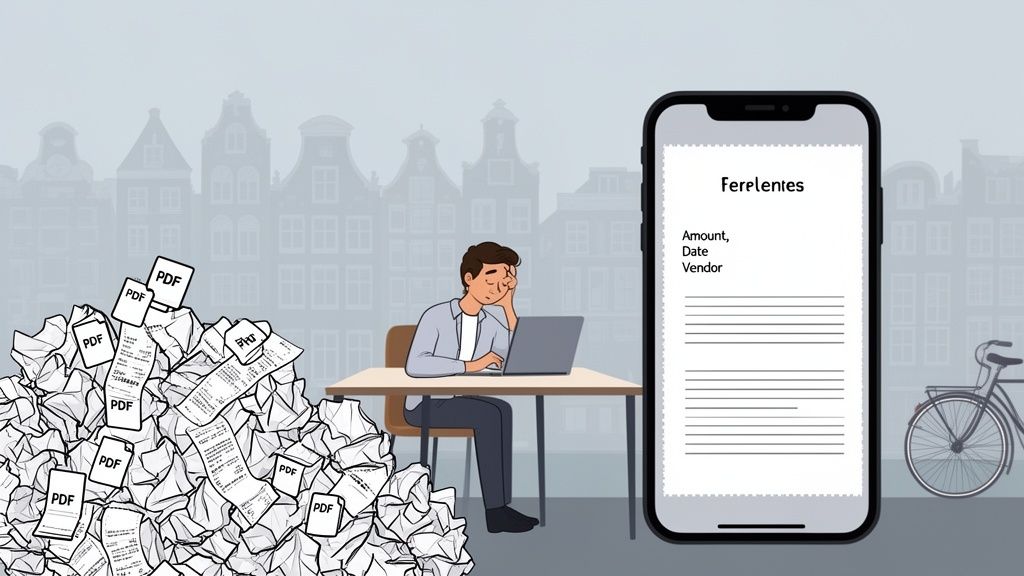
This manual slog isn't just slow; it’s practically begging for mistakes. A single misplaced decimal or a mistyped digit can send your entire financial forecast into a tailspin. The problem is simple: all that crucial information—vendor names, dates, amounts—is locked away inside a static image.
The Shift From Manual Labour to Smart Data
This is exactly where Optical Character Recognition (OCR) comes in. It’s a digital translator that reads the text in a picture and turns it into actual, editable data you can use. It’s the key to liberating your financial data from its paper-and-pixel prison.
Instead of squinting at a receipt and typing everything out, a tool like Mintline lets you just upload a file. Suddenly, a chaotic paper trail becomes structured, searchable information. For anyone managing their own books, this isn't just a convenient feature; it’s a total game-changer for your workflow.
The real magic of OCR isn't just turning a picture into words. It's about swapping hours of mind-numbing, error-prone data entry for a few seconds of automated work. It gives you back your most valuable asset: time.
Unlocking Business Efficiency
Once you can reliably get text from an image, you open up a whole new world of possibilities for managing your business finances. This is the foundation for building a system of automated document processing, letting technology take over the repetitive grind. The payoffs are both immediate and significant.
- Increased Accuracy: Automation drastically reduces the typos and transposition errors that plague manual data entry. Your financial records become far more reliable.
- Significant Time Savings: Picture a freelancer getting back several hours every single month. That’s time they can now spend on billable client work or growing their business, not on paperwork.
- Enhanced Organisation: Digital text is searchable. Need to find a specific receipt from six months ago? It’s now a quick keyword search instead of a desperate rummage through a shoebox.
Ultimately, pulling text from images is the critical first step toward smarter financial management. It’s how you turn bookkeeping from a reactive chore into a proactive tool for your business.
Quick Ways to Get Text From an Image on Any Device
You'd be surprised how often you already have the perfect tool for pulling text out of a picture. Before you go searching for specialised software, check the device you’re holding in your hand or sitting in front of. Your phone and computer have some incredibly handy built-in features that are perfect for those quick, one-off jobs.
Think about grabbing a phone number from a photo of a business card or pulling an invoice number from a PDF someone emailed you. For these everyday tasks, the tools that come with your device are often the fastest way to get it done.
Use Your Phone for Instant Text Grabs
Your smartphone is probably the most powerful and convenient OCR tool you own. Both Apple and Google have baked text recognition right into their operating systems, making it as easy as pointing your camera.
If you’re on an iPhone, you’ve got Live Text. It works directly in the Camera and Photos apps. Just aim your camera at a sign, a menu, or a document, and you'll see a little yellow icon pop up. Tap it, and you can select, copy, and paste that text as if it were on a webpage. For clean, printed text, it's astonishingly fast and accurate.
On the Android side, Google Lens is the equivalent powerhouse. It's built into the camera and Google Photos app, and it does the same thing—identifies and extracts text from any image you snap or have saved. Lens even goes a step further by recognising what the text is. It knows if it’s an address and will offer to open it in Maps, or if it’s a date, it will ask if you want to create a calendar event.
Here you can see Live Text on an iPhone identifying text right through the camera app, making it instantly selectable. That yellow frame and the text icon show how the phone isolates the text in real-time, ready for you to copy or share.
Native Desktop Screenshot Tools
Don't forget about your desktop or laptop. Their native screenshot tools are a secret weapon, especially when you're dealing with web content or PDFs where you can't just select the text.
- On macOS: The standard screenshot tool (Command+Shift+4) has OCR built right in. After you grab a screenshot, you can often just highlight and copy the text directly from the image preview. It's perfect for quickly lifting a paragraph from a report or a product code from an image on a website.
- On Windows: The Snipping Tool (or its newer version, Snip & Sketch) has a feature called "Text Actions." Once you've captured a part of your screen, just click that button. It analyses the image and lets you copy all the text it finds with a single click.
These built-in tools are fantastic for their speed and convenience, but they're really designed for simple, quick jobs. When you start trying to process multiple documents or handle complex financial data from receipts and invoices, you'll hit their limits pretty fast.
Simple Online OCR Tools for One-Off Files
What if you have a specific file, like a scanned PDF or a clear photo of a document? A free online OCR tool can be a great choice. Websites like OnlineOCR and OCR.space let you upload a file, and they spit back the extracted text in seconds.
But you have to be careful. Most of these free services come with strings attached—limits on file size, the number of pages you can process per day, and so on. More importantly, you should think twice before uploading anything with sensitive financial or personal information. The convenience just isn't worth the privacy risk. For any confidential documents, you’ll want a more secure, professional solution like Mintline to handle your bookkeeping data safely.
When You Need More Power: Advanced OCR Tools
The quick text-grabbing features on your phone or desktop are fantastic for casual use, but they hit a wall pretty quickly in a business setting. When you’re dealing with stacks of documents or need precision that’s non-negotiable, it's time to bring in professional-grade solutions.
These advanced Optical Character Recognition (OCR) tools are built for the messy reality of business paperwork. We’re talking about multi-page invoices with complex tables, forms with specific fields that need to be captured accurately, and those notoriously tricky thermal paper receipts. They’re the logical next step when you need to not just get text from an image, but to do it reliably, every single time, and at scale.
This diagram shows the simple ways to capture text on the fly with the tools you already have.
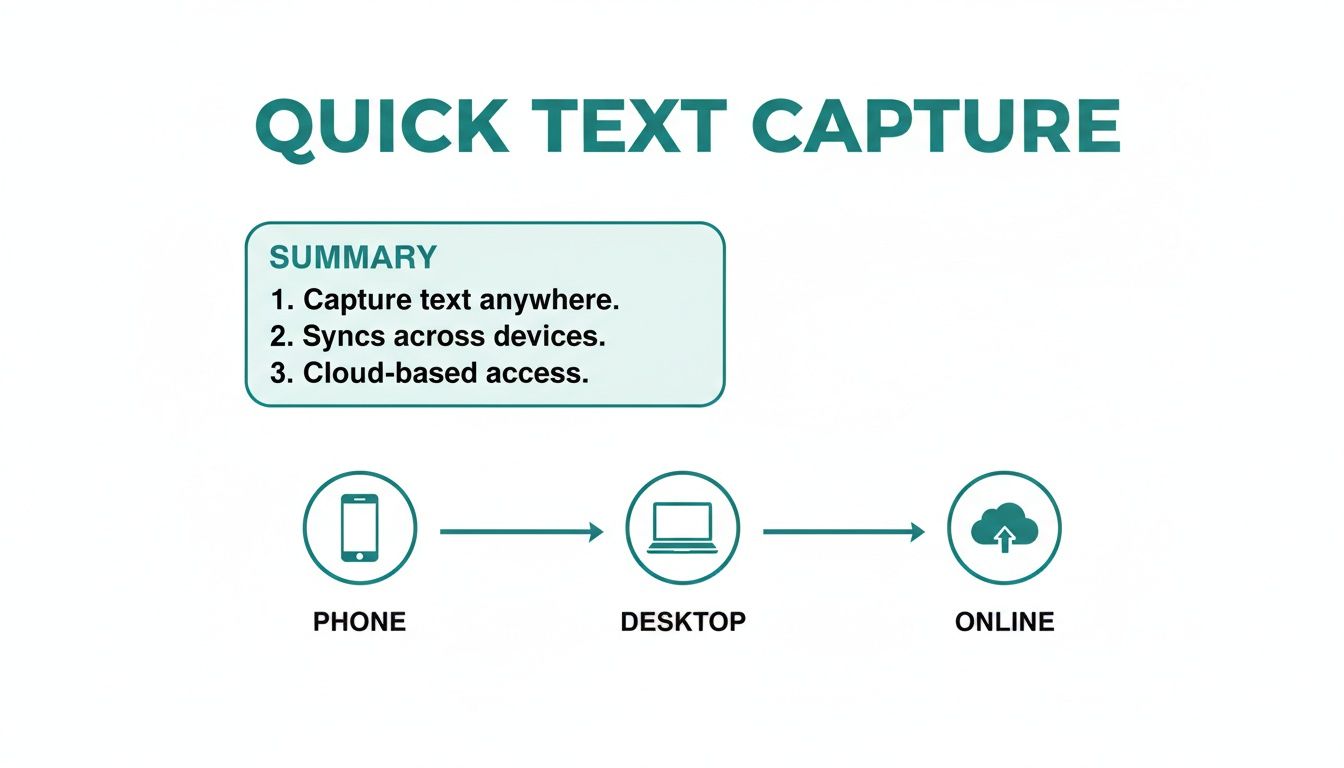
While these methods are great for a quick copy-paste, they just don't have the specialised features needed for high-stakes financial data extraction.
Cloud OCR APIs: The Gold Standard for Accuracy
For unbeatable precision, most businesses turn to cloud-based OCR APIs from major tech players. These services aren't just reading text; they're running it through sophisticated machine learning models trained on billions of documents. The result is an accuracy level that free, built-in tools simply can't touch.
Two of the heavyweights in this space are:
- Google Cloud Vision AI: Known for its incredible ability to recognise text in all sorts of conditions—low light, weird angles, you name it. It's a fantastic all-rounder that can pull text from almost any image you throw at it.
- Amazon Textract: This one is purpose-built for documents. It goes beyond simple text extraction by intelligently identifying tables, forms, and key-value pairs (like "Invoice Number" and its corresponding value). This is a game-changer for automatically pulling structured data from invoices without someone having to do it manually.
These APIs are usually priced on a pay-per-use model, which makes them accessible and cost-effective for businesses of any size. They are the powerhouse engines behind many advanced financial platforms, including solutions like Mintline, which uses this very technology to automate bookkeeping.
The key difference with professional APIs is context. They don't just see a string of letters; they understand structure. This ability to identify a table or a form field is what separates basic text grabbing from true document automation.
The shift toward this technology is happening fast. In the Netherlands, AI adoption in businesses is soaring, with text mining—the technology at the heart of OCR—being a major driver. Overall AI use in Dutch companies with 10 or more employees hit 22.7%, a huge jump from 14% the year before. For freelancers and accountants drowning in PDF statements and receipts, this move from manual data entry to an automated process is monumental. You can read more about how Dutch businesses are embracing AI.
Open-Source Engines: For the Do-It-Yourself Approach
If you have development resources and want complete control over your workflow, open-source OCR engines offer a powerful alternative. The most famous of these is Tesseract, an engine first developed by HP and now maintained by Google.
Tesseract is incredibly customisable and supports over 100 languages. But it's not a plug-and-play solution. It requires a fair bit of technical know-how to implement and fine-tune. A developer could, for example, use Tesseract with a Python script to build a custom tool that automatically processes a very specific type of internal form.
While powerful, setting up an engine like Tesseract is a project in itself. It’s a path best suited for companies with a dedicated tech team looking to build a deeply integrated, proprietary system. For most businesses, it's far more efficient to use a pre-built solution that already has this level of technology baked in. We break down the options in our guide to the best software for OCR.
To help you decide, here’s a quick comparison of the different approaches.
Comparing OCR Methods for Your Business Needs
This table compares different ways to get text from an image, from basic tools to advanced APIs, helping you choose the right one for your task.
| Method | Best For | Pros | Cons |
|---|---|---|---|
| Built-in Phone/Desktop Tools | Quick, one-off text grabs from clear images. | Free and immediately available. | Low accuracy on complex documents; no advanced features like table detection. |
| Free Online OCR Websites | Processing a handful of simple documents without installing software. | Easy to use; no setup required. | Privacy concerns; often have ads and file size/usage limits. |
| Open-Source (e.g., Tesseract) | Custom-built, in-house solutions where you need full control. | Free, highly customisable, and supports many languages. | Requires significant technical expertise to implement and maintain. |
| Cloud OCR APIs (Google, Amazon) | High-volume, high-accuracy document processing for business workflows. | Extremely accurate, understands document structure (tables, forms), and is scalable. | Pay-per-use cost; requires some development to integrate. |
Ultimately, whether you lean towards a cloud API or an open-source engine, these advanced tools bridge the gap between simple text capture and a fully automated financial system. They are what make real efficiency and accuracy possible.
Mastering Receipt and Invoice Data Extraction
Financial documents aren't like other images. When you’re trying to pull text from a receipt or invoice, every little detail is critical. A single faded number, a crumpled corner, or an unusual currency symbol can throw your entire record-keeping process out of whack. This is precisely where generic OCR tools often fall short, making a specialised approach absolutely essential for accurate bookkeeping.
Extracting data from a receipt isn’t just about grabbing text from a sign; the software needs to understand the context. It must differentiate between the total amount and the VAT, correctly identify the vendor’s name, and interpret the date format. Simply pulling out a jumble of characters is useless—that data needs to be structured to be valuable.
Best Practices for Capturing Clear Financial Documents
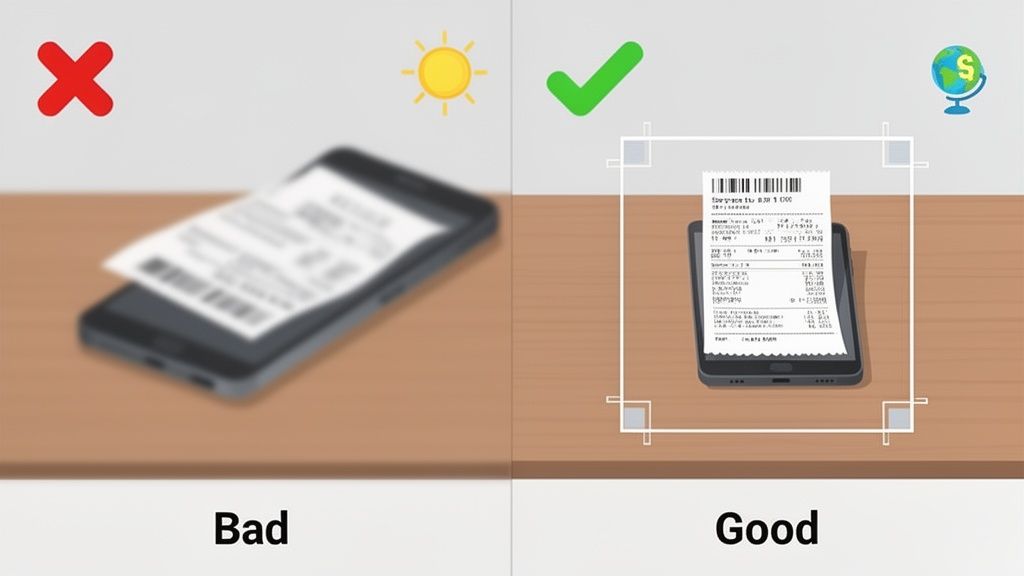
The quality of your source image is, without a doubt, the single biggest factor in OCR accuracy. A blurry, dark, or skewed photo is a guaranteed recipe for errors. Before you even think about snapping that picture, run through these simple but crucial steps to give your software the best possible chance of success.
- Get the Lighting Right: Good, even lighting is your best friend here. Natural light is ideal. Try to avoid using a harsh camera flash, which creates glare, and be mindful of your own shadow falling across the document.
- Keep It Flat and Square: A crumpled receipt is an OCR engine's worst nightmare. Smooth it out completely on a flat, contrasting surface. Position your camera directly above it to prevent skewed angles that distort the text.
- Crop Out the Clutter: Your desk, coffee mug, and keyboard are just background noise to the software. Crop the image tightly around the edges of the receipt itself. This simple action forces the OCR engine to focus only on the information that actually matters.
Following these practices consistently transforms a tedious manual chore into a much more efficient workflow. It’s the foundation for building a modern digital system for organizing business receipts that ensures the information you extract is properly sorted and easy to find later.
Troubleshooting Common Extraction Issues
Even with a perfect photo, you can still hit a snag. Text can be misread, particularly on worn-out thermal paper or from older, low-resolution scans.
The good news is that Dutch businesses are quickly adopting technology to overcome these challenges. The core technologies behind advanced OCR—natural language processing and text mining—are seeing massive uptake. In fact, 49% of businesses in the Netherlands now use AI, a figure that has shot up by 23% in just one year. This trend is especially strong in the financial sector, where AI adoption has jumped from 27.4% to 37.4%.
For a CPA in Rotterdam, this means a tool like Mintline can automatically match over 90% of receipts to their corresponding bank transactions. What was once a manual verification nightmare becomes a quick review process.
When an OCR tool gets a detail wrong, don't just fix the final number. Go back and check the source image. Is it blurry? Skewed? Improving the input is always the most effective fix.
Ultimately, mastering receipt extraction is all about creating a consistent, high-quality capture process. While a great photo helps any tool perform better, an integrated platform like Mintline leverages AI to overcome many of these common imperfections, understanding context and layout to deliver accurate financial data even from less-than-ideal images.
Automating Your Bookkeeping With Mintline
So, you’ve mastered pulling text from an image. That’s a fantastic skill, but as you've probably realised, it’s only half the story. The real challenge isn't just getting the data; it's what you do with it next.
Most of the time, those DIY methods and basic OCR tools leave you with a new, slightly different problem: a jumble of raw text. You still have to manually copy, paste, sort, and categorise everything. That's the hidden time-sink of manual data extraction.
This is where you need a bridge from simple text grabbing to genuine financial automation. The goal isn’t just to read a receipt, but to make that information instantly useful. Mintline was built to be that final piece of the puzzle, turning that raw extracted text into structured, actionable bookkeeping entries.
Beyond Text Extraction to Intelligent Matching
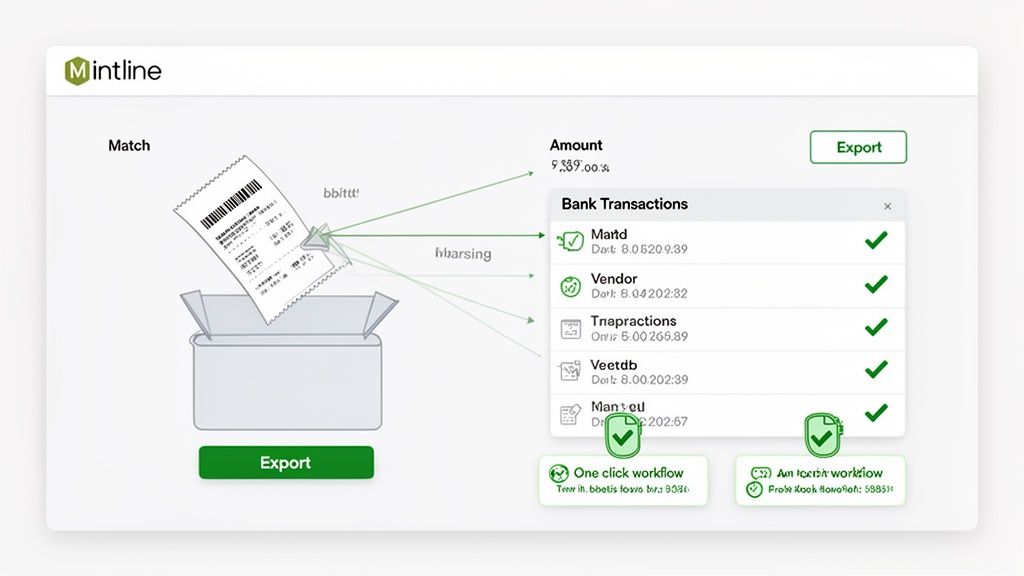
Mintline doesn’t just see random letters and numbers on a receipt; it understands what they mean. It intelligently picks out the crucial details—vendor names, transaction dates, and total amounts—and then gets to work matching them against the correct lines in your bank statements.
This kind of smart automation is quickly becoming a must-have for modern businesses. Here in the Netherlands, a recent study showed that one in six companies now uses AI for administration. Even more telling, the adoption of text mining—the very technology that powers receipt analysis—doubled in just one year. While larger firms have been quicker to adopt these tools, platforms like Mintline are now making this power accessible to the freelancers and SMEs that truly drive the Dutch economy.
Turning Hours of Admin Into Minutes of Review
The whole point is to make the process ridiculously simple and fast. Forget about complicated workflows.
- Upload Your Documents: Just drag and drop your PDF bank statements and all your receipt images right into the platform.
- Let AI Do the Work: Mintline’s engine fires up, instantly extracting the data and proposing matches between what you spent and your proof of purchase.
- Review and Confirm: You’re presented with a clean, simple review screen to approve the suggested matches. With over 95% of matches being spot-on, this becomes a quick final check rather than a chore.
- Export with One Click: Once everything looks good, your data is ready to export into clean, audit-ready records for your accounting software.
Your job shifts from tedious data entry to high-level strategic review. You’re simply verifying the system's work, not doing the grunt work yourself. This completely changes your relationship with bookkeeping.
This level of automation frees up a staggering amount of time. While a tool like this is often the first and most impactful step, some businesses might also want to learn how to hire a bookkeeper for more comprehensive financial oversight.
For most founders and finance leads, though, having a powerful, automated system is the key. You can see it for yourself by exploring this detailed walkthrough of https://mintline.ai/how-it-works. By automating the entire flow, you cut out the manual steps that drain your time and invite errors, letting you get back to focusing on what really matters: growing your business.
Lingering Questions About Text Extraction
As you start pulling text from images, a few questions inevitably pop up. This is especially true when you're handling sensitive business documents. Let's tackle some of the most common ones I hear.
How Accurate Is This Stuff, Really?
This is the big one. The accuracy of any text extraction hinges on two things: the quality of your image and the complexity of the document itself. If you have a crisp, well-lit photo of a standard printed invoice, you can expect an accuracy rate of over 99%. It’s incredibly reliable.
But the real world is messy. Blurry photos, bad lighting, crumpled receipts, or funky fonts can send that accuracy plummeting.
This is where modern AI-powered tools shine. They aren't just reading letters; they're using machine learning models that have been trained on millions of different documents. This helps them decipher text even when the conditions are far from perfect.
Here's a key takeaway: Top-tier accuracy isn't just about getting the characters right. It's about understanding what they mean. A truly smart system can tell the difference between a date and a total amount, which is absolutely crucial for proper bookkeeping.
Can OCR Actually Read Handwritten Receipts?
Ah, the classic challenge. Handwriting is notoriously tricky for computers. While the technology for reading handwritten text has come a long way, it’s still nowhere near as reliable as it is for printed text.
Whether it works or not often boils down to how neat the handwriting is. If someone has written in clear, consistent block letters, you might have some luck. But messy, cursive script? That's still a major hurdle for most systems.
For business and bookkeeping, where every number counts, the focus has to be on printed or digital receipts and invoices. That’s where you get the reliability you need.
Are Free Online Tools Safe for Business Documents?
It's tempting to use a free online tool, I get it. They're quick and easy. But when you're talking about financial documents, that convenience can come at a steep price.
Think about it: when you upload a receipt to a random website, do you know who runs it? Where is your data being stored? Is it being sold or used to train their models? Usually, the answer is no.
For any document with confidential information, a secure, professional solution isn't just a nice-to-have; it's a must. Platforms like Mintline, for example, are built for this. They use serious security protocols like AES-256 encryption and store your data on secure EU-based servers. It’s the only way to guarantee your financial information stays yours and yours alone.
Ready to stop chasing receipts and automate your bookkeeping? Mintline uses advanced, secure OCR to match every bank transaction to its proof of purchase, turning hours of admin into minutes of review. Start simplifying your finances today at https://mintline.ai.