
A Guide to Modern Accounts Payable Processing with Mintline
Transform your accounts payable processing from a manual chore to a strategic asset. Our guide covers essential steps, automation benefits, and key metrics.
Accounts payable processing is the engine room of your company’s finances, humming along in the background to manage what you owe to suppliers. It’s the entire journey a bill takes, from the moment it lands in your inbox to the second the payment leaves your account. At Mintline, we believe getting this right is non-negotiable—it’s the key to keeping suppliers happy and your financial records clean.
Defining Accounts Payable Processing
At its heart, accounts payable processing is simply the system a company follows to handle and pay its short-term debts. Think of it as the control centre for all your outgoing money. This system makes sure every valid invoice is logged, checked, approved, and paid on time. It stops expensive mistakes in their tracks and gives you a crystal-clear view of your company's cash flow.
When your AP process is a mess, it becomes a serious liability. For freelancers and small businesses, the pain is immediate. Late fees start to pile up, you miss out on valuable discounts for paying early, and it's shockingly easy for duplicate payments to slip through. This isn't just an admin headache; it’s a direct hit to your bottom line.
The Problem with Manual Methods
For years, this entire workflow was a manual, paper-drenched chore. Invoices would arrive by post or email, get printed out, and then physically passed from desk to desk for a signature before someone typed the details into a spreadsheet. Not only is this method painfully slow, but it's also a breeding ground for human error. One misplaced decimal point or a lost invoice can throw your financial reporting off for an entire quarter.
This old-school approach creates a few classic problems:
- Time-Sucking Data Entry: Your team spends hours typing in invoice details instead of focusing on work that actually grows the business.
- Approval Gridlock: Paper invoices get buried under piles of other documents, creating bottlenecks and leading to late payments.
- Zero Visibility: It’s almost impossible to get a real-time snapshot of what you owe, turning cash flow forecasting into a wild guess.
Mastering accounts payable isn't just about paying bills. It’s about building a rock-solid financial foundation that turns a tedious back-office task into a smart, strategic part of your business.
The dangers of a manual AP process are especially stark right now. In the Netherlands, late payments now impact an average of 35% of all B2B invoices. With only 61% of invoices being paid on time, it's obvious that businesses are struggling.
This is exactly where modern tools change the game. Mintline automates the whole process—from capturing invoice data to matching it with purchase orders—transforming a high-risk, time-draining task into a smooth and accurate operation. By ditching the manual grind, you can finally get a firm grip on your finances and win back precious time. To get a better handle on the basics, check out our guide on the core accounts payable definition.
The 5 Core Steps of the AP Workflow
To really get to grips with modern accounts payable, the best way is to follow an invoice on its journey from the moment it lands in your inbox to the moment it’s paid. This trip has five distinct stages, and each one can be a source of frustrating delays or a model of efficiency.
Let's break down the traditional, manual way of doing things versus the modern, automated approach that Mintline provides. You'll quickly see where the real gains are made.
The diagram below shows what happens to most B2B invoices. It’s a stark reminder of how many payments get delayed, a problem that almost always starts with a clunky, inefficient workflow.
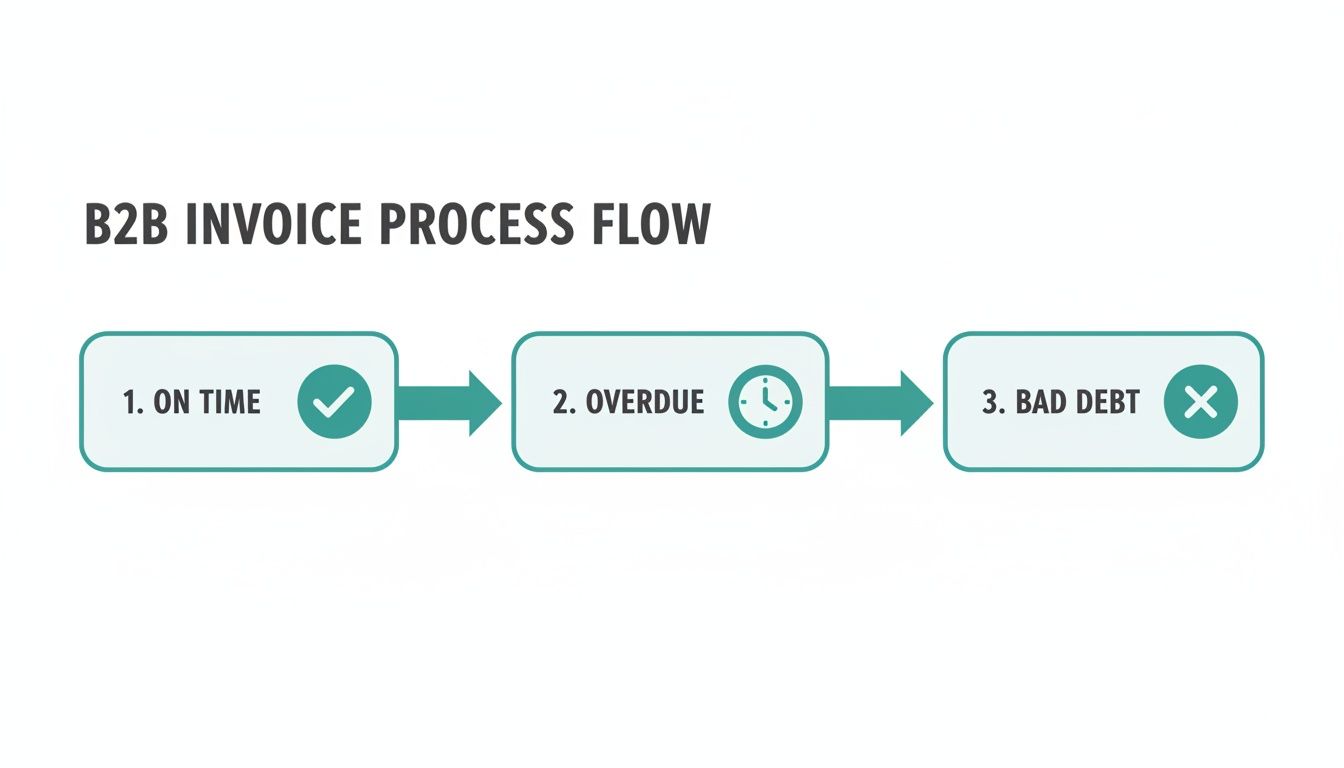
As you can see, a huge chunk of invoices end up in the overdue pile, often because of bottlenecks in one of the five steps below.
Step 1: Invoice Capture and Recording
It all starts the second a new invoice arrives. In a typical office, this means someone has to open an email, download a PDF, and then painstakingly type every detail—vendor name, invoice number, amount, due date—into a spreadsheet or accounting software. It’s not just slow; it's a breeding ground for human error. One simple typo can throw everything off.
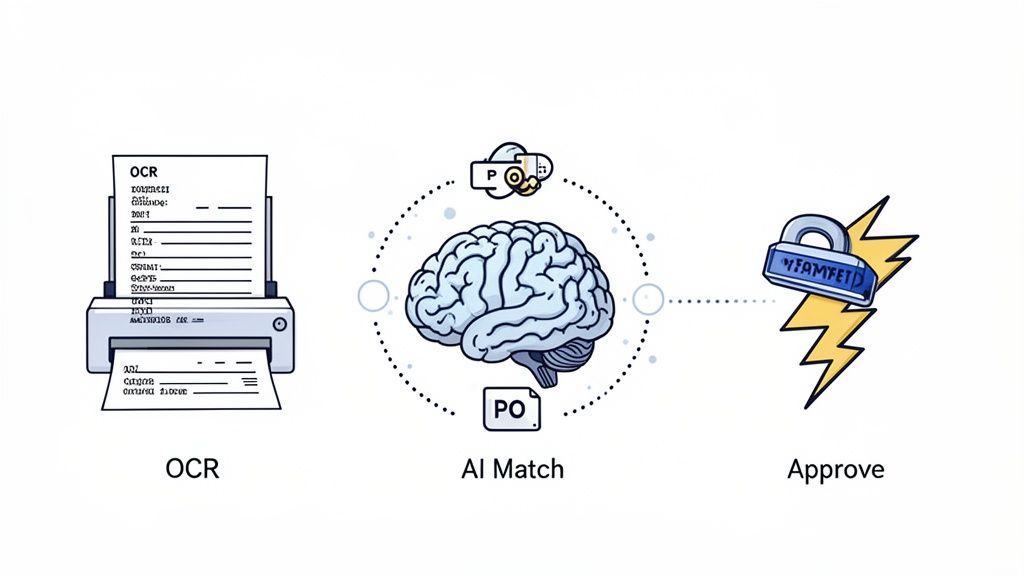
Now, imagine an automated system. Mintline uses Optical Character Recognition (OCR) technology that acts like a digital clerk. It instantly scans the invoice, reads it, and pulls out all the critical data with incredible accuracy. Manual data entry becomes a thing of the past, errors virtually disappear, and your team gets their valuable time back.
Step 2: Verification and Three-Way Matching
Once the invoice data is in the system, it needs to be checked. The classic method is the three-way match. This is where someone on the AP team manually compares the invoice against the original purchase order (PO) and the goods receipt note (GRN). This is to make sure you’re only paying for what you actually ordered and received.
Manually digging through files to cross-reference three separate documents is as tedious as it sounds. If something doesn't line up, it kicks off a long investigation, which usually involves chasing people in procurement or the warehouse.
With Mintline's automation, this happens in seconds. Our intelligent system automatically finds the matching PO and receipt, compares all three documents, and flags any issues for review. What used to be a drawn-out investigation becomes a quick, one-click check.
A well-organised accounts payable process does more than just pay bills on time. It provides a reliable, real-time picture of a company's financial obligations, which is essential for accurate cash flow management and strategic planning.
Step 3: Invoice Approval Routing
After verification, the invoice needs a green light from the right person—usually a department head or budget holder. The old way? Print it out and walk it over to their desk for a signature. Or, more likely, send it via email where it gets buried under a mountain of other messages. This constant chasing for approvals is one of the biggest reasons payments are late.
Mintline's automated workflow cuts out the chase entirely. The system knows exactly who needs to approve what based on pre-set rules (like the department or invoice amount). It automatically sends the invoice to the right person, who gets a notification and can approve it with a single click from their computer or phone. This creates a clean, digital audit trail and keeps things moving.
Step 4: Payment Execution and Scheduling
With the final approval, it's time to pay the bill. Manually, this often means setting up individual bank transfers or, believe it or not, still printing and mailing physical cheques. This approach is clumsy and makes it tough to manage your cash flow strategically or snag those valuable early payment discounts.
Automation with Mintline gives you precision and control. You can schedule payments in batches, timing them perfectly to optimise your cash on hand. When our platform makes the payment, it automatically marks the invoice as paid, so your records are always perfectly in sync.
Step 5: Reconciliation and Archiving
The final piece of the puzzle is recording the payment in your general ledger and filing away all the paperwork for compliance. In a manual world, this means stuffing paper invoices, POs, and receipts into filing cabinets, where they are a nightmare to find later.
The Mintline system handles this final step without a hitch. It automatically posts the transaction to your accounting software and stores all the related documents in a secure, digital archive. Everything is organised and searchable. So, when the auditors show up, you can pull up any document in seconds instead of spending hours digging through boxes. It closes the loop on the accounts payable processing cycle, leaving you with a clean, audit-ready record of every single transaction.
Manual vs Automated Accounts Payable Processing
The difference between a manual process and an automated one is night and day. One is riddled with potential errors, delays, and wasted time, while the other is fast, accurate, and efficient.
Here's a side-by-side comparison to make the contrast crystal clear:
| Processing Step | Manual Approach (The Old Way) | Automated Approach (The Mintline Way) |
|---|---|---|
| Invoice Capture | Manually keying in data from PDFs or paper into a spreadsheet or ledger. High risk of typos and errors. | Instant data extraction using OCR technology. No manual entry, ensuring near-perfect accuracy. |
| Verification | A person physically pulls up the PO and GRN to compare against the invoice line by line. Very time-consuming. | The system automatically performs a three-way match in seconds, flagging only exceptions for human review. |
| Approval | Chasing department heads for signatures via email or on foot. Invoices get lost or forgotten in inboxes. | Automated routing sends invoices to the correct approver instantly. Approvals happen with a single click. |
| Payment | Processing individual payments via bank transfer or cheque. Difficult to schedule and optimise cash flow. | Payments are scheduled and executed in batches. Early payment discounts are easy to capture. |
| Reconciliation | Manually updating the general ledger and filing physical documents in cabinets. Retrieval is a major hassle. | The system automatically posts to the ledger and archives all documents digitally. Everything is instantly searchable. |
Ultimately, automation isn’t just about doing the same tasks faster. It fundamentally changes how your finance team works, freeing them from repetitive admin to focus on more strategic financial management.
The Hidden Costs of Manual AP Workflows
The trouble with outdated accounts payable processing goes way beyond just wasting time. While the hours lost to manual data entry are certainly frustrating, the real damage is often hidden. We're talking about financial risks and strategic roadblocks that can quietly undermine your business’s health. Sticking with manual workflows isn't just inefficient—it's a genuine obstacle to growth.
Picture a founder spending the last week of the quarter hunting down paper receipts instead of closing new deals. This isn't just a story; it's the reality for countless businesses stuck with systems that can't keep up. These daily frustrations have real consequences that echo through the entire company.
The High Price of Human Error
Let's be honest, manual data entry is a minefield. A single misplaced decimal point, a typo in an invoice number, or a duplicated entry can create some serious financial headaches. These aren't just minor clerical slips; they hit your bottom line directly.
Studies have shown that the average cost to process a single invoice by hand can be shockingly high, often climbing above €15 once you add up staff time, supplies, and the cost of fixing mistakes. And when errors happen, that cost just keeps climbing.
- Overpayments and Duplicate Payments: It’s surprisingly easy to pay the same bill twice when you're juggling spreadsheets and a messy inbox. These mistakes are a direct drain on your cash.
- Inaccurate Financial Data: Small errors have a knack for piling up, leading to financial reports you can't trust. This makes forecasting a nightmare and can cause major problems during tax season or an audit.
These errors aren't just about losing money in the short term. They build a foundation of unreliable data, making it impossible to make smart, strategic decisions about where your business is heading.
Relying on manual accounts payable is like trying to navigate with a faulty compass. You might be moving, but you have no real confidence you're heading in the right direction. Your financial data becomes a source of anxiety instead of a tool for growth.
Delays That Damage Your Reputation
In a manual system, approvals are almost always the biggest bottleneck. Invoices get buried in email inboxes for days or lost in a stack of paperwork on someone's desk. This slow, clunky process creates frustrating delays that have real consequences.
The most obvious impact is late payment fees. These penalties can add up fast, needlessly inflating your expenses. But the damage runs deeper than that. Paying your suppliers late, again and again, puts a strain on those critical relationships. A good supplier might offer you flexible terms or prioritise your orders when you're in a pinch, but that goodwill disappears with every overdue payment.
On top of that, these delays mean you're missing out on one of the easiest ways to save money: early payment discounts. Many suppliers will knock 1-2% off the total if you pay an invoice within 10 days instead of the usual 30. It might not sound like much, but grabbing these discounts consistently can add up to thousands of euros in savings over a year. Manual processes are simply too slow to make this a reliable strategy.
The Strategic Disadvantage of Poor Visibility
Perhaps the biggest hidden cost of all is the complete lack of financial visibility. When your AP data is fragmented across spreadsheets, emails, and filing cabinets, you have no real-time view of your liabilities. You can't confidently answer a simple question like, "How much do we actually owe right now?"
This lack of clarity turns cash flow management into a guessing game. It stops you from planning big purchases, managing seasonal ups and downs, or making strategic investments with any real confidence. With a platform like Mintline, you get a clear, up-to-the-minute dashboard of all your financial obligations. This transforms your accounts payable processing from a chaotic liability into a strategic asset.
How AI and Automation Are Changing the Accounts Payable Game
Trying to manage accounts payable manually can feel like you're constantly treading water—it’s exhausting, inefficient, and one mistake can pull you under. But modern AP automation, especially when powered by Artificial Intelligence (AI), is like being handed a speedboat. It doesn’t just help you stay afloat; it propels your entire financial workflow forward, turning a sluggish cost centre into a smart, data-driven operation.
This isn't about replacing your team. It's about giving them the right tools to handle the monotonous, time-consuming parts of the job with incredible speed and accuracy. For small businesses and finance teams drowning in paperwork, this is how you finally get ahead.
The Dynamic Duo: OCR and Machine Learning
At the heart of this shift are two technologies working together: Optical Character Recognition (OCR) and Machine Learning (ML).
Think of OCR as a super-fast digital scanner with a brain. When an invoice lands in your inbox, OCR technology reads it instantly, pulling out all the key information—vendor name, invoice number, due date, and every single line item.
This one step alone can be a massive time-saver, considering that manual data entry often consumes up to 84% of an AP team's day. But just pulling the data isn't enough. That’s where Machine Learning comes in to act as the "smart" part of the system. ML algorithms take the data from the OCR and intelligently match the invoice against the right purchase order and receipt.
OCR handles the data capture, and ML manages the intelligent matching. Together, they create a self-checking system that turns hours of painstaking verification into a task that takes just a few seconds.
If something doesn’t add up—maybe the price is wrong or the quantity delivered doesn't match—the system flags it for a human to review. This intelligent double-check ensures only correct, approved invoices get paid, seriously cutting down the risk of costly overpayments or fraud.
From Manual Grind to Automated Workflow
When you use a platform like Mintline, this technology completely reshapes your accounts payable process. The difference is night and day. Invoices are captured and processed in moments, not days, creating a smooth, uninterrupted flow from receipt all the way to payment.
- Instant Data Capture: Invoices are read and organised the second they arrive, so there’s always a clear queue of what needs to be processed.
- Automated Three-Way Matching: The system does the heavy lifting, instantly cross-referencing invoices with purchase orders and delivery slips to validate everything automatically.
- Smart Approval Routing: Invoices get sent to the right person for approval based on rules you set, so there are no more bottlenecks or chasing people down with emails.
- Audit-Ready Trail: Every single action is logged, creating a transparent, searchable digital record of everything from capture to payment.
The diagram below gives you a clear picture of how an automated system organises your financial documents, giving you a clean, easy-to-manage view of every transaction.
This kind of dashboard provides an at-a-glance view of your company's financial health—a level of clarity that's just not possible with scattered spreadsheets and overflowing filing cabinets. You can dive deeper into how this technology works by exploring intelligent document processing.
What This Means for Your Business
The real win here goes way beyond just paying bills on time. As AP gets smarter, it's worth understanding the bigger picture of AI automation for business to see what's truly possible. When your AP process runs on its own, your finance team is no longer stuck doing low-value, repetitive tasks.
Instead of chasing signatures or fixing typos, they can focus on work that actually drives the business forward, like analysing spending, negotiating better deals with suppliers, or fine-tuning cash flow. In the end, automation gives you back your most precious resource: time. It lets your team work smarter, turning a tedious administrative chore into a genuine strategic asset.
Key Metrics to Measure AP Performance
You can't fix what you can't see. For finance teams and business owners, that old saying is a hard truth when it comes to accounts payable. Without a clear way to measure performance, you’re flying blind. Is your workflow a well-oiled machine, or is it quietly leaking cash and time? Tracking key performance indicators (KPIs) is how you stop guessing and start making strategic, data-backed improvements.
Think of these metrics as a health check for your AP department. They shine a light on what’s working well and expose the bottlenecks that are costing you money. Sure, you could try to track all this in a spreadsheet, but that’s a painful, error-prone task. This is exactly where platforms like Mintline come in, giving you real-time dashboards that crunch the numbers for you. Suddenly, you have actionable insights right at your fingertips.
Cost Per Invoice Processed
First up, let’s talk about the cost per invoice processed. This is one of the most revealing metrics out there. It calculates the total, all-in cost of getting a single invoice from receipt to final payment. We’re talking about everything—the wages for your team’s time on data entry and chasing approvals, right down to the cost of paper and postage if you’re still mailing cheques.
For a typical business handling invoices manually, that cost can easily climb to €15 or more. That number often comes as a shock. By measuring this KPI, you can see the true financial drain of an outdated process and build a rock-solid case for bringing in automation, which can slash this cost dramatically.
Average Invoice Processing Time
Another crucial metric is the average invoice processing time, which is just what it sounds like: how many days does it take for an invoice to get through your entire system? You'll often hear this called the invoice cycle time.
A long cycle time is a huge red flag. It points directly to inefficiencies—maybe approvals get stuck on someone's desk for days, or there are constant back-and-forths to verify information. This doesn't just lead to late payment fees and frustrated suppliers. It also means you’re leaving money on the table by missing out on early payment discounts, which typically require you to pay within 10 days.
A slow processing time isn't just an operational headache; it's a direct hit to your bottom line. Speeding up this cycle is one of the fastest ways to put cash back into your business.
Invoice Exception Rate
The invoice exception rate tells you what percentage of your invoices hit a snag and need a human to step in and fix things. An "exception" happens when something doesn't add up—the invoice details don't match the purchase order, the wrong amount is listed, or key information is just missing.
If this rate is high, it's a sign of deeper problems. Maybe your purchasing rules aren't clear, or you have a few suppliers who consistently send messy invoices. Every single exception chews up your team's time as they investigate and resolve it, which drives up costs and creates delays. Tracking this helps you find the root cause of these errors so you can clean up your process for good.
Days Payable Outstanding (DPO)
Finally, there’s Days Payable Outstanding (DPO). This metric calculates the average number of days your company takes to pay its bills. At first glance, a high DPO might seem like a good thing, as it means you’re holding onto your cash for longer, which can help with cash flow.
But there’s a delicate balance to strike. If your DPO is too high, it’s a sign that you’re paying late, which can seriously damage your relationships with suppliers. The sweet spot is paying on time to keep vendors happy and capture discounts, while still managing your working capital wisely. An automated system gives you the visibility to nail this balance, turning your AP function from a simple cost centre into a strategic financial tool.
How to Implement an Automated AP System
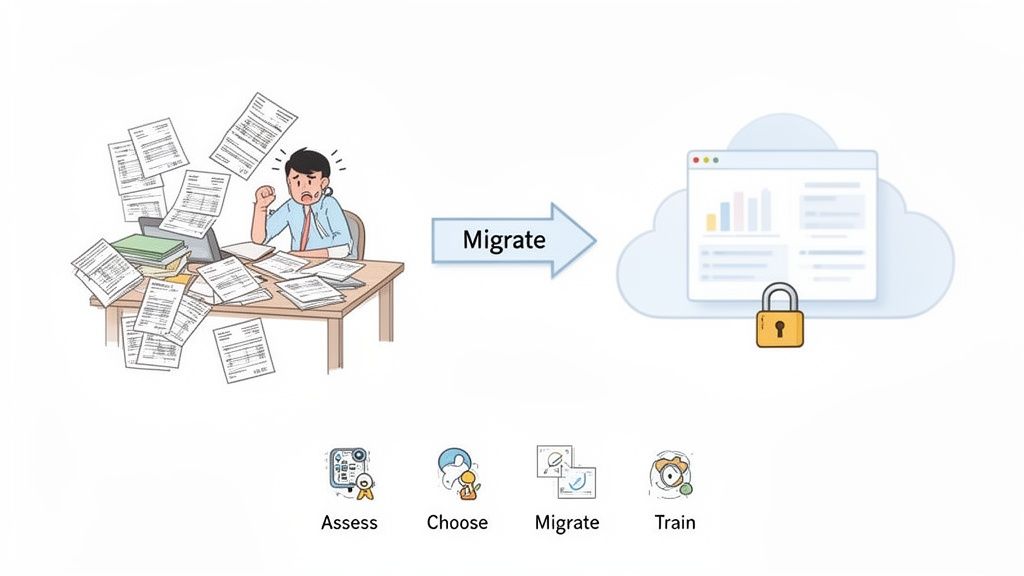
Thinking about moving away from manual AP processing? It's a lot less daunting than you might imagine. The goal isn't a massive, disruptive overhaul but a smart, phased transition that actually helps your team. A clear roadmap can make the process feel smooth, turning what was once a headache into a real asset for your business.
First things first: take a quick look at your current workflow. Where do things get stuck? Maybe it’s chasing down approvals, correcting endless data entry mistakes, or that one invoice that always seems to go missing. Nailing down these specific pain points tells you exactly what you need a new system to solve. This isn't about pointing fingers; it's about spotting the best opportunities for quick, impactful improvements.
Choosing the Right Tools and Ensuring Security
Once you know what you need, it's time to find the right software. You’re looking for a solution that fixes today's problems but is also ready to grow with you. Modern cloud-based platforms like Mintline are built to be user-friendly, meaning you can get up and running quickly with minimal disruption. You can dive deeper into the benefits in our guide to automated accounts payable systems.
Of course, we have to talk about security. Handing over sensitive financial data is a big deal. Reputable platforms earn that trust by using serious security measures like AES-256 encryption—the same standard banks rely on—to keep your information safe, whether it's being sent or just sitting on a server.
A smooth transition really comes down to two things: picking a tool that solves your team's real-world problems and knowing your financial data is locked down with top-tier security. It’s about gaining both efficiency and peace of mind.
Planning a Smooth Migration and Adoption
The final piece of the puzzle is the migration itself. It sounds intimidating, but it’s often as straightforward as uploading your existing records. Good tools are designed to make this intuitive, walking you through setting up your vendors, custom approval rules, and connecting to your accounting software.
A successful rollout is all about your people. Communicate clearly and offer simple, hands-on training to build their confidence. When you show them how the new system gets rid of their most hated tasks—no more mind-numbing data entry or hunting for signatures—they'll get on board fast.
As businesses streamline their AP process, it's common to look for similar efficiencies elsewhere. For instance, some bring on an Accounts Receivable virtual assistant to manage incoming cash flow. By taking a clear, step-by-step approach, you can make the move to automation a genuinely rewarding change for everyone involved.
FAQs: Your Questions on AP Processing Answered
When you're thinking about overhauling your accounts payable process, a few questions always seem to pop up. Here’s a straightforward look at what most business owners and finance teams want to know.
Is AP Automation Just a "Big Company" Thing?
Absolutely not. That’s an old idea from a time when these systems were clunky, on-premise behemoths with a price tag to match.
Today, tools like Mintline are built for everyone—from solo freelancers to rapidly scaling businesses. Modern, cloud-based software uses a subscription model, so you're not facing a massive upfront cost. You just pay for what you use, putting serious automation power within reach for any budget.
Honestly, How Much Time Will I Get Back?
The time you save is significant, and you’ll feel it almost immediately. Manually handling a single invoice can take anywhere from 10 to 30 minutes. Automation cuts that down to just a couple of minutes, tops.
Think about it: if your business processes around 100 invoices a month, you could be saving over 20 hours of tedious admin work. That's time your team can spend on activities that actually grow the business, not just keep the lights on.
The biggest risk of sticking with manual AP processing isn't just wasted time; it's the compounding effect of inaccurate financial data, strained vendor relationships, and missed opportunities for savings that can hold a business back.
What’s the Real Risk of Sticking with Manual Processing?
It’s easy to focus on the time suck, but the biggest danger is the unreliable financial data that manual processing creates. A simple typo during data entry can lead to overpayments or completely skewed financial reports, making it nearly impossible to forecast your cash flow with any confidence.
This lack of clear financial visibility, coupled with the ever-present threat of late fees and payment fraud, exposes your business to a whole lot of unnecessary risk.
Ready to stop chasing receipts and start automating your accounts payable processing? See how Mintline can transform your workflow in minutes. Get started for free today.