
A Guide to Automatic Document Processing for Business
Discover how automatic document processing eliminates manual data entry and streamlines your financial workflow. Learn how to save time and boost efficiency.
Automatic document processing is simply using technology to pull information from documents like invoices and receipts, then organise it—all without you having to lift a finger. At Mintline, we see it as automating the soul-crushing task of data entry, saving businesses a ton of time while cutting down on human error. It's the secret to transforming financial chaos into a smooth, stress-free operation.
Say Goodbye to Manual Data Entry
Imagine a desk with no stacks of paper. Picture your evenings back, free from the mind-numbing task of matching bank transactions to a pile of crumpled receipts. This isn't a fantasy; it's the reality Mintline delivers, especially for freelancers, startups, and finance teams who feel like they're drowning in paperwork.
Doing your bookkeeping by hand is like trying to navigate London with an old A-Z map. You’ll get there eventually, but it’s slow, you’re bound to make a few wrong turns, and half your time is spent just trying to figure out where you are. This old-school approach creates a lot of unnecessary friction for any business.
The Pain of Traditional Document Handling
The classic way of managing financial documents is a minefield of common problems that drain your time and energy. For most businesses, the process looks something like this:
- Time-Sucking Data Entry: You lose hours manually typing details from invoices and receipts into a spreadsheet or accounting software. That's time you could be spending on literally anything else to grow your business.
- High Risk of Human Error: It only takes one mistyped number to throw off your entire financial reporting. This can cause major headaches with budgeting, tax returns, and your overall understanding of the business's health.
- A Mess of Records: That shoebox stuffed with receipts or a desktop cluttered with random PDFs makes finding a specific document a nightmare, especially when you’re under the pressure of an audit.
This manual grind isn't just inefficient—it’s a genuine roadblock to growth and clarity.
For a business, time is the most valuable non-renewable resource. Every minute spent on manual administrative tasks is a minute not spent on strategy, client relationships, or innovation. Mintline gives that time back.
A Smarter Way Forward
Now, swap that paper map for a real-time GPS on your phone. It gives you the best route, recalculates instantly if you hit traffic, and shows you exactly where you're going. That’s what automatic document processing does for your finances. It’s not some impossibly complex technology; it's a practical tool that saves you time and kills errors.
Modern tools like Mintline put this power in everyone's hands. By automatically capturing and matching your documents, our platform completely changes the game for financial management. To really leave the drudgery of manual data entry behind, it's worth checking out efficient tools like the 12 Best Receipt Scanning Apps, which can make a massive difference. This guide will show you how to get these benefits for yourself, turning hours of tedious work into a few minutes of simple review.
How Does Automatic Document Processing Actually Work?
Let's pull back the curtain on automatic document processing. It’s not some single, magical black box. Instead, think of it as a highly efficient digital assembly line where several clever technologies work together in perfect sequence. At Mintline, we've refined this process to grab your financial documents, make sense of them, and turn a messy pile of data into neatly organised, audit-ready records.
This whole process relies on a trio of core technologies. Each has a specific, crucial role to play in turning a simple photo of a receipt or a PDF invoice into information your business can actually use.
The Eyes of the System: Optical Character Recognition
First up is Optical Character Recognition (OCR). Put simply, OCR gives the system its sight. When you upload an image or a PDF into Mintline, the OCR technology scans it and converts the text it sees into a digital format that a computer can read. It’s the equivalent of someone reading the words off the page.
But just reading the text is only the first step. The system might see the letters "T-E-S-C-O" and the numbers "£14.50," but at this stage, it has no idea that one is a supplier and the other is a price. That’s where the real intelligence comes in.
The Brain of the Operation: Machine Learning
This is where Machine Learning (ML) steps in to act as the brain. After OCR has done the reading, Mintline's ML algorithms get to work figuring out what all that text actually means. This is a massive leap forward from just recognising characters on a page. These ML models have been trained on millions of documents, so they’ve learned to spot patterns and identify key information with incredible accuracy.
For instance, the ML model knows that:
- "Tesco" is the supplier.
- "15 October 2025" is the invoice date.
- "£14.50" appearing next to the word "Total" is the total amount.
This ability to interpret context is what makes modern automation so powerful. If you want to dig deeper into the impressive capabilities behind these systems, learning about Intelligent Document Processing (IDP) shows just how this contextual understanding is achieved. It’s this smart interpretation that really drives efficiency.
The diagram below shows the night-and-day difference between the old manual slog and this new, automated workflow.
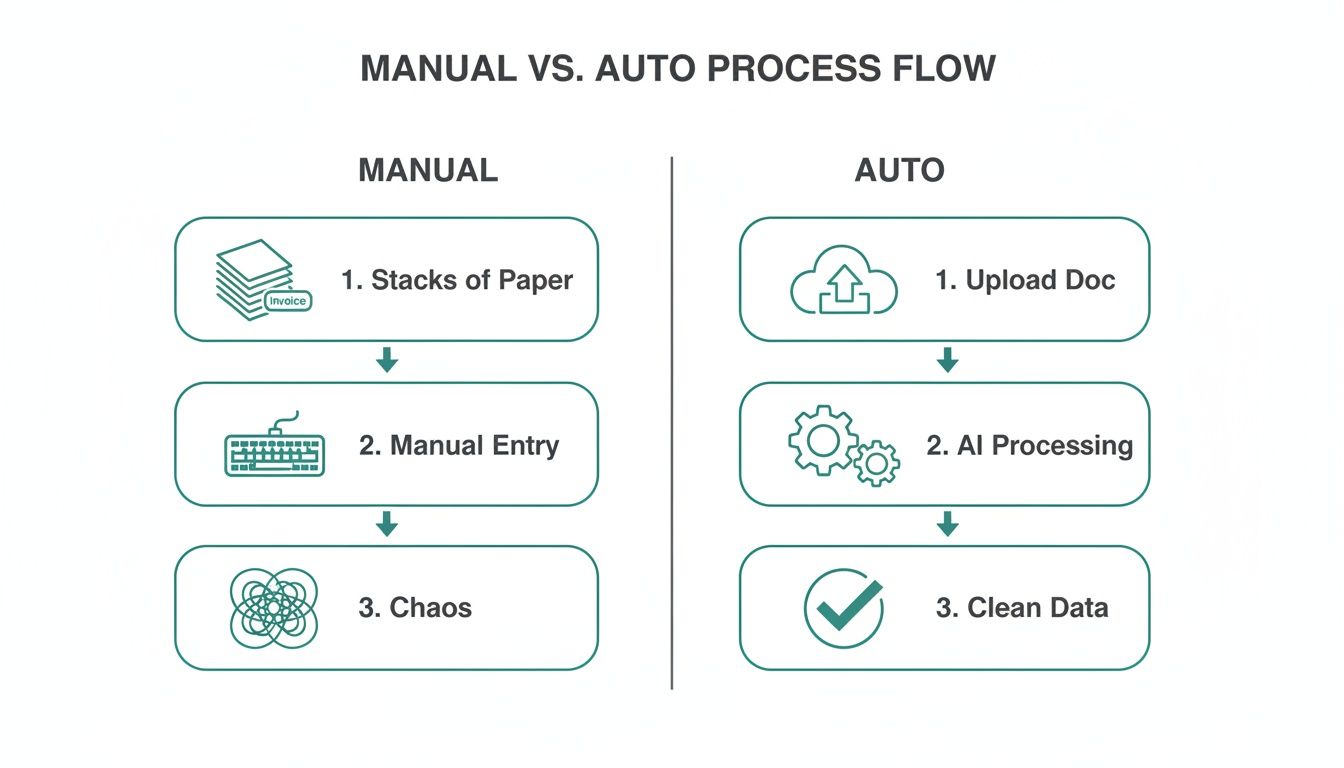
As you can see, the automated path swaps out stacks of paper and frustrating data entry for a simple, clean journey from document upload to verified data.
The Final Piece of the Puzzle: Rules-Based Matching
The last specialist on our assembly line uses rules-based algorithms. Once OCR has read the document and ML has understood it, these rules connect the final dots. For a platform like Mintline, this is the moment it takes that extracted receipt data and finds its matching transaction in your bank feed.
Using the supplier name, date, and amount as its main clues, the system scans your bank records for a transaction of £14.50 that happened around 15 October 2025. In seconds, it finds the match and suggests the link.
This three-part process—seeing, understanding, and connecting—is over in a flash. It’s what lets you simply upload your documents to Mintline and watch your financial records fall perfectly into place, freeing you up from the tedious manual work that slows you down.
How Automation Transforms Your Financial Workflow
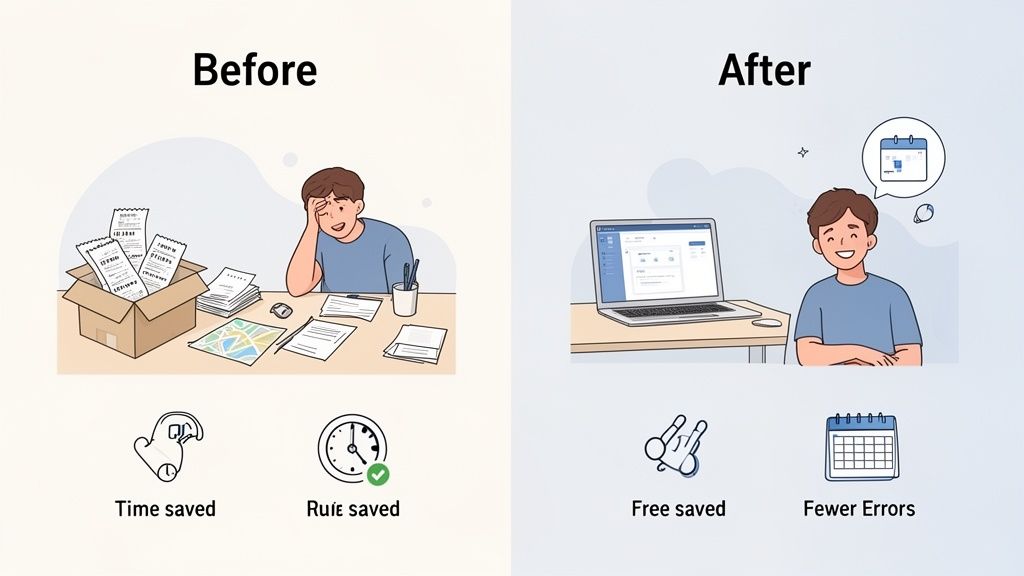
Understanding the technology is one thing, but seeing its real-world impact is what truly matters. When you move from theory to practice, automatic document processing completely changes your day-to-day operations. It’s not just a minor tweak—it's a fundamental shift in your entire financial workflow, from the moment a receipt lands on your desk to the final export.
This change delivers very tangible results. For a freelancer, it’s about finally getting your weekends back instead of spending them sorting through a shoebox full of receipts. For a growing startup, it offers a clear, real-time picture of cash flow—a vital survival metric—without the cost of a full-time bookkeeper.
And for busy accounting firms, it creates the capacity to handle more clients with far greater accuracy. The promise of Mintline is simple: turn hours of tedious admin into a few minutes of strategic review.
The Old Way Versus The New Way
The difference between manual and automated financial management is night and day. The old method is riddled with friction, delays, and a constant risk of human error. In contrast, a modern automated approach, like the one Mintline provides, is built for speed, precision, and clarity.
This shift is particularly obvious in the Netherlands, a region leading Europe’s charge into automation. With firms using AI now generating 51% of the country's total revenue, the business case is impossible to ignore. Intelligent document processing is a major part of this trend, especially in document-heavy fields like finance. You can learn more about this growth in our intelligent document processing report.
The table below breaks down the key differences to show exactly how a system like Mintline delivers these game-changing results.
Manual vs Automatic Document Processing: A Comparison
Moving away from paper stacks and endless spreadsheets might feel like a big leap, but seeing the direct comparison makes the benefits crystal clear. Here’s a side-by-side look at how specific tasks change when you switch from the old way of doing things to a smart, automated system.
| Task | Manual Processing (The Old Way) | Automatic Processing (The Mintline Way) |
|---|---|---|
| Document Capture | Chasing paper receipts, scanning, and emailing invoices. | Instantly upload PDFs, drag and drop statements, or connect accounts. |
| Data Entry | Hours spent typing invoice details into spreadsheets. | AI extracts all key data in seconds with over 99% accuracy. |
| Transaction Matching | Painstakingly comparing bank statements to individual receipts. | The system automatically suggests matches based on vendor, amount, and date. |
| Error Rate | High risk of human error from typos and missed details. | Drastically reduced error rates, ensuring reliable financial data. |
| Record Keeping | Messy digital folders and bulky physical filing cabinets. | A centralised, searchable digital archive with every document linked. |
| Audit Readiness | A stressful, time-consuming scramble to find documents. | Perfectly organised, audit-ready records available with a single click. |
| Overall Cost | High labour costs and the opportunity cost of wasted time. | A low subscription cost with a significant ROI from time saved. |
As you can see, automation doesn't just do the same tasks faster; it fundamentally changes the nature of the work, eliminating the most tedious and error-prone parts of the process.
Practical Benefits Across Your Workflow
Embracing automation isn’t just about saving time on a single task. It sets off a domino effect of positive changes that strengthen your entire financial operation, making it more resilient, accurate, and transparent.
With Mintline, you move your role from a data entry clerk to a financial supervisor. Instead of getting bogged down in the 'what,' you can focus on the 'so what'—analysing the data to make smarter business decisions.
Here are the specific, practical benefits you can expect:
- Accelerated Financial Closing: That chaotic month-end crunch becomes a thing of the past. When transactions are matched in real-time, closing the books is quicker and much less stressful.
- Enhanced Cash Flow Visibility: With financial data that's always up-to-date, you get a precise, real-time view of your cash flow. This helps you make better decisions about spending and investment.
- Improved Supplier Relationships: Paying invoices accurately and on time is the bedrock of a healthy automated accounts payable system. This ensures you pay suppliers promptly, strengthening relationships and dodging late fees.
- Greater Compliance and Security: Digital records, secured with AES-256 encryption and stored on EU-based servers, are far more secure than paper files. This approach also makes it much easier to meet regulatory requirements and prepare for an audit.
With Mintline, these benefits are built right into the platform. It's designed not just to automate tasks, but to give you a solid foundation for smarter, more strategic financial management.
Choosing the Right Automation Tool for Your Business
Once you see the potential of automatic document processing, the natural next question is: which tool is the right one for me? Picking a partner for your financial automation is a big deal. It affects your daily grind, your data's safety, and your company's future. The goal isn't just to fix today's headaches but to find a solution that can grow right alongside you.
The market for these tools is exploding. In the Netherlands alone, it was a USD 55.8 million market in 2023 and is expected to rocket to USD 334.7 million by 2030. That boom shows just how much freelancers, startups, and accounting firms are crying out for software that can pull data and match transactions without a fuss—which is exactly what solutions like Mintline were built for. You can get a deeper look at this market growth in this detailed report on Grand View Research.
With so many choices out there, knowing what to look for will help you cut through the noise and choose with confidence.
Key Criteria for Selecting Your Tool
It’s tempting to get bogged down in endless feature lists when comparing platforms. Our advice? Zero in on the handful of things that will truly make a difference to your day-to-day operations.
- An Intuitive User Interface: The best tool is one your team actually wants to use. Look for a clean, simple design. Features like drag-and-drop uploads for bank statements, which Mintline has, make life so much easier. You shouldn’t need an IT degree to automate your finances.
- Seamless Software Integration: Your automation tool has to play nicely with your existing tech, especially your accounting software. The ability to export clean, organised data in a click is non-negotiable. It stops you from creating new data headaches and saves you from soul-destroying manual entry.
- Scalability for Growth: A tool that's perfect for you today should still be perfect in a year or two. Look for flexible plans that can handle an increase in transaction volume, whether you’re a solo freelancer or a fast-growing team.
The right platform should feel like a natural extension of your workflow, not another complicated system to learn. Its job is to remove friction, not create it.
Questions to Ask Potential Vendors
Before you commit to any provider, have a list of questions ready. This helps you compare apples to apples and see how each platform really stacks up against what you need. The technology behind the scenes matters a lot, so it's worth understanding how to choose the best OCR software as part of your homework.
Here are a few crucial questions we'd be asking:
- How do you protect my financial data? Get specific. You want to hear about things like AES-256 encryption and secure, EU-based data hosting. Platforms like Mintline take a hard line on privacy, promising never to share your data with third parties.
- What is the accuracy of your data extraction and matching? Ask for their typical accuracy rates and what the review process is like. A great system will use AI to make suggestions but give you an easy way to verify them, keeping you in full control.
- What does your support look like? Find out how you can get help when you’re stuck. As your business grows, having access to things like priority support can be a lifesaver.
- Can I try the platform before committing? A free plan or trial period is essential. You need to test the software with your own documents to see how it performs in the real world.
By focusing on these core areas—usability, integration, scalability, and security—you'll be able to pick an automatic document processing tool that becomes a genuine asset for your business.
Keeping Your Data Safe and Sound: Security and Compliance in Automation
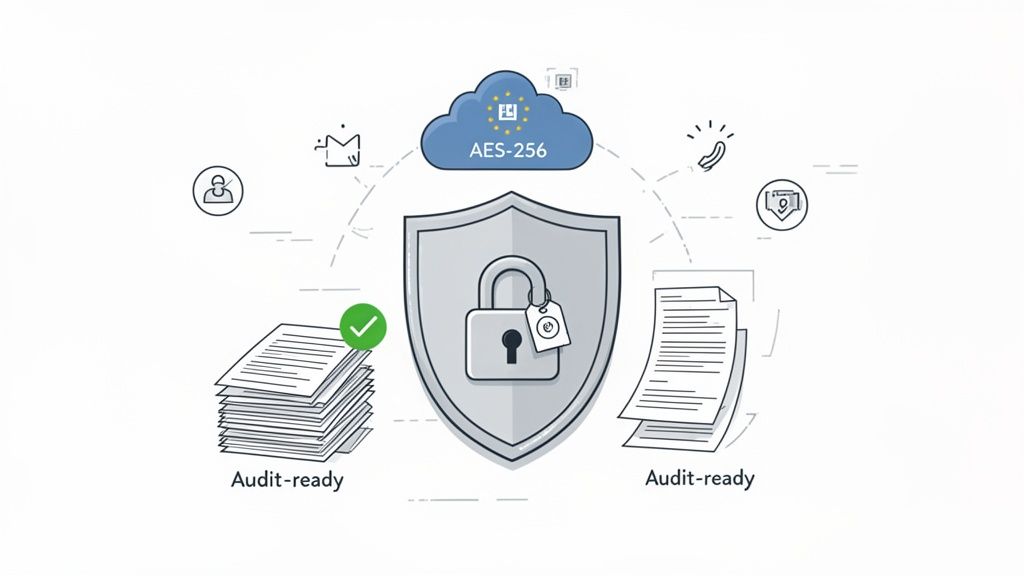
Let's be honest: when you're dealing with financial data, trust is everything. Handing over sensitive invoices and receipts to a new system can feel like a leap of faith. But a modern automatic document processing platform doesn't just ask for your trust—it earns it by making your data more secure, not less. We're talking light-years beyond a locked filing cabinet or a password-protected spreadsheet.
This isn't about crossing your fingers and hoping for the best. Good platforms are designed with security at their very core, layering defences to protect your information at every step. Think of it as a digital vault built specifically for your financial documents.
How Modern Systems Keep Your Data on Lockdown
So, what does this digital vault actually look like? It’s not one single thing, but a combination of powerful security measures working in concert. This is how a platform like Mintline turns technical jargon into real-world peace of mind.
Here’s what you should expect as standard:
- Bank-Level Encryption: From the moment you upload a document to the second it’s stored, your data should be scrambled with AES-256 encryption. This is the same impenetrable standard trusted by international banks, rendering your information completely unreadable to anyone without authorised access.
- Secure Cloud Infrastructure: Your files aren't just floating around in the cloud. They are housed on highly secure, EU-based AWS servers. This means your data benefits from Amazon’s world-class security protocols and stays within a strict data protection jurisdiction.
- A Clear Privacy Promise: A trustworthy provider is upfront about how they handle your information. At Mintline, the policy is simple: your data is never shared with third parties. It’s yours, full stop.
These layers work together to create a secure environment that old-school paper-based systems simply can't match. It’s about building a foundation of trust so you can get on with running your business.
Modern automation turns security from a nagging concern into a built-in advantage. Instead of leaving vulnerabilities open, it systematically closes them, making your financial workflow more resilient.
Making Audits a Breeze
Beyond locking everything down, automatic document processing delivers a huge win for compliance. For most businesses, the word "audit" brings on a cold sweat. It often means a mad dash to dig up old receipts, match them to statements, and hope nothing is missing.
Automation flips that script entirely.
Because every document is captured, time-stamped, and digitally tied to its specific bank transaction, you build a perfect, rock-solid audit trail as you go. You're always prepared. When an auditor asks for invoices from a particular quarter, it's no longer a weekend-long treasure hunt. It's a two-minute job. The proper acquisition of data and its organisation are central to making this possible.
This level of detail makes meeting regulatory requirements, from VAT returns to year-end accounts, straightforward. The system ensures nothing gets lost in the shuffle, dramatically cutting the risk of non-compliance. In the end, automation turns audit prep from a chaotic fire drill into a state of calm, constant readiness.
Getting Started with Mintline in Minutes
You’ve seen how automatic document processing works, from the smart tech behind it to the security keeping it safe. So, what’s next? It’s time to put that power to work for your own business.
Getting started isn't some complex, month-long IT project. With a tool like Mintline, you can be up and running in the time it takes to brew a pot of coffee. This isn’t about scheduling setup calls or installing clunky software; it's about seeing immediate value. Let's walk through just how quickly you can get started.
Your First Steps to Automation
We designed the setup to be as painless as possible. The whole thing takes just a few minutes, getting you from a new account to your first automated match without any headaches.
Here’s how simple it is:
- Create Your Free Account: First things first, sign up. The Mintline free plan lets you start processing documents right away with no commitment. It’s a completely risk-free way to see the results for yourself.
- Upload Your First Document: Grab a recent PDF bank statement or a few receipts. You can just drag and drop the files straight into the platform, and the automatic document processing magic kicks in instantly.
- Watch the AI Work: As soon as you upload a file, the system gets to it. The OCR and machine learning algorithms scan the documents, pull out key details like the vendor, date, and amount, and start looking for matches in your transaction list.
The whole point of a tool like Mintline is to turn hours of tedious monthly admin into a few minutes of simple review. This quick-start process is your first taste of that.
Experience the Immediate Impact
The moment your first documents are uploaded, you'll see what we're talking about. You're not just shuffling files; you're actively winning back your time. It’s pretty satisfying to watch your real-time progress dashboard light up, showing your automation rate climbing as more documents get matched.
From there, you’ll land on the review screen. This is where you have the final say. The AI presents its proposed matches, and all you have to do is confirm them with a click. It’s a clean, straightforward interface that keeps you firmly in control while cutting out 99% of the manual grind. This is where the concept of automation becomes a real, tangible advantage for your business—all within minutes.
Got Questions? We've Got Answers
Even after seeing how automatic document processing works, a few questions naturally pop up. We get it. Let’s tackle the most common ones so you have everything you need to make a smart decision.
How Secure Is My Financial Data, Really?
This is a big one, and rightly so. Reputable platforms like Mintline treat your data with the same level of security as your bank. This isn't just a marketing line; it means using protections like AES-256 encryption for your information, both while it's in transit and when it's resting on a server.
On top of that, your data is stored on highly secure, EU-based servers with top-tier providers like AWS. A robust privacy policy should also be in place, guaranteeing your financial details are never sold or shared. Think of it this way: your digital documents are far better protected than they would be in a locked filing cabinet.
How Good Is the System at Matching Receipts to Transactions?
It’s impressively accurate. Modern systems consistently hit accuracy rates between 95% and 99%. They don't just "read" the text; they use a smart combination of OCR to pull out key details—the shop's name, the date, the total—and then machine learning to intelligently pair that receipt with the correct bank transaction.
But technology is only part of the equation. A good system knows that human oversight is key for peace of mind. That’s why platforms like Mintline have a simple review screen. It lets you give the AI's work a final glance, so you can be 100% confident in your books before closing them out.
Is This a Good Fit for My Small Business or Freelance Gig?
Absolutely. In fact, this kind of automation is a game-changer for smaller operations. Whether you're a one-person show or a growing team, the goal is the same: spend less time on tedious paperwork and more time on what actually makes you money.
That’s why you'll find flexible pricing. Many services, including Mintline, structure their plans to grow with you:
- A free tier for freelancers and those just starting out.
- Team plans built for small and medium-sized businesses managing more documents.
- Specialised options for accounting professionals handling multiple clients.
This approach means you're not paying for enterprise-level features you don't need. You get powerful automation that was once out of reach for smaller companies.
Can I Connect This to the Accounting Software I Already Use?
Yes, and you should insist on it. The whole point of these tools is to fit into your workflow, not force you to create a new one from scratch. A good automation platform should act as a bridge, not another data island.
A good automation tool should feel like a bridge, not an island. It connects your raw documents to your accounting system, making the entire process smoother.
Tools like Mintline are designed to play nicely with popular accounting software. Once your receipts are scanned and matched, you can export the clean, organised data in a compatible format with a single click. This eliminates the soul-crushing task of manual data entry and keeps your financial records perfectly aligned.
Ready to stop chasing receipts and start automating your finances? Mintline turns hours of monthly admin into a few minutes of simple review. Try it for free and see the difference today.