
A Guide to AP Automation Software for Modern Business
Discover how AP automation software transforms financial workflows. Learn key benefits, features, and how to choose the right solution for your business.
AP automation software is technology built to take over the tedious, manual tasks in your accounts payable department and replace them with a smart, digital workflow. It completely changes how you handle invoices by automatically grabbing the data, processing it, and getting it ready for payment. The result? Fewer mistakes and a live, real-time view of your cash flow. It's the move from human-powered paperwork to an intelligent system, which is a must for any business that wants to run efficiently.
What AP Automation Means for Your Business
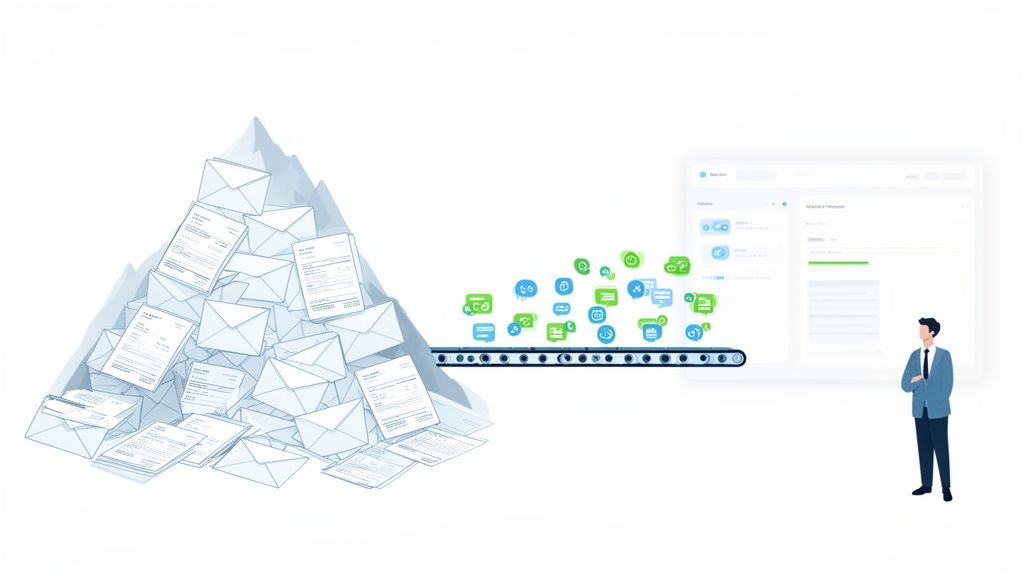
Think about your current accounts payable process. Is it like trying to sort a mountain of mail by hand? For many, it is. You spend hours opening envelopes, squinting at paper invoices, manually matching them to purchase orders, and then, finally, writing and mailing cheques. It’s slow, mind-numbing, and a breeding ground for errors that eat up time and money.
Now, imagine a system that does nearly all of that work for you in an instant. That's the real promise of AP automation. It's not just about paying bills a bit quicker; it’s a strategic decision to get rid of manual data entry, sidestep expensive human errors, and unlock a clear, up-to-the-minute picture of your company's financial health. To get a better handle on the basics, you can read our guide that explains the accounts payable definition in more detail.
To really see the difference, let's compare the old way with the new.
Manual AP vs Automated AP A Quick Comparison
The table below breaks down the day-to-day reality of running accounts payable manually versus with an automated system. It's a snapshot of how each step in the process changes.
| Process Step | The Old Way (Manual Approach) | The Modern Way (Automated Approach) |
|---|---|---|
| Invoice Arrival | Invoices arrive by post or email and must be manually sorted, printed, and entered into the system. | Invoices are captured automatically from an email inbox or scanner. Data is extracted instantly. |
| Data Entry | A team member keys in all invoice details by hand—a slow and error-prone process. | AI-powered OCR reads and inputs all the data. No manual typing needed. |
| Matching & Approval | Someone has to manually find the matching purchase order and get approvals via email or by walking a piece of paper around the office. | The system automatically performs a 2-way or 3-way match and routes the invoice to the right person for approval on their phone or computer. |
| Payment Processing | Payments are scheduled and executed manually, often involving printing and signing cheques or individual bank transfers. | Approved invoices are queued for payment and can be paid in batches with a few clicks, often integrated directly with banking systems. |
| Archiving & Auditing | Paid invoices are stored in bulky filing cabinets, making it a nightmare to find anything during an audit. | All documents are stored securely in a searchable digital archive with a complete, tamper-proof audit trail. |
As you can see, automation doesn't just speed things up—it fundamentally changes the nature of the work, moving it from tedious and reactive to strategic and controlled.
Moving Beyond Manual Methods
The traditional AP workflow is full of hidden costs. A single misplaced invoice can grind everything to a halt, leading to late payment fees, annoyed suppliers, and hours wasted digging through filing cabinets. This old-school approach puts a real drag on your operations, pulling your team away from work that actually adds value.
For businesses still stuck in the past, the financial bleed is significant. In the Netherlands, for example, wholesalers carry a massive burden from manual AP. The average distributor spends an incredible 23% of its revenue on operating expenses, and a huge chunk of that is just administrative waste from processing invoices. For a typical wholesaler with €15 million in revenue, that's over €400,000 burned every year on these outdated processes.
The Mintline Approach to Core AP Challenges
Modern AP automation software like Mintline gets right to the heart of these problems. It starts by solving one of the most frustrating tasks in bookkeeping: connecting every single bank transaction to its matching receipt or invoice.
By applying intelligent automation to this matching process, you build a foundation of accuracy and efficiency. This isn't just a minor improvement; it’s a complete re-imagining of how financial data is managed, turning a chaotic task into an organised, predictable workflow.
Instead of staring at screens trying to cross-reference everything, platforms like Mintline use AI to scan documents and suggest the correct matches. What used to be a chore becomes a quick, simple review. This makes a truly efficient financial workflow accessible to any business, no matter its size.
This shift brings a few immediate benefits:
- Reduced Manual Work: Free your team from the endless cycle of data entry and document hunting.
- Improved Accuracy: Automated systems all but eliminate typos, duplicate payments, and other common human errors.
- Real-Time Visibility: Get instant access to financial data, helping you make smarter, faster decisions about cash flow and spending.
- Enhanced Security: Digital records with clear audit trails cut down the risk of fraud and make compliance a breeze.
In today's fast-moving business world, efficiency isn't a luxury—it's essential for survival and growth. Adopting AP automation software is a powerful step towards building a more resilient, scalable, and profitable company.
The Core Features of Powerful AP Automation Software
To really get what makes AP automation so effective, you need to look under the bonnet. These aren't just a list of technical specs; they're the engine parts that work together to turn a clunky, frustrating process into a smooth, intelligent operation. Each feature is designed to solve a specific, real-world headache, swapping manual grind for automated efficiency.
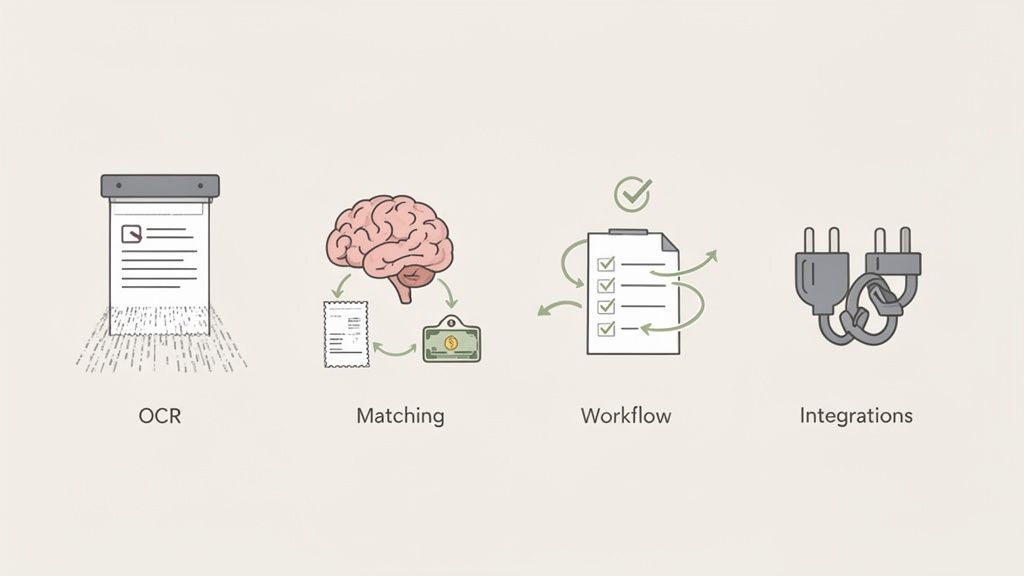
Let's break down what makes modern accounts payable automation tick and see how each component actually helps your business.
Intelligent Data Capture with OCR
At the heart of any decent AP automation software is Optical Character Recognition (OCR). Think of it as your own tireless digital assistant, working around the clock to read and make sense of invoices, receipts, and other financial documents. The moment a PDF invoice hits your inbox or a paper receipt gets scanned, OCR jumps into action.
It doesn’t just see an image of a document. It actively identifies and pulls out the crucial bits of information—the vendor’s name, invoice number, date, line items, and the total amount due. This completely gets rid of the soul-crushing task of manually typing this data into a system, a job that’s not only tedious but also a breeding ground for expensive typos. This one feature lays the groundwork for automating everything that comes next. To get a deeper look at the tech, check out our guide to intelligent document processing.
AI and Machine Learning for Smart Matching
Once the data is captured, the next big hurdle is matching it to the right transaction. This is where Artificial Intelligence (AI) and Machine Learning (ML) come in, acting as your financial detectives. Anyone who's done bookkeeping knows the pain of manually cross-referencing a line on a bank statement with a stack of paper receipts.
Modern platforms, including Mintline, use AI to handle this automatically. When you upload a PDF bank statement, our system scans every single transaction and intelligently hunts through your stored documents to find the matching receipt or invoice. It looks at the key details—vendor, amount, and date—to suggest a match with a very high degree of accuracy.
This changes the matching process from a draining search-and-find mission into a quick, simple review. The software does the heavy lifting by suggesting the matches, and your team just needs to give the final nod, turning hours of monthly admin into a few minutes of oversight.
This AI-driven ability is what makes a solution truly smart. It learns as it goes, getting even more accurate with every transaction it handles.
Automated Approval Workflows
Chasing approvals is another classic bottleneck in manual AP. Invoices get buried in email inboxes, lost on desks, or simply forgotten, which leads to late payments and unhappy suppliers. Automated approval workflows put an end to this by creating a clear, digital path for every single invoice.
You set the rules—based on things like the invoice amount, department, or vendor—and the software automatically sends the document to the right person for review and approval. No more guesswork. The system gives you total transparency, so you can see exactly where an invoice is in the process at any time.
Here’s why that matters:
- Speed: Invoices move through the system in hours, not days or weeks.
- Accountability: It's always clear who has the invoice, so things don't fall through the cracks.
- Accessibility: Approvers can review and sign off on payments from anywhere, on any device.
Seamless Accounting System Integration
The final piece of the puzzle is making sure all this neatly organised data gets into your main accounting system without any fuss. Good AP automation software doesn't work in isolation. It acts as a bridge to your financial hub, whether that's Xero, QuickBooks, or another platform.
Mintline, for instance, is built for smooth integration. Once transactions are matched and checked, you can generate clean, audit-ready records with just a click. This data can then be imported directly into your accounting software, making sure your books are always accurate and up-to-date without anyone having to enter the same information twice.
A properly integrated system means your financial data is consistent everywhere. And it's not just about paying bills; strong AP software can also help you automate invoice follow-ups and integrate with Xero, creating a more complete financial management setup. Together, these core features build a system that doesn't just save time and money—it gives you real control and visibility over your entire accounts payable function.
The Real-World Benefits of Automating Accounts Payable
Let's move past the technical specs for a moment. The real magic of AP automation software isn't about the features themselves, but the measurable impact they have on your business. When you make the switch, you’re not just buying software; you’re directly boosting your company's financial health in three critical ways: serious cost savings, massive efficiency gains, and rock-solid security. These aren't just buzzwords—they're tangible outcomes that will change the way your finance team operates.

And this isn't some niche trend, either. The European accounts payable automation market was valued at USD 1.01 billion and is forecast to hit USD 2.25 billion by 2032, growing at a steady clip of 10.6% each year. This boom is being fuelled by businesses just like yours that are demanding faster, more accurate financial processes.
Driving Significant Cost Savings
The most immediate and obvious win from automating your AP is the direct hit to your expenses. Manual AP is riddled with hidden costs—time spent on data entry, printing, postage, and physical storage—and automation wipes them out.
Those costs add up faster than you think. By letting software handle invoice processing, you drastically slash labour costs. The system also ensures bills are paid on time, every time, so you can say goodbye to expensive late payment penalties that hurt both your cash flow and your relationships with suppliers.
But it’s not just about avoiding costs; automation actually unlocks new ways to save money.
- Capture Early Payment Discounts: With approvals happening in hours instead of weeks, you finally have the visibility and speed to consistently take advantage of early payment discounts.
- Reduce Processing Costs: Studies have shown that automation can cut the cost of processing a single invoice by as much as 80%.
- Eliminate Storage Costs: Digital archives mean no more filing cabinets, no more off-site storage fees, and no more buying boxes of paper and folders.
Achieving Transformative Efficiency Gains
Time is the one resource you can never get back, and manual AP is a notorious time-waster. Automating the workflow gives those hours back to your team, freeing them from the drudgery of paperwork to focus on high-value work that actually grows the business.
Invoice processing cycles that used to drag on for days or even weeks can be crunched down to a matter of hours. This acceleration allows you to close the books faster at the end of the month with far more accuracy and a lot less stress. To see how these efficiencies look in practice, check out real-world examples like the anon client invoices reinsurer project.
When your finance experts are no longer buried under administrative tasks, they can apply their skills to what really matters: strategic financial forecasting, cash flow analysis, and spotting opportunities for growth. It’s a fundamental shift from being reactive to proactive.
Building Ironclad Security and Compliance
With financial fraud being a constant threat, locking down your AP process is non-negotiable. Old-school, paper-based systems are wide open to risks like duplicate payments, fraudulent invoices, and simple human error. In contrast, AP automation software creates a secure, controlled, and transparent financial environment.
Every single action—from invoice receipt to final payment—is logged in a clear, unchangeable digital audit trail. This gives you a complete record of who did what and when, which is invaluable during an audit and makes staying compliant almost effortless. Plus, with everything stored centrally and digitally, sensitive documents are protected from being lost, damaged, or seen by the wrong eyes.
Platforms like Mintline take this even further, building security into their DNA. They use features like AES-256 encryption—the same standard trusted by banks—and secure data hosting on EU-based AWS servers. This means you can be confident your financial data is shielded from modern threats. This potent mix of process control and technical security builds a business case for automation that's simply too strong to ignore.
How to Choose the Right AP Automation Software
Picking the right AP automation software can feel like a massive decision, but it doesn't need to be so daunting. The trick is to look past the flashy marketing and focus on what your business actually needs to solve its core problems. If you ask the right questions, you'll find a tool that not only fixes today's headaches but is also ready for where you're headed.
The perfect solution should feel less like another piece of software to learn and more like a natural part of your team. It needs to make life simpler from day one, play nicely with the tools you already rely on, and be able to grow right alongside your business.
Evaluate the User Experience
Let's be honest, even the most powerful software is worthless if your team can't figure out how to use it. A clunky, complicated interface just leads to frustration, low adoption, and everyone quickly sliding back into their old, inefficient habits. You're looking for a platform that’s so intuitive your team can get the hang of it almost immediately, without needing extensive training.
A great way to judge this is by looking at the setup process. For example, getting started with a platform like Mintline is as simple as dragging and dropping a PDF bank statement. There's no complex configuration or technical setup needed; the AI just starts working. That's the level of simplicity you should be looking for.
Analyse Integration Power
Your AP automation software can't be an island. It absolutely must connect smoothly with your existing accounting system, otherwise you're just trading one manual data entry task for another. Before you commit to anything, get crystal clear on how the platform syncs with your financial toolkit.
Does it offer direct, real-time integrations or just simple, one-click exports? Mintline, for instance, is built to generate clean, audit-ready records that you can easily import into popular accounting software. This keeps your data consistent and accurate across your entire financial world. Remember, the right tool should enhance the workflow you have, not force you to tear it down and start over.
An AP automation platform's true value is measured by how well it communicates with your other financial systems. Flawless integration turns a standalone tool into the central hub of an efficient, error-free accounting process.
Prioritise Security and Compliance
When you're handling sensitive financial data, security isn't just a feature—it's everything. You need to have total confidence that your information is locked down and protected from cyber threats and prying eyes. Make sure you scrutinise the security protocols of any provider you're considering.
Look for specific, concrete security measures that show they take data protection seriously:
- Data Encryption: Do they use strong encryption standards, like AES-256, to protect your data both while it's moving and while it's stored?
- Secure Hosting: Where is your data actually kept? Platforms like Mintline use secure, EU-based AWS servers, which means they're compliant with strict privacy regulations like GDPR.
- Data Privacy Policy: The provider should have a clear, easy-to-understand policy that guarantees they won't share your data with third parties.
A transparent and robust security setup isn't a "nice-to-have"; it's a fundamental requirement. A deep dive into a platform's capabilities will help you select the best AP automation solution for your business.
Plan for Scalability
The software you choose today has to work for the business you'll be tomorrow. Whether you're a freelancer just starting out or a small business on a growth spurt, your needs are going to change. A truly scalable solution will offer flexible plans that can adapt as your transaction volume and team size grow.
Look for providers that give you a clear path forward. Mintline, for example, offers tiered plans that start with a free option and then expand to support larger teams with higher processing limits and more advanced features. This way, you only pay for what you need right now, but you have peace of mind knowing the platform can handle more complexity as your business succeeds.
Understand the Pricing Model
Finally, make sure the pricing is straightforward and actually reflects the value you're getting. You want to avoid any solutions with hidden fees or convoluted pricing structures that make it impossible to know what you'll be paying month to month. A simple, transparent model lets you budget properly and see a clear return on your investment.
A good provider will lay out their pricing tiers clearly, showing you exactly what features and limits are included in each. This kind of honesty empowers you to make an informed choice and find a partner that fits your budget and delivers predictable, long-term value.
Your Simple Guide to Implementing AP Automation
Thinking about switching to AP automation? It's probably a lot less painful than you imagine. The right approach and a user-friendly tool can make the whole process surprisingly quick, getting you a fast return on your investment and real-world benefits from day one.
Before you even look at software, let's talk about goals. What are you actually trying to fix? Is it the sting of late payment fees? The sheer number of hours your team sinks into mind-numbing data entry? Or is it about getting a real-time grip on your company's cash flow? Nailing down these objectives first will be your compass for every decision that follows.
Once you know why you're making the change, the next step is to get your documents in order. Pull together some recent bank statements, a stack of invoices, and a list of your regular suppliers. Having this stuff ready to go will make the setup a breeze.
This three-step process gives a great overview of how to approach selecting and adopting new AP software.
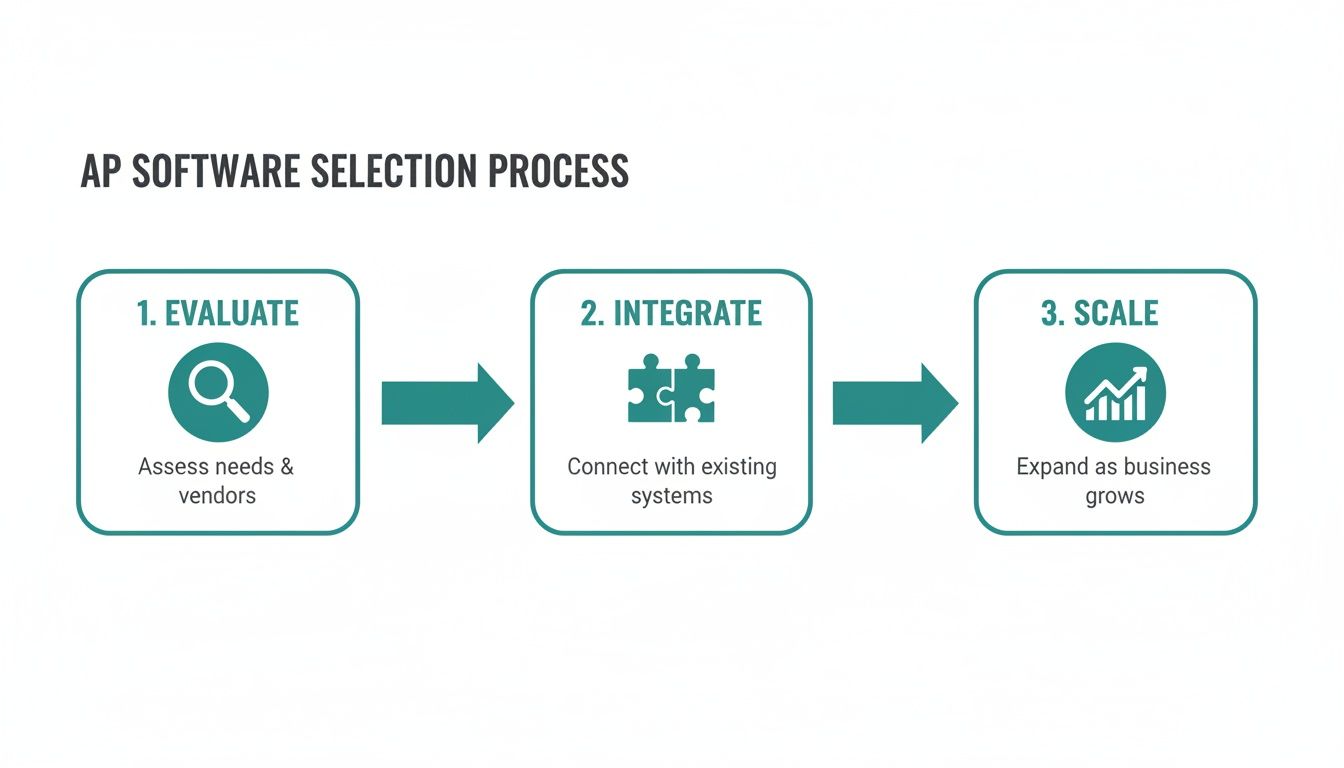
As you can see, it’s a logical path: you start by carefully evaluating your options, move into a smooth integration phase, and then plan for future growth. Following this ensures you're not just buying a tool, but successfully adopting a better way of working.
Getting Your New AP Automation Software Configured
The best modern AP tools are built for simplicity. With a platform like Mintline, for instance, the initial setup can be as straightforward as connecting your business bank account or uploading a recent PDF statement. There’s no complex technical wizardry needed; the system is designed to get to work for you almost immediately.
After your data is connected, the software's AI kicks in. It starts identifying transactions, pulling key details from your invoices, and suggesting matches between them. This fundamentally changes your team's role. They're no longer data entry clerks; they're reviewers, simply confirming the system's smart suggestions.
Training Your Team for a Smooth Handover
Even the most intuitive software needs a little bit of team training to stick. Keep it practical. Focus on showing your team exactly how this new tool replaces their old, frustrating tasks. Walk them through how to review the suggested invoice matches, handle the odd exception, and export data for your accounting records.
Because the best AP automation software is designed for regular business users, not IT specialists, this part is usually very fast. The real goal here is to build confidence and show your team how this change makes their jobs easier, not more complicated. Getting them on board is the key to a smooth adoption.
A successful implementation is about more than just good technology. It needs clear goals and a team that’s genuinely on board. When people understand the 'why' and see how it directly helps them every day, the new process just clicks into place.
Common Pitfalls and How to Sidestep Them
While getting started can be simple, a few common mistakes can trip you up. If you know what they are ahead of time, you can easily navigate around them.
- Poor Data Preparation: Throwing messy or incomplete financial records at the system is a recipe for confusion. Spend a little time tidying up your documents before you start. It'll pay off massively in accuracy down the line.
- Forgetting Team Buy-in: If you drop a new tool on your team without explaining the benefits, you can expect resistance. Be clear about how automation will slash their manual work and free them up for more valuable, interesting projects.
- Setting Unrealistic Expectations: Automation is powerful, but it won't solve every single problem overnight. It's better to set realistic, phased goals. For example, aim to reduce invoice processing time by 50% in the first month.
By following this simple roadmap and keeping an eye out for these common pitfalls, you can get your new AP automation system up and running in no time. With a tool like Mintline, the entire process is designed to deliver a rapid return on your investment, helping to turn your accounts payable from a necessary chore into a genuine strategic advantage.
Got Questions About AP Automation? We’ve Got Answers
Even after seeing all the benefits, it's totally normal to have a few lingering questions before jumping into a new system. This is the part where we tackle the common queries we hear from startups, small businesses, and accountants who are weighing up AP automation. We want to clear up any doubts so you can feel confident you're making the right move.
How Secure Is My Financial Data With AP Automation Software?
This is often the first question people ask, and for good reason. Top-notch AP automation platforms treat security as their number one job. Any reputable solution, including Mintline, uses AES-256 encryption—the same gold standard that major banks rely on—to lock down your data, whether it's in transit or sitting on a server.
Beyond that, we ensure all data is stored on secure AWS servers located right here in the European Union, which means everything is fully compliant with strict privacy laws like GDPR. A trustworthy provider will never share your data with third parties, period. Your financial information should always be yours alone.
Will This Software Play Nicely With My Current Accounting Tool?
Absolutely. Modern AP automation tools are built from the ground up to integrate smoothly. Most are designed to connect directly with popular accounting software, and even if they don't, they'll offer simple ways to export your data. The whole point is to make your existing setup better, not force a complete overhaul.
Mintline, for example, gives you one-click, audit-ready exports that slide right into tools like Xero or QuickBooks. It's all about creating a connected financial workflow where your new tool strengthens what you already have in place.
Isn't AP Automation Just For Big Companies?
Not anymore. While massive corporations were the first to benefit, today's cloud-based software has completely changed the game for everyone from solo freelancers to growing businesses. The technology is more accessible and affordable than ever.
Honestly, the efficiency boost from AP automation can feel even bigger for a smaller team. Think about it: getting back dozens of hours a month by automating things like receipt matching is huge. That's time you can pour back into growing the business instead of getting bogged down in paperwork.
Platforms like Mintline are specifically designed for freelancers, startups, and small to medium-sized businesses. With scalable pricing and even free tiers, powerful automation is no longer out of reach.
How Much Technical Skill Do I Need To Get Started?
None. The best AP automation tools are made for business owners, bookkeepers, and accountants—not IT wizards. The software is supposed to simplify your life, not give you another technical headache to solve.
With an intuitive platform like Mintline, you can be up and running in just a few minutes. If you can drag and drop a PDF bank statement, you have all the skills you need. The AI does the heavy lifting, extracting the data and matching everything up, so all you have to do is give it a quick review and a final nod.
What Kind of Support Can I Expect If I Get Stuck?
Good support is non-negotiable. You should look for a provider with clear, easy-to-reach support channels. This might look like a detailed help centre and email support for free plans, or it could be dedicated, priority support when you're a paying customer.
For instance, Mintline users on advanced plans get priority support to make sure their questions are answered fast. You should always feel confident that if you hit a snag, an expert is ready to help you get the most out of the platform.
Ready to stop chasing receipts and start automating your accounts payable? With Mintline, you can turn hours of manual admin into minutes of simple review. Try it for free and discover how easy it is to close your books faster and gain perfect visibility into your company's finances. Start automating with Mintline today!