
A Finance Team's Guide to Automate Document Processing
Learn to automate document processing with our guide for finance teams. Slash admin time, eliminate errors, and scale your business with practical strategies.
Automating document processing is all about using smart technology—usually powered by AI—to pull key information from documents like invoices and receipts, sort it, and get it ready for your systems. It’s the end of mind-numbing manual data entry, which means fewer errors and more time for your team to focus on what really matters. At Mintline, we've built our platform specifically to make this transition seamless for finance teams.
Moving Beyond Manual Data Entry in Finance
If your finance team is drowning in a sea of paper receipts, invoices, and bank statements, you know the daily struggle of manual data entry all too well. It’s not just a boring task; it’s a major bottleneck that kills productivity and shifts attention away from crucial financial planning.
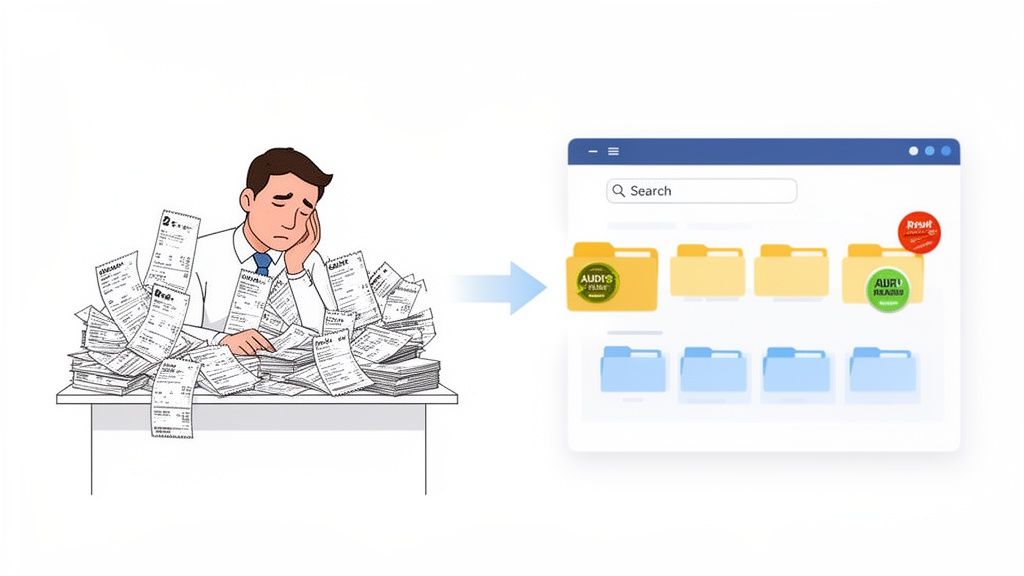
The real drain of these old-school workflows isn't always obvious. It shows up in the hours spent typing numbers, the gnawing risk of inaccurate records popping up during an audit, and the familiar stress of a chaotic month-end close. The best way to get past this is by using dedicated data entry automation software designed to handle financial documents.
The True Cost of Manual Processes
Sticking with manual methods has consequences far beyond inefficiency. Every single figure your team enters by hand comes with the risk of human error—a misplaced decimal or a couple of swapped digits can have serious financial ripple effects.
On top of that, without a central, searchable system, finding a specific receipt or verifying a payment turns into an administrative scavenger hunt. This disorganisation doesn't just make daily work harder; it makes preparing for an audit an absolute nightmare.
Shifting away from manual document handling isn't just a time-saver. It's about building a more resilient, accurate, and strategic finance function that can actively support business growth instead of getting bogged down by paperwork.
A Practical Path to Automation
Intelligent automation isn't some complex, futuristic overhaul; it's a practical solution you can implement now. Picture a system where every transaction on your bank statement is automatically linked to its matching receipt. That's the core of what our platform, Mintline, delivers.
This approach transforms messy data into a clean, searchable, and audit-ready archive. And the market is clearly heading in this direction. In the Netherlands, the intelligent document processing (IDP) market is forecast to jump from USD 55.8 million in 2023 to an incredible USD 334.7 million by 2030. That’s a compound annual growth rate of 29.2%, showing just how quickly Dutch businesses are adopting AI to get a handle on their documents. You can dive deeper into these intelligent document processing market trends.
Modern finance teams are already using tools like Mintline to close their books faster, with more confidence, and a whole lot less stress. It’s about swapping hours of tedious reconciliation for a few minutes of strategic review.
Manual vs Automated Document Processing
The difference between sticking with old habits and embracing automation is stark. Let's break down the key areas where Mintline provides a massive improvement.
| Metric | Manual Processing | Automated Processing (with Mintline) |
|---|---|---|
| Time Investment | 5–15 minutes per document for data entry, verification, and filing. | Under 60 seconds per document for automated extraction and validation. |
| Cost Per Document | High labour costs, often estimated at several euros per invoice. | A fraction of the manual cost, based on a predictable subscription. |
| Accuracy Rate | Error rates can be as high as 4%, leading to costly rework. | Accuracy rates exceed 99% with AI and validation rules. |
| Audit Readiness | Days or weeks spent gathering and organising physical documents. | Instant access to a digital, searchable audit trail for every transaction. |
| Team Morale | Low, due to repetitive, unfulfilling data entry tasks. | High, as team members focus on analysis and strategic financial work. |
As you can see, the benefits go far beyond just speed. Automation fundamentally changes the value your finance team can deliver, shifting them from data clerks to strategic advisors for the business.
Pinpointing Your Team's Automation Hotspots
Before you can fix what's broken, you have to know what's actually broken. Jumping into a new tool to automate document processing without first diagnosing your specific pain points is like getting a prescription without seeing the doctor. The goal isn't just to buy new software; it's to solve the real, tangible bottlenecks that bog your finance team down every single day.
Start by asking a simple question: Where is all the time going? Is your team losing hours manually matching individual credit card receipts to transactions buried in a dozen different PDF bank statements? Or is the real headache the end-of-month scramble to chase down missing documents, a frustrating delay that can push back closing the books by days?
Identifying these "automation hotspots" is the critical first step. It shifts the conversation from a vague desire for "efficiency" to a focused mission with clear, measurable goals.
Auditing Your Current Document Workflow
A quick audit of your current process can reveal some surprising inefficiencies. You don't need a complex, formal analysis—just an honest look at your team's day-to-day grind. Try tracking the time spent on a few key activities for a week. The results often speak for themselves, shining a spotlight on where manual work is causing the most friction.
Here are the main areas to investigate:
- Time-Consuming Tasks: Which document-related jobs are eating up the most person-hours? This could be anything from mind-numbing data entry to cross-referencing information between different systems.
- Sources of Error: Where do mistakes happen most often? Look for patterns in typos, incorrect coding, or even duplicate payments. These are classic symptoms of a manual process that’s stretched too thin.
- Integration Gaps: How much cutting and pasting is involved in getting data from your documents into your accounting software? A clunky, disconnected workflow is a prime candidate for automation.
- Document Retrieval: How long does it take to pull up a specific receipt or invoice from six months ago? If the answer is "more than a minute," you have an organisational problem that technology can solve. For a deeper dive into streamlining these workflows, our guide on the procure-to-pay process offers some great insights.
Conducting this audit gives you a concrete list of problems to solve. You're no longer just guessing; you have data-backed evidence showing you exactly where to focus your efforts to automate document processing.
Real-World Scenarios and Measurable Goals
Let’s translate those pain points into real-world situations. Having a clear picture of your challenges helps define what success will look like once you bring in a solution like Mintline.
For a startup founder, the main hotspot might be reconciling team travel expenses. The current process is a nightmare: collecting a messy pile of receipts, manually typing them into a spreadsheet, and then trying to match each one to the company credit card statement. A measurable goal here would be to reduce the time spent on expense reconciliation by 90%, shrinking a five-hour monthly task down to just thirty minutes of review with Mintline.
A bookkeeping firm juggling multiple clients faces a different beast. Their bottleneck is the sheer volume of bank statements and invoices they receive in every format imaginable. Their primary goal might be to eliminate manual data entry for 100% of client bank transactions, ensuring all data flows directly from statements into their system without a single keystroke.
By defining these specific, measurable outcomes, you create a clear benchmark for success. You'll know your automation efforts are working not just because things "feel" faster, but because you're hitting tangible, pre-defined targets.
Ultimately, pinpointing these hotspots is about building a solid business case for change. It gives you the clarity to move forward, knowing exactly what you need a platform like Mintline to do for you and ensuring you choose a solution that directly solves your most pressing operational headaches.
Architecting a Streamlined Document Workflow with Mintline
Right, you've pinpointed the bottlenecks slowing down your finance team. Now it's time to move from theory to practice and actually architect a new, automated system that hits those pain points head-on. With a platform like Mintline, this isn't some complex IT project; it's a series of logical steps designed to completely change how you handle financial documents.
The whole journey begins with one simple, foundational action: getting your data into the system. You can securely connect your business bank accounts to sync transactions in real-time, or even just drag and drop your PDF bank statements directly into the platform. That single move immediately replaces the old manual grind of printing, sorting, and transcribing financial data.
Once your transaction data is in, Mintline's powerful combination of Optical Character Recognition (OCR) and machine learning gets to work. The technology doesn't just read the text; it understands it. It intelligently pulls out key details like vendor names, transaction dates, and amounts from every single line item.
From Data Extraction to Intelligent Matching
This initial data capture is what sets the stage for the real magic. The system then starts the crucial task of matching each bank transaction to its corresponding receipt or invoice. Think of it as a sophisticated digital detective, using the extracted data points—vendor, amount, and date—to find the correct document among all your uploaded receipts.
Honestly, this part is a game-changer for finance teams. What used to be a painstaking, manual reconciliation marathon becomes an automated background task. The AI handles the heavy lifting, proposing matches with a high degree of accuracy and flagging any potential oddities for a quick look.
We're seeing this kind of AI adoption accelerate across Europe, especially in the Netherlands. Dutch companies are embracing this technology at a remarkable pace, with 23% of firms using AI in 2024—a significant jump of eight percentage points from the previous year. What's really telling is that these AI-adopting companies generated 51% of the Netherlands' total company revenue, proving the massive business impact. For businesses using tools like Mintline, this trend translates into real-world benefits like automating the linking of transactions to receipts, getting real-time progress dashboards, and knowing your data is stored securely in the EU.
A More Efficient Review and Approval Process
Automation isn't about removing humans from the loop; it's about making their oversight incredibly efficient. Mintline lays out all the AI-powered suggestions on a clean, intuitive review screen. The whole dashboard is built for speed and clarity, allowing your team to quickly verify the proposed matches.
This flowchart shows a three-step process for figuring out where automation will give you the biggest bang for your buck: Audit your current process, Analyse the data, and set clear Goals for what you want to achieve.

Following this kind of flow ensures your new automated workflow is built to solve your specific, identified problems, rather than just implementing tech for the sake of it.
From the review screen, your team can:
- Confirm Suggestions: Approve correct matches with a single click. It’s that simple.
- Handle Exceptions: If the system is unsure or a document is missing, it flags the transaction. Your team can then quickly upload the right receipt or manually link it, resolving exceptions in seconds, not hours.
- Filter and Search: Need to focus? Effortlessly filter transactions by vendor, date range, or status (like matched vs. unmatched). This makes it easy to zero in on specific tasks, such as reconciling all expenses from a single supplier.
This entire process turns a multi-hour administrative slog into a few minutes of strategic confirmation. It’s all about using your team's expertise for verification, not for mind-numbing data entry. For a deeper dive into the tech making this happen, our article on intelligent document processing offers more detail.
The real goal here is to create a system where the default state is "complete and correct." Your team's role shifts from building the financial record from scratch to simply validating a nearly finished product.
Finalising and Exporting Audit-Ready Records
The last piece of the puzzle is getting your perfectly organised data into your main accounting system. After reviewing and approving all the matches in Mintline, you can export everything with one click.
And this isn't just a raw data dump. You get a clean, structured file containing all transaction details, linked receipts, and any notes your team added. The file is formatted to be seamlessly imported into popular accounting software, which eliminates copy-paste errors and ensures your financial tools are always in sync.
The result is a complete, audit-ready archive of your financial activities. Every transaction is accounted for and backed by its source document, creating a crystal-clear trail that will satisfy any auditor and give you total confidence in your books. To get more ideas on building out these kinds of processes, looking into effective software workflow management solutions can be really helpful. This approach truly transforms document processing from a costly bottleneck into a streamlined, value-adding part of your financial operations.
Keeping Your Financial Data Locked Down: Security and Compliance
When you start to automate document processing, you’re doing more than just buying software. You're handing over some of your company's most sensitive information—invoices, bank statements, receipts—to a third-party platform. At Mintline, we believe that security isn't just a feature; it's the foundation of everything we do.
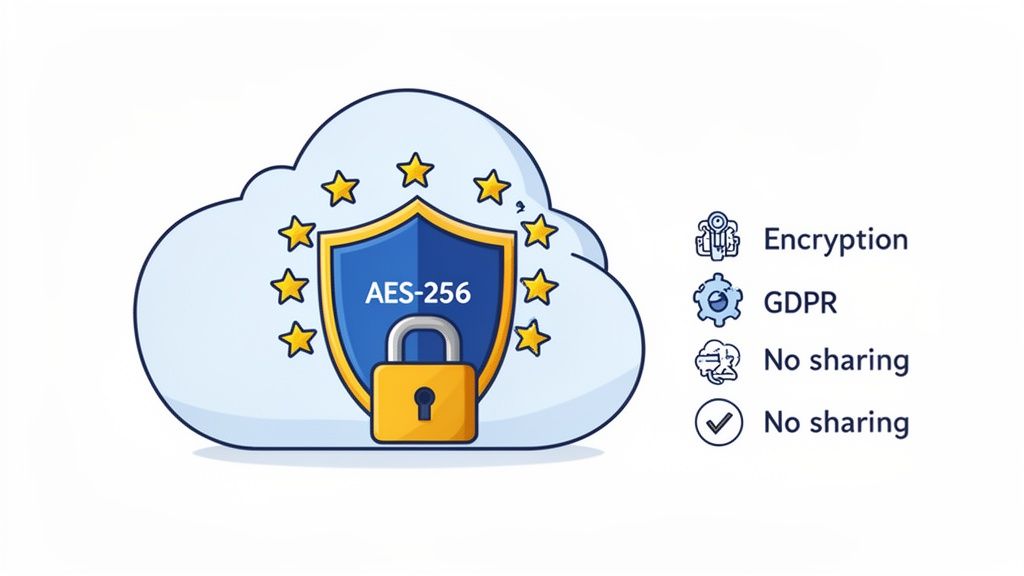
Trust isn't built on slick marketing promises. It’s built on concrete, verifiable security measures. Our platform is designed from the ground up with a security-first approach because we know efficiency gains mean nothing if your data isn't safe. The two have to work together.
The Foundation: Solid Encryption
Your first line of defence is always strong encryption. This isn’t just a nice feature to have; it’s an absolute must. Mintline uses AES-256 encryption—the same standard that banks and governments use to protect their most classified data.
This level of encryption ensures your documents are completely unreadable, both while they're being uploaded (in transit) and when they’re sitting on our servers (at rest). It essentially turns your information into a complex puzzle that’s impossible to solve without the right key. Anything less leaves your financial records dangerously exposed.
Where Your Data Lives and Who Follows the Rules
For any business operating in the Netherlands or elsewhere in the EU, where your data is stored is a huge deal. The General Data Protection Regulation (GDPR) has set a very high standard for data privacy, and compliance is not optional.
A non-negotiable question for any provider should be: "Where are your servers located?" If the answer isn't "within the EU," you should be very cautious. Using secure, EU-based cloud infrastructure, like Amazon Web Services (AWS) in Europe, is the only way to guarantee your processes align with GDPR.
Mintline keeps all data exclusively on EU-based AWS servers. This isn't an accident; it's a deliberate choice to ensure our clients have total peace of mind, knowing their operations meet some of the strictest data protection laws on the planet.
Just as important is the company’s privacy policy. Our policy is simple: we never share your data with third parties. Your financial information belongs to you, and it will never be sold or monetised. To dig deeper into why data integrity is so crucial, our article on the acquisition of data offers some useful context.
Your Security and Compliance Checklist
As you evaluate different platforms to automate document processing, use this checklist to cut through the noise. These are the non-negotiables you should insist on.
- AES-256 Encryption: Is all data, both moving and stored, protected by this gold-standard encryption?
- EU-Based Cloud Hosting: Are the servers physically located in the EU to ensure GDPR compliance? Ask for specifics—which cloud provider (AWS, Azure) and which region?
- A Clear No-Sharing Policy: Does the privacy policy explicitly forbid selling or sharing your financial data with anyone?
- Secure Access Controls: Can you enforce things like multi-factor authentication (MFA) to stop unauthorised users from getting into your account?
- Regular Security Audits: Does the provider regularly test their own systems for weaknesses and vulnerabilities?
By making these security fundamentals a priority, you can adopt automation with confidence. Your finance team gets all the efficiency benefits without ever having to compromise on the protection your sensitive financial data demands. It's about finding a partner you can trust, proving that modern tools can be both incredibly effective and fundamentally secure.
Measuring Your Automation Success and ROI
So, you’ve set up your new automated system. It feels faster, smoother, and the team seems happier. But feelings don't always translate well in a budget meeting. How do you actually prove this investment is paying off? To get real buy-in from leadership, you need to move past the "it feels better" stage and get into hard numbers.
This all starts by defining what success actually looks like for your finance team. Think back to the initial headaches that pushed you towards automation in the first place. Your key performance indicators (KPIs) should be a direct reflection of solving those problems. Vague goals get you vague results, but specific metrics deliver undeniable proof.
The Metrics That Really Matter
Instead of just saying, "we're more efficient now," you can present a clear, data-driven story. A good platform, like Mintline, gives you this information on a dashboard in real-time. No more guesswork; the numbers are right there.
Here are the essential KPIs your finance team should be watching:
- Automation Rate: This is the headline number. What percentage of your documents—invoices, receipts, you name it—are processed from start to finish without a human touching them? A high automation rate is the purest measure of the system's impact.
- Error Rate Reduction: Manual data entry is riddled with typos and mistakes. We've all seen it. Track the number of corrections your team has to make after automation versus before. A steep drop here means better data quality and far less time spent fixing things.
- Time-to-Close: How long does it take your team to close the books each month? Automating reconciliation can slash this time dramatically, freeing up your people for higher-value analysis when it matters most.
The point isn't just about doing the same work with fewer people. It's about empowering the people you have to do better work. Tracking these metrics helps you shift the conversation from a cost-cutting exercise to a value-creation story.
This focus on smarter, not just cheaper, operations is a major trend. A recent survey found that 65% of European companies are now fast-tracking their intelligent document processing projects. And the number one reason, cited by 50% of them, was to reduce processing time, not just to cut costs. Businesses are realising that AI can turn the monthly accounting slog into a quick, streamlined review. You can dive deeper into these European IDP project trends here.
Calculating Your Return on Investment
Once you have your KPIs, figuring out your return on investment (ROI) is surprisingly straightforward. You don't need a complex financial model. At its heart, it's a simple comparison of what you've gained versus what you've spent.
Here’s a practical formula to get you started:
(Hours Saved per Month x Average Hourly Rate) - Monthly Software Cost = Monthly ROI
Let's walk through a real-world example.
Imagine your team used to spend about 40 hours every month manually matching receipts and reconciling statements. After implementing an automated workflow with Mintline, that's been slashed to just 5 hours of final review and exception handling.
- Hours Saved: 35 hours per month
- Average Hourly Rate of a Finance Team Member: Let's assume €30
- Monthly Mintline Subscription: €99
Plugging those numbers into the formula:
(35 hours x €30) - €99 = €951 in monthly ROI
That one number tells a powerful story. For a small monthly subscription, you're getting almost a thousand euros worth of productive time back. That’s time your team can now pour into financial analysis, cash flow forecasting, and strategic planning—the work that actually moves the business forward.
By consistently tracking these metrics and calculating your ROI, you build a clear, data-backed narrative of success. It doesn’t just justify the decision to automate; it demonstrates how the finance team is becoming a more strategic asset to the entire organisation.
Frequently Asked Questions
When finance teams start exploring ways to automate document processing, a lot of questions pop up. It can feel like a huge, complicated project, but we designed Mintline to be as approachable as possible. Let's walk through some of the most common queries we hear.
How Difficult Is It to Get Started?
Honestly, getting up and running with Mintline is surprisingly straightforward. The whole setup process is designed to be quick and intuitive, so you can skip the massive IT project and weeks of training.
You typically have two paths to get going. You can either securely link your company’s bank accounts, which allows transactions to sync automatically, or you can simply drag and drop your PDF bank statements right into the system. There’s no software to install or maintain.
Once that’s done, our AI-driven OCR and machine learning get to work. They read and pull out all the necessary data, then start suggesting matches between transactions and receipts. Your team’s job changes from tedious data entry to simply reviewing those smart suggestions on a clean dashboard and hitting 'approve'. Most businesses are fully up and running in minutes, not days.
Is It Secure to Upload Our Financial Documents?
That's a great question, and the answer needs to be an emphatic yes. Security isn't just a feature; it’s the foundation. Mintline is built with a security-first approach from the ground up.
All your data is protected with AES-256 encryption—the same standard trusted by major banks and government agencies. This protection covers your information both while it's being uploaded (in transit) and when it's being stored (at rest).
On top of that, to comply with strict European data protection laws like GDPR, all data is stored on secure AWS servers located within the EU. A cornerstone of our privacy policy is that your data is never sold or shared with any third parties. When you're looking at any tool, these security standards should be non-negotiable.
Can a Freelancer or Small Business Benefit?
Absolutely. It’s a common myth that automation is only for big corporations. From our perspective, it's often freelancers and small businesses who feel the pain of administrative work the most. Every hour you spend on bookkeeping is an hour you can't spend growing your business or serving clients.
That's why Mintline offers scalable plans, including free tiers, designed specifically for this group. For a solo entrepreneur, just automating the chore of matching receipts to transactions can claw back several hours every single month.
This brings a few huge wins:
- Time Savings: It dramatically reduces the hours you pour into manual reconciliation.
- Audit Readiness: Your financial records are kept organised and ready for inspection at a moment's notice.
- Reduced Stress: It puts an end to that mad dash to get your books in order for tax season.
Essentially, we give a business of any size the kind of efficiency that used to be reserved for large enterprises, letting founders and solo professionals focus their energy on what really matters.
What Happens If the AI Makes a Mistake?
No AI is flawless, and that's precisely why our "human-in-the-loop" system is so critical. The aim of automation isn't to completely replace people but to make their oversight incredibly efficient.
If our AI isn't sure about a match or can't locate a corresponding receipt, it doesn’t just take a wild guess. Instead, it flags the transaction on your dashboard, waiting for your review. This lets your team jump in quickly to handle any exceptions.
You can easily upload the correct document or manually link the transaction yourself. This workflow transforms your team from manual data processors into supervisors of an automated system, using their expertise only where it adds real value. It's a collaborative model that blends the speed of AI with the essential judgment of a finance professional.
Ready to stop chasing receipts and start focusing on growth? See how Mintline can transform your financial workflow in minutes. Get started today by visiting https://mintline.ai.