
Automated Invoicing Software for Modern Businesses
Discover how automated invoicing software transforms your finances by eliminating manual tasks and speeding up payments. Your guide to choosing the right tool.
Think of automated invoicing software as a smart financial assistant for your business, designed to turn a tedious, manual chore into a smooth, self-running system. At Mintline, we believe the whole point is to eliminate repetitive data entry, stop costly human errors in their tracks, and win back the countless hours you used to lose to admin. It’s a genuine upgrade to how you run your business.
Why Automated Invoicing Is a Game Changer
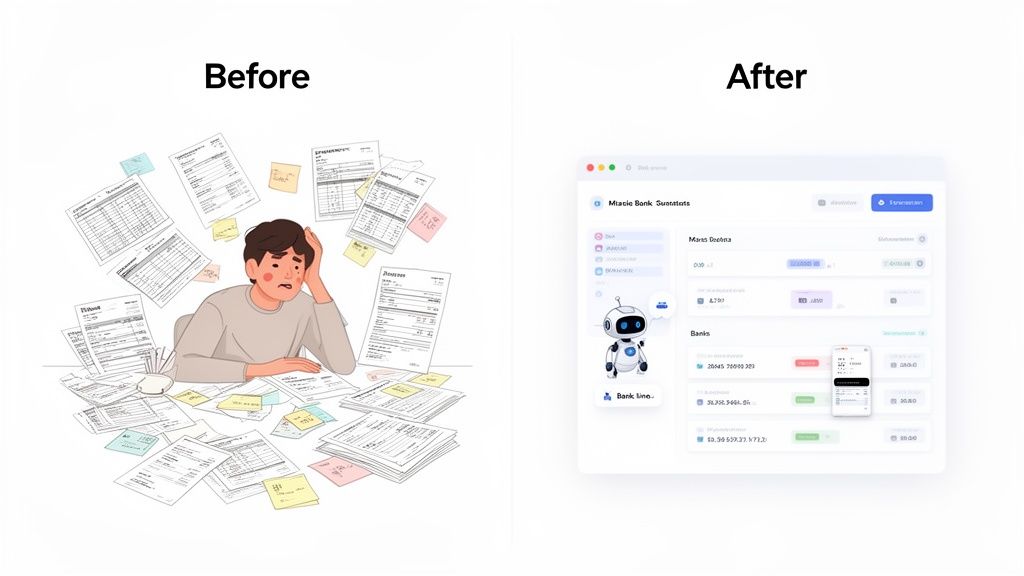
For a lot of freelancers and small businesses, the "before" picture is all too familiar. You’re building invoices from scratch in a spreadsheet, copying and pasting client details, and only sending payment reminders when you happen to remember. This way of working isn't just slow; it's a perfect recipe for mistakes that can strain client relationships and, even worse, delay your payments.
The Problem with Manual Invoicing
The old-school approach is full of little frustrations that hold you back. Every single invoice demands meticulous data entry—from getting the line items and VAT calculations right to double-checking due dates and client addresses. One small typo can spark a payment dispute or throw your financial records out of kilter.
On top of that, chasing late payments becomes a constant, draining task that pulls you away from the work you'd rather be doing. All this manual chaos makes it incredibly difficult to get a clear, up-to-the-minute picture of your financial health.
This is where automated invoicing software steps in, offering a clear "after" picture. It's not just about creating invoices faster; it's about building a reliable, systematic approach to getting paid that supports your business's stability and growth.
A Smarter Approach to Financial Management
Today's tools do so much more than just spit out a PDF. They bring a level of organisation and intelligence to your finances that used to be out of reach for smaller businesses. These systems are built to manage the entire journey of an invoice, from the moment it's created to the day it's paid and reconciled.
Here’s how things change:
- Automated Data Entry: The software pulls in client details, project info, and rates automatically, slashing the risk of manual errors.
- Recurring Invoices: If you have clients on retainer or offer subscription services, invoices are created and sent out on schedule without you lifting a finger.
- Payment Reminders: The system sends polite but firm follow-up emails for overdue payments, which helps your cash flow without you having to make awkward phone calls.
This isn't just about saving time. It makes your entire billing operation look more professional, ensuring every client interaction is consistent and accurate. If you’re keen to learn more about what these systems can do, a comprehensive guide to accounts receivable automation software is a great place to start.
But the most sophisticated platforms, like Mintline, tackle an even bigger challenge. They use AI to automatically match your receipts and expenses to your bank transactions. This gives you a complete, verified financial overview, connecting your income (invoices) with your outgoings (receipts).
Getting your head around how to apply AI in this way is the key to unlocking a whole new level of efficiency. You can explore this more in our article on the role of AI in accounting. This complete view transforms your invoicing tool from a simple utility into a genuine financial command centre.
The Real Benefits of Invoice Automation
Bringing automated invoicing software into your business isn't just a simple admin upgrade; it’s a strategic move that can genuinely change how you operate for the better. The most obvious win? You get your time back. A lot of it. The hours spent painstakingly creating invoices, double-checking details, and manually sending them out can shrink down to mere minutes.
For any business owner, freelancer, or startup team, that reclaimed time is gold. Instead of being buried in repetitive financial paperwork, you can focus your energy on what actually grows the business—serving clients, chasing new leads, and thinking about the bigger picture.
Eradicate Costly Human Errors
Beyond just saving time, automation brings a level of precision to your finances that’s nearly impossible to achieve by hand. Let’s be honest, manual data entry is a minefield of potential mistakes. A tiny typo in an address, a miscalculated VAT rate, or a misplaced decimal can cause payment delays, awkward client disputes, and hours of frustrating rework.
Automated systems sidestep this problem entirely by pulling information directly from your existing client and project records. This simple step ensures every invoice that goes out the door is accurate and professional, which helps build client trust and, most importantly, protects your bottom line.
This level of accuracy is proving to be a game-changer for businesses here in the Netherlands. Automated invoicing is boosting operational efficiency across the board, with the sector set for major growth through 2031. We're seeing tools that automate data extraction and validation reduce manual errors by a staggering 40% and cut down processing delays by 32%. For startup founders and bookkeepers at SMBs, this means AI-powered platforms like Mintline can automatically link bank statements to vendors using amount and date matches, turning a monthly headache into a live dashboard. You can get more insights on the Dutch invoice processing market.
Accelerate Your Cash Flow
One of the most powerful results of automation is the direct, positive impact it has on your cash flow. When you invoice faster and more consistently, you get paid faster. It’s that simple. And this is where an automated system really proves its worth by creating a reliable, predictable accounts receivable process.
It works through a combination of smart features:
- Instant Invoice Delivery: The moment a project wraps up or a billing cycle ends, the invoice is generated and sent. No more waiting until you have a spare moment to handle it manually.
- Automated Reminders: The system can send out polite, perfectly timed follow-up emails for overdue payments. This professional persistence keeps your invoice top of mind for clients without you having to play the bad guy.
- Integrated Payment Gateways: By embedding a direct payment link right in the invoice, you make it incredibly easy for clients to pay. They can settle up with a single click, removing friction that often causes delays.
By shifting invoicing from a manual chore to a systematic, automated workflow, you create a more predictable and healthy cash flow cycle—which is the absolute lifeblood of any growing business.
Gain Real-Time Financial Clarity
For freelancers and startups especially, making confident business decisions requires a clear, up-to-the-minute view of your financial health. Trying to get this from spreadsheets and scattered documents is a recipe for disaster. You’re often working with outdated numbers, leaving you guessing about your true financial standing.
Modern automated invoicing software cuts through the fog by providing real-time financial dashboards. In a single glance, you can see vital metrics like:
- Total outstanding invoices
- Average time to get paid
- Profitability on a per-project basis
- Upcoming revenue forecasts
This kind of clarity empowers you to make smarter, more strategic decisions about where to invest your time and money, when to bring on new help, and how to price your services effectively. With a platform like Mintline, that clarity goes even deeper by matching every transaction to its corresponding receipt, giving you a complete, verified picture of both your income and your expenses. Your invoicing tool transforms into a central hub for financial intelligence, giving you the competitive edge you need to thrive.
What to Look for in Your Invoicing Software
Choosing the right automated invoicing software is a bit like hiring a key team member. The right one will save you countless hours and headaches, but the wrong one can just add another layer of frustration. To make sure you get it right, you need to look past the shiny marketing promises and dig into the specific features that actually make a difference to your day-to-day.
At Mintline, we believe a great tool helps you manage your entire financial workflow. It knows what you need before you do, catches potential mistakes, and gives you the clear insights you need to make smarter business decisions. Let's break down what separates the good from the great.
The Everyday Essentials
Before we get into fancy AI, let's talk about the fundamentals. These are the non-negotiable features that form the bedrock of any solid invoicing system. They’ll save you time and make you look more professional from the get-go.
- Customisable Invoice Templates: Your invoice is often the last impression you leave on a client. Look for software that lets you easily add your logo, tweak the layout, and customise fields to match your brand. A sharp, branded invoice builds trust and looks the part.
- Recurring Invoices: If you work on retainers or have subscription-based clients, this is an absolute game-changer. You set up a schedule once, and the software automatically sends out the invoice on the dates you've chosen. It’s a true "set it and forget it" feature that guarantees you never miss a billing cycle and keeps your cash flow steady.
- Automated Payment Reminders: Let’s be honest, nobody enjoys chasing late payments. A good system takes care of this for you by sending polite, customisable follow-up emails for overdue invoices. Getting invoices out promptly is one thing, but automated reminders are what really help close the loop and get you paid faster.
The Advanced Features That Really Move the Needle
While the core features handle the daily grind, it’s the advanced, AI-powered capabilities that truly transform how you manage your finances. These features go way beyond just creating invoices; they solve the deeper, more annoying admin problems and turn your software into a genuine financial command centre.
A key differentiator, and the core of Mintline's offering, is the ability to connect your income with your expenses automatically. This provides a complete, verified financial picture that simple invoicing tools can't offer.
One of the best examples of this in action is Optical Character Recognition (OCR) working alongside AI-powered matching. This is the kind of technology at the heart of platforms like Mintline. Instead of just helping you send invoices, it gets its hands dirty with the messy reality of managing receipts and expenses.
Here’s how it works: the system "reads" your PDF bank statements and receipts, intelligently pulling out key details like the vendor, date, and amount. Then, it automatically matches that expense to the right transaction in your bank feed. This one feature alone can wipe out hours of mind-numbing manual reconciliation, slash the risk of human error, and keep your books perfectly audit-ready. If you're curious about the tech behind this, you can learn more about how intelligent document processing is changing the game for financial workflows.
Comparing Manual vs Automated Invoicing
It can be hard to visualise the difference an automated system makes until you see it side-by-side with the old way of doing things. The shift isn't just about speed; it's about accuracy, professionalism, and having a real-time grip on your financial health.
| Task | Manual Process (Spreadsheets & Email) | Automated Software (Like Mintline) |
|---|---|---|
| Invoice Creation | Manually entering data, prone to typos and errors. | Professional, branded templates auto-filled with client data. |
| Sending Invoices | Manually attaching PDFs to emails, one by one. | Sent automatically with a click, with delivery tracking. |
| Payment Reminders | Relies on memory or calendar alerts; awkward follow-ups. | Polite, automated reminders sent on a pre-set schedule. |
| Expense Tracking | Storing paper receipts; manual data entry into a spreadsheet. | Receipts scanned via OCR; data extracted and matched automatically. |
| Bank Reconciliation | Manually ticking off transactions against invoices/receipts. | AI automatically matches income and expenses to bank feed. |
| Reporting | Manually compiling data to understand cash flow; often outdated. | Real-time dashboards with instant insights on profit and revenue. |
As the table shows, automation takes tasks that are slow, error-prone, and frankly, a bit of a drag, and makes them instant and accurate. This frees you up to focus on growing your business instead of getting bogged down in admin.
User Experience and Reporting
Finally, even the most powerful software is worthless if it's a nightmare to use. A clean, intuitive interface is crucial. You should be able to find what you need without a treasure map, understand your financial position at a glance, and get things done in just a few clicks.
This is especially true for reporting. Your automated invoicing software should give you a clear, real-time dashboard that shows you the important numbers. Look for the ability to easily track:
- Total outstanding revenue
- Average time it takes to get paid
- Profitability per client or project
- Cash flow trends over time
These aren't just vanity metrics; they're vital signs for your business. They help you spot your best clients, identify cash flow gaps before they become crises, and make strategic decisions with confidence. By prioritising these must-have features, you’ll find a solution like Mintline that doesn’t just meet your needs today, but grows right alongside you.
How to Implement Your New Invoicing System
Making the switch to an automated system should feel like a step forward, not a headache. The key to a successful transition is breaking it down into a few simple stages. The whole point is to get your team on board and see the benefits right away.
First things first, you need a clear picture of your current process. Where are the real hang-ups? Is it the endless data entry? Or maybe it's the constant chase for late payments that's eating up all your time? When you know exactly what's slowing you down, you can zero in on the automated invoicing software features that will give you the biggest win, fast.
Once you’ve identified your pain points, you're ready to pick your tool. Go back to the features list in the last section and use it as a guide. Does it have customisable templates and automatic reminders? More importantly, can it handle the clever stuff, like AI-powered receipt matching? A great system doesn't just spit out invoices; it helps you get a better handle on your finances.
Migrating Your Data and Configuring for Success
With your software chosen, it's time to move your client and financial data over. Don't worry, modern platforms have made this part much easier than it used to be. You should be able to import everything from a simple spreadsheet, meaning you won't have to start from square one.
This is where a tool like Mintline really shines. Forget about complicated setups. You can securely connect your bank account or just drag and drop your PDF bank statements. The system’s AI instantly starts pulling out transaction data, getting it ready to be matched up. What was once a tedious chore becomes a matter of a few clicks.
With your data loaded, the next step is to get the system configured to your liking. This usually involves:
- Setting up invoice templates with your own branding and clear payment terms.
- Creating rules for recurring invoices so your regular clients are billed automatically.
- Customising the timing and wording of your automated payment reminders.
This is a one-time setup that will save you countless hours down the line. It's a small investment for a massive return in efficiency.
Launching and Training Your Team
Okay, the system is set up and ready to go. The last piece of the puzzle is making sure your team is comfortable with it. Because modern tools like Mintline are designed to be intuitive, training is usually pretty straightforward. Just focus on showing them how this new way of working solves the exact problems you identified at the start.
If you’re working in a specific region, it’s also crucial to get up to speed on local rules during implementation, like the UAE E-Invoicing: A Practical Guide for FTA Compliance. Making sure your new system can handle these local requirements from day one is essential for a smooth rollout.
This visual shows just how simple the new cycle becomes. You move from creating an invoice to sending reminders and finally to reporting, all in one smooth loop.
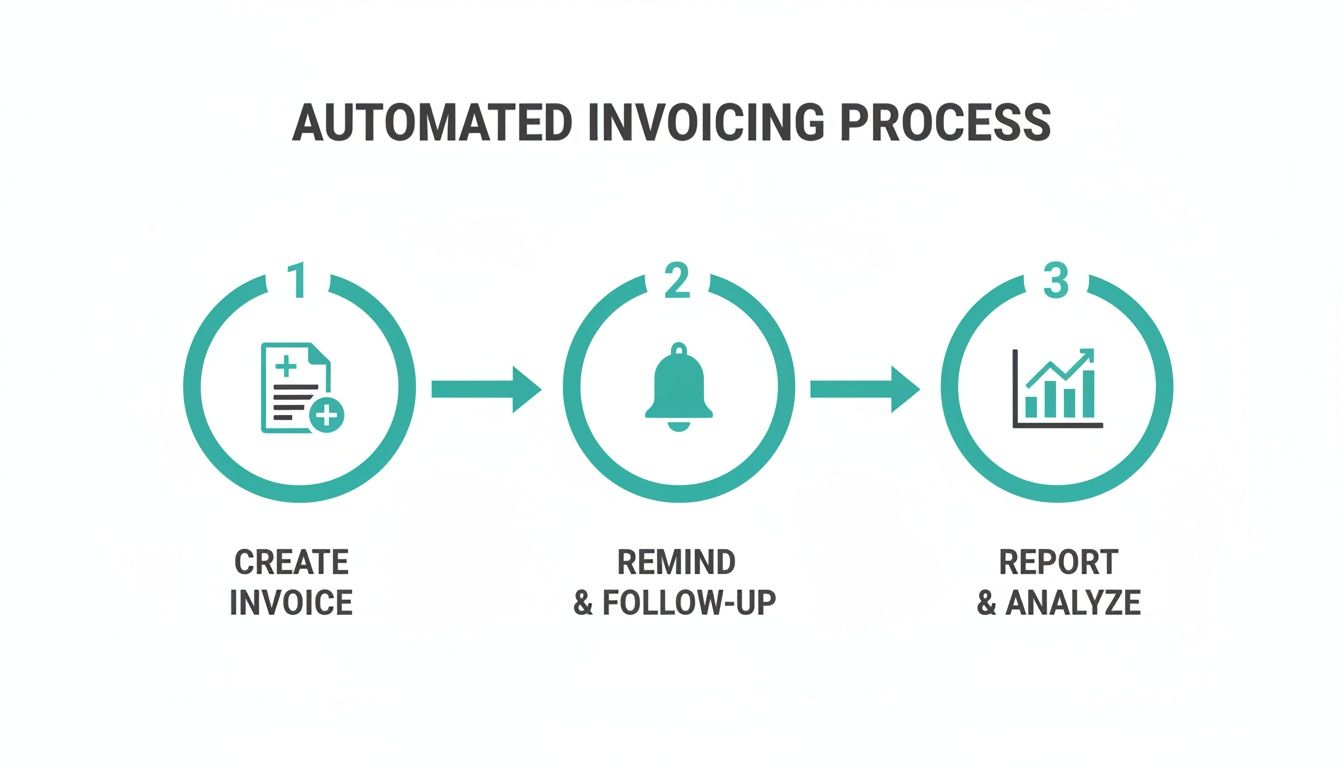
This workflow shows how automation takes a bunch of separate, manual tasks and turns them into a single, efficient financial engine for your business.
By following a clear plan—from figuring out what you need to setting up the software—you can guarantee a smooth switch. This methodical approach helps you get the most out of your automated invoicing software and start running a more efficient, profitable operation almost immediately.
Integrating Your Software for a Unified Workflow
In today's world, standalone software is a dead end. Your automated invoicing tool can't live on an island; it needs to be connected to the other systems you use every single day. Think of integration as the key that unlocks its true power, transforming a bunch of disconnected data points into one clear, reliable financial picture.
When your invoicing software talks to your accounting system—whether that’s QuickBooks or a full-blown Enterprise Resource Planning (ERP) platform—you create what’s known as a single source of truth. This connection gets rid of those frustrating data silos that always seem to cause confusion and hours of manual reconciliation at the end of the month.
Building a Connected Financial Ecosystem
A truly connected workflow is one where data moves effortlessly between systems, no human hands required. For example, when a client pays an invoice, that payment should instantly pop up in your accounting ledger, updating your cash flow and revenue in real-time. That’s when the magic of integration really becomes obvious.
This is exactly why platforms like Mintline are built to be the perfect bridge. Mintline's AI takes your jumbled bank transactions and receipts, then cleans, matches, and verifies everything. The result? Perfectly organised data, ready for a seamless export. For accounting partners and finance teams, this easily saves dozens of hours, turning a disjointed process into a smooth, automated workflow designed for growth.
The market backs this up. The Netherlands ERP software market, which goes hand-in-hand with automated invoicing, is expected to hit USD 4.82 billion by 2030. This boom is fuelled by AI tools that can pull transactions from PDF statements, match them to receipts, and flag any issues—slashing errors and helping companies close their books faster. You can dive deeper into the numbers in this report on the Netherlands ERP market.
The Strategic Value of System Integration
Connecting your systems is about more than just convenience. It’s a strategic decision that gives you a complete, top-down view of your company's financial health. It means different departments are all working from the same live information, which naturally leads to better collaboration and smarter decisions all around.
A well-integrated system fundamentally improves how you operate:
- Improved Accuracy: When data syncs automatically between your invoicing and accounting software, the risk of human error from manual entry practically disappears.
- Enhanced Reporting: With all your financial data in one place, you can pull together far more detailed and accurate reports, giving you a much deeper understanding of your business performance.
- Greater Efficiency: It completely removes the need for double data entry, freeing up your team to focus on meaningful work instead of mind-numbing admin tasks.
When you prioritise integration, you're not just buying another tool; you're building a financial foundation that can scale. This connected ecosystem ensures that as your business grows, your systems won't crack under the pressure.
This integrated approach is a central piece of a much larger financial strategy. For any business serious about optimising its entire purchasing cycle, it’s crucial to see how these tools fit together. Our guide on procure-to-pay software digs into this wider ecosystem, showing how invoicing is just one part of the puzzle. At the end of the day, a unified workflow turns your software from a simple utility into a powerful engine for business growth.
So, Why Choose Mintline for Financial Clarity?
Let’s be honest, choosing invoicing software isn't just about sending PDFs faster. It’s about getting a firm grip on your company's financial pulse. Plenty of tools can spit out an invoice, but Mintline was built from the ground up to solve a much deeper problem: turning the typical financial chaos into crystal-clear understanding.
The real difference is how we use smart, AI-driven automation. Mintline’s system doesn’t just stop after an invoice is created. Its main job is to automatically match every single bank transaction to the right receipt or invoice. Think about that for a second. This completely gets rid of the tedious, soul-crushing manual reconciliation that eats up hours of your week and is so prone to human error. What you get instead is a verified, real-time picture of where your money is.
We’re More Than Just Software; We're Your Financial Partner
We don't see Mintline as just another app on your dashboard. We think of it as a strategic partner, one that’s genuinely invested in making your business run more smoothly. This idea is baked into everything we do, from the intuitive design that makes getting started a breeze to the flexible structure that grows right alongside your business.
Our dedication to your success shows in how seriously we take security:
- Bank-Level Security: We use AES-256 encryption to protect your sensitive financial data. It's the same standard trusted by major banks worldwide.
- EU-Based Data Storage: Your information is kept safe on servers based in the EU, guaranteeing full compliance with stringent data privacy laws.
- Plans for Every Stage: Mintline grows with you. We have a free plan perfect for freelancers and comprehensive packages for established businesses, so you always have the right tools for the job.
This focus on security and scalability gives you the peace of mind to stop worrying about the small stuff and focus on what you do best.
The whole point of Mintline is to get you out of the weeds of managing scattered data so you can start making sharp, strategic decisions. We deliver true financial clarity by linking your income and expenses in one seamless, automated flow.
The market is definitely heading in this direction. In fact, the Netherlands' e-invoicing market is expected to hit USD 679.51 million by 2033. This growth is fuelled by businesses looking to slash administrative costs by as much as 60%. For freelancers and small business finance leads, this shift means closing the books faster without the dreaded spreadsheet gymnastics. It’s about turning hours of painful work into just a few minutes of review—which is exactly what Mintline’s AI does when it perfectly matches bank transactions to receipts. You can dive deeper into the growth of the e-invoicing market if you're curious.
Ultimately, Mintline provides a level of financial clarity you just won't find elsewhere because we attack the root cause of all that financial admin stress. By automating the entire reconciliation process, we give you the tools to build a more efficient, resilient, and profitable business.
Frequently Asked Questions
Jumping into automated invoicing software for the first time? It's natural to have a few questions. In fact, it's smart to get all the details before you introduce a new tool to handle your business finances. Here are some of the most common things people ask, with straightforward answers to help you feel confident.
Is My Financial Data Secure with This Software?
Absolutely. Any reputable provider, like Mintline, treats data security as its number one job. They use heavy-duty security measures, including things like AES-256 encryption—the same gold standard that major banks use to protect your information, both when it's being stored and when it's sent over the internet.
On top of that, choosing a provider that keeps your data within the EU on trusted servers like AWS means you're also protected by strict GDPR rules. Good platforms are always upfront about their security practices, so you can be sure your sensitive financial information is in safe hands.
How Much Does This Type of Software Cost?
The great thing is that the cost usually scales right along with your business. Many platforms, Mintline included, offer a subscription model that often starts with a completely free plan. This is perfect for freelancers or new businesses who are just getting their feet wet.
As you grow, you can move up to paid plans that offer more advanced features, handle a larger number of transactions, or add tools for your team. This approach means you only pay for what you actually need, making it a far more cost-effective choice than sinking hours—and money—into manual invoicing.
Will It Work with My Accountant's Current Tools?
Yes, making life easier for your accountant is a core part of the design. The best automated invoicing software is built to play nicely with the tools your bookkeeper or accountant already relies on. They usually provide simple, one-click export options for popular accounting platforms like QuickBooks.
This ensures your financial partner gets clean, organised, and perfectly matched data without any extra work on their end. A solution like Mintline is designed to make this collaboration smoother, freeing up your accountant to focus on giving you valuable advice instead of getting lost in data entry.
How Difficult Is It to Get Started?
You'll be surprised at how quick and easy it is. Modern, cloud-based software is designed to be intuitive right from the get-go. You can get everything up and running in minutes, not weeks. There’s no complicated installation or long-winded training session to sit through.
With a platform like Mintline, the setup is about as simple as it gets. You can securely link your bank account for automatic transaction syncing or just drag and drop your PDF bank statements right into the system. Thanks to clean designs and clear guidance, most people feel completely comfortable with the main features after just one session and start saving time immediately.
Ready to stop chasing receipts and start focusing on what really matters? With Mintline, you can let our AI-powered platform automatically match every bank transaction to its receipt, turning hours of tedious work into a quick review.
Discover how Mintline can bring a new level of efficiency to your business.