
Convert PDF Document to Text: A Finance Team's Guide with Mintline
Learn how to convert PDF document to text for financial data. Explore AI-powered tools, Python methods, and security best practices for finance teams.
Manually pulling data from a PDF is a practice that belongs in the past. Today, AI-powered platforms like Mintline use Optical Character Recognition (OCR) to automatically extract information from invoices, bank statements, and reports. It’s about turning static files into usable, actionable data—a crucial step for any finance team looking to work smarter, not harder.
Why Finance Teams Must Automate PDF Data Extraction
If you're on a finance team, you know the drill. You're constantly wading through a sea of PDF documents—supplier invoices, monthly bank statements, and endless expense reports. Each one holds vital data that needs to be painstakingly entered, sorted, and reconciled. The old way of doing things, manually typing numbers from a PDF into a spreadsheet, isn't just painfully slow; it's practically an invitation for errors.
Think about it: a single misplaced decimal point or a couple of switched digits can throw off your financial reports, lead to incorrect payments, and trigger hours of backtracking to pinpoint the mistake. This kind of manual grind doesn't just threaten accuracy. It eats up precious time that your team could be using for strategic analysis, financial forecasting, and other tasks that actually drive the business forward.
The True Cost of Manual Data Entry
The trouble with manual processes goes deeper than the occasional typo. When you rely on outdated methods, you create serious operational drag and hidden costs that can really stifle growth.
- Lost Productivity: Every hour your team spends on manual data entry is an hour they can't spend on high-value work. This opportunity cost accumulates fast, severely limiting your finance department's strategic impact.
- Delayed Decisions: When crucial data is trapped inside PDFs, financial reporting grinds to a halt. This means leadership is often forced to make important decisions based on old information, causing them to miss key opportunities or react to problems far too late.
- Poor Data Quality: Manual entry is a recipe for inconsistency. One person might format dates as
DD/MM/YYYY, while another usesMM-DD-YY. These small differences create messy, unreliable data sets that are a nightmare to analyse.
The heart of the problem is that PDFs were designed to be viewed, not processed. They're essentially digital paper. Trying to use them as a data source without the right tools is like trying to fill a swimming pool with a teaspoon.
The Shift to Intelligent Automation
This is precisely why a change is needed. The objective isn't just to convert a PDF document to text anymore; it's about doing it intelligently. Modern platforms like Mintline are designed to tackle these exact problems. They use AI to go beyond simple text extraction—they actually understand the context. This means automatically identifying what’s a transaction date, what’s an amount, and who the vendor is.
This is a key part of a much bigger field known as intelligent document processing, which focuses on transforming static documents into a structured, reliable flow of financial data. This evolution frees finance professionals from the drudgery of data entry and empowers them to become genuine strategic partners in the business.
Choosing the Right PDF to Text Conversion Method
Picking the right way to get text out of a PDF is a bigger decision than it sounds, especially when you're handling sensitive financial data. There are a ton of options out there, but what works for a one-off task is completely different from what a busy finance team needs. The best choice really comes down to a balance of security, scalability, and the accuracy required—all areas where a specialized platform excels.
One-Off Tasks vs. High-Volume Workflows
Those free online converters look great at first glance. If you just have a single, non-sensitive PDF you need to grab some text from, they can get the job done quickly. You upload, it converts, you download. Simple.
But here’s the catch: convenience often comes at the cost of privacy. Uploading bank statements, invoices, or any financial records to a random website is a huge security gamble. You have no idea where that data is going, how it's being stored, or who might have access to it. For any professional finance team, that’s a risk you just can’t take.
Everything changes when you go from processing ten invoices to ten thousand a month. Suddenly, scalability and accuracy are your top priorities. This is where dedicated software and specialized AI platforms like Mintline come into their own. They aren’t just simple converters; they’re complete systems built to handle the chaos of high-volume financial documents.
The quality of the Optical Character Recognition (OCR) is a massive factor. A basic tool will often stumble over complex tables or messy layouts, spitting out errors that someone has to fix by hand. More advanced platforms, however, give you much cleaner results. In the Netherlands, for instance, the demand for top-tier OCR is booming. The best professional tools now hit up to 99.8% text extraction accuracy by using AI and neural networks to understand document layouts—a lifesaver when dealing with the multilingual documents common in Dutch business. If you're curious, you can explore more about these powerful OCR capabilities and how they work in practice.
This flowchart neatly sums up the core decision every team faces: stick with manual entry or embrace automation.
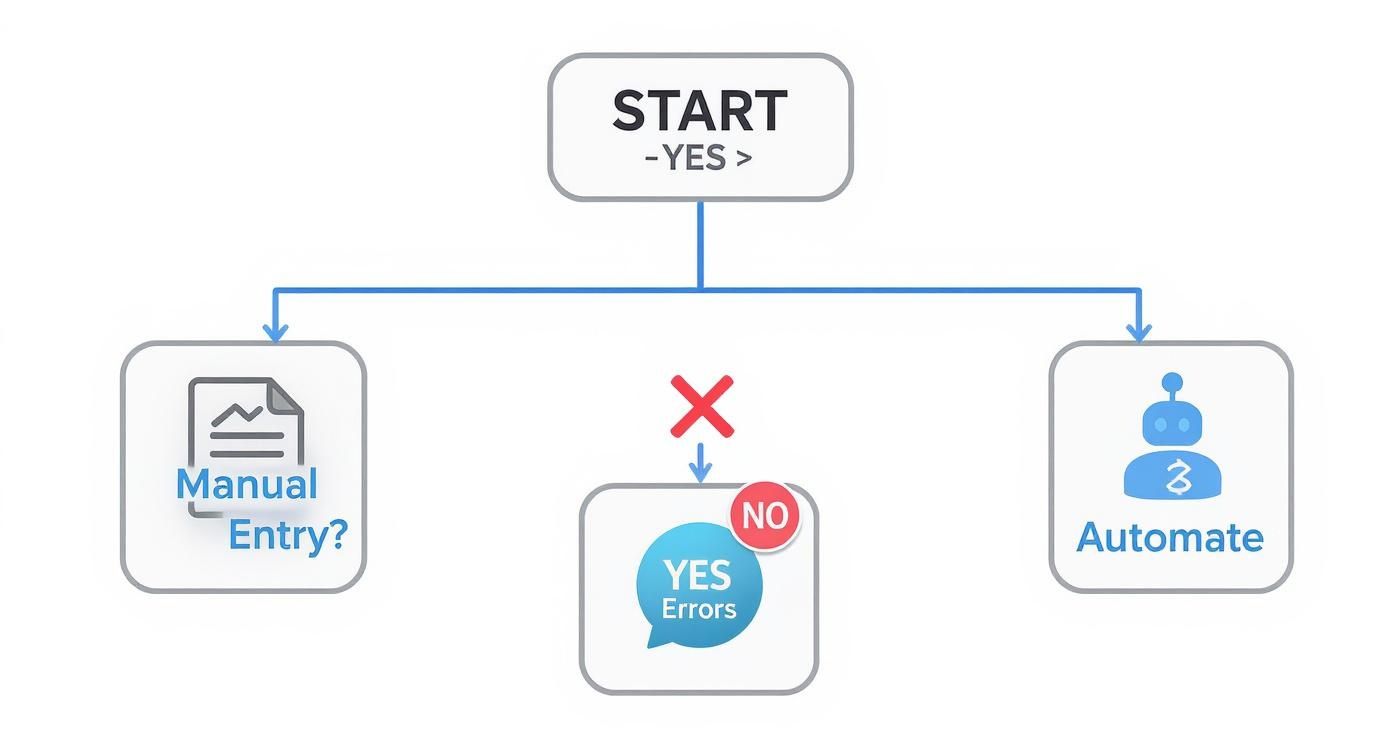
As you can see, the manual route is a direct path to potential errors and rework. Automation, on the other hand, sets you up for a more reliable and efficient process from the start.
Comparing PDF to Text Conversion Methods
To help you decide, here’s a breakdown of the most common methods. Think about where your team’s needs fit best.
| Method | Best For | Accuracy | Security | Scalability |
|---|---|---|---|---|
| Free Online Tools | Quick, one-off, non-sensitive documents | Low to Medium | Very Low | Poor |
| Desktop Apps | Individuals or small teams with moderate volume | Medium to High | High (local) | Limited |
| Command-Line (e.g., Tesseract) | Developers needing custom solutions | Variable (depends on setup) | High (local) | High (with expertise) |
| Mintline AI Platform | Finance teams with high volume and complexity | Very High | Very High | Excellent |
Ultimately, the goal is to find a tool that fits your workflow, not one that forces you to change how you work.
Making an Informed Decision
To make the right call, you need to weigh a few key factors against what your team actually does day-to-day. Don't just think about today; consider where your business will be in a year.
Here's what to ask:
- Security: Is this data confidential? If the answer is yes, then a secure, professional platform like Mintline with a transparent data protection policy is the only way to go.
- Volume: How many documents are you processing each month? If it's a lot, you absolutely need an automated, scalable solution to keep things moving.
- Complexity: Are your documents just simple text, or are they filled with complex tables, columns, and weird layouts? The messier the document, the smarter the tool you’ll need.
- Integration: Do you need the extracted data to feed directly into your accounting software? If so, look for solutions that have those integrations ready to go.
The right tool does so much more than just pull text from a page. It becomes a core part of your financial workflow, making everything smoother while cutting down on risk. Choosing a platform like Mintline is an investment in a secure, scalable system that's been designed from the ground up to understand financial data.
Using an AI Platform for Financial Document Conversion
It's one thing to talk about the tools, but it's another to see them in action. While desktop apps and command-line scripts certainly have their uses, switching to a dedicated AI platform like Mintline completely changes the game for finance teams looking to convert a PDF document to text. What was once a clunky, manual task becomes a single, smart workflow built for the nuances of financial data.
Let's imagine a common scenario: you’ve got a multi-page bank statement. It's packed with different transaction types, running balances, and those tricky summary tables at the end. This isn't just a simple text document; it’s a structured record where every number and date has a specific meaning. The Mintline platform is designed to understand that context right from the get-go.
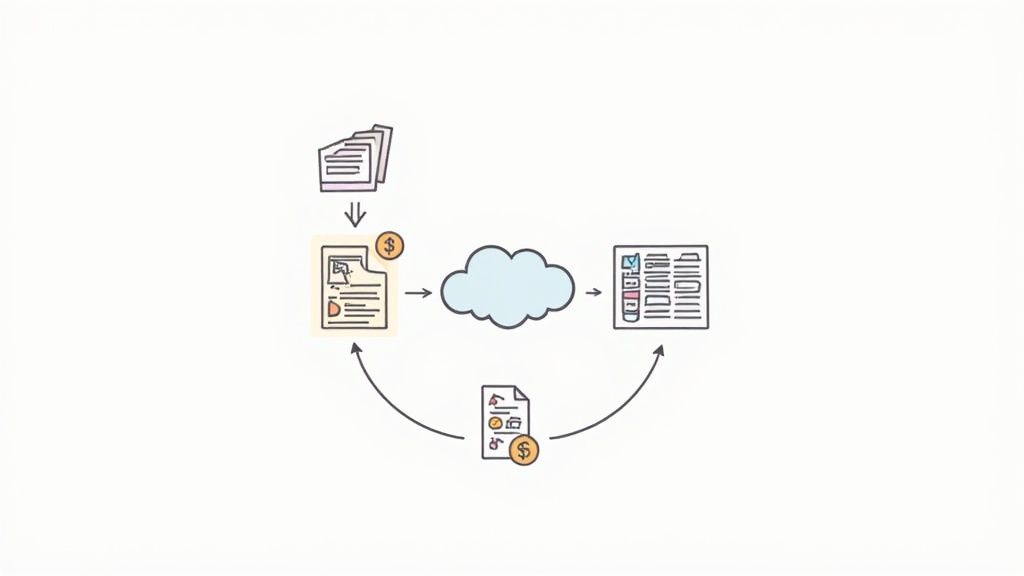
The process starts simply enough—you just upload or drag your PDF into the platform. But behind the curtain, a much more sophisticated process is kicking off. The system doesn't just run a basic OCR scan. Its AI models, which have been trained on thousands of financial documents, immediately recognise the document’s layout.
From Upload to Structured Data
This built-in intelligence is what really makes a difference. The platform automatically spots and sorts the key data points that matter for accounting and analysis.
- Transaction Dates: It correctly reads dates, no matter the format (
DD/MM/YY,Month Day, Year, etc.). - Descriptions: It pulls out vendor names and transaction details into their own fields.
- Amounts: Debits and credits are properly identified and put into separate columns.
- Running Balances: It can even track the line-by-line balance, keeping the full financial story intact.
This goes way beyond simple text extraction; it's true data structuring. The end result isn't a messy wall of text. It's a clean, organised dataset, ready for whatever you need to do next. This power to turn messy PDFs into useful information is a huge part of how technology is changing financial work, a topic we explore more deeply in our guide to AI in accounting.
The Critical Verification Step
Of course, no automated system is flawless. That’s why a human-in-the-loop verification step is non-negotiable if you're aiming for 100% accuracy. The Mintline platform makes this part incredibly efficient. Instead of making you slog through every line, it flags only the potential issues that need a second look.
An exception might be a blurry number from a low-quality scan or a weird transaction description the AI hasn't encountered before. The platform highlights these items in a simple interface, letting you quickly confirm or correct them with a few clicks.
Think of this not as redoing the work, but as targeted validation. For instance, if a vendor name was slightly misspelled on the statement, the AI might flag it. You fix it once, and the system actually learns from that correction, making it smarter for the next time it sees a document from that vendor.
Once you’ve given it the green light, the data is ready to go. With one click, you can export a clean CSV file or even send the structured data straight into your accounting software. The hours you used to burn on manual data entry are now condensed into just a few minutes of focused review. This ensures your final data is not only accurate but ready to be used immediately. For those curious about other ways AI handles documents, learning about using AI to summarize PDFs provides some interesting parallels.
The Unique Hurdles of Financial PDFs
Financial documents can be a real nightmare to digitise. They’re designed for human eyes, not software, which means they often cram a massive amount of complex information into dense tables and columns. When you try to convert a PDF document to text from one of these files, you’ll almost certainly hit a wall that simple tools just can't get past.
One of the biggest headaches is keeping the table structure intact. Think about an investment statement or a detailed invoice. A basic converter will often just flatten everything, mashing columns together into one long, confusing string of text. You’re left with a jumble of numbers and descriptions that have lost all their context, making the data useless without hours of painful manual clean-up.
This is exactly where an intelligent platform like Mintline makes a difference. Its AI doesn't just read words; it's trained to understand the visual layout. It knows that certain numbers belong in a "debit" column and others in a "credit" column, preserving that crucial structure so your data actually means something.
Wrangling Inconsistent Formats
The lack of standardisation is another huge problem. One bank statement might format dates as DD-MM-YYYY, while a supplier invoice uses Month Day, Year. Currency formats are just as bad, with different symbols, comma placements, and decimal conventions all over the place. Trying to standardise all this by hand is not only tedious but also a recipe for errors that can throw off your entire reconciliation process.
A more advanced system takes care of this automatically. It can identify dozens of different date and currency formats and convert them all into a single, consistent standard you define. This means that when you export the data, it's already clean, uniform, and ready for analysis—no extra spreadsheet fiddling required.
The real goal isn't just to extract data, it's to interpret it. A smart tool doesn't just see "€1,234.56" and "23/04/2024." It understands these are a currency amount and a specific date and then structures them correctly. That contextual understanding is what makes reliable automation possible.
Tackling Poor-Quality Scans and Awkward Layouts
Let's be honest: not all PDFs are created equal. You’re often dealing with low-resolution scans of paper documents, complete with blurry text, skewed pages, and faded ink. These imperfections can easily trip up basic OCR software, leading to misread characters and garbage data. On top of that, every financial institution has its own unique layout, so there’s no one-size-fits-all template that works for everything.
The growing use of AI-based conversion technology in the Netherlands reflects a real need for tools that can handle these messy, real-world documents. Advanced OCR, powered by machine learning, can now preserve complex layouts and understand context even in multilingual documents—a feature becoming essential for Dutch businesses. You can find more insights on how AI is improving scanned document translation on pairaphrase.com.
By meeting these challenges head-on, finance teams can finally start to trust their automated data extraction and be confident that the information they’re using for reports and analysis is truly reliable.
Ensuring Data Security and Compliance
When you're converting PDFs to text, you're often dealing with your company's crown jewels: bank statements, invoices, and sensitive financial reports. This isn't just a simple file conversion; it's a process that demands serious attention to data security. Getting this wrong can expose your business to massive financial and reputational damage.
Think about it. Many free online tools have murky privacy policies. Where is your data going? Who can see it? Is it deleted immediately or stored indefinitely? Uploading confidential financial records to a random website is a huge gamble. This is precisely why enterprise platforms like Mintline exist—they are built from the ground up with security at their core.
Non-Negotiable Security Measures
To properly protect your data, you need to look for solutions with robust security features baked right in. These aren't just nice-to-haves; they're absolute essentials for staying in control and meeting your legal obligations. A good Information Security Management Systems (ISMS) Guide is a fantastic starting point for understanding the frameworks needed to safeguard financial records.
Here's what should be on your checklist:
- End-to-End Encryption: Your data must be scrambled and unreadable both as it travels across the internet (in transit) and while it's sitting on a server (at rest). Look for platforms using AES-256 encryption—it’s the gold standard, trusted by banks worldwide.
- Data Residency Compliance: Regulations like GDPR have strict rules about where data lives. If you're a European company, you need a provider that stores your data on EU-based servers to stay compliant.
- Secure Data Handling Policies: Any provider worth your time will have a crystal-clear policy stating they won't sell or share your data with anyone. No exceptions.
Controlling Access and Maintaining Audits
Security doesn't stop at the provider's firewall. It also means managing who inside your own company can see sensitive information. Without the right controls, you're just as vulnerable to an internal leak or simple human error as you are to an external attack.
The most secure system is one that grants access only on a need-to-know basis. This principle of least privilege minimises your organisation's attack surface and makes it easier to trace activity.
Professional platforms give you role-based access controls, which let you set specific permissions for each team member. A junior accountant, for instance, can be given access to process invoices without ever seeing high-level financial strategy documents. This kind of granular control, paired with a clear audit trail, helps you choose a solution that not only protects your financial data but also perfectly aligns with your company's compliance standards.
Advanced Customisation with Python and Tesseract
For finance or data teams with developers on hand, sometimes an off-the-shelf tool just doesn't cut it. This is where building your own solution to convert a PDF document to text can give you the exact control you need, fitting perfectly into your company’s unique workflows. The most common path here involves pairing a powerful open-source tool like the Tesseract OCR engine with a flexible language like Python.
Taking this route lets you build incredibly specific automation scripts. Imagine a Python script that quietly watches a designated network folder. The moment a new PDF invoice lands in that folder, the script kicks in, using Tesseract to pull out all the raw text. No manual intervention needed.
Building Your Own Extraction Logic
Once you have the raw text, the real magic of a custom solution begins. Your developers can use Python’s regular expressions library (re) to create pinpoint rules for finding and grabbing specific pieces of information. This isn't just a simple text dump; it's intelligent, surgical parsing.
You can set up patterns to find anything you need:
- Invoice Numbers: Look for a keyword like "Invoice #" followed by a specific pattern of numbers and letters.
- Due Dates: Hunt for different date formats (
dd-mm-yyyy,Month Day, Year) that appear next to terms like "Due Date" or "Payment Due." - Total Amounts: Identify monetary values that come after "Total" or "Amount Due," making sure you get the final, correct figure.
This kind of fine-tuned logic means you can build a system that truly understands the specific layouts of your most common suppliers, which massively boosts the accuracy for the documents you handle every day.
Because it's a command-line tool, Tesseract is designed to be a building block within a larger, custom system—not a standalone app that your finance team would use directly.
Understanding the Trade-Offs
Let's be realistic, though. This path isn't for everyone. While a custom Python and Tesseract setup can be incredibly powerful and cheap in the long run (the software is free, after all), it requires serious technical know-how. The initial development, testing, and upkeep all demand a developer's dedicated time.
And it's an ongoing commitment. When your vendors change their invoice layouts—and they will—your scripts will need to be updated. This maintenance overhead is a crucial point to weigh against the convenience of a managed AI platform like Mintline, which handles all that behind-the-scenes complexity for you.
This approach gives you ultimate control, but it also saddles you with the full responsibility of maintenance. You're not just using a tool; you're building and managing a software asset.
The push for this level of automation is definitely growing. In the Netherlands, for example, OCR accuracy is a major focus in the drive for digitalisation. Research shows top AI OCR models can hit around 98% accuracy on Dutch documents, a benchmark that public and private sector organisations rely on for processing data at scale. You can discover more insights about AI OCR model comparisons at intuitionlabs.ai to see how different tools stack up.
Ultimately, deciding between building your own solution and using a managed platform comes down to your team's resources and priorities. If you often find yourself wrestling with complex tables inside your PDFs, it’s also worth looking at our guide on how to extract a table from a PDF, as tables present a whole different set of challenges.
For teams that need a powerful, secure, and maintenance-free solution to automate financial document processing, Mintline provides an intelligent platform that turns hours of work into minutes. Get started with Mintline today.