
Document Scanner Online: Automate Your Financial Workflow with Mintline
Discover how a document scanner online can eliminate manual data entry. Learn to automate receipt matching and financial workflows with OCR and AI technology.
Think of a document scanner online as more than just a tool for turning paper into pixels. Modern platforms like Mintline are your gateway to financial automation. We use AI to not only create a digital copy but to actually understand what's on your receipts, invoices, and bank statements, organising them for you automatically. This flips the script on tedious data entry, turning hours of manual work into a quick, effortless process.
Escape the Paperwork Trap with Digital Scanning
For freelancers, small business owners, and accountants, the end of the month often brings a familiar dread. It’s time to tackle the "paperwork trap"—that mountain of crumpled receipts, endless PDF bank statements, and a tangled mess of invoices. Everything needs to be sorted, matched, and painstakingly punched into a spreadsheet. This isn't just mind-numbingly boring; it's a massive productivity sink and a perfect recipe for expensive mistakes.
A single lost receipt or a typo during data entry can derail your entire bookkeeping for the month, forcing you to waste hours hunting down one tiny error. This soul-crushing cycle of manual admin pulls you away from what you should be doing: growing your business or giving your clients your full attention.
The True Cost of Manual Financial Admin
The problem runs deeper than just wasted time. Sticking to old-school methods has hidden costs that can really hold your business back.
- Lost Productivity: Every single hour you spend matching a receipt to a bank line item is an hour you’re not spending on activities that actually make you money.
- Costly Errors: Let's face it, humans make mistakes. Manual entry is a breeding ground for errors that lead to inaccurate financial reports, incorrect tax filings, and even compliance headaches.
- Lack of Visibility: When your financial data is buried in shoeboxes and scattered across different folders, you have no real-time pulse on your business’s cash flow and spending.
That's why we built Mintline. Instead of just making a digital copy, our automation-first platform uses technology to read, understand, and organise your financial documents for you.
From Chaos to Clarity with Automation
Imagine a different scenario. You upload your PDF bank statements, and a smart system instantly reads every transaction. You drop a folder of receipts into the system, and it automatically matches each one to the right bank entry by looking at the vendor, date, and amount. This is the "after" picture—a world of clarity and control that Mintline delivers.
Digital scanning provides a powerful escape from the constant burden of physical paperwork, making it so much easier to get your documents in order, especially when you're filing your taxes. With Mintline, our aim isn't just to digitise your files; it's to achieve complete automation. This sets you up for a smarter, far more efficient way to manage your finances.
How Does an Online Document Scanner Actually Work?
You might think an online document scanner is some kind of digital magic, but it’s actually a clever, step-by-step process that turns a pile of paper chaos into organised, useful data. The core technology driving this is called Optical Character Recognition (OCR). The best way to think of OCR is as a translator for your documents. It doesn’t just see a picture of a receipt; it actually reads and understands the text on it.
The whole thing kicks off the moment you upload a document. It could be a photo of an invoice you snapped with your phone or a PDF of a bank statement you dragged from your desktop. The first step is simply getting a clean digital image for the system to analyse.
From a Picture to Proper Data
With a clear image in hand, the OCR engine rolls up its sleeves. It scans the document pixel by pixel, identifying the shapes of letters and numbers and converting them into text a computer can understand. This is a massive jump from just having a static image file—the information is now searchable, editable, and ready to be put to work. If you're curious about the nuts and bolts, we have a guide that explains more about how to extract text from a PDF.
But just having a wall of text isn’t the end goal. The real power lies in what happens next: intelligent data extraction, which is where Artificial Intelligence (AI) comes in. The AI sifts through all that text to find and label the important bits.
- Vendor Name: It figures out who you paid.
- Transaction Date: It finds the exact day the expense occurred.
- Total Amount: It isolates the final cost, including any tax.
- Invoice Number: It grabs any unique codes for easy tracking.
Suddenly, a flat document becomes a structured piece of data, perfectly prepped for the next stage of automation.
The image below really highlights the difference between struggling with manual paperwork and adopting a slick, automated system.
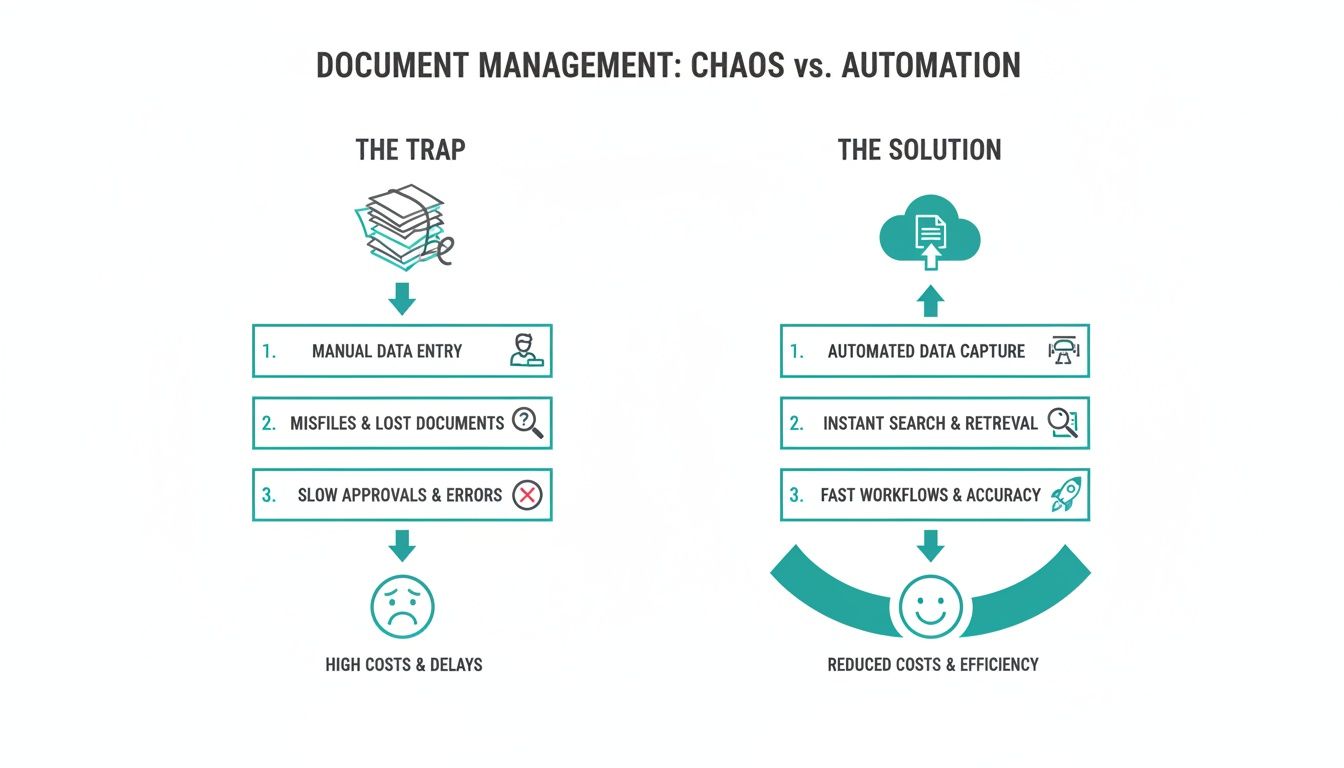
It’s a clear picture of how leaving the paper trap behind for a cloud-based solution cuts down on all that administrative friction.
The Mintline Difference: Automated Matching
This is where Mintline really changes the game. Many basic tools stop once they’ve extracted the data. Mintline’s AI goes a crucial step further by analysing the context of that information. It doesn’t just read the total on a receipt; it actively looks for a matching transaction in your connected bank feed.
By cleverly cross-referencing the vendor, date, and amount, Mintline automatically suggests a match between the document and the bank transaction. This completely gets rid of the soul-crushing job of manual reconciliation, which is usually the biggest time-sink in bookkeeping.
This kind of smart automation is what’s fuelling incredible growth in the Netherlands. The market for intelligent document processing—the engine behind these tools—shot up from USD 55.8 million in 2023 to USD 71.1 million in 2024. It’s projected to hit a staggering USD 366.2 million by 2030, driven by businesses desperate to escape their paperwork nightmare.
For Dutch freelancers and small businesses, where disorganised documents are a major roadblock, this is huge. Platforms like Mintline can slash manual data entry errors from a typical 15-20% down to under 2%. That’s not just a nice-to-have; it's essential for running a tight ship.
So, instead of you spending hours cross-checking spreadsheets, Mintline gives you a simple dashboard where you just need to review and approve its AI-powered suggestions. A task that once took up an entire day can now be done and dusted in a few minutes, giving you back precious time to focus on what actually matters—growing your business.
Putting Your Automated Workflow into Practice
The real magic of a powerful document scanner online isn't just turning paper into pixels; it’s about completely overhauling your financial workflow. It's about moving from manual, soul-crushing tasks to an automated, slick system. So, let's step away from the theory and see how this actually works for real people in real businesses, transforming everyday headaches into genuine efficiencies.
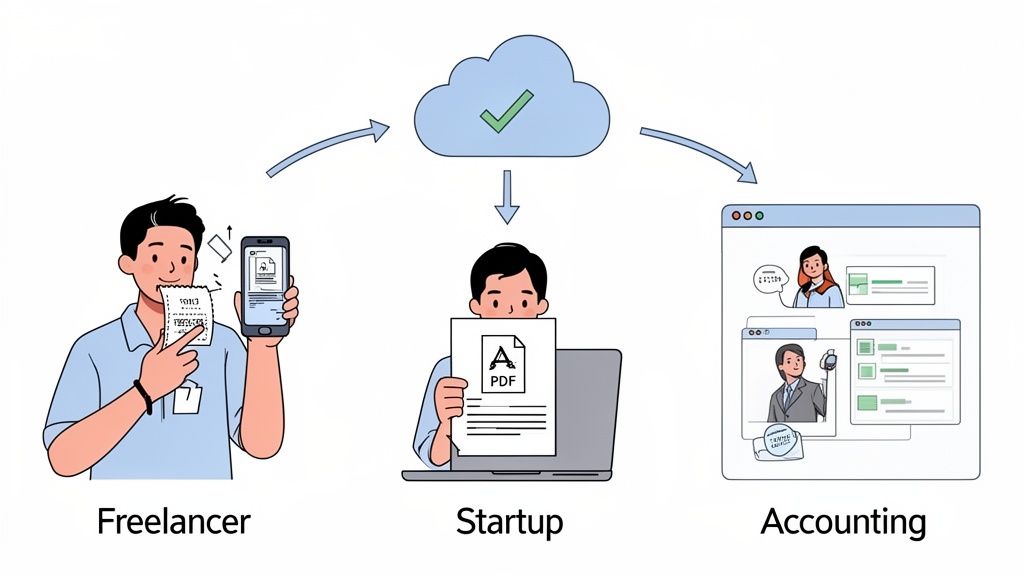
Picture a freelance designer hopping between client meetings and coffee shops. Every receipt for a flat white, every software subscription invoice, every train ticket—it's all vital for their tax records. Traditionally, this meant a wallet overflowing with crumpled paper, destined for a frantic sorting session at the end of the month. It’s a mess.
Now, with Mintline, that workflow is completely different. The designer snaps a quick photo of a receipt the moment they get it. Our system instantly scans the details—vendor, amount, date—and logs it. When their bank transactions sync up later, the AI automatically matches that receipt to the corresponding bank line. The loop is closed, with zero manual effort. What used to be a constant, low-level stress becomes a simple, two-second habit.
From Catch-Up to Control for Startups
Now, think about a founder of a fast-growing startup. They're juggling product development, sales calls, and managing their team. Bookkeeping is the last thing on their mind. They might have months of PDF bank statements sitting in a folder, but the sheer thought of reconciling them against hundreds of invoices is so overwhelming that it just keeps getting pushed off.
This procrastination creates a huge business problem: a total lack of real-time financial visibility. You can't make smart decisions about cash flow, budgeting, or runway when your books are months behind.
This is where Mintline truly shines. The founder can drag and drop their entire backlog of PDF bank statements and receipts into our platform. The system immediately gets to work, pulling out every single transaction and intelligently matching documents.
Instead of losing a weekend to a spreadsheet nightmare, the founder can get months of financials reconciled in minutes. They shift from a reactive state of constantly playing catch-up to a proactive position of control, armed with a clear, accurate picture of their company's finances.
To really get the hang of this, understanding the bigger picture is key. You can learn more about mastering document workflow automation from specialists in the field. This knowledge helps build a solid foundation for scaling your operations without the chaos.
Standardising Excellence for Accounting Firms
Finally, let’s look at an accounting firm managing the books for dozens of different clients. Every client has their own system—some send tidy PDFs, others show up with a shoebox full of crumpled receipts. This chaos creates massive inefficiencies and opens the door for errors, making it nearly impossible to offer a consistently high-quality service.
By bringing a platform like Mintline into the picture, the firm can introduce a standardised, efficient system that works for every client.
- Centralised Document Collection: The firm can set up a single, secure portal where clients upload all their receipts, invoices, and bank statements. No more chasing emails or digging through shoeboxes.
- Automated Initial Processing: Mintline's AI does the heavy lifting, sorting documents and matching them to transactions. This frees up the accountants’ time for work that requires their expertise, not just their patience.
- Efficient Review and Approval: Accountants get a clean dashboard where they can quickly review the AI's suggestions, spot any missing documents, and finalise the books in a fraction of the time.
This isn't just about saving time; it's about elevating the firm's entire service. When you automate document processing, you eliminate the monotonous data entry and can focus on giving strategic financial advice. The result is faster month-end closing, fewer mistakes, and much happier clients who see the value in such an organised, professional approach.
How To Choose The Right Document Scanner
Picking an online document scanner can feel like a chore, but it really comes down to one simple question: do you need a digital filing cabinet, or do you need an engine to run your business? The difference is huge, and it can massively impact your productivity, accuracy, and overall financial health. Making the right choice isn't about fancy features; it's about finding a tool that genuinely solves your administrative headaches.
A basic scanning app will turn a paper receipt into a PDF. That’s a start, but it's also where the help usually ends. You’re still left with the real work: organising the file, punching the numbers into a spreadsheet, and painstakingly matching it to a bank transaction. It’s a small step up from a shoebox full of receipts, but it doesn't solve the core problem of manual data entry.
In contrast, a true automation platform like Mintline is built to handle the entire workflow. We don’t just digitise your documents; we read, understand, and act on the information inside them. This is the key difference that unlocks real efficiency.
Core Features That Truly Matter
When you're comparing options, it's easy to get lost in a long list of features. To cut through the noise, focus on the capabilities that deliver the most value, especially when it comes to financial documents.
- Exceptional OCR Accuracy: The whole system is built on the quality of its Optical Character Recognition. If the OCR can't reliably read dates, vendors, or amounts, you'll spend more time fixing errors than you would have doing it all by hand. High accuracy is non-negotiable.
- Intelligent AI Matching: This is the game-changer. An advanced platform uses AI not just to pull out data but to automatically match receipts and invoices to your bank transactions. This single feature eliminates the most soul-crushing part of bookkeeping.
- Seamless Software Integrations: Your scanner can't be an island. It needs to connect effortlessly with your accounting software, letting you export clean, organised, and audit-ready data with a single click.
Making a smart choice here involves understanding what separates the good from the great. For a deeper dive, our guide on selecting the best OCR software breaks down the technology even further.
Security Non-Negotiables
Let's be clear: you're trusting this platform with incredibly sensitive financial information. Security can't be an afterthought—it has to be a top priority. Any professional-grade document scanner must meet tough standards to keep your data safe.
Insist on these critical security measures:
- AES-256 Encryption: This is the gold standard for data protection, the same level used by banks and governments to secure information whether it's stored on a server or being uploaded.
- EU-Based Data Hosting: For any business in Europe, keeping your data hosted within the EU is essential for GDPR compliance and ensures it’s protected by strict privacy laws.
- Strict Data Policies: The platform needs a crystal-clear policy stating they won't share your data with third parties. Your financial information should be used for one purpose and one purpose only: to serve you.
Choosing a platform built with enterprise-level security gives you peace of mind. At Mintline, we designed our platform with all these measures, ensuring your confidential data is both protected and compliant.
This shift towards secure, intelligent document processing is transforming how businesses operate, especially in the Netherlands. The Dutch market for this technology is surging, hitting USD 71.1 million in 2024 and projected to reach USD 334.7 million by 2030. What's driving this? A massive 68% of Dutch SMBs have flagged digitisation as a key priority to manage rising compliance costs. For freelancers and accountants here, this means online AI scanners can slash administrative costs by as much as 70% compared to old-school methods. You can learn more about the evolving world of document scanning services in the Netherlands and see how this trend is reshaping local businesses.
A quick look at the differences makes the choice clearer.
Comparing Basic Scanners vs Automation Platforms
| Feature | Basic Document Scanner | Automation Platform (e.g., Mintline) |
|---|---|---|
| Primary Function | Creates a digital image (PDF/JPG) of a document. | Extracts, interprets, and acts on document data. |
| Data Entry | Almost entirely manual. You still have to type everything. | Fully automated. OCR extracts all key details. |
| Bank Reconciliation | No connection. You must match transactions yourself. | AI automatically matches documents to bank transactions. |
| Software Integration | Limited, often just basic cloud storage (e.g., Dropbox). | Deep integration with accounting software (e.g., Xero). |
| Workflow Impact | A digital archive. Still requires significant manual work. | An end-to-end workflow, from scan to reconciliation. |
| Best For | Individuals needing simple digital copies for personal records. | Freelancers, SMBs, and accountants seeking efficiency. |
The table really highlights the gap between simply digitising paper and truly automating a financial workflow.
Beyond Scanning To True Automation
Ultimately, your decision comes down to your goals. If you just need to create digital archives of old paperwork, a basic scanner might do the job.
But if you want to save precious time, eliminate costly errors, and get a firm grip on your finances, you need a solution built for automation from the ground up. An end-to-end platform like Mintline delivers far more value because we solve the entire problem, from the moment you scan a receipt to the final, reconciled entry in your books. We let you stop chasing paper and start focusing on what actually drives your business forward.
A Step-By-Step Guide to Using Mintline
Seeing how an automated workflow can simplify your financial admin is one thing, but putting it into practice is where you'll really see the difference. Getting started with a powerful document scanner online like Mintline is refreshingly straightforward. We’ve designed it to turn what used to be a multi-day headache into a quick, four-step process.
Let’s walk through exactly how to set up your workflow and start getting your time back. The whole system is built on a simple idea: get your financial data into one place, let the AI do the heavy lifting, and leave you with a quick review. It takes the guesswork out of financial organisation and shows you just how fast you can go from a pile of paperwork to perfectly reconciled books.
Step 1: Connect Your Financial Data
First things first, we need to give Mintline the raw materials to work with. You’ve got a couple of secure and simple ways to do this.
You can securely link your bank account, which lets Mintline automatically pull in your transactions as they happen. If you'd rather work with static documents, that's fine too—just upload your PDF bank statements. Our system’s advanced OCR will get to work, reading every single line item and pulling out all the necessary details to build a complete transaction list for you.
Step 2: Upload Your Documents in Bulk
Once your bank transactions are flowing in, it’s time to add the other half of the puzzle: your receipts and invoices. And no, you don't have to upload them one by one. You can gather up all your documents—whether they're PDFs, JPEGs, or other image files—and just drag and drop the whole lot into Mintline at once.
This bulk upload feature is a genuine time-saver. Forget renaming files or sorting them into folders beforehand. Just drop everything in, and our platform immediately starts processing each document, using OCR to read and extract the key information from every single one.
Step 3: Review AI-Powered Matches
This is where the magic happens. As soon as your documents are uploaded, Mintline’s AI gets to work, cross-referencing every receipt and invoice against your bank transaction list. It intelligently looks for matches based on the vendor, date, and amount, pairing everything up automatically.
The results pop up on a clean, simple dashboard. You’ll see three clear categories: matched, unmatched, and proposed items. This gives you a complete overview at a glance, so you can quickly review the AI's suggestions and approve them with a click.
Here's a look at the Mintline dashboard, which shows how transactions and documents are organised for an easy review.
As you can see, the platform separates everything out, giving you an immediate action list.
What used to take hours of manual side-by-side comparison in a spreadsheet is now reduced to a few minutes of simple confirmation. This step alone turns financial admin from a tedious chore into a quick, satisfying task of oversight.
Step 4: Export Audit-Ready Data
After you’ve reviewed and approved the matches, your job is pretty much done. The final step is to export your perfectly organised data. With a single click, you can generate a clean, audit-ready report to send straight to your accountant or import directly into your bookkeeping software.
Every transaction is neatly linked to its corresponding document, creating a flawless paper trail that ensures compliance and accuracy. This process doesn't just save an incredible amount of time; it also drastically reduces the risk of human error, giving you complete confidence in your financial records. In just these four steps, you move from chaos to complete control.
Understanding Security in Online Document Scanning
Let's be honest, handing over your financial documents to any online platform can feel a bit nerve-wracking. The convenience is great, but it has to be backed by rock-solid security. Using the wrong tool isn’t just a small risk; it can open the door to data breaches and serious compliance headaches.
When you're looking at different services, security can't just be another bullet point on a features list. It has to be baked into the platform's DNA. It’s easy to overlook, but even standard office hardware can be a weak link. Security researchers recently discovered that nearly 750 models of office scanners from major brands had flaws that could leak sensitive information. This is exactly why a purpose-built, secure software solution is a much safer bet.
Non-Negotiable Security Measures
To keep your financial data safe and sound, there are a few security standards that are completely non-negotiable. Think of these as the bare minimum you should expect from any online scanner you trust with your documents.
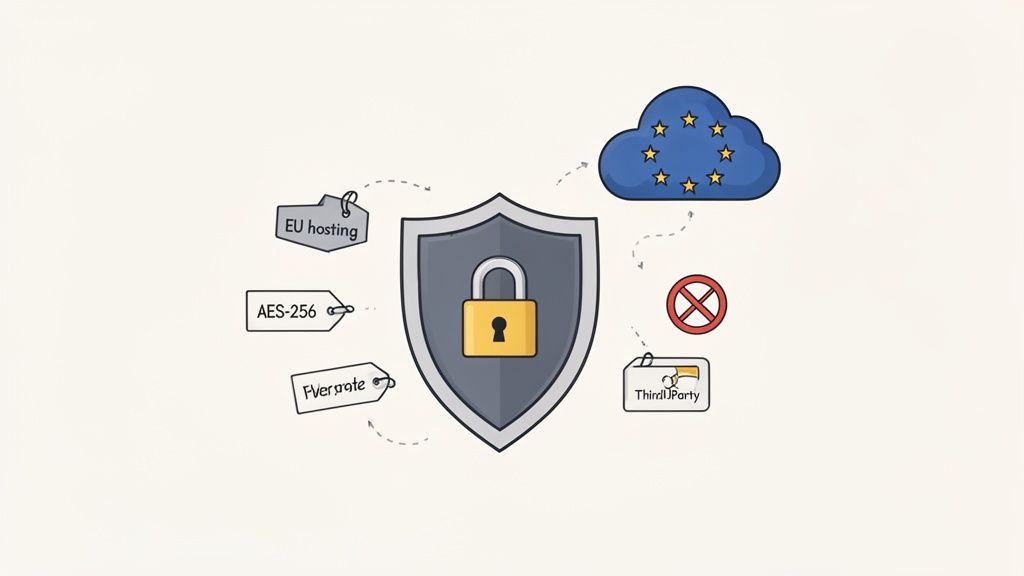
- Robust Encryption: You need to see AES-256 encryption. This is the same military-grade standard that banks and governments rely on. It makes your data completely unreadable, both while it's in transit and when it's sitting on a server.
- Secure, Regional Hosting: Where your data lives is a huge deal, especially for GDPR. For any business in the Netherlands, data must be hosted within the EU on a trusted cloud platform like Amazon Web Services (AWS). This isn't just a preference; it's a compliance must-have.
- A Strict "No-Sharing" Policy: The platform's privacy policy should be crystal clear: they will never share your data with third parties. Period. Your information should only ever be used to deliver the service you're paying for.
Peace of mind comes from knowing your chosen platform was built with enterprise-level security from day one. Mintline, for example, integrates all these critical measures, ensuring your financial information is kept safe, secure, and compliant.
This kind of security-first approach is what gives freelancers, small businesses, and accountants the confidence to automate their finances without cutting corners on safety.
When you pick a platform that gets this right, you can finally stop worrying about data security and start focusing on making your workflows more efficient. A modern, professional-grade document scanner means you no longer have to choose between convenience and security—you get both.
Frequently Asked Questions
Switching from the old way of doing things to a modern document scanner online always brings up a few questions. It’s a big shift, moving from manual data entry to an automated workflow, so let’s clear up some of the common uncertainties.
These are the kinds of questions we hear all the time from freelancers, startup founders, and accountants when they first start exploring a platform like Mintline.
How Accurate Is The AI Data Extraction?
This is usually the first thing people ask, and for good reason. The short answer? It's incredibly accurate—often even better than a human.
Advanced AI systems, like the one powering Mintline, have been trained on millions of different documents. They learn to spot key details like vendor names, invoice dates, and total amounts with remarkable precision. This typically drops the manual data entry error rate from a surprisingly common 15-20% down to less than 2%. No system is 100% flawless, of course, but it's accurate enough to get rid of the vast majority of manual work, leaving you with just a quick final review.
Does It Work With All My Document Types?
Yes, a good platform is built to be flexible because real-world paperwork is messy. It's designed to handle all the different formats you encounter day-to-day.
This includes things like:
- PDF Bank Statements: The system can read and pull out every single transaction line, no problem.
- Digital Invoices: It works just as well for PDFs you get in an email as it does for ones you download from a supplier's website.
- Scanned Receipts: That blurry photo of a crumpled receipt you took with your phone? It can handle that too.
The whole point is to give you one central place for all your financial documents, no matter where they came from or what they look like. This versatility means you can finally bring your entire workflow under one roof.
Is It Worth It For A Solo Freelancer?
Without a doubt. For a freelancer, time is literally money. You might not have the sheer volume of documents a big company does, but the admin headache is just as real, if not more so.
For a solo operator, automating financial admin isn't an extravagance; it's a direct investment in your own productivity. Reclaiming those hours spent on bookkeeping means more time for client work, business development, or simply achieving a better work-life balance.
Even saving just a few hours a month adds up to weeks over the course of a year. That makes an automation platform a very savvy, cost-effective tool for any business, no matter the size.
Ready to stop chasing paperwork and start automating your finances? See how Mintline can transform your workflow in minutes. Get started today.