
Foto to text: Turn Images into Editable Data with Mintline
Discover how foto to text transforms scans and photos into editable data, cutting manual entry and speeding your workflow.
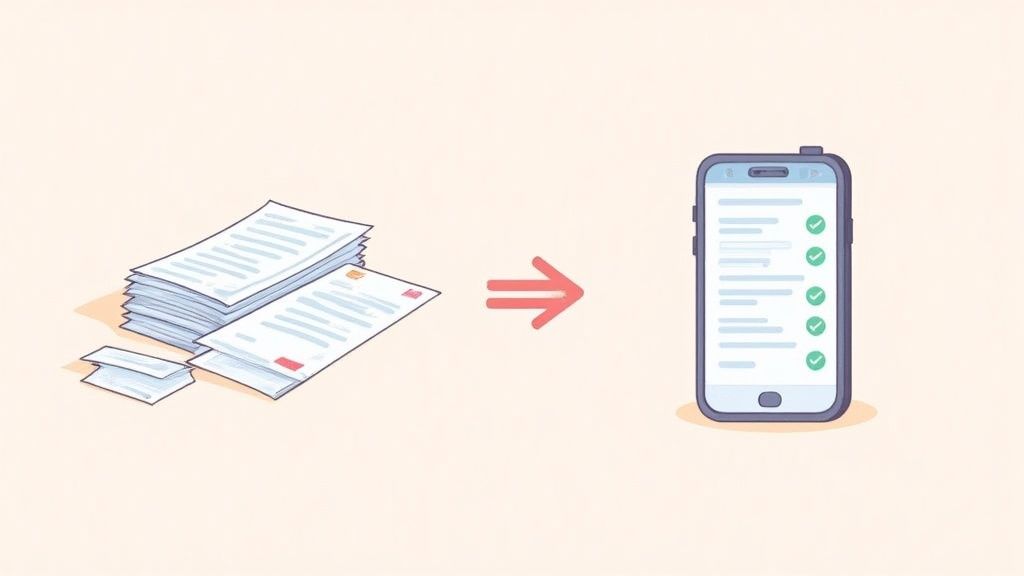
If you've ever found yourself staring at a shoebox full of receipts, you know the soul-crushing reality of manual data entry. For any business, it’s a familiar, frustrating bottleneck. The idea behind foto to text is beautifully simple: snap a picture of a document, and let technology pull the text out for you. This isn't science fiction; it’s Optical Character Recognition (OCR), and with a platform like Mintline, it’s the key to making paper-based admin a thing of the past.
The End of Manual Data Entry
That mountain of receipts isn't just an eyesore; it's a black hole for your time and a breeding ground for mistakes. Every moment spent keying in supplier names, dates, and line items is a moment you're not spending on strategy, sales, or customer service. For a long time, only big corporations had the expensive, clunky systems to automate this grind. Thankfully, Mintline brings this power to your business, effortlessly.
Why Automation Is the New Standard
Moving towards automation isn’t just a passing fad; it’s a fundamental shift in how smart businesses get things done. We're seeing this across the board, particularly in the Netherlands, where companies are adopting AI solutions at a remarkable pace. This isn't about chasing trends; it’s about real, measurable gains that Mintline delivers.
- Massive Time Savings: What once took hours of painstaking work can now be done in minutes with Mintline.
- Fewer Mistakes: Mintline's automation sidesteps the typos and transposition errors that plague manual entry.
- Instant Financial Clarity: Your data is processed immediately, giving you an up-to-the-minute picture of your finances.
It's no longer just about getting rid of paper. The real goal is to build an intelligent, hands-off financial workflow that gives you back your most precious asset: your time.
To really see the difference, let’s put the old way and the Mintline way side-by-side.
Manual vs Automated Data Entry at a Glance
| Feature | Manual Data Entry | Foto to Text Automation with Mintline |
|---|---|---|
| Speed | Slow, often taking hours | Nearly instantaneous |
| Accuracy | Prone to human error (typos, omissions) | Highly accurate, minimises mistakes |
| Cost | High labour costs | Low per-document cost |
| Workflow | Cumbersome, requires physical documents | Seamless digital integration |
| Data Access | Delayed until entry is complete | Real-time and immediately available |
The comparison makes it clear: automating with Mintline isn't just an upgrade, it's a completely different way of working that offers huge advantages.
How Mintline Makes It Effortless
Mintline doesn't just stop at basic foto to text conversion. We build this technology right into your accounting workflow, turning a neat trick into a powerful business engine.
When you upload a receipt to Mintline, our platform doesn't just see a random image. It recognises it as a receipt, intelligently pulls out the key information—supplier, date, total—and then automatically links it to the matching transaction from your bank account.
This intelligent connection is what finally puts an end to manual data entry for good. Exploring the wider business process automation benefits helps put this in context; it's about gaining efficiency and cutting costs across the board. With Mintline, you’re not just capturing data anymore; you’re creating complete, verified financial records without the headache.
Choosing the Right Foto to Text Solution
Not all tools that turn a foto to text are built the same. You’ll find everything from simple mobile apps to powerful, integrated platforms like Mintline, and picking the right one comes down to what you actually need to do. Your choice will directly affect accuracy, speed, security, and how neatly the data fits into your business systems.
Think of it like choosing a vehicle. A bicycle is perfect for a quick trip around the neighbourhood, but you wouldn’t use it to move house. In the same way, a standalone mobile app might be great for grabbing the details from a single business card, but it just won’t cut it when you need to process dozens of invoices for your monthly accounting.
Understanding Your Options
Let's walk through the main types of foto to text solutions out there. Each one serves a different purpose, and knowing their strengths and weaknesses is the first step towards making a smart choice for your business.
- Standalone Mobile Apps: These are made for quick, on-the-go scans. They're perfect for freelancers or individuals who just need to capture the odd receipt or note. While they are handy, they often lack deep integration with other software and can be hit-or-miss on accuracy and security.
- Web-Based OCR Services: These are ideal for one-off tasks you don’t do very often. You just upload an image or PDF and get the extracted text back in moments. The catch? For sensitive financial documents, using a free, anonymous web tool can be a serious security risk.
- Integrated Platforms like Mintline: This is the professional-grade option. Mintline is built to plug directly into your business workflow, with a sharp focus on finance and accounting. We don't just extract text; we understand its context. For example, Mintline doesn't just read an invoice; it identifies the vendor, amount, and date, then automatically matches it with your bank transactions. This approach gives you the highest level of accuracy, security, and automation.
Key Questions to Ask Before Committing
To find the best fit, you need to ask some practical questions that get beyond the basic feature list. This isn't just about converting an image; it's about making your life easier and your data more reliable. This mindset is becoming more common, as recent data on AI adoption in the Netherlands shows a clear trend towards using smart tools in daily life. You can read more about the rising adoption of AI among Dutch residents.
A good foto to text tool doesn't just give you raw data—it gives you structured, actionable information that saves you time. The real value lies in what happens after the scan.
Before you decide, run through this checklist:
- Integration: Can it connect directly to my accounting software (like Xero or QuickBooks) or other tools I rely on?
- Accuracy: How well does it handle tricky layouts, faded receipts, or multi-page invoices?
- Security: Where is my data being stored? Is the provider compliant with GDPR and using strong encryption?
- Automation: Does it just pull out text, or does it categorise expenses and match documents automatically? A capable text from image reader should do more than the bare minimum.
- Scalability: Will this tool work just for me, or can it support my whole team as the business grows?
Answering these questions will steer you away from a simple gimmick and towards a solution like Mintline that genuinely solves a core business problem. It turns a tedious chore into a seamless, automated process.
Capturing the Perfect Image for a Flawless Scan
The final accuracy of your foto to text conversion hinges almost entirely on one thing: the quality of the photo you start with. It's a classic case of 'garbage in, garbage out'. If you feed the software a blurry, poorly lit, or crooked picture, you're going to get a garbled mess of text back.
Think of it this way: you're asking the software to 'read' the document. A bad photo is like mumbling – it makes understanding incredibly difficult.
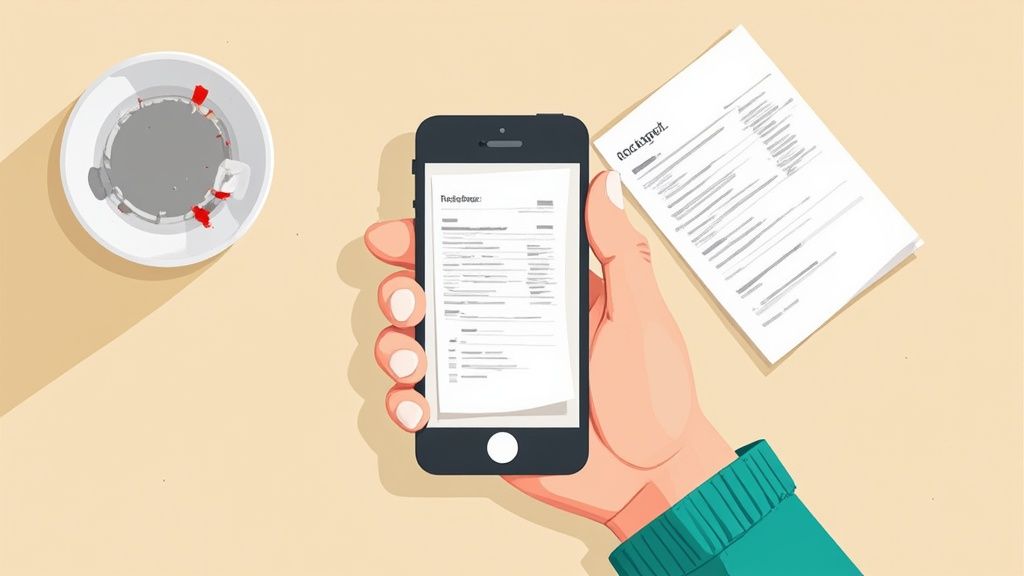
Even with Mintline's powerful AI engine, a clear source image is crucial for getting the best results. The good news? You don't need a fancy camera or a professional studio. A few simple adjustments are all it takes to avoid the common mistakes that trip up most OCR tools.
Nail the Lighting
Bad lighting is, without a doubt, the number one culprit behind failed scans. Dark shadows can swallow up entire characters, while a bright glare can make text completely invisible. The goal here is simple: even, consistent light across the whole document.
Here are a few quick tips:
- Dodge direct light. A harsh overhead light or a desk lamp pointed straight at the paper is your enemy. It creates deep shadows and nasty reflections, especially on glossy receipts.
- Embrace natural light. If you can, take your photo near a window. The bright, indirect light is perfect for OCR.
- Watch your own shadow. It's easy to accidentally block the light with your phone or hand. Just shift your position a little to get a clear, shadow-free shot.
Frame the Document Like a Pro
How you line up the shot is just as critical as the lighting. OCR software needs to see the whole document, nice and flat, to figure out its orientation and read everything correctly.
That crumpled receipt you just pulled from your pocket? It's a recipe for failure. Before you snap the picture, take a moment to flatten it out completely. Place it on a dark, contrasting background, like a desk or table, so your phone's camera can easily spot the edges.
I’ve seen it time and time again: a flat, well-lit receipt on a dark desk can hit over 99% accuracy. The same receipt, when crumpled and shadowed, might not even register. The difference is night and day.
Make sure all four corners of the paper are visible in your camera's viewfinder. Mintline's app has automatic edge detection, and it works best when it can see the full picture. This prevents any weird skewing or distortion that can completely throw off the text recognition. If you want to really master this, our guide on how to scan text from an image has even more pointers.
Stay Steady and Focused
This last one is non-negotiable: the image has to be sharp. A little bit of blur can easily turn a '5' into an 'S' or make whole words completely unreadable.
The fix is easy. Hold your phone steady with both hands, keeping it parallel to the document below. Then, just tap your screen right in the middle of the text. This forces the camera to focus on what matters most, ensuring everything is crisp before you hit the shutter. By following these small steps, you're not just taking a photo—you're capturing clean, reliable data for Mintline to process.
Polishing Raw Data Into Usable Insights
Snapping a photo and getting that initial text output is a great start, but it's really just the beginning. The real magic happens when you transform that raw, jumbled data into something clean, structured, and actually useful for your business. Think of the first OCR scan as a rough first draft—it's got the core information, but it almost always needs a bit of refining before it's ready to go.
Even the best OCR tools can get tripped up. It's not uncommon to see a '5' mistaken for an 'S', a '1' for an 'l', or a blurry total amount come out as gibberish. For a human looking at one receipt, these are quick fixes. But when you’re dealing with a pile of them, correcting each one by hand is exactly the kind of tedious work you were trying to escape.
Moving Beyond Plain Text to Structured Data
This is where you see the massive difference between a generic OCR app and an intelligent platform built for finance, like Mintline. A simple tool will dump a block of text on you and call it a day. Mintline, on the other hand, is built to understand the context of what it's reading.
It doesn’t just see a random assortment of words and numbers. It actively looks for and identifies crucial information:
- Vendor Name: Who you paid.
- Date of Transaction: When the purchase happened.
- Total Amount: The final figure, tax and all.
- Line Items: A breakdown of what you bought.
This is what real automation looks like. Instead of just handing you text, Mintline structures it into a clean format that your accounting software can immediately recognise and use. If you want to get into the nitty-gritty of this, our guide on data extraction from tables shows how even complex layouts get organised. The system intelligently parses the data, turning a blurry photo into a verified financial record, often with no manual input needed.
Automated Cleanup and Smart Verification
What truly sets a professional tool apart from a basic scanner app is its ability to check its own work. After all, the extracted text has to be spotless to be useful, particularly for important processes that depend on robust identity verification.
Mintline handles this by cross-referencing information from different sources. For example, it can take the total amount from a scanned receipt and look for a matching transaction in your linked bank feed. If it finds a transaction for the same amount on the same day, it can confidently suggest a match.
This is the key: when the OCR data from a receipt lines up perfectly with a transaction from your bank, the system can automatically verify and categorise the expense. This simple check closes the loop, turning a quick photo into a complete, automated bookkeeping entry.
But what if there's a problem? Maybe the OCR misread the total, or the date is a day off. The system doesn't just give up. It flags the potential issue and brings it to your attention for a quick, one-click review. This blend of AI-powered extraction and smart validation gives you the best of both worlds: the speed of automation with the reliability of human oversight, but only when you actually need it. The result is clean, actionable data that’s ready to be sent straight to your CRM or accounting software.
Automating Your Financial Workflow with Mintline
This is where the magic really happens—turning a simple tech trick into something that genuinely saves you time and money. It's great to convert a foto to text, but the real goal is to create a smart, automated financial workflow that practically runs itself. When you use an integrated platform like Mintline, you stop just capturing data and start automating your entire process.
Think about it. You grab a quick photo of a lunch receipt on your phone. A basic OCR app will spit back the raw text, leaving you to do the rest of the work. With Mintline, however, the real work starts the second you snap that picture.
From Photo to Fully Processed Transaction
The system does far more than a simple text conversion. Its AI immediately scans the receipt, identifies the vendor, pulls out the total amount and date, and then cross-references your connected bank feed to find the matching transaction. This is the crucial step that elevates a simple gadget into a complete financial solution.
This intelligent matching is designed to kill the manual reconciliation that eats up so much of your day. Once the system finds a match, it automatically attaches the receipt image to the bank transaction, categorises the expense according to your predefined rules, and queues it up for your accounting software. The whole journey, from photo to finalised record, is over in moments.
The real aim here isn't just to get rid of paper. It's to build a financial document system that manages itself. A single photo should kick off an entire workflow, handing you back hours of admin time every single month.
This streamlined flow shows how data moves from a raw scan to a verified entry with almost no effort from you.
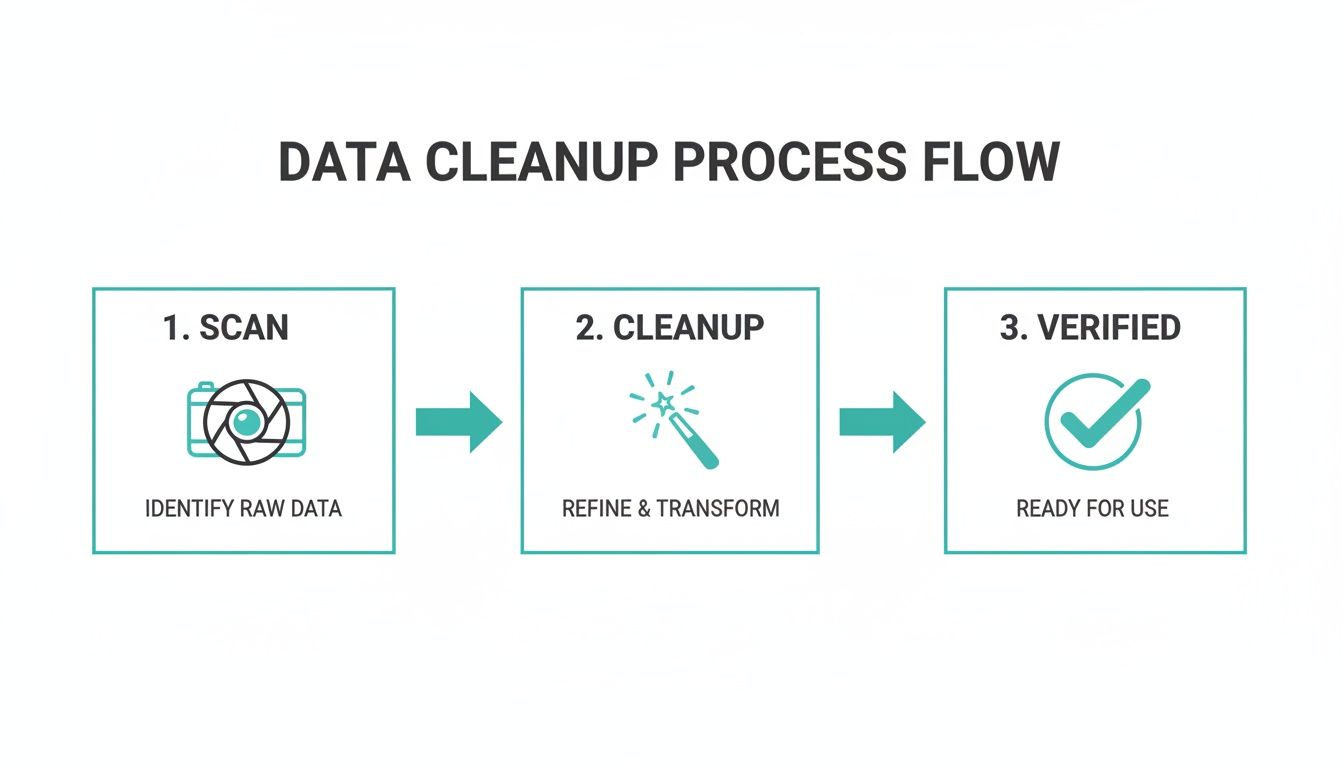
This process perfectly captures the value of an integrated system: turning a simple image into clean, reliable data that's ready for your books. This kind of automation is no longer a luxury; it's becoming a necessity.
To give you a clearer picture, here’s a typical workflow for a single receipt processed through Mintline.
Mintline Automation Workflow Example
| Step | Action | Benefit |
|---|---|---|
| 1. Capture | User snaps a photo of a receipt via the Mintline mobile app. | Instant data capture on the go, no need to save paper receipts. |
| 2. OCR & Extraction | AI-powered OCR scans the image, extracting key data like vendor, date, and amount. | Eliminates manual data entry and reduces the chance of typos. |
| 3. Bank Reconciliation | The system automatically searches connected bank feeds for a matching transaction. | Drastically cuts down on time spent on manual bank reconciliation. |
| 4. Categorisation | Based on custom rules (e.g., "Albert Heijn" = Groceries), the expense is categorised. | Ensures consistent and accurate bookkeeping without manual intervention. |
| 5. Syncing | The verified transaction, with receipt attached, is synced to the user's accounting software. | Financial records are always up-to-date and audit-ready. |
This table shows how each step is designed to remove a manual task, leading to a much more efficient and accurate process from start to finish.
The Real-World Impact of Seamless Integration
The payoff for this kind of integrated approach is both immediate and significant. You’re not just saving time; you're also dramatically lowering the risk of human error. Studies have shown that manual data entry can have error rates as high as 4%. That might not sound like much, but it can cause major financial headaches over time. Automation gets that number down near zero.
This efficiency is particularly crucial in a digitally-driven market. The Netherlands, for example, is experiencing massive growth in digital adoption, where having fast, accurate data is a huge competitive edge. You can discover more insights about digital trends in the Netherlands to see just how connected the business environment has become.
By automating the whole workflow, Mintline provides an immediate, accurate, real-time snapshot of your company’s spending. There's no more waiting for month-end reports to figure out where you stand. With a system like Mintline as your financial command centre, every transaction is captured, verified, and ready for analysis the moment it happens.
Answering Your Questions About Foto to Text
Adopting any new bit of tech, especially for something as critical as your finances, always brings up a few questions. That's completely normal. When you're thinking about letting a tool handle your sensitive invoices and receipts, you need to be sure it’s accurate, secure, and genuinely up to the task.
Let's walk through some of the most common things people ask when they're considering the switch from manual data entry to a smarter, photo-based system like Mintline.
How Accurate Is This Technology, Really?
It's surprisingly good. Modern OCR tools powered by AI can hit over 99% accuracy on a clear, well-printed document. But let's be realistic—real-world conditions aren't always perfect. A crumpled receipt, a handwritten note, or a poorly lit photo will naturally knock that number down a bit. The quality of the image you feed it is everything.
That's why for serious business use, you need more than just raw text conversion. Platforms like Mintline build in an extra verification step. The system is smart enough to flag data it's unsure about, handing it over for a quick human check. This gives you the speed of automation with the reliability of a manual review.
The real aim isn’t just pulling text from a picture; it’s getting verified, trustworthy data you can actually use. A professional system uses these smart checks to close that tiny gap between high accuracy and total reliability.
Is It Safe to Upload Photos of Sensitive Invoices?
Yes, but only if you're using a service you trust. This is one area where you absolutely shouldn't cut corners.
Business-focused platforms like Mintline are built with security at their core. We’re talking end-to-end encryption, full GDPR compliance, and privacy policies that actually mean something. Your data is locked down from the moment you upload it.
A good rule of thumb? Stay away from those free, anonymous online converters for anything remotely sensitive. Stick with a provider that is upfront about their security measures. You need to know exactly how your financial information is being handled.
Can This Handle Different Languages and Currencies?
It has to, especially for businesses in Europe. The best OCR systems are designed from the ground up to be multilingual and multi-currency. They’ve been trained on massive datasets to recognise different languages, special characters, and all sorts of currency symbols.
If you’re operating in the Netherlands, for instance, you'll want to make sure your chosen tool can handle a few key things without tripping up:
- Recognising both Dutch and English text.
- Correctly interpreting the Euro (€) symbol and formatting.
- Understanding local date formats, like DD-MM-YYYY.
This is where a dedicated financial platform really shines. A tool like Mintline is built to automatically parse this information correctly. It understands regional VAT rules and different currencies without you needing to fiddle with settings. This kind of built-in intelligence means your foto to text process just works, whether the invoice is from down the road or the other side of the continent.
Ready to stop chasing receipts and automate your financial workflow? With Mintline, you can turn hours of monthly admin into just a few minutes. Discover how Mintline can transform your business today.