
Your Guide to OCR Recognition Software for Financial Automation
Discover how OCR recognition software streamlines financial workflows. Learn to automate receipt matching, data entry, and bookkeeping for your business.
Drowning in a mountain of receipts, invoices, and bank statements? You're not alone. This is where OCR recognition software comes in—it’s essentially a digital translator that reads images and PDFs, turning them into structured, usable data. This technology is the engine behind modern financial automation, rescuing businesses from the drudgery of manual data entry. At Mintline, we’ve harnessed this power to create a seamless experience for your business finances.
Taming Your Paperwork with OCR Recognition software
Whether you're a freelancer, a growing startup, or part of an established finance team, the core challenge is the same: managing a relentless flow of financial documents. Every receipt, bank statement, and invoice holds crucial data, but digging it out by hand is a soul-crushing task. It's a process practically designed for human error, leading to messy spreadsheets and late nights spent on admin.
Think of OCR recognition software as a fluent translator for your business documents. Just as a human translator makes a foreign language understandable, OCR makes the text locked inside a picture or PDF "readable" to your computer systems. It's the bridge between a static document and actionable digital data.
The Problem with Manual Data Entry
Let's be honest: the traditional approach to bookkeeping is broken. Manually typing line items from dozens of receipts or cross-referencing bank statements against invoices isn't just slow; it's a massive drain on resources. This outdated method directly holds a business back.
- It's a Time Sink: Hours that should be spent on strategy and growth are instead wasted on mind-numbing administrative work.
- Errors are Expensive: A single typo can throw off your financial records, creating serious headaches during tax season or financial planning.
- Insights are Delayed: When your data is trapped on paper or scattered across PDFs, getting a real-time snapshot of your company's financial health is impossible.
This is where Mintline's automation proves its worth. By leveraging powerful OCR, businesses can get that valuable time back and trust that their financial records are consistently accurate.
How Mintline Puts OCR to Work for You
At Mintline, we built our platform around sophisticated OCR recognition software to solve these exact problems. Our system is designed to intelligently read your financial documents—from crisp PDF bank statements to photos of crumpled receipts—and pull out the key information automatically.
By transforming manual processes into automated workflows, OCR technology fundamentally changes how businesses manage their finances. It’s not just about digitising documents; it’s about making the data within them immediately useful.
The technology does the heavy lifting, identifying vendors, dates, and amounts with incredible precision. This allows Mintline to automatically match each receipt to its corresponding bank transaction, which means you can say goodbye to manual reconciliation. The result? A clean, organised, and audit-ready set of books, all done in a fraction of the time.
This move toward intelligent automation is part of a much larger trend. The OCR market in the Netherlands alone is projected to grow substantially, hitting an estimated USD 409.1 million by 2030. OCR recognition software is a prime example of the powerful impact of Automation in the Banking Industry, completely changing how financial institutions handle mountains of paperwork and boosting their overall efficiency.
Here's a quick comparison showing the practical differences between the old way of doing things and using an OCR-powered platform like Mintline.
Manual vs OCR-Powered Financial Data Entry
| Task | Manual Process (The Old Way) | OCR Automation (The Mintline Way) |
|---|---|---|
| Receipt Entry | Manually type vendor, date, amount, and line items from each receipt into a spreadsheet. | Snap a photo of the receipt; the system automatically extracts all key data. |
| Bank Reconciliation | Open bank statement and accounting software side-by-side. Manually tick off matching transactions. | Transactions are automatically matched to receipts and invoices. |
| Data Accuracy | High risk of typos, transpositions, and other human errors. | Near-perfect accuracy, with validation checks to flag potential issues. |
| Time Spent | Hours per week, depending on volume. | Minutes per week. |
| Real-time View | Financials are only up-to-date after manual entry is complete. | Get an instant, real-time view of your spending as it happens. |
The difference is clear. Automation doesn't just speed up a task; it transforms the entire workflow, giving you back time and providing more reliable financial insights.
How OCR Software Magically Reads Your Financial Documents
Ever wondered how your phone can instantly pull the total from a receipt photo? It seems like magic, but what’s happening behind the scenes is a clever, multi-step process powered by OCR recognition software. Think of it like a child learning to read. They don’t just open a book and understand it overnight; first, they learn letters, then words, then sentences, and finally, the meaning behind the story.
Modern OCR technology works in a remarkably similar way, breaking down the task of "reading" a financial document into three distinct stages. This layered approach is what allows platforms like Mintline to handle everything from a clean PDF invoice to a crumpled, faded receipt with impressive accuracy, turning a static image into structured, usable data.
Step 1: Seeing the Letters with Core OCR
The first and most fundamental layer is the Optical Character Recognition (OCR) process itself. At this stage, the software is purely focused on identifying individual characters—letters, numbers, and symbols—within an image. It's the digital equivalent of learning the alphabet, recognising an 'A' as an 'A' and a '7' as a '7'.
By analysing the shapes, lines, and curves in the document, the software compares these visual patterns against a massive library of known characters. This is the crucial first step that turns a picture of words into actual digital text a computer can process.
Step 2: Recognising Sentences with Layout Analysis
Of course, just having a long string of jumbled letters and numbers isn’t very useful. The software needs to understand the document’s structure, which is where Layout Analysis comes in. If core OCR is about seeing the letters, layout analysis is about figuring out how they form words and sentences, and, just as importantly, where they are on the page.
This process identifies the document's architecture. It learns to distinguish a header from a footer, a line item from a subtotal, and a vendor's name from a customer's address. It understands that the text at the top is likely the merchant, the date is often on the right, and the large number at the bottom is probably the total amount. This step provides the vital structural context needed for accurate data extraction.
This visual shows the simplified flow of how OCR software tames your paperwork, moving from a physical document to a structured digital record.
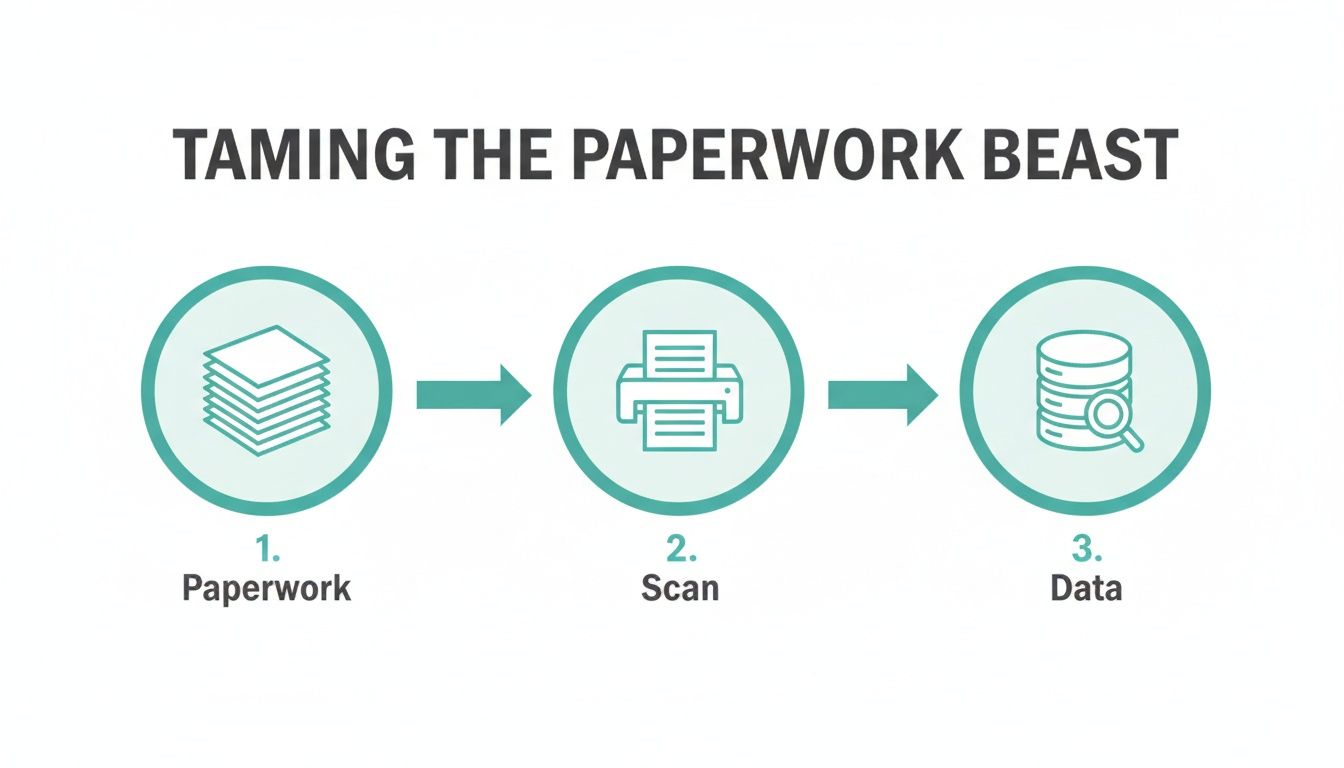
It’s a clear illustration of how a messy pile of paper is transformed through scanning and processing into organised, useful data.
Step 3: Understanding Meaning with Machine Learning and NLP
The final and most sophisticated layer involves Machine Learning (ML) and Natural Language Processing (NLP). This is where the software graduates from simply reading the document to truly understanding its meaning. While layout analysis might identify where the total is located, ML and NLP confirm that it is the total.
Combining OCR with artificial intelligence is what transforms a simple digitisation tool into an intelligent automation engine. It’s the difference between a scanner and a smart financial assistant.
For instance, the system learns from millions of documents that the words "Total Due," "Amount," and "Grand Total" all refer to the final sum. NLP helps it interpret ambiguous data, such as different date formats (01/10/2024 vs. Oct 1, 2024) or identifying the correct company from a logo alone. This intelligent layer is what gives platforms like Mintline the ability to handle the incredible diversity of real-world financial documents with such high precision.
By weaving these three steps together, OCR recognition software turns chaotic paperwork into perfectly organised data.
What to Look for in Financial OCR Software
Choosing the right OCR software for finance is a lot more than just getting a tool that turns pictures of text into actual text. When you're dealing with financial documents, precision is everything. You need a solution built to handle the unique quirks of receipts, invoices, and bank statements. The truth is, not all OCR platforms are created equal, and picking the wrong one can saddle you with more manual work, not less.
Think of it this way: you’re hiring a specialist, not a jack-of-all-trades. A generic OCR tool might be able to read a document, but a dedicated financial OCR solution like Mintline is trained to understand it. It knows precisely what to look for, how to interpret the numbers, and how to get that data ready for your bookkeeping and accounting systems right away.
Uncompromising Accuracy and Validation
The absolute foundation of any good financial OCR tool is its accuracy. A system that keeps mixing up a '6' for an '8' or misses a decimal point isn't just a minor annoyance—it's a genuine liability. Small mistakes can quickly compound into major financial discrepancies, making your books unreliable and creating a nightmare come audit time.
Look for platforms that can deliver accuracy rates north of 95%, but don't just take their word for it. Mintline has validation checks built right in. This is a game-changer. It means the software doesn't just pull the data; it also cross-references it to catch potential mistakes. For instance, it might check if the subtotal plus tax actually equals the total on an invoice, giving you an essential safety net that saves your team from hours of mind-numbing manual checks.
Broad Document and Format Support
Financial documents show up in every imaginable condition. One day you’ll get a crystal-clear, multi-page PDF invoice from a big supplier, and the next you’ll have a crumpled, faded thermal receipt from a quick coffee meeting. A truly effective OCR tool has to be flexible enough to handle this messy reality without skipping a beat.
This flexibility needs to cover a few key areas:
- Document Types: Make sure the software is explicitly designed for receipts, invoices, bank statements, and credit card statements.
- File Formats: It should handle common file types like PDF, JPG, and PNG without any fuss.
- Document Quality: The system has to be tough enough to read documents that are skewed, poorly lit, or a bit blurry.
A platform that chokes on anything less than a perfect scan is just going to create bottlenecks in your process. This is where Mintline shines, as it's built to manage the unpredictability of real-world documents and deliver consistent results. If you want to dig deeper into how this works, our guide on automated document processing explains it all.
Multi-Language and Currency Capabilities
In today's global economy, your financial paperwork can come from anywhere. A receipt from a business trip to Berlin or an invoice from a supplier in Paris should be just as simple to process as a local one. That’s why support for multiple languages and currencies isn't a luxury—it's essential.
A truly capable financial OCR tool breaks down international barriers. It should seamlessly recognise various currencies (€, £, $) and extract data from documents written in different languages, converting everything into a standardised format for your accounting system.
This feature is absolutely critical for keeping accurate records and staying compliant, especially if you work with international clients, suppliers, or have a team that travels. Without it, you're right back to manual data entry for every foreign document, which completely defeats the point of automating in the first place. Choosing a tool like Mintline with global capabilities means your financial operations are ready to grow with your business.
Real-World Use Cases: From Receipts to Bank Statements
The theory behind OCR recognition software is great, but its real value shines when you see it solve actual, everyday business problems. Let's move past the technical jargon and look at how this technology transforms tedious financial tasks into refreshingly simple, automated workflows.
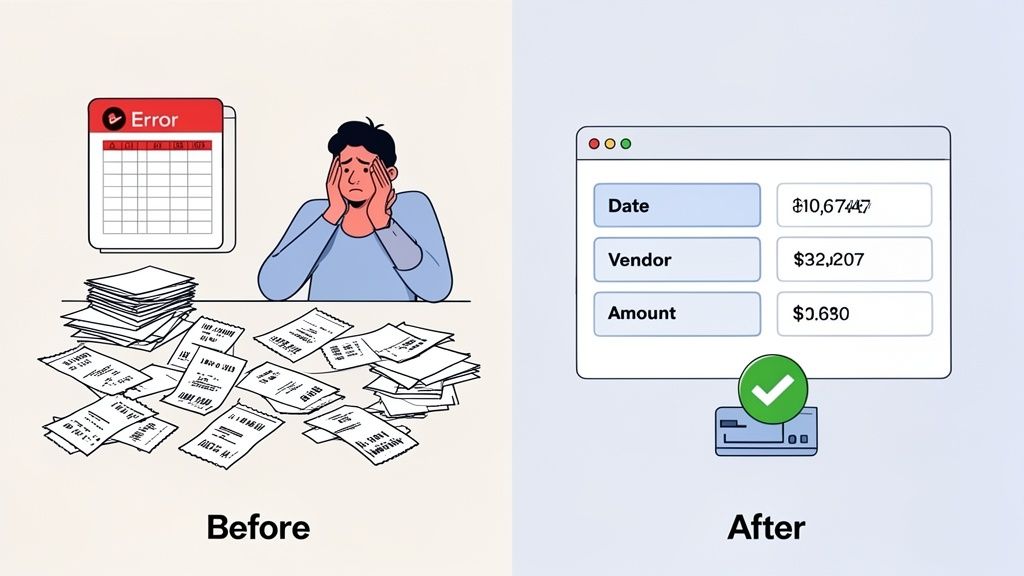
For anyone who's ever lost an afternoon to manual data entry, the difference is night and day. We'll look at three common financial headaches and paint a clear "before and after" picture. These examples show just how much of a tangible impact automation can have, saving time and frustration for freelancers, small businesses, and busy finance teams alike.
Automated Receipt Processing
Ah, the dreaded shoebox of receipts. Whether it's a physical box or a cluttered digital folder, it’s a classic symbol of bookkeeping pain. Each crumpled piece of paper represents a transaction that needs to be manually entered, categorised, and reconciled.
-
The Old Way: You or an employee would sit down with a pile of receipts, squinting at faded ink and wrinkled paper. Every last detail—vendor, date, items, subtotal, tax, and total—had to be typed into a spreadsheet. This isn't just mind-numbingly slow; it's a minefield for typos and errors that can throw your entire budget out of whack.
-
The New Way with Mintline: Just snap a photo of the receipt with your phone or upload a digital file. Mintline’s OCR engine gets to work instantly, reading the document, pulling out all the key data with high accuracy, and intelligently matching it to the corresponding bank transaction. What once took hours of meticulous typing is now done in seconds.
Seamless Bank Statement Reconciliation
Reconciling bank statements is one of those critical but often dreaded monthly chores. It means methodically checking every single transaction in your accounting ledger against your bank statement to make sure everything lines up perfectly.
The traditional approach is a painstaking, line-by-line comparison that’s both time-consuming and mentally draining. This is another area where OCR software completely changes the game. You can find out more about the underlying technology by exploring our overview of what a modern document scanner app can do for your business.
By turning unstructured documents into structured data, OCR acts as the crucial bridge between your physical paperwork and your digital accounting system. This connection is the foundation of modern financial automation.
With a platform like Mintline, you can simply drag and drop your PDF bank statements. The system uses OCR to read every line item, converting the whole statement into digital data that can be automatically cross-referenced with your receipts and invoices. This cuts out the need for manual ticking and tying, turning a multi-hour chore into a quick review.
Intelligent Invoice Data Capture
For businesses swimming in invoices, manual data entry is a major operational bottleneck. Every invoice that lands in your inbox needs to be processed quickly to ensure timely payments and keep accurate accounts payable records.
-
The Before Picture: An accounts payable clerk gets an invoice via email as a PDF. They open the file, then toggle over to their accounting software to manually create a new bill, typing in the supplier name, invoice number, date, due date, and every line item. Multiply that repetitive task by dozens or hundreds of invoices, and the risk of errors and payment delays skyrockets.
-
The After Picture: The PDF invoice is forwarded to or uploaded into a system running on OCR, like Mintline. The software immediately reads the document, identifies all the critical fields, and automatically populates a draft bill in your accounting system. The clerk’s job shifts from tedious data entry to a quick review and approval. This simple change drastically speeds up the entire accounts payable cycle, ensuring you pay suppliers on time and maintain a clear, real-time view of your financial obligations.
Fitting OCR Software Into Your Existing Workflow
Bringing a new piece of technology into the fold can feel like a massive undertaking. We get comfortable with our existing processes—even the clunky, time-consuming ones—because they’re familiar. But the great thing about modern OCR recognition software is that it’s built to complement what you already do, not force you to start from scratch. The whole point is to get a win without creating a huge operational headache.
Think of it less as a total system overhaul and more as adding a specialist to your team. A tool like Mintline slots right into your current setup, acting as a plug-and-play addition to your financial toolkit. It's designed to work alongside the accounting software you already know and trust, taking over the repetitive, soul-crushing tasks so you don't have to.
It’s Easier to Get Started Than You Might Think
The days of complicated software installations and weeks of training are long gone. Most financial automation platforms today are built with a "get-it-done-now" mindset. For a platform like Mintline, for instance, kicking things off is remarkably simple.
You generally have two ways to get the ball rolling:
- Link Your Bank Directly: You can securely connect your business bank accounts, and Mintline will start pulling in your transactions automatically. This creates a real-time feed that becomes the bedrock for matching up receipts and invoices.
- Just Upload Your Files: Don't want to connect your bank? No problem. You can literally just drag and drop your PDF bank statements, receipts, and invoices into the system. The software takes over from there, reading everything and pulling out the key data instantly.
This kind of flexibility means that any business, no matter how tech-savvy, can start seeing the benefits of automation in minutes, not months. The goal is to remove any friction that might stop you from taking that first step.
Making Sure It Plays Nicely with Your Other Tools
A new tool is pretty useless if it can’t communicate with the rest of your software. When you’re looking at OCR tools, one of the most important questions is: how easily can I get the data out and into my accounting software? This is where data exporting becomes a deal-breaker.
The real magic of an integrated OCR solution isn't just pulling text from a document. It's about turning a messy pile of unstructured data into clean, organised information that your other systems can actually use.
At a minimum, you need the ability to export data into universal formats like CSV or Excel. Mintline ensures the information captured by its OCR can be easily imported into pretty much any accounting platform you can think of, from QuickBooks to Xero and all the others.
An Enhancement, Not a Replacement
At the end of the day, the best OCR recognition software is a powerful enhancement to your financial operations, not a disruptive replacement. It’s a precision tool built to solve one of the biggest pain points in any finance team: manual data entry and reconciliation.
By taking over the tedious job of reading documents and matching transactions, Mintline gives your team their time back. Instead of mind-numbing data entry, they can focus on work that actually requires a human brain—analysing numbers, spotting trends, and making strategic decisions. You get to keep the systems and people you trust, but you supercharge their efficiency where it counts the most.
Your Financial Data: Security and Privacy First
Let's talk about the elephant in the room: security. When you're dealing with sensitive financial documents, handing them over to any software requires absolute trust. We’ve all heard the horror stories about data breaches, so it's only natural to be cautious about where your receipts, invoices, and bank statements end up.
Here’s the thing, though. A modern OCR recognition software platform isn't just a digital filing cabinet; it's a vault. It’s almost always a more secure option than the old ways of doing things, like emailing unencrypted documents or storing them on a vulnerable local hard drive.
Reputable services, like Mintline, are built on a foundation of enterprise-grade security. This means your financial data isn’t just uploaded and left to sit. It’s actively protected by multiple, overlapping layers of security measures designed to keep it completely private and safe from prying eyes.
How Data Encryption Keeps You Safe
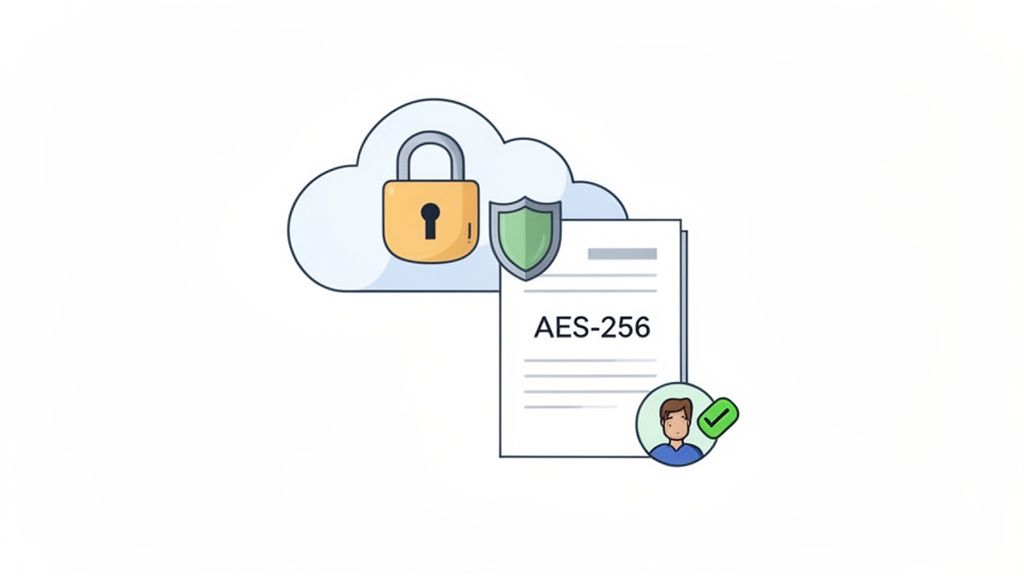
The bedrock of all this security is encryption. The best way to think about it is like scrambling your data into an unreadable code. It's locked away in a digital safe, and only someone with the correct key can unscramble it back into plain information.
Even if a bad actor managed to access the server where the data is stored, all they’d see is a jumble of nonsensical characters.
Leading platforms like Mintline use incredibly strong encryption standards, most often AES-256. This isn't some off-the-shelf solution; it's the same gold standard trusted by banks, governments, and military organisations to protect their most vital secrets. This powerful encryption is applied at two critical stages:
- While your data is travelling over the internet (in transit).
- While it’s stored on servers (at rest).
This end-to-end protection seals the most common security gaps, ensuring your information is shielded at every step.
Secure Storage and Airtight Privacy Policies
Where your data physically (or rather, digitally) lives is just as important as the encryption that protects it. Any serious financial software provider will rely on secure, proven cloud infrastructure. At Mintline, we store all data on highly secure AWS (Amazon Web Services) servers located within the European Union. This ensures we adhere to some of the strictest data protection and privacy laws on the planet.
But technology is only half the story. The company's own policies are the other, equally important half. A trustworthy OCR provider should make two promises, loud and clear:
- Your Data is Not for Sale: They will never, ever sell or share your data with third-party companies for marketing or any other reason.
- Your Data Works for You, and Only You: The information you provide is used for one purpose only—to deliver the service you signed up for, like extracting financial data and matching your transactions.
Choosing a secure, cloud-based OCR platform isn't a risk; it's a security upgrade. You’re moving critical financial documents out of vulnerable email inboxes and off local hard drives into a professionally managed, encrypted, and constantly monitored environment.
This deep commitment to both technological safeguards and principled policies is what separates a professional-grade financial tool from the rest. For a deeper dive into how this process works, you can read more about best practices for the acquisition of data in automated systems. By making these security fundamentals a priority, you can bring automation into your workflow with complete confidence, knowing the integrity of your financial records is never compromised.
Your OCR Questions, Answered
Thinking about bringing OCR into your financial workflow is a big step, and naturally, you'll have questions. Let's tackle some of the most common ones we hear from finance teams and business owners looking to make their processes smarter.
Can I Expect OCR to be 100% Accurate?
That's the million-dollar question, isn't it? In short, no technology is perfect 100% of the time. Think of it like a human colleague—exceptionally reliable, but every now and then, it might need to ask for a second look. The accuracy of OCR depends heavily on the quality of the document you give it. A crisp PDF invoice will always be easier to read than a blurry, crumpled receipt that's been in a wallet for a month.
However, modern platforms like Mintline layer in machine learning and smart validation rules to cross-check the data. This approach pushes accuracy rates consistently above 95%. More importantly, our software is smart enough to know when it's not sure and will flag uncertain entries for a quick human glance. You get the speed of automation with the confidence of a final check.
How Much Time Will It Actually Save Us?
The time savings are often the first thing people notice, and they are significant. For a team that spends even a few hours each week manually keying in data from receipts or invoices, automation can shrink that task down to just a few minutes of review.
The real win isn't just about speed—it's about eliminating the task entirely. When the software automatically extracts data and matches it to your bank transactions, your team is freed from the grind. They can spend their time on work that actually matters, like financial analysis and strategic planning.
What Kinds of Documents Can It Handle?
A good financial OCR tool is trained specifically for the paperwork that keeps your business running. Mintline is not just a generic text scanner; it's designed to understand the structure of:
- Receipts: Digital files, scanned copies, and even photos of physical receipts, no matter if they're a bit faded or creased.
- Invoices: Whether it's a simple one-pager or a complex multi-page document from a new supplier.
- Bank Statements: It can process PDF statements and pull out every single line item for reconciliation.
- Credit Card Statements: Just like bank statements, these can be quickly digitised to make expense tracking and reconciliation a breeze.
Is It Safe to Upload Our Financial Documents?
This is a critical point, and the answer is a firm yes—as long as you choose a provider that takes security seriously. Security shouldn't be an add-on; it needs to be built into the core of the platform. For example, systems like Mintline use AES-256 encryption, which is the same standard your bank uses to protect your data in transit and at rest.
Look for a service that uses secure, reputable cloud infrastructure (like AWS servers located in the EU) and has a clear privacy policy. Your data should never be shared or sold. Honestly, using a secure, encrypted platform is far safer than emailing sensitive documents back and forth or storing them on a vulnerable local computer.
Ready to stop chasing receipts and start automating your finances? Mintline uses advanced OCR recognition software to automatically match every receipt to its bank transaction, giving you clean, audit-ready books in minutes. See how it works at Mintline.ai.