
The Ultimate Guide to Online Document Scanners
Discover how an online document scanner uses OCR to automate workflows, manage receipts, and save your business time. Learn key features and best practices.
Ever tried to find an old receipt buried in a shoebox? It’s a nightmare. An online document scanner is your way out of that mess. Think of it not just as a camera app, but as a smart digital tool that turns physical documents like receipts and invoices into data you can actually use. At Mintline, we see it as the first step toward true financial automation, using clever tech like Optical Character Recognition (OCR) to literally read the text from a photo, instantly organising your paperwork.
How Online Document Scanners Turn Paperwork into Data
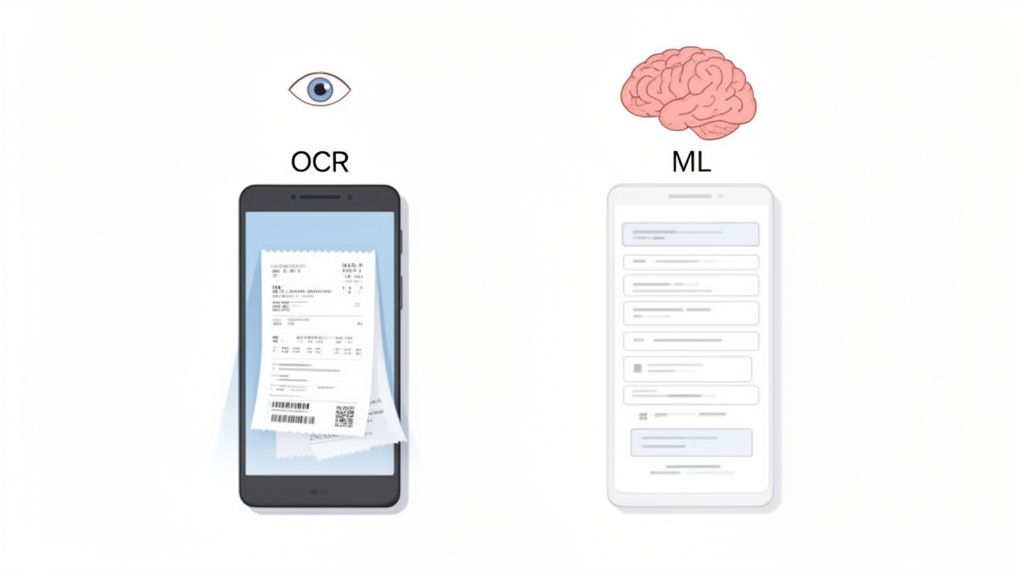
The image above nails the two-step process: you snap a picture of a document, and then a platform like Mintline intelligently processes that information. It’s like having a digital assistant that reads, understands, and files your paperwork for you.
Instead of just saving a picture of a receipt, these tools use powerful tech to pull out key details and turn them into structured, digital data. This goes way beyond simple digitisation. It’s about extracting real value from paper. So when you scan that receipt, Mintline doesn’t just store a photo; it identifies the shop, the date, what you bought, and how much you spent. This smart conversion is what makes modern scanners so much better than basic apps.
The Technology Behind the Magic: OCR and ML
So, how does it all work? At the core of every good online document scanner are two key technologies working together: Optical Character Recognition (OCR) and Machine Learning (ML).
A simple analogy helps to understand their roles.
OCR acts like the 'eyes' of the system. It scans the image and identifies every letter, number, and symbol, converting the picture into text a computer can read.
Once OCR has done its job, Machine Learning (ML) steps in as the 'brain'. Mintline's ML algorithms have been trained on millions of invoices and receipts. This training helps the system understand what it’s looking at.
- It spots patterns: The ML model knows that the number next to "Total" is probably the final amount.
- It finds key details: It can tell the difference between a company’s name, an invoice number, and a date.
- It gets smarter over time: The more documents it processes, the better it gets at pulling out the right information.
This tag team of 'seeing' and 'understanding' is what turns a messy pile of papers into a perfectly organised digital archive. If you want a closer look at the process, our guide on how to scan a document online breaks it down even further.
From Static Image to Actionable Information
Let’s walk through a real-world example. You snap a quick photo of a business lunch receipt and upload it to Mintline. The magic that turns this piece of paper into useful data comes from advanced AI-powered data extraction engines, which are designed to interpret and sort the information they see.
First, the OCR tech reads all the text. Then, the ML model gets to work, pulling out the important bits:
- Vendor: "The Corner Cafe"
- Date: "25 June 2025"
- Total Amount: "€24.50"
- VAT: "€2.05"
Suddenly, you don’t have a random photo lost on your phone. You have structured data ready for your bookkeeping. This intelligent processing is the secret sauce that allows Mintline to go a step further and automatically match receipts to your bank transactions, finally closing the loop on your financial admin.
Choosing the Right Scanner: Key Features to Look For
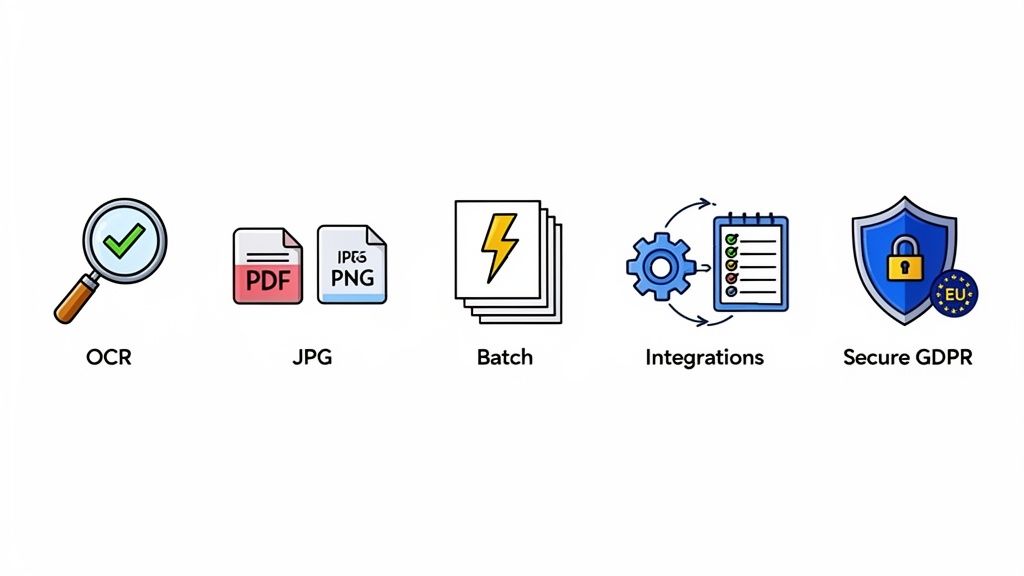
So, you understand the magic behind online document scanners. Now for the important part: how do you pick the right one? Not all scanners are created equal, and a poor choice can saddle you with just as much manual work as you started with.
Think of it like this: a basic scooter gets you around the neighbourhood, but you wouldn't use it for a cross-country road trip. In the same way, a simple phone app might capture a single receipt, but it will crumble under the weight of a business’s finances. You need a tool that's more than just a camera—it needs to be a reliable partner in your financial workflow.
Let's dive into the non-negotiable features that separate a flimsy app from a robust financial tool like Mintline. This is your practical guide to making sure you invest in real efficiency, not just another subscription.
H3: Uncompromising Accuracy in Data Extraction
Let's be blunt: the single most important feature is the accuracy of its OCR engine. If your new tool constantly confuses a ‘1’ with a ‘7’ or misreads the vendor name on an invoice, you’re not saving time. You’re just trading one tedious task (data entry) for another (endless corrections).
High accuracy is the difference between trust and frustration. It means the system can reliably pull the correct VAT amount from a crumpled, faded receipt. This isn't just about convenience; it's fundamental to maintaining clean, reliable financial records. You need a tool that gets it right the first time. Our detailed guide on OCR technology for scanners digs deeper into how modern systems achieve this incredible precision.
H3: Flexible File and Workflow Support
Your paperwork doesn't follow a single format, so why should your scanner? A truly useful tool needs to be flexible enough to handle documents as they come, without forcing you to jump through hoops.
Here’s what that looks like in practice:
- Multiple File Formats: The scanner must effortlessly handle common file types like PDF, JPG, and PNG. Invoices often land in your inbox as PDFs, while receipts are usually quick phone snaps saved as JPGs. A good system accepts them all without a fuss.
- Batch Processing: Nobody has the time to upload documents one by one. Batch processing is an absolute game-changer, allowing you to upload an entire folder of receipts or a week's worth of invoices in one go. It’s a massive time-saver.
H3: Seamless Integration and Security
A document scanner that locks your data away in its own little world is a digital dead end. The real value comes from how well it plays with your existing financial tools, especially your accounting software. Look for seamless, one-click exports to platforms like Xero or QuickBooks, turning raw data into ready-to-use accounting entries.
Security isn’t just a feature; it’s the foundation of trust. You’re handing over sensitive financial data, and you need to be absolutely certain it's protected.
When you're comparing options, put security at the top of your list. Prioritise platforms that offer end-to-end encryption, which protects your data from the moment you upload it. For anyone operating in Europe, choosing a provider like Mintline that guarantees secure, EU-based data storage is crucial for GDPR compliance. It means your data is guarded by some of the world's strictest privacy laws, giving you—and your clients—total peace of mind. A scanner without these credentials is a risk you can't afford to take.
To make this even clearer, here’s a simple checklist you can use when comparing different tools.
Online Document Scanner Feature Checklist
This table breaks down the essential features to help you systematically evaluate and compare different online scanner solutions.
| Feature | Why It Matters | What to Look For |
|---|---|---|
| OCR Accuracy | The core function. Low accuracy creates correction work, defeating the purpose of automation. | Look for accuracy rates above 95%, user reviews mentioning reliability, and the ability to handle varied document types. |
| File Format Support | Your documents come from various sources (email, photos). The tool must handle them all. | Must support at least PDF, JPG, and PNG. Bonus points for TIFF or HEIC. |
| Batch Processing | Uploading files one by one is a huge time-waster, especially when dealing with backlogs. | The ability to upload multiple files (10+) at once through a simple drag-and-drop interface or folder selection. |
| Accounting Integrations | Avoid manual data re-entry. The scanner should push data directly into your accounting system. | Native, one-click integrations with major platforms like Xero, QuickBooks, and Sage. API access is a plus for custom setups. |
| Data Security & Privacy | You are handling sensitive financial information. A breach could be devastating. | End-to-end encryption, secure data centres (e.g., EU-based for GDPR), and a clear, transparent privacy policy. |
| Mobile Accessibility | Capture receipts and documents on the go, before they get lost or forgotten. | A dedicated, user-friendly iOS and Android app with high-quality camera capture and offline capabilities. |
Using a checklist like this ensures you're making a decision based on practical needs and long-term value, not just flashy marketing. A tool that ticks all these boxes will become an indispensable part of your financial toolkit.
The Real-World Impact of Going Paperless
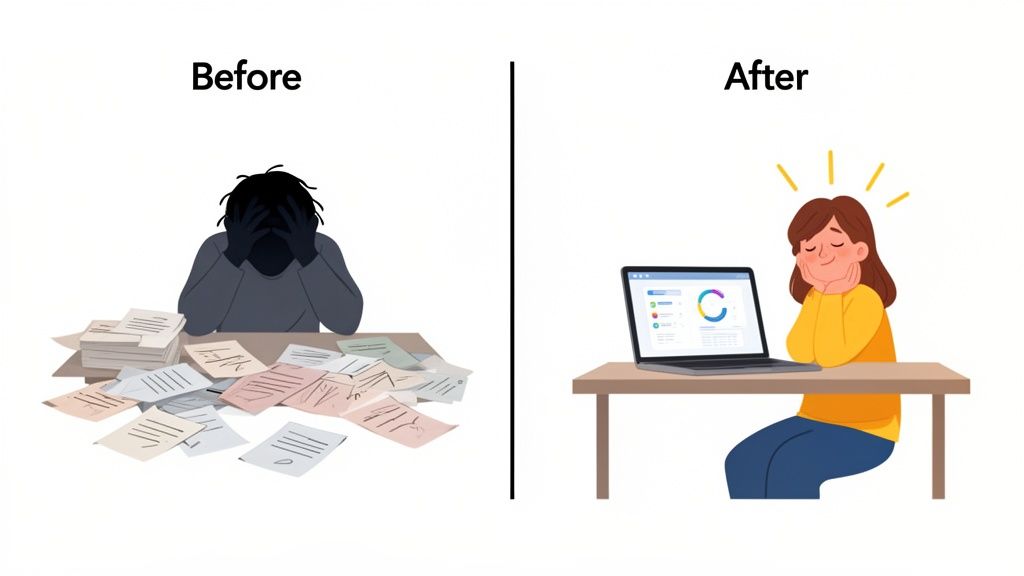
Let's move past the tech specs for a moment. What does an online document scanner actually do for your business? The answer is surprisingly simple: it takes the chaotic, soul-crushing paper trail and turns it into a clean, automated workflow. It gives you back your most precious resource—time.
This isn’t just about having a tidier office. It's a strategic shift that pays real dividends, whether you’re a freelancer juggling multiple projects or an accounting firm managing dozens of clients. In today’s world, going digital isn't a luxury; it’s how you stay in the game.
Unlocking Efficiency for Freelancers
If you're a freelancer, you know that time is quite literally money. Every minute you spend sifting through a shoebox of crumpled receipts for your tax return is a minute you aren’t billing a client. An online scanner completely flips that script.
Think about it. Instead of dedicating a frantic week at the end of the financial year to sort out faded receipts, you just snap a photo of each expense right when it happens. A tool like Mintline grabs it, pulls out the important details, and files it away neatly.
By the time your tax deadline comes around, everything is already organised, accurate, and ready to go. Those hours you used to lose to administrative headaches? You can now use them for billable work or, dare I say, a well-deserved break.
This habit of capturing expenses in real-time gives you a constantly updated view of your business finances. It changes tax season from a mad dash to a calm, controlled process, letting you get back to what you’re good at.
Achieving Clarity for Small Businesses
For small and medium-sized businesses (SMBs), the stakes are even higher. Trying to manage team expenses, track supplier invoices, and keep a clear financial overview can feel like a full-time job. A paper-based system means you’re always looking in the rearview mirror, making it impossible to see your real-time cash flow.
Adopting an online document scanner brings immediate financial clarity. When an invoice is scanned the moment it arrives, you get an instant picture of your upcoming payments and outstanding debts. This live data helps you make much smarter financial decisions and forecast with more confidence.
Better yet, digital records are practically audit-proof. Every document is time-stamped, organised, and searchable in seconds, creating a transparent financial trail that stands up to scrutiny. This level of organisation not only makes internal bookkeeping easier but also builds trust with banks, investors, and the tax authorities. If you're looking to tighten up your finances, check out these 8 essential small business bookkeeping tips for more ideas.
Scaling Services for Accounting Firms
Accounting and bookkeeping firms have a unique problem: their growth is often bottlenecked by the sheer manual effort needed to process client paperwork. The old model of getting carrier bags full of receipts and manually typing everything into a spreadsheet is slow, full of potential errors, and simply doesn't scale.
An online document scanner with a bit of automation smarts, like Mintline, acts as a force multiplier for accounting pros. When you give clients an easy tool to digitise their own documents, you cut the most tedious data entry right out of your workflow.
This one change delivers two massive benefits:
- Increased Capacity: Your team can suddenly handle more clients without working longer hours, which directly grows your revenue.
- Higher-Value Services: With data entry handled, you can pivot from basic bookkeeping to what clients really value: strategic advice, financial forecasting, and proactive support.
This isn't just a niche trend. The global document scanner market was recently valued at around USD 6.09 billion and is expected to hit USD 8.62 billion by 2033, all thanks to this global push for smarter, digital processes. For accounting firms, getting on board with these tools is no longer optional—it's the key to competing and offering truly exceptional service.
Moving Beyond Scanning to Full Financial Automation
A good online document scanner is a great start. It takes that teetering pile of paper on your desk and turns it into neat, organised digital files. But let's be honest, digitising documents is only half the battle. The real magic happens when you put that data to work, closing the loop on your entire financial reconciliation process.
This is where a truly intelligent platform like Mintline changes the game entirely. It’s not just about scanning; it's about creating a fully automated reconciliation engine. Mintline doesn't just pull data from a receipt—it intelligently connects every piece of the puzzle to give you a complete, cohesive picture of your finances.
The Missing Link in Document Management
For years, the workflow has been clunky and broken. You scan a receipt, the OCR does its thing and pulls the data, and then… you have to manually open your accounting software, hunt for the matching bank transaction, and painstakingly link the two. That final, tedious step is where most of the administrative headache comes from.
Mintline was built specifically to solve this problem. It acts as that crucial bridge between your scanned documents and your bank records, finally getting rid of the manual matching that eats up countless hours for freelancers, finance teams, and accounting firms.
The ultimate goal isn't just to have digital copies of your receipts. It's to have a financial system so connected that every expense is automatically accounted for, from the moment of purchase to the final entry in your books.
This leap from simple data capture to genuine financial automation is what separates a basic tool from a complete business solution. It’s about making your data work for you, not just giving you another digital to-do list. To see how this shift works in practice, you can explore our guide on how to automate your document processing.
How Mintline Closes the Reconciliation Loop
The whole process is designed to be incredibly straightforward, taking a complex chore and breaking it down into a few simple actions. Mintline's AI-powered system handles all the heavy lifting, letting you focus on reviewing the results instead of getting lost in the weeds of data entry.
The workflow couldn't be simpler:
- Connect Your Bank Accounts: First, you securely link your business bank accounts to Mintline. This creates a live feed of all your transactions, giving the system one half of the reconciliation puzzle.
- Upload Your Documents: Next, just drag and drop your receipts, invoices, and other financial documents into the platform. You can upload them in batches—it doesn't matter if they're PDFs from your email or photos snapped on your phone.
- Let the AI Handle the Matching: This is where the real automation kicks in. Mintline’s AI gets to work, analysing each document and comparing it against your bank transactions. It looks for matches based on the vendor, date, and amount, just like you would, but in a fraction of the time.
The system then presents you with proposed matches, turning what used to be hours of manual searching into a quick and simple confirmation process.
A Workflow Built for Speed and Accuracy
Once the AI has done its job, you’re greeted with a clean, intuitive dashboard designed for rapid validation. Forget messy spreadsheets; this is a command centre for your financial data.
The screenshot below gives you a peek at Mintline's review screen, where proposed matches between transactions and documents are laid out clearly.
This interface lets you see at a glance what’s been matched, which transactions are still missing a document, and what needs your final approval. You can confirm dozens of reconciliations in just a few minutes.
Need to find something specific? You can filter by vendor or date to instantly spot discrepancies and approve correct matches with a single click. For any transactions that don't have a matching document, the system flags them for you, creating a clear action list of what you need to track down. It's a proactive approach that ensures nothing ever falls through the cracks.
When you're done, you can export perfectly reconciled, audit-ready records directly to your accounting software with one click. Mintline takes the entire reconciliation cycle from a multi-hour manual slog to a few focused minutes of review. It truly moves your business beyond just scanning and into a state of full financial automation.
Implementing Your Digital Document Workflow
Getting your hands on a powerful online document scanner is a great first step. But the real magic happens when you build a solid, repeatable process around it. A tool is only as effective as the workflow it supports, and creating that routine is what turns a neat piece of tech into a genuine business advantage.
The goal here is to trade the chaos of sporadic paper handling for a structured, predictable digital system. It’s all about creating simple habits for how and when you capture documents. Think of it as building a clear roadmap that takes you from paper-based confusion to digital clarity—a journey that platforms like Mintline are designed to make incredibly smooth right from the start.
Establishing a Consistent Capture Routine
If there's one golden rule for a successful digital workflow, it's consistency. Without a regular routine for capturing documents, you’ll just end up with a digital version of that same old messy shoebox. The trick is to make scanning a natural, low-effort part of your daily or weekly operations.
So, what rhythm makes sense for you? If you're a freelancer, maybe it’s a quick five-minute habit at the end of each day to scan any new receipts. For a small business, it might be a dedicated time every Friday morning to batch-upload all the week’s supplier invoices.
The specific schedule matters less than the commitment to it. A consistent routine stops backlogs from ever building up, ensuring your financial data is always current and reliable. It’s the difference between proactive management and last-minute, reactive clean-ups.
This kind of disciplined approach makes capturing documents a simple reflex rather than a dreaded chore. It’s the small, repeated actions that build a robust and stress-free system over time.
This diagram shows what a typical financial automation process looks like, from the moment a document is uploaded to its final export.
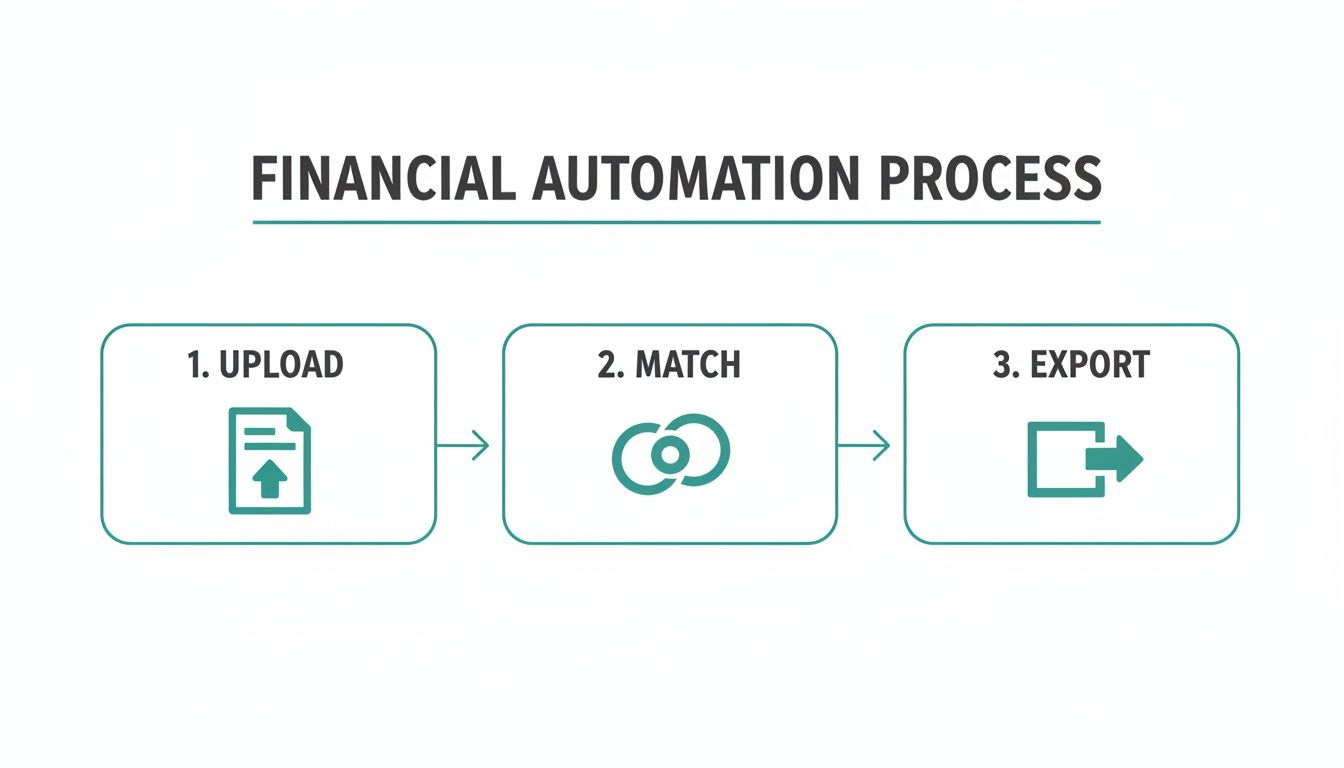
As you can see, the value isn't just in the scan itself, but in the intelligent matching and exporting that happens right after.
Creating Clear Digital Filing Conventions
Even with a highly automated system like Mintline doing the heavy lifting, establishing clear filing conventions is still a smart move. While the platform excels at matching documents to transactions automatically, having a logical naming structure for your files before you upload them can add an extra layer of clarity, especially if you ever need them for archival purposes.
Think about a simple, standardised naming convention. Something like:
- For invoices:
YYYY-MM-DD_VendorName_InvoiceNumber.pdf(e.g.,2025-06-25_OfficeSuppliesInc_INV12345.pdf) - For receipts:
YYYY-MM-DD_VendorName_ExpenseType.jpg(e.g.,2025-06-26_CornerCafe_BusinessLunch.jpg)
This tiny step makes documents instantly identifiable, even outside the platform, and helps maintain order if you ever need to do a manual search. It’s a best practice that works alongside automation, giving you total organisational control. This shift towards organised, cloud-based systems is happening everywhere. In Europe, the regional document scanner market already holds over 30% of the global share and was valued at USD 1,875.36 million, with projections showing it will keep growing. You can dive deeper into this trend in the Europe document scanner market report.
Ensuring Team-Wide Adoption and Training
If you're part of a team, the success of any new tool depends on getting everyone on the same page. A smooth rollout needs clear communication and simple training to make sure the entire team adopts the new workflow properly. Without buy-in from everyone, you just end up with process gaps and frustration.
To get everyone on board, try these simple steps:
- Hold a Kick-Off Session: Schedule a short meeting to walk through the new workflow. Show your team how to scan documents, where to upload them, and how this new process is going to make everyone's life easier by cutting down on admin.
- Create a Simple Guide: Put the capture routine and naming conventions into a quick one-page guide. This gives everyone a handy reference and reinforces the new standards.
- Appoint a Champion: Designate one person as the go-to expert for any questions. This centralises support and makes it easy for team members to get help when they're stuck.
The good news is that platforms like Mintline are built to be intuitive, which dramatically shortens the learning curve. By investing just a little time in training upfront, you can ensure your team uses the online document scanner to its full potential, unlocking more efficiency and accuracy for the whole business.
Got Questions About Online Document Scanners? We’ve Got Answers.
Jumping into any new piece of tech naturally comes with a few questions. It’s one thing to read about the benefits, but it’s another to feel confident it’ll work for you. Let's clear up some of the most common queries and concerns that pop up when people think about moving to an online document scanner.
We’ll tackle the big ones: data security, the types of documents you can actually scan, and how these tools play nicely with the software you already use. Think of this as the final piece of the puzzle, showing you how a platform like Mintline works securely and flexibly to support your business.
How Secure Is My Data with an Online Document Scanner?
This is usually the first question people ask, and it’s the right one to ask. You're dealing with sensitive financial information, and trust is non-negotiable.
Any reputable provider puts security front and centre. They use industry-standard encryption, like AES-256, to shield your data both in transit (as you upload it) and at rest (when it’s stored). For context, this is the same level of encryption that banks and governments rely on.
For any business operating in Europe, it's crucial to pick a provider that uses EU-based servers to ensure you're GDPR compliant. Mintline, for instance, sticks to this approach, meaning your data is protected by some of the strictest privacy laws on the planet. A trustworthy service will also have a crystal-clear privacy policy that guarantees your data is never sold or shared.
Can an Online Scanner Handle Different Types of Documents?
Absolutely. In fact, its versatility is one of its biggest selling points. While receipts are the classic example, a good platform is built to handle a whole range of business paperwork.
It can easily process documents like:
- Supplier Invoices: Pulling out key details like payment amounts, due dates, and individual line items.
- Bank Statements: Turning paper statements into digital, searchable transaction records.
- Contracts and Agreements: Making searchable digital archives of important legal documents.
The OCR technology at its core is designed to recognise and pull data from all sorts of layouts and formats, whether you upload a PDF, JPG, or PNG. More advanced platforms, including Mintline, also use machine learning to get smarter over time, improving accuracy across every document type you throw at it.
How Difficult Is It to Integrate with My Current Tools?
This is where you can really tell a basic tool from a genuine business solution. Some simpler scanners just give you a generic CSV export, forcing you to manually import that data into your other systems. That just creates another tedious task, which defeats the whole point of automation.
Proper solutions, on the other hand, are built from the ground up to connect seamlessly with the software you already rely on, especially accounting platforms like Xero or QuickBooks. The goal is to create an automated flow of information, completely wiping out the need for manual data entry.
Mintline, for example, was designed specifically for easy, one-click exports. This makes sure all your organised and reconciled data flows straight from the scanner into your main accounting system, closing the loop on your financial workflow without any fuss.
Ready to stop chasing receipts and start automating your finances? Mintline automatically links every bank transaction to its corresponding document, turning hours of manual admin into minutes. Get started for free today!