
Mastering the Processing of Invoices with Mintline to Boost Cash Flow
Unlock faster payments by mastering processing of invoices with automation, fewer errors, and cleaner workflows. Start optimizing now.
The processing of invoices is the journey a supplier's bill takes through your business, from arrival to payment and archiving. Think of it as the complete lifecycle for every invoice you receive. It’s a core part of your financial operations, ensuring vendors get paid accurately and on time, which is crucial for strong business relationships and clean books. With a platform like Mintline, this process transforms from a manual chore into a streamlined, strategic advantage.
What Is Invoice Processing and Why It Matters with Mintline
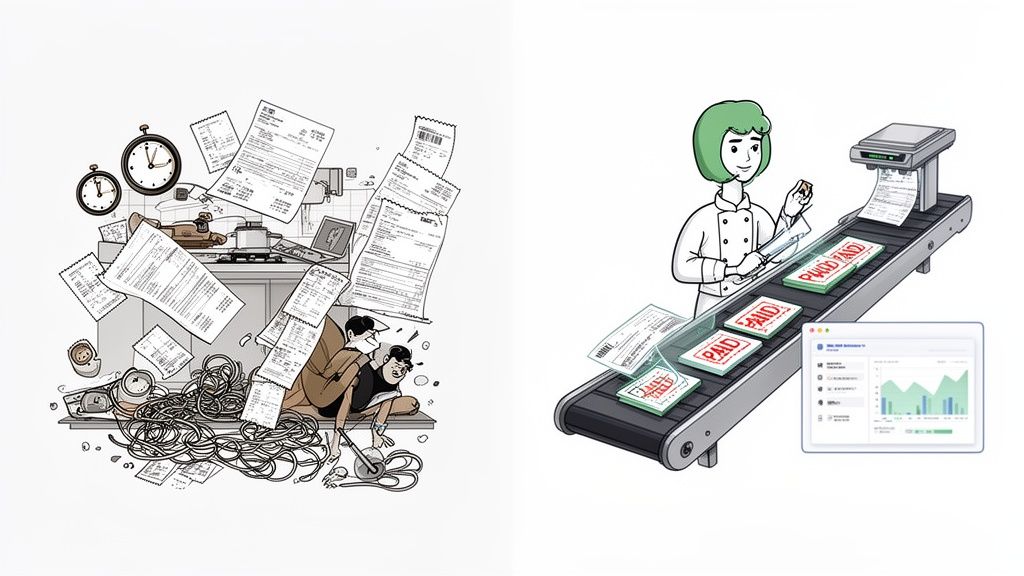
Picture a busy restaurant kitchen during the dinner rush. In a manual system, orders are yelled across the room, paper tickets get lost, and some meals never reach the customer. For many businesses, manual invoice processing feels exactly like this—a disorganised, error-filled scramble that results in late payments, unhappy suppliers, and messy financial data.
Now, imagine that same kitchen run with the precision of Mintline. Every step is perfectly timed, every ingredient is tracked, and every dish goes out flawlessly. That’s the kind of control and efficiency Mintline’s automated invoice processing brings to your company's finances. It turns a boring administrative task into a real strategic asset.
From Cost Centre to Strategic Advantage
At its heart, the goal is straightforward: pay the right supplier the right amount at the right time. But how you get there makes all the difference. A clunky, inefficient process becomes a hidden cost, eating up resources with manual data entry, endless email threads for approvals, and hours spent chasing down missing paperwork.
Mintline's automated process does more than just pay bills. It provides a clear, real-time view of your financial commitments, improves cash flow predictability, and strengthens supplier relationships through prompt and reliable payments.
Bringing in a modern platform like Mintline is like having a head chef for your financial kitchen. It doesn't just manage the chaos; it orchestrates the entire flow, from an invoice's arrival to its final reconciliation. By automating the tedious parts, it frees up your team to focus on work that actually grows the business.
The True Cost of Inefficiency
The knock-on effects of a poor invoice management system are felt across the entire business. Delays and mistakes aren't just small hiccups; they have real financial and operational consequences. These problems often look like this:
- Damaged Supplier Relationships: Paying late is one of the quickest ways to sour a relationship with a vendor. This can lead to worse payment terms or, in some cases, a refusal to provide critical goods and services.
- Missed Early Payment Discounts: Many suppliers offer a small discount for paying invoices ahead of schedule. A slow, manual system makes it almost impossible to take advantage of these savings, essentially leaving free money behind.
- Inaccurate Financial Forecasting: When you don’t have a clear, up-to-date view of what you owe, predicting cash flow becomes pure guesswork. This makes strategic planning incredibly difficult. Our guide on payables and receivables dives deeper into how these elements impact your financial stability.
- Wasted Employee Time: Research has shown that manual data entry and fixing errors take up a huge chunk of a finance team's day. That’s valuable time that could be spent on analysis or other growth-focused activities.
By fixing these issues, Mintline's efficient invoice processing stops being just an administrative chore and starts becoming a cornerstone of a resilient, financially healthy business.
The End-to-End Invoice Processing Workflow, Explained
To get a real handle on why efficient invoice processing matters, you have to follow an invoice on its journey from the supplier's hands to your books. It's a multi-stage trip that, when done the old-fashioned way, is full of potholes that cost you time and money. With Mintline's smart automation, that bumpy road becomes a smooth, transparent highway.
Let’s walk through the six core stages of this workflow. By breaking it down, you can see exactly where your current process might be hitting a snag and understand how a platform like Mintline turns these manual headaches into a sleek, error-proof system.
Stage 1: Invoice Capture
The journey starts the second an invoice lands in your world. Invoice capture is all about getting that document—whether it’s a PDF in an email, a paper copy from the post, or a digital file—into your financial system. In a manual setup, this is where the trouble often begins.
Someone has to physically open emails, download attachments, and then painstakingly type everything—vendor name, invoice number, due date, line items—into a spreadsheet or accounting software. A single typo, like keying in €500 instead of €50.00, can create a ripple effect of problems that you’ll be chasing for days.
With Mintline, this stage is completely automated. You just forward invoices to a dedicated email or upload them. Our technology scans the document, intelligently extracts all the key data with pinpoint accuracy, and populates the fields for you. It’s a simple fix that eliminates manual entry and stops human error before it can even start.
Stage 2: Matching
Once the invoice data is in the system, the next job is matching. This is the "show your work" phase of accounting. You need to verify the invoice is legitimate by connecting it to another document, like a purchase order (PO) or a bank transaction.
Manually, this means an employee has to go on a treasure hunt, digging through files or spreadsheets to find the original PO. They have to confirm that the goods or services were actually ordered and that the prices and quantities on the invoice line up. If there’s no PO, they might have to match it to a bank payment, which is just as tedious. This step is a notorious bottleneck.
Mintline makes this connection for you. The platform’s AI intelligently links every bank transaction to its matching receipt or invoice. It looks at the vendor, amount, and date to find the perfect fit, turning hours of manual detective work into a quick, automated check.
Stage 3: Approval
After an invoice is captured and matched, it needs the green light for payment. The approval stage is about getting the right person or department head to sign off on the expense. This is where manual processes really tend to fall apart.
Invoices sent as email attachments get buried in crowded inboxes, forgotten about, or even accidentally deleted. The finance team ends up spending half their time chasing down approvals, which causes major payment delays and can strain relationships with suppliers.
Mintline brings order to this chaos by creating a clear, digital approval workflow. It keeps all documents in one place, so it’s easy to see what needs reviewing. Managers get a notification, can look over the details, and approve with a single click. This creates a transparent, auditable trail of who approved what and when.
A study by Atradius found that in the Netherlands, an average of 35% of all B2B invoices are paid late. A big reason for this is slow internal processes. Getting the approval stage right directly tackles this expensive problem.
Stage 4: Payment
With the invoice approved, it's finally time for payment. This step involves scheduling and sending the money to the supplier. Doing this by hand usually means someone has to log into the company’s bank portal and create the payment, re-entering details like the amount and the supplier’s bank info all over again.
Not only is this a duplication of effort, but it’s another chance for a typo to sneak in. Mintline streamlines this by queueing approved invoices for payment, reducing re-entry and allowing for efficient batch payments. This helps you manage cash flow strategically by scheduling payments for the best possible dates.
Stage 5: Reconciliation
Once the payment is out the door, you’re still not done. Reconciliation is the final check-up where you compare your internal books against your bank statements to make sure everything lines up perfectly. It’s how you confirm that all the numbers add up.
For businesses still running on spreadsheets, this is a mind-numbing, line-by-line chore at the end of every month. It’s slow, tedious, and any little discrepancy can throw off your financial reports and cause big headaches come tax time.
Mintline makes reconciliation almost a non-event. Because every transaction is automatically matched with its document as it happens, your books are reconciled in real-time. This means your financial records are always accurate and up-to-date, letting you close the books in minutes, not days.
Stage 6: Archiving
The final stage is archiving. Every invoice, along with its supporting documents like POs and payment confirmations, has to be stored securely for years to comply with tax and audit rules. The manual approach usually involves bulky filing cabinets or a mess of folders on a shared drive.
This turns finding a specific document during an audit into a stressful scavenger hunt. With a platform like Mintline, however, every document is stored securely in a centralised, searchable digital archive. You can pull up any invoice or receipt in seconds, meaning you're always ready for an audit.
The difference between a manual and an automated workflow isn't just about saving a bit of time; it's a fundamental shift in how your finance function operates. One is reactive and prone to errors, while the other is proactive, accurate, and strategic.
The table below breaks down what each stage looks like in both worlds.
Manual vs Automated Invoice Processing Stages
| Processing Stage | Manual Approach (The Old Way) | Automated Approach (The Mintline Way) |
|---|---|---|
| 1. Capture | Staff manually types data from PDFs or paper into software. High risk of typos and data entry errors. | Invoices are automatically scanned and data is extracted with AI. Eliminates manual entry and errors. |
| 2. Matching | An employee hunts for corresponding POs or bank transactions. A major time-sink and bottleneck. | The system automatically matches invoices to bank transactions or POs in real-time. No more detective work. |
| 3. Approval | Invoices get lost in email chains. Finance team wastes time chasing approvals. No clear audit trail. | Automated workflows notify approvers. Approvals happen with one click from anywhere. Full audit trail is logged. |
| 4. Payment | Manual data re-entry into the banking portal. High risk of payment errors and inefficient cash flow management. | Approved invoices are queued for payment. Batched payments can be executed easily, reducing errors. |
| 5. Reconciliation | A painful, line-by-line manual process at month-end. Slow, tedious, and often inaccurate. | Books are continuously reconciled as transactions are matched. Month-end close takes minutes, not days. |
| 6. Archiving | Documents are stored in physical cabinets or messy digital folders. Hard to find documents for audits. | All documents are stored in a secure, centralised, and searchable digital archive. Instantly audit-ready. |
As you can see, automation doesn't just speed up individual tasks—it transforms the entire workflow into a connected, intelligent system that gives you back time, reduces risk, and provides a clear view of your company’s finances.
Common Bottlenecks and How to Measure Success
When your invoice process is clunky, it’s more than just an administrative headache. It’s a quiet drain on your company’s resources, creating friction that wastes time, strains supplier relationships, and clouds your financial judgement.
One of the most obvious pain points is paying late. An invoice gets lost in a crowded inbox or simply forgotten, and suddenly you’re hit with late fees that slowly eat away at your profits. But the cost goes beyond money; slow payments can sour relationships with your best suppliers, potentially leading to less favourable terms down the road.
This kind of inefficiency also leads to unreliable financial data. If you don't have a clear, real-time view of your outstanding payables, you're essentially guessing when it comes to making big business decisions. That lack of clarity can stall growth and introduce unnecessary risk.
Pinpointing the Real Problems
The snags in a manual invoice process usually boil down to a few common culprits. In the Netherlands, for example, late payments are a serious problem, affecting an average of 35% of all B2B invoices. The key reasons? Delays in the internal payment process (30%) and invoice disputes (31%). This highlights how internal friction has a direct and costly impact. You can dig deeper into these figures in the latest report on business payment behaviours in the Netherlands.
This workflow shows the key stages where things tend to go wrong, from the moment an invoice arrives to its final approval.
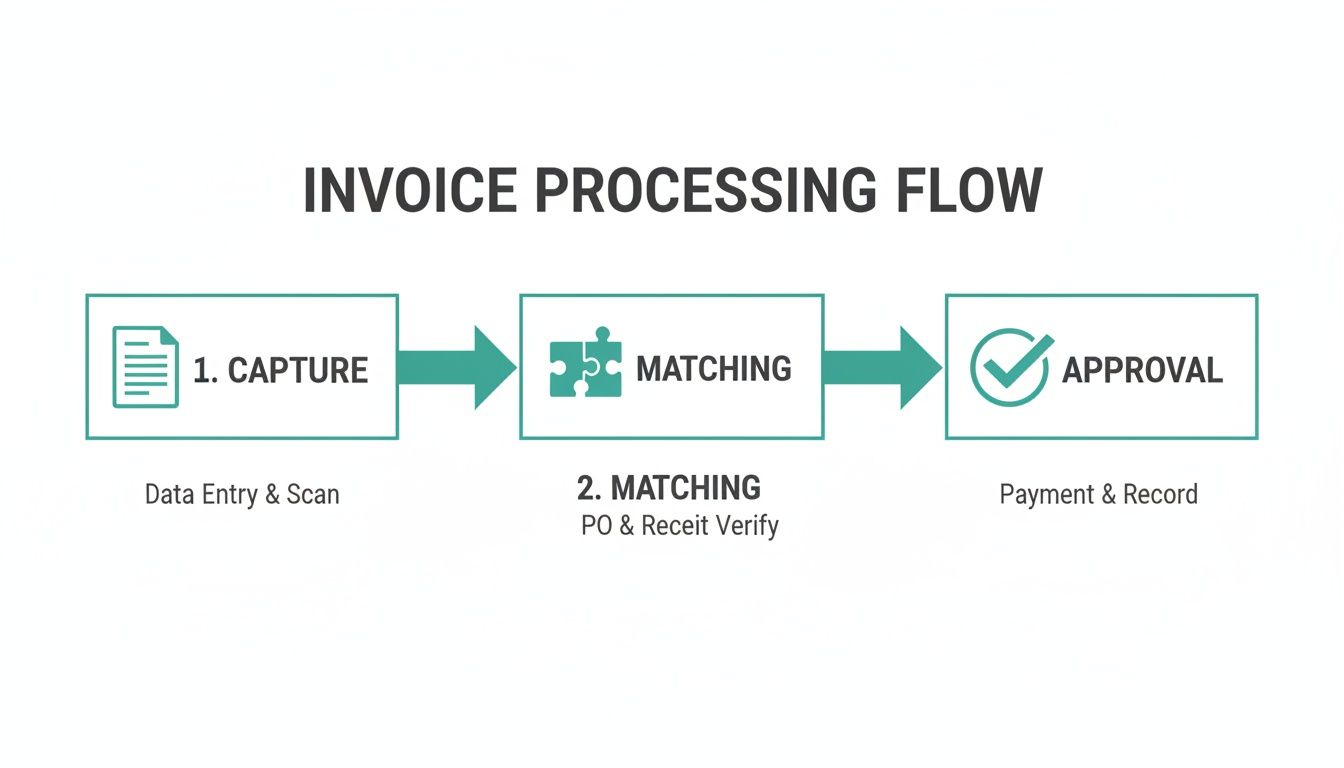
Think of each arrow in that diagram as a potential failure point where an invoice can get stuck, delayed, or completely lost without a solid system in place.
Measuring What Matters Most
To go from just knowing you have a problem to actually solving it, you need to track the right metrics. Key Performance Indicators (KPIs) are what let you put a number on the hidden costs of your current setup and prove the value of moving to an automated system.
Measuring your performance turns vague frustrations into actionable data. It’s the first step toward building a business case for a more efficient system that saves both time and money.
With a platform like Mintline, tracking these KPIs is built right into your dashboard, giving you a constant, clear view of your financial operations.
Key Metrics for Invoice Processing Success
To get a true sense of how your invoice workflow is performing, start by measuring these three essential KPIs.
-
Invoice Processing Time: This is the full journey an invoice takes, from the moment it lands on your desk (or in your inbox) to the moment it's paid. A long cycle time is a red flag, often pointing to bottlenecks in your approval chain or time-consuming manual data entry. The aim is to shrink this window to keep suppliers happy and maybe even snag some early payment discounts.
-
Automation Rate: Sometimes called the 'touchless' rate, this metric tracks the percentage of invoices that fly through the system without anyone needing to lift a finger. A high automation rate is the hallmark of an efficient process. It means your technology is doing the heavy lifting, freeing up your team for more important, strategic work.
-
Error Rate: This KPI counts the percentage of invoices that need to be corrected because of things like typos in data entry, incorrect coding, or accidental duplicate payments. A high error rate is a clear sign that your manual processes are flawed and that it’s time to bring in a more accurate, automated solution.
By focusing on these three straightforward but powerful metrics, you’ll get an objective look at how your system is really doing. More importantly, you'll see exactly where a tool like Mintline can make the biggest difference, turning operational headaches into smooth, cost-effective workflows.
How AI and OCR Supercharge Invoice Automation
Let's be honest: manual invoice processing is a massive time sink. In the Netherlands, the numbers tell a familiar story. Processing a single invoice takes, on average, 9.2 days and costs about USD 9.40. With only 32.6% of invoices passing through without a hitch and a painful 14% needing manual fixes, it’s a productivity killer for everyone from freelancers to large accounting teams.
So, how do you break this cycle? The answer isn’t some far-off futuristic concept. It’s a powerful duo of technologies that already exist: Optical Character Recognition (OCR) and Artificial Intelligence (AI). Together, they are the engine behind modern, automated platforms like Mintline.
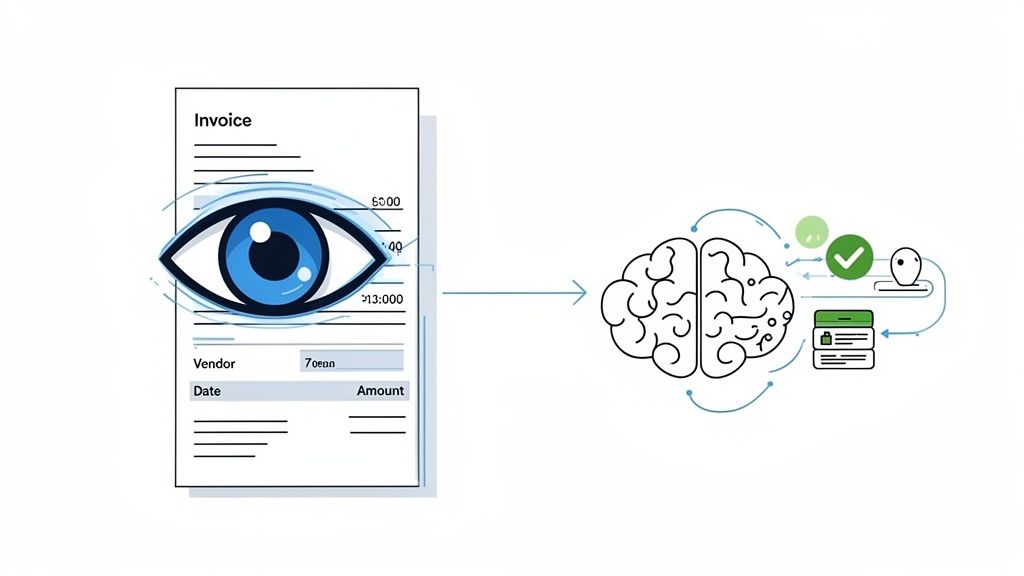
OCR: The Digital Eyes of Your Business
Think of Optical Character Recognition (OCR) as a digital scanner with a brain. Its one job is to look at any document you give it—a PDF invoice from a supplier, a photo of a lunch receipt, a downloaded bank statement—and instantly read the text. No more squinting at a screen and manually typing out the vendor name, invoice date, and total amount.
This technology essentially translates pictures of words into actual text that software can work with. It’s the first, and most crucial, step in waving goodbye to the mind-numbing task of manual data entry. You can get a deeper look into how OCR recognition software works in our detailed guide.
With Mintline's OCR, the whole process of getting information into your system is flipped on its head. It replaces slow, error-prone typing with a fast, automated scan, setting the stage for a much smarter workflow.
Once OCR has captured all that data, it hands it off to the ‘brain’ of the operation. This is where AI steps in.
AI: The Smart Brain That Connects the Dots
If OCR provides the eyes, then Artificial Intelligence (AI) is the brain that makes sense of what it sees. It takes the raw data pulled by OCR—like a vendor's name and an invoice total—and does the complex thinking a human normally would.
In a platform like Mintline, this AI brain has been trained to be exceptionally good at one thing: matching. It analyses the details from a newly captured invoice and hunts through your bank transactions to find its perfect partner.
This isn’t just a simple search. The AI intelligently weighs several factors at once:
- Vendor Name: It identifies the supplier on the invoice and looks for a corresponding payment to that same name in your bank feed.
- Amount: It scours transactions for a figure that exactly matches the invoice total.
- Date: The AI uses the invoice date and payment date to confirm the link, understanding that there's usually a logical time gap between the two.
The best part? It gets smarter over time. The AI learns your company's payment patterns, becoming faster and more accurate with every invoice it processes. It starts to recognise your regular suppliers and gets better at predicting matches, turning what used to be hours of manual reconciliation into a quick, final review. For a broader look at what’s possible with these technologies, check out the AI solutions from Dr3am Ai. This is how the tedious processing of invoices truly becomes an automated, seamless part of your business.
Real-World Invoice Processing: From Freelancers to Accounting Firms
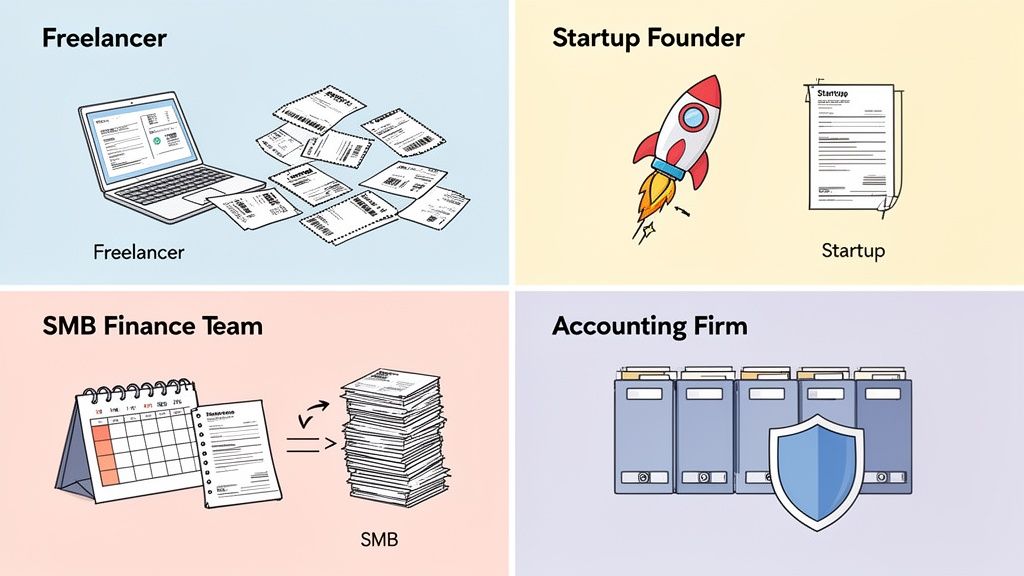
It’s easy to think that automating the processing of invoices is something reserved for big corporations with sprawling finance departments. But that's just not the case anymore. The headaches of manual data entry, chasing late payments, and keeping records straight are universal—they just look a little different depending on the size of your operation.
Whether you're a one-person shop or a busy accounting firm, Mintline adapts to your specific needs. Let's look at how four very different businesses can tackle their invoice management challenges and gain a serious competitive edge.
The Freelancer: Turning Receipts into Deductions
If you're a freelancer, you know that time is your most valuable asset, and every business expense is a potential tax deduction. The biggest struggle is often the shoebox full of receipts and a messy spreadsheet. It's a system that's not only time-consuming but also full of holes, which means you're probably leaving money on the table come tax time.
A freelancer's goals are straightforward:
- Capture every single expense: Don't let that coffee meeting receipt or software subscription invoice get lost in the shuffle.
- Spend less time on admin: Focus on your clients and your craft, not on tedious bookkeeping.
- Be ready for tax season (or an audit): Keep clean, organised digital records without needing a filing cabinet.
This is where a tool like Mintline changes the game. A freelancer can simply forward an email invoice or snap a quick photo of a paper receipt. The platform instantly pulls out the key details and matches them to bank transactions. Suddenly, you have a real-time, complete view of your finances, transforming tax prep from a frantic hunt for documents into a simple, stress-free data export.
The Startup Founder: Building a System that Scales
Startup founders are used to wearing multiple hats, and "bookkeeper" is one of them. In the early days, there's no money for a full-time finance person, but you absolutely need a financial process that won't crumble as the business grows.
What works for ten invoices a month will completely fall apart when you hit one hundred. Manual processes don't scale—they create chaos and become a major bottleneck to growth.
For startups, Mintline acts like a finance department in a box. It delivers a professional-grade workflow without the cost, letting founders manage bills and payments efficiently. As the company hires more people, it's easy to set up approval workflows to keep spending in check without slowing everyone down. It's all about building good financial habits from day one.
The SMB Finance Team: Closing the Books in Record Time
For the finance team at a small or medium-sized business (SMB), the month-end close is often the most stressful time. It's an all-hands-on-deck crunch to reconcile accounts, chase down approvals from department heads, and fix inevitable data entry errors. The main goal here is to boost accuracy and speed up the whole process.
An SMB finance team is focused on a few key things:
- Slash manual errors: Get rid of the typos and duplicate payments that throw financial reports off-kilter.
- Speed up approvals: Stop the endless email chains and get invoices signed off quickly.
- Close the books faster: Cut the reconciliation process from days down to hours.
By automating with Mintline, the finance team can stop being data entry clerks and start being strategic analysts. With continuous reconciliation, the books are always nearly closed, turning a frantic week into a smooth, one-day affair.
The Accounting Firm: Juggling Multiple Clients with Ease
Accounting firms have a unique set of challenges. They're managing the books for dozens of different clients, each with their own vendors, systems, and quirks. Efficiency, accuracy, and compliance aren't just goals; they're the foundation of the entire business.
For accountants, Mintline becomes a central command centre for all client work. It standardises how documents are collected and processed, so the firm can handle a high volume of invoices across its entire client base without getting bogged down. This directly increases the firm's capacity, allowing them to take on more clients without hiring more staff, all while delivering top-notch, audit-ready work.
Getting Started with Automated Invoice Processing
Jumping into an automated system for handling invoices is probably easier than you think. It’s not about flipping a switch and changing everything overnight. Instead, it’s about taking a few smart, practical steps to build a much smoother, more efficient accounts payable workflow. The whole journey really just starts with a bit of simple organisation.
A fantastic first move is to create a dedicated email address just for supplier invoices. Tell all your vendors to send their bills to this one specific inbox. This small change makes a huge difference—it stops invoices from getting buried in personal email or cluttering up the general company inbox. Right away, you have a central, tidy queue ready for Mintline to tackle.
Next, you'll want to round up some key financial documents. Think recent bank statements and a list of your main suppliers. Platforms like Mintline use this kind of information to get to know your business's financial rhythm, helping the AI accurately match payments to paperwork right from the get-go.
Your Audit-Ready Checklist
To make sure your transition is not only smooth but also fully compliant, here’s a quick checklist to follow. The good news is, a system like Mintline is built to handle all of this for you automatically, keeping your books clean and always ready for scrutiny.
- Establish a Central Inbox: Funnel every single invoice into one dedicated email address. No exceptions.
- Match Every Transaction: Make sure every payment that leaves your bank account is tied directly to a corresponding invoice or receipt.
- Maintain a Digital Archive: Store all your financial documents in a secure, digital, and easily searchable format.
- Define Clear Approval Workflows: Set up simple rules for who needs to sign off on different types of expenses before any money goes out the door.
- Secure Your Data: Double-check that the platform you choose uses top-tier encryption and secure data storage.
Following this structured approach doesn’t just get you ready for automation; it tightens up your financial controls from day one. You can see how these steps fit into the bigger picture in our guide to AP automation software.
Prioritising Data Security
Trusting a new platform with your financial data is a big deal, and you need total confidence in its security. At Mintline, we protect your sensitive information with AES-256 encryption—that’s the same bulletproof standard used by banks and governments. All your data is kept on secure, EU-based cloud servers, so you can rest easy. When thinking about managing your invoices, it's also helpful to understand the role of professional bookkeepers, whether you’re looking to hire one or use automation to make their job easier.
This focus on security is particularly important in the Netherlands, where the e-invoicing market is absolutely taking off. Projections show the market value climbing from USD 167.06 million to a massive USD 679.51 million by 2033. This growth is being pushed by new regulations that require public authorities to accept compliant electronic invoices. By adopting a secure, automated solution now, you’re setting your business up to navigate this new landscape with ease. You can explore more about this trend and its impact on the Dutch e-invoicing market here.
Frequently Asked Questions
Thinking about switching to automated invoice processing? It's normal to have a few questions. We've found that getting straight answers helps build confidence, so here are a few of the most common things people ask us.
How Secure Is My Financial Data?
We get it—financial information is incredibly sensitive. Protecting your data is our absolute priority. Mintline uses AES-256 encryption, which is the same gold standard trusted by banks and governments globally.
All your information is stored on secure, EU-based cloud servers. This means your data is handled with the highest level of care and complies with strict regional data protection laws.
Can I Integrate This with My Existing Accounting Software?
Yes, you can. The whole point of automation is to make your financial world simpler, not to create another disconnected tool. While Mintline doesn't push data directly into other software, it’s designed to work perfectly alongside the accounting platforms you already use.
Our platform gets all your invoice data organised and matched up with the right bank transactions. This gives you a clean, complete, and accurate record. You can then export this audit-ready information with a single click, ready to be imported into your accounting software. It’s the easiest way to feed your system perfectly reconciled data.
What Happens If the AI Makes a Matching Error?
Our AI is incredibly accurate, but no system is infallible 100% of the time. That’s why we’ve built Mintline to ensure you always have the final say. The platform lays out all its suggested matches on a simple review screen, so you or your team can give them a quick once-over.
If the AI ever gets a match wrong or isn't quite sure, fixing it takes just a click. This "human-in-the-loop" design gives you the best of both worlds: the raw speed of automation paired with the expert eye of a professional.
Is This Solution Affordable for a Small Business?
Absolutely. We firmly believe that powerful financial tools shouldn't be reserved for massive corporations. The old idea that automation comes with a hefty price tag is a thing of the past.
Mintline offers flexible plans that scale as your business grows. There's a free tier for freelancers or those just getting started, plus affordable options for startups, growing SMEs, and accounting firms. Our aim is to give you a clear return on your investment by saving you time and preventing expensive mistakes, making automated processing of invoices a smart and accessible move for any business.
Ready to stop chasing receipts and start streamlining your finances? Discover how Mintline can transform your invoice workflow. Get started today at https://mintline.ai.