
A Modern Guide to Purchase Order Management
Master purchase order management with a modern guide on automating workflows, preventing errors, and achieving audit-ready records for your business.
Purchase order management is the essential framework for how your company buys anything. It’s the complete process of creating, approving, tracking, and paying for the goods and services you need to operate. This system connects a recognised need—like a new software subscription—to a verified purchase and final payment, ensuring every pound is accounted for.
With a solution like Mintline, this entire process becomes automated, seamless, and transparent.
What Is Purchase Order Management Anyway?
Purchase order management is the central nervous system for your company’s spending. It’s far more than just another accounting chore; it's a strategic framework that brings order, transparency, and control to your entire procure-to-pay process.
For many small and medium-sized businesses (SMBs) and freelancers, managing purchases can feel like pure chaos. Too often, it’s a jumble of messy spreadsheets, approvals buried in email chains, and a shoebox stuffed with receipts.
This kind of manual approach quickly grinds things to a halt. Lost receipts, surprise charges on the company card, and hours wasted trying to match invoices to bank statements—these are the all-too-common frustrations. Without a formal system, you have zero real-time visibility into your financial commitments, which makes accurate budgeting a complete guessing game.
The Core Purpose of a PO System
At its heart, a solid purchase order management system is built to solve these exact problems. It creates a clear, documented path for every single purchase, from the moment someone on your team makes a request to the moment the supplier gets paid.
This process is absolutely crucial for preventing unauthorised or "rogue" spending, because it demands proper approval before any money is committed.
A well-organised system brings some serious advantages:
- Financial Control: You get a crystal-clear view of committed expenses long before they hit a bank statement. This is a game-changer for managing cash flow and forecasting accurately.
- Audit Readiness: It creates an indisputable digital paper trail for every transaction. The initial request, the purchase order, the invoice, and the payment are all linked together.
- Operational Efficiency: It standardises how your team buys things, which cuts down on confusion and speeds up the whole procurement process.
By moving from scattered spreadsheets to a structured workflow, you transform purchasing from a reactive, administrative task into a proactive financial strategy. This is where modern solutions like Mintline come in, automating the tedious work of matching documents to payments and giving you back valuable time. The goal is to create a seamless flow where every purchase is transparent, approved, and perfectly documented, setting a strong foundation for financial health and scalability.
The Purchase Order Lifecycle From Start to Finish
To really get a handle on purchase order management, let's walk through the entire journey of a single purchase. Imagine a small creative agency needs a new subscription for some high-end video editing software. It seems simple enough, but without a proper system, this one purchase can easily spiral into a mess of confusion, delays, and budget headaches.
This structured workflow isn't just for big corporations; it’s a game-changer for bringing financial discipline to businesses of any size. By breaking down each step, you can see how a formal process stops problems before they even have a chance to start.
The Stages of the Purchase Order Management Lifecycle
The PO process is a sequence of checks and balances designed to ensure every purchase is necessary, approved, and accurately paid for. It protects the company's cash flow and creates a clear record of every transaction.
Here’s a breakdown of the typical stages, what they’re for, and where smaller businesses often run into trouble.
| Stage | Purpose | Common Challenge for SMBs |
|---|---|---|
| 1. Purchase Requisition | To formally request an item or service and justify the business need internally. | Employees making rogue purchases without approval, leading to surprise expenses. |
| 2. Vendor Selection & PO Creation | To choose the right supplier and create a legally binding document detailing the purchase. | Lack of a preferred vendor list, resulting in inconsistent pricing and quality. |
| 3. PO Approval & Dispatch | To get final sign-off from management and officially send the order to the vendor. | Approval bottlenecks, with POs sitting in someone’s inbox for days, delaying the order. |
| 4. Goods/Service Receipt | To confirm that what was delivered matches what was ordered in the PO. | Forgetting to log the delivery, making it impossible to confirm if the order was fulfilled. |
| 5. Three-Way Invoice Matching | To verify that the PO, receipt, and invoice all align before authorising payment. | Time-consuming manual matching that leads to human error and payment delays. |
| 6. Payment & Record Keeping | To pay the vendor on time and securely archive all related documents for auditing. | A messy paper trail, making it difficult to find documents during an audit or dispute. |
Each stage builds on the last, creating a strong chain of control from the initial need to the final payment.
A Closer Look at Each Stage
Let’s go back to our creative agency to see how this plays out in the real world.
Stage 1: The Purchase Requisition
It all starts with a need, not a purchase. A video editor realises they need the new software to complete a client project. They fill out a purchase requisition, which is basically an internal form that says, "Here's what I need, here's why I need it, and here's what I think it'll cost."
This simple step is a critical internal control. It forces a moment of justification before any money is committed, stopping impulse buys or redundant spending in its tracks.
Stage 2: Vendor Selection and PO Creation
Once the manager approves the requisition, it lands with the person in charge of purchasing. They’ll select a vendor based on things like price, reliability, and customer support. With a supplier chosen, they draw up the official purchase order (PO).
Think of the PO as a binding contract. It locks in all the specifics:
- A unique PO number for easy tracking.
- An exact description of the software and subscription level.
- The quantity of licenses needed.
- The agreed-upon price.
- All the fine print, like delivery dates and payment terms.
This document becomes the single source of truth for everyone involved. No more "he said, she said."
Stage 3: PO Approval and Dispatch
Before that PO goes anywhere, it needs one last look-over. A department head or finance manager gives it the final green light, making sure it fits within the budget and follows company policy. This is the final safety net against unauthorised spending.
Once approved, the PO is sent off to the software vendor. When the vendor accepts it, they are now legally obligated to deliver exactly what's on that order.
Stage 4: Goods Receipt and Inspection
A few days later, the software license keys arrive. This kicks off the "goods receipt" stage. The team checks that they received the right number of licenses for the correct software tier—no more, no less.
This confirmation is usually documented in a goods receipt note. It's a vital step because it officially confirms the vendor held up their end of the bargain, paving the way for payment.
The flowchart below shows what happens when these steps are managed with messy spreadsheets and manual processes—it’s a recipe for frustration.
As you can see, a lack of system creates bottlenecks that slow everything down and open the door to costly mistakes.
Stage 5: Three-Way Invoice Matching
Now that the software is in hand, the vendor’s invoice arrives. This is where the magic happens: three-way matching. The finance team pulls up three documents and compares them line by line:
- The original Purchase Order (what we asked for).
- The Goods Receipt Note (what we got).
- The vendor’s Invoice (what they're billing us for).
If the item, quantity, and price match perfectly across all three, the invoice is approved. If there's any discrepancy—say, the invoice has a higher price—the process stops dead until the issue is sorted out with the vendor.
Why This Matters: Three-way matching is your best defence against paying for the wrong thing, getting billed twice, or falling for invoice fraud. It ensures you only pay for what you actually ordered and received.
Stage 6: Payment and Record Keeping
With a verified invoice, the finance team schedules the payment according to the terms in the PO. The final step is to "close" the purchase order and file everything away together: the requisition, the PO, the receipt, and the paid invoice.
This creates a complete, unchangeable audit trail for that single purchase. Want to learn more about where this fits in the bigger picture? Our guide on the full procure-to-pay process connects all the dots. Modern platforms like Mintline take this a step further by automatically linking the bank transaction back to all these documents, making sure your books are always accurate and ready for an audit.
Why Manual Purchase Order Systems Fail
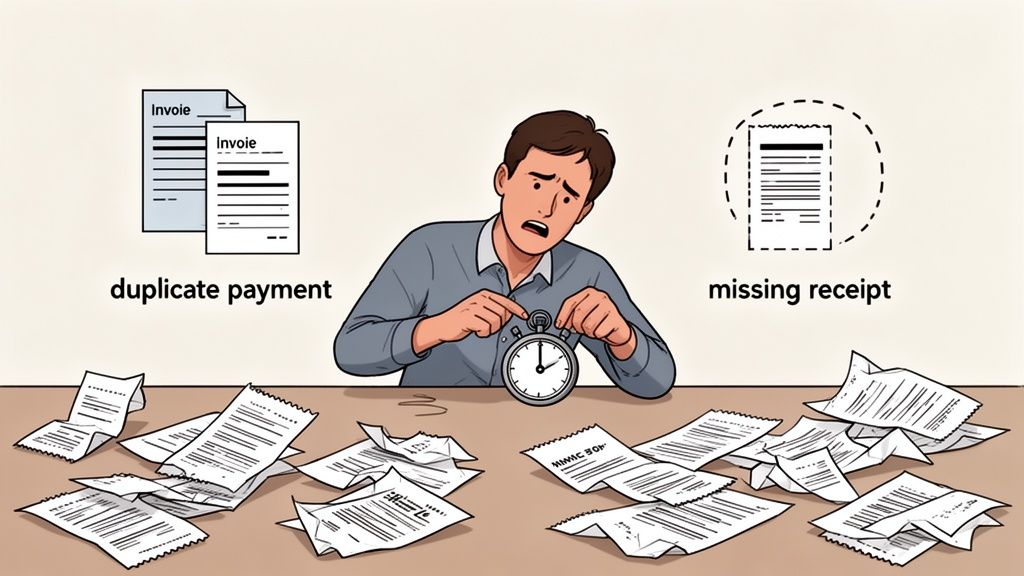
For many growing businesses, the breaking point for manual purchase order management often comes without warning. The system that worked fine with a handful of transactions—a mix of spreadsheets, email chains, and paper receipts—suddenly becomes a tangled mess. This isn't just about being slow; it’s an approach that actively costs you money and opens the door to serious financial risk.
Manual systems are fragile by nature. They depend on people being perfect in a world full of distractions, which inevitably leads to predictable and expensive mistakes. Those daily frustrations are the very problems Mintline was built to solve.
The Rise of Rogue Spending
One of the most immediate dangers of a weak PO system is rogue spending. This is what happens when employees go around the official procurement process, making unapproved purchases on company or personal cards. It’s rarely done with bad intentions. More often, it's a direct result of a process that’s just too slow or complicated.
Picture a project manager on a tight deadline who needs a specific software subscription. The official approval process means filling out a form, emailing a manager who's out of the office, and then... waiting. Under pressure, they just buy it on their own card and plan to expense it later.
That one simple action sets off a chain reaction of problems:
- The business now has a new financial commitment it knows nothing about.
- The subscription might be a duplicate of one another team already pays for.
- The price paid could be much higher than a pre-negotiated company rate.
Without a central, efficient purchase order management system, these small, unapproved purchases add up, creating a shadow budget that operates completely outside of your financial controls.
The Nightmare of Duplicate Payments and Invoices
Processing invoices by hand is a minefield, and paying the same one twice is a surprisingly common blunder. Without an automated system to flag duplicates, you’re relying entirely on the memory and sharp eye of your finance team.
Think about a vendor who sends an invoice. When payment is slow, they send a reminder copy a few weeks later. In a busy accounts payable department buried in paperwork, it's all too easy for both copies to get processed and paid.
A manual system lacks the basic checks and balances needed to catch these errors. Each duplicate payment is a direct hit to your cash flow, and trying to get that money back is often a difficult and awkward conversation.
This issue gets much worse as your transaction volume grows. For example, Dutch e-commerce turnover hit an incredible €17 billion in the first half of 2025, from over 180 million online purchases. For the 85,988 e-commerce businesses in the Netherlands—many of them small or medium-sized—manually reconciling everything becomes impossible as sales surge. You can find out more about the challenges these Dutch e-commerce businesses face on staxxer.com.
Zero Visibility and Chaotic Audits
Maybe the biggest failure of a manual system is the complete lack of financial visibility. When purchase commitments are buried in email threads and disconnected spreadsheets, you have no real-time view of what you owe. Budgeting becomes a guessing game based on old bank statements, not a proactive plan based on what you know you've committed to spend.
This chaos really comes to a head during an audit. Instead of presenting a clean, organised record, your team is left scrambling to find missing POs, match stray invoices to payments, and dig up old approval emails. The process is incredibly stressful and time-consuming, and frankly, it looks unprofessional to auditors, which can invite even more scrutiny.
With a platform like Mintline, every document is automatically linked to its bank transaction, turning audit preparation into a simple, one-click export.
Automating Your Purchase Orders with AI
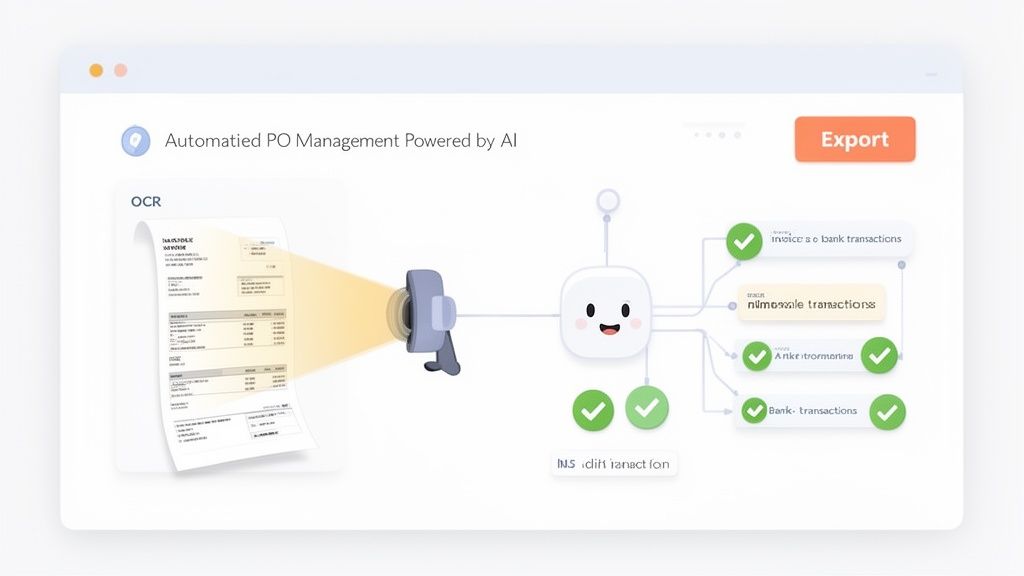
The old way of managing purchase orders—drowning in paperwork, tedious data entry, and the constant risk of human error—is thankfully on its way out. Technology, and artificial intelligence (AI) in particular, is stepping in to transform this heavy administrative burden into a genuine strategic advantage for your business.
Instead of spending your days wrestling with documents, you can now set up smart systems to handle the most repetitive and time-consuming tasks automatically. This isn't just about clawing back a few hours; it's a fundamental shift in how you control spending, manage your cash flow, and stay ready for audits.
Modern solutions like Mintline are leading this charge, using AI to connect your purchases to your bank records with pinpoint accuracy.
Ending Manual Data Entry for Good
The first big win from bringing AI into your PO management is saying goodbye to manual data entry. Smart platforms use a technology called Optical Character Recognition (OCR), which can literally read text from documents like invoices, receipts, and even PDF bank statements.
Think of OCR as a digital assistant that scans a document and instantly grasps what it says. But the technology doesn't stop there. By layering machine learning on top of OCR, the system moves beyond simply reading text to actually understanding its context.
This means the platform can pick out the crucial pieces of information without you lifting a finger:
- The vendor’s name and details
- The invoice number and date
- Every line item, with its quantity and price
- The total amount owed and any VAT
This intelligent capture turns a chaotic pile of paperwork into perfectly organised, ready-to-use data in moments. The days of painstakingly typing every invoice detail into a spreadsheet are officially over. You can dig deeper into how this works in our guide on intelligent document processing.
The Power of Automated Matching
Once your financial documents are digitised and understood by the system, the next bit of AI magic kicks in: automated matching. This is where the system connects every single bank transaction to its corresponding document—be it a purchase order, an invoice, or a receipt.
Mintline's AI engine is built to do this with incredible precision. It looks at multiple data points, like the vendor name, the exact amount, and the transaction date, to find the perfect match. It’s like having a lightning-fast bookkeeper who can cross-reference your entire financial history in a split second.
This directly solves one of finance's biggest headaches: reconciling accounts. Instead of spending hours at the end of the month ticking off payments against invoices, the system handles it for you, in real-time.
The sheer scale of this challenge is obvious in the Netherlands' thriving e-commerce sector. The market is expected to hit €36.5 billion by 2026, but this growth creates immense complexity for its 85,988 businesses. With a B2B CAGR of 9.67%, the volume of transactions makes manual matching completely unsustainable. Here, AI automation isn't just a nice-to-have; it's essential for survival.
Total Control and Audit Readiness
Handing tasks over to AI doesn't mean you lose control. Quite the opposite—it gives you more visibility than ever before. A platform like Mintline brings everything together on a single dashboard where you can check the status of every transaction at a glance.
This central hub shows you instantly what's been matched, what's still pending, and where the system might need your confirmation. You can review AI-powered suggestions, make quick tweaks, and filter your view by vendor, date, or status.
The ultimate goal of AI-driven purchase order management is to create a single source of truth for your business spending. Every purchase is tracked, every document is linked, and every payment is verified.
This process naturally builds an impeccable digital audit trail. When it's time to close the books or face an audit, there's no frantic hunt for missing paperwork. You can generate clean, comprehensive, and perfectly organised reports with a single click. This level of preparedness eliminates a huge amount of stress and ensures your financial records are always compliant and accurate. For businesses looking to automate, seeing what an Artificial Intelligence Automation Agency can offer provides a broader perspective on implementation.
How To Choose the Right PO Management Software
Picking the right purchase order software can feel like a huge task, but it doesn't have to be. The real goal is simple: find a tool that solves today’s problems and can still keep up as your business grows. If you focus on a few key areas, you can find a platform that brings some much-needed order to your company's spending.
First things first, take a hard look at what’s currently broken. Are you buried under a mountain of manual data entry? Is getting a simple approval an exercise in frustration? Pinpointing your biggest headaches will guide you straight to the right solution. Think about where time is slipping through the cracks and what financial blind spots you absolutely need to fix.
Core Features to Look For
When you start comparing options, you'll find that some features are simply non-negotiable for any modern business. These are the fundamentals that make a system truly effective, saving you time instead of just creating a different set of problems.
Make sure any platform you consider has these essentials:
- Ease of Use: The software needs to be straightforward for everyone, not just the folks in finance. A clean, intuitive interface means your team will actually use it, leading to less training and fewer headaches.
- Accounting Integrations: Your PO tool must talk to your accounting software, like Xero or QuickBooks, without any fuss. A seamless connection means purchasing data flows right into your books, killing off the soul-crushing task of manual exporting and importing.
- Scalability: A great tool grows with you. For freelancers and new startups, a platform like Mintline is ideal because its free tier and flexible plans let you start small and scale up only when your transaction volume justifies it.
- Robust Security: You’re dealing with sensitive financial information. Look for rock-solid security like AES-256 encryption and secure, EU-based data storage to protect your company’s data.
Planning for a Smooth Transition
Moving away from spreadsheets requires a bit of planning. A successful switch really begins with getting your team excited about the change. Show them how this new tool eliminates the annoying parts of their job—no more chasing down receipts or waiting endlessly for an approval signature.
It's also helpful to understand where PO management fits into the bigger picture. For larger companies, purchasing is often just one piece of a much larger ERP system. While a small business doesn't need a full ERP, knowing how these systems connect can help you make a smarter choice for the long run.
Pro-Tip: Use this transition as a chance for a fresh start. As you implement the new software, take the time to define crystal-clear approval workflows and document your new, streamlined process for everyone to follow.
The shift to digital is happening fast, especially in B2B commerce. In the Netherlands, for example, the market is set to grow at a CAGR of 9.67% through 2031, pushed along by things like mandatory e-invoicing. For the 85,988 e-commerce businesses there, trying to match purchase orders by hand is quickly becoming impossible as order volumes climb.
At the end of the day, choosing the right software is really about finding a trusted partner for your financial operations. A tool that automates the grunt work, gives you a clear view of your spending, and tightens your financial controls isn't just a purchase—it's an investment in your company's future. For a deeper dive, check out our guide on finding the best purchase-to-pay software for your team.
Frequently Asked Questions
Stepping into the world of purchase order management can feel a bit like learning a new language. You’ve got questions, and we’ve got answers. Here are a few of the most common things we hear from freelancers, small business owners, and finance teams looking to get organised.
Think of this as your practical guide to the essentials—no jargon, just straightforward advice to help you see how the right tools can simplify everything.
When Should My Business Start Using a Formal PO System?
There’s no hard-and-fast rule, but the writing is usually on the wall when keeping track of expenses feels like a full-time job. If you have more than one person making purchases, it's definitely time to get a formal purchase order management system in place.
The real tipping point is when you can no longer quickly answer two simple questions: who okayed this purchase, and have we paid for it yet? Getting a system set up early, even when you're just starting out, builds strong financial discipline and makes growing the business much less chaotic later on.
What Is the Difference Between a Purchase Order and an Invoice?
This one trips a lot of people up, but the difference is actually pretty simple once you see it in action. They’re two sides of the same coin, marking the beginning and end of a transaction.
- A purchase order (PO) is what you, the buyer, send to a seller to kick things off. It's your official request for their goods or services—the "order" placed before anything happens.
- An invoice comes later. The seller sends this to you after they've delivered what you asked for. It's the official "bill" requesting payment.
A crucial part of the process is making sure the invoice details match the original PO. This check confirms you got what you ordered at the agreed-upon price, preventing any nasty surprises like overcharges or incorrect deliveries.
How Does Automated Matching Help with Purchase Orders?
Automated matching, which is the engine that powers Mintline, completely changes the game. Here's how it works: once a PO is fulfilled and the payment goes out of your bank account, the software instantly connects that bank transaction to its matching invoice or receipt.
Instead of you spending hours manually sifting through bank statements and cross-checking them with a pile of documents, the software does it all for you in seconds. This isn't just about saving time—it wipes out data entry errors, stops duplicate payments, and builds a flawless, audit-ready paper trail for every single purchase.
It turns your financial record-keeping from a reactive, messy chore into a smooth, always-accurate operation.
Stop chasing receipts and start automating your finances. With Mintline, you can eliminate manual matching and get perfectly audit-ready books in minutes. Discover how Mintline can transform your workflow today.