
Your Guide to a Text Reader From Image
Discover how a text reader from image uses AI and OCR to turn financial documents into actionable data. Streamline your workflow with Mintline.
Here’s what a modern text reader from image like Mintline really does: it takes a picture of a document—like a crumpled receipt or a multi-page invoice—and instantly turns it into digital data you can actually use. This technology completely gets rid of the soul-crushing, error-filled chore of typing everything out by hand. That stack of paper on your desk? It becomes a structured, searchable goldmine for your business.
Why We're Finally Moving on From Manual Data Entry
Every single invoice, receipt, and bank statement your business touches holds vital financial information. For decades, the only way to deal with it was to have someone sit there and painstakingly type it all into a spreadsheet or accounting system. But let's be honest, that process is a fossil. It's slow, expensive, and a perfect recipe for costly mistakes.
Imagine trying to translate an important book by hand. You'd have to read every word, figure out its equivalent, and write it down. It would take forever, and the chance of messing up a word or just making a typo is huge. One small slip-up could warp the meaning of a whole chapter. That’s exactly what manual data entry is for your business finances—a deeply flawed system.
The Real Price of Doing Things the Old Way
The trouble with manual data entry goes way beyond it just being slow. It creates some serious risks and operational headaches that can really stunt a company's growth.
- It’s Shockingly Inaccurate: Research shows that manual data entry can have error rates as high as 4%. That might not sound like much, but for every 100 entries, you're looking at four potential mistakes that could throw off your invoicing, tax returns, or financial planning.
- It Wastes Your Best People: Your team's time is your most valuable resource. Tying up skilled employees with hours of repetitive typing pulls them away from the strategic work that actually moves the needle.
- You're Flying Blind: When your financial data is locked away on paper or stuck in unopened emails, you can't see what's happening in your business right now. You're forced to make decisions based on old information, and in today's market, that’s a massive disadvantage.
This is precisely the problem that a modern text reader from image was built to fix. Instead of relying on a slow, mistake-prone human translator, you get an intelligent and incredibly precise one.
By using technologies like Optical Character Recognition (OCR) and Artificial Intelligence (AI), Mintline automates the entire workflow. This isn’t just about being faster; it’s about being fundamentally more accurate and reliable.
Mintline is designed to tackle these exact challenges, turning your financial paperwork from a liability into a genuine asset. By converting images into structured data instantly and accurately, our technology empowers your team to focus on analysis and strategy instead of tedious admin. It's not a luxury anymore—it's a must-have for any business that cares about precision and efficiency.
How AI Reads Text From an Image
At its heart, a modern tool that reads text from an image relies on a clever partnership between two technologies. It’s a process that mirrors how a person would read and understand a document, but it operates at a speed and scale that humans simply can't match. The whole system is built on first seeing the characters, then intelligently interpreting what they actually mean.
This two-step approach completely sidesteps the problems that come with manual data entry, which is notoriously slow and full of mistakes. The image below shows the old way of doing things and just how easily errors can creep in.
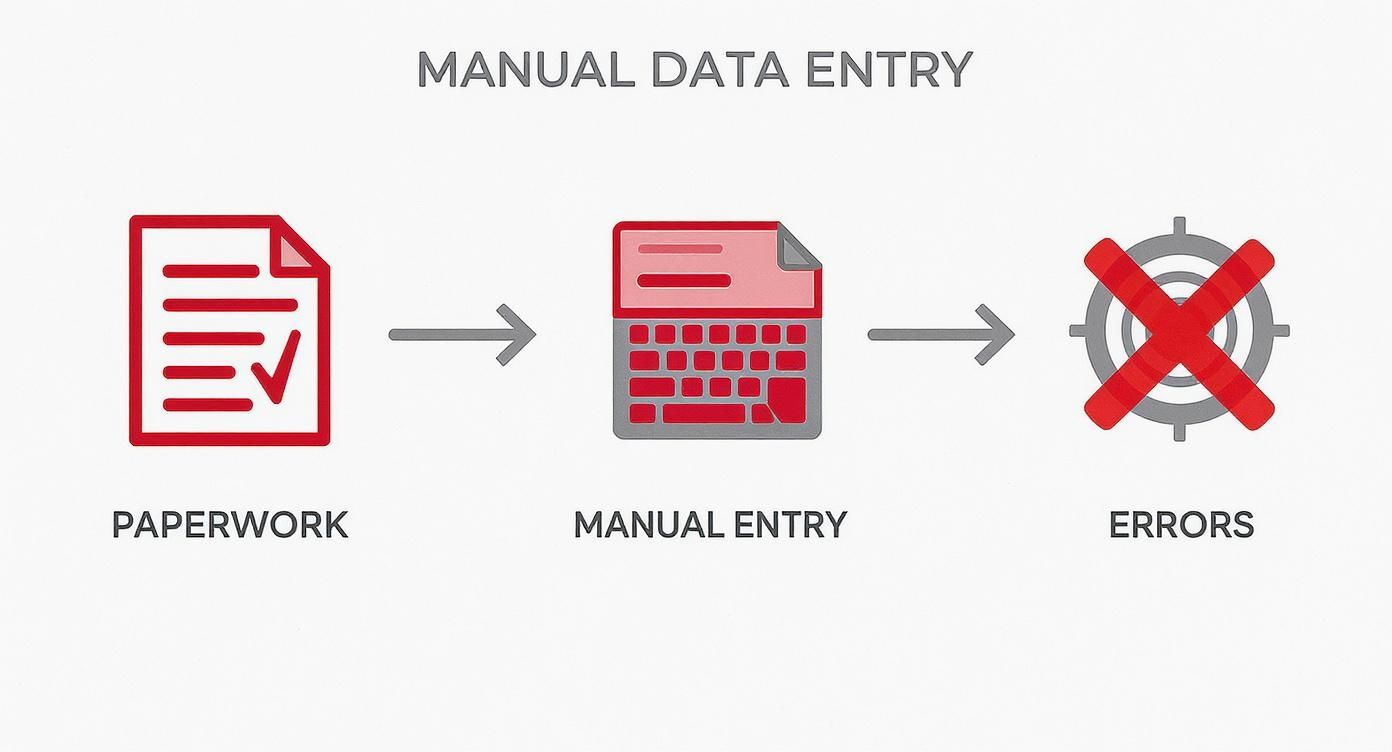
As you can see, that jump from paper to computer is where things go wrong. It’s a gap that today’s automated tools are designed to close perfectly.
The Eyes of the System: Optical Character Recognition
The first piece of this puzzle is Optical Character Recognition (OCR). The easiest way to think of OCR is as the system’s ‘eyes’. When you snap a picture of a receipt or scan an invoice, the OCR engine gets to work, meticulously going over the entire image. Its only job is to find and identify every single character—all the letters, numbers, and symbols it can see.
But OCR on its own is a bit like someone who can recognise letters but can’t quite form words or understand sentences. It can tell you there’s a ‘V’, an ‘A’, and a ‘T’ on the page, but it doesn’t automatically know that sequence means “VAT” and represents a specific tax.
This is where older technology hits a wall. While it’s great for getting text into a digital format, basic OCR just doesn’t have the context to make that text useful for something as specific as financial admin.
The Brain of the System: AI and Machine Learning
That brings us to the second, and far more important, layer: Artificial Intelligence (AI) and Machine Learning (ML). If OCR provides the eyes, AI is the sophisticated brain that makes sense of what the eyes are seeing. This is the magic that turns a simple text reader into a smart data extraction tool.
An AI doesn't just see a random string of numbers. It understands that "24-05-2025" is a date, while "€142.50" is a total amount. It gets this right because it has been trained on millions of financial documents, so it recognises the typical patterns and layouts you’d find on invoices, receipts, and bank statements.
This contextual understanding is precisely what separates a modern solution like Mintline from a generic scanner app. Our AI comprehends the document’s structure, correctly identifying the vendor, line items, and tax amounts, turning a chaotic image into perfectly organised data.
The system isn’t just reading; it’s comprehending. For example, an AI-powered reader can figure out the difference between a '0' and an 'O' or a '1' and an 'l' based on the surrounding text, which dramatically cuts down on common scanning errors.
This reliance on AI for making sense of text is becoming more and more common. For instance, the use of AI tools among the Dutch public has shot up recently. Research shows that AI platform usage in the Netherlands rocketed from 12% to 48% in just one year. People are increasingly using AI for information searching, which often involves pulling text from images. With nearly half the population using AI, it’s clear people are growing to trust its capabilities.
Platforms like Mintline use these advanced AI models not just to read text, but to deliver financial data you can actually use. To get a better sense of the mechanics behind it all, you can check out this guide on AI-driven data extraction. By combining the sharp vision of OCR with the thinking power of AI, our technology turns a pile of financial paperwork from a headache into a valuable digital asset, ready for analysis.
What Affects Data Extraction Accuracy
Even the best text reader from image isn't a mind reader. The quality of what you feed it directly impacts the quality of the data you get back. Think of it like trying to have a conversation in a loud café—if the person you're talking to is mumbling, you're going to miss a few words. It's the same principle here; a number of real-world factors can get in the way and prevent a system from accurately reading your documents.
Understanding what these factors are is the first step to getting clean, reliable results every single time you scan a receipt or an invoice. It puts you in control, allowing you to give the system the best possible source material to work with. This is absolutely essential for hitting high automation rates and maintaining financial records you can actually trust. The difference between a crisp, clean receipt and a crumpled one can be night and day.

By just paying a bit of attention to a few key details, you can dramatically boost the accuracy of any text reader and make sure your financial data is captured correctly right from the start.
The Quality of the Image Itself
More often than not, the source of any error is simply a bad image. The AI needs a clear, unobstructed view of the text to do its job properly. Any visual "noise" makes it that much harder for the system to tell one character from another.
Several things feed into overall image quality:
- Resolution and Sharpness: A blurry, low-res photo is accuracy's number one enemy. The system is looking for crisp, well-defined letters and numbers. Always make sure your phone's camera is in focus before you snap the picture.
- Lighting and Shadows: Bad lighting can cast dark spots or harsh shadows that completely hide parts of the document. Your best bet is to find bright, even lighting without any glare bouncing off the paper.
- Skew and Perspective: Taking a photo at a weird angle warps the text, sometimes to the point of being unreadable. Try to hold your camera directly over the document, keeping it as flat and straight as you can.
The Condition and Layout of the Document
It's not just about the photo. The physical state and design of the document itself play a huge part in the process. Let's be honest, not all documents are created equal, and some are just plain harder for an automated system to read.
A standard, cleanly printed invoice, for instance, is a walk in the park compared to a faded thermal receipt that's been folded up in a wallet for a week. Similarly, a digital PDF file will almost always give you a cleaner result than a scanned image of a paper copy. If you're working with digital files a lot, our guide on how to extract text from PDF documents has some great tips for optimising your workflow.
The physical integrity of a document is a direct predictor of extraction success. Creases, stains, faded ink, or handwritten notes can all introduce errors by confusing the OCR engine.
Complex layouts can also throw a spanner in the works. Documents with multiple columns, detailed tables, or a jumble of different fonts and sizes need a much smarter AI to figure out the structure and context. This is where a specialised tool like Mintline really shines, as our AI is specifically trained to navigate the tricky formats you often find in financial paperwork. It's a constant balancing act; there's always an AI speed-accuracy trade-off where you have to weigh processing speed against precision.
Common Character Recognition Pitfalls
Even with a perfect image and a pristine document, some characters are just notoriously difficult for machines to tell apart. These little mix-ups often require a bit of contextual understanding, which is really the hallmark of a more advanced AI model.
Here are a few of the usual suspects:
- The number '0' and the letter 'O'
- The number '1' and the letters 'l' or 'I'
- The number '5' and the letter 'S'
- The number '8' and the letter 'B'
A basic OCR tool might get tripped up by these, but a sophisticated platform like Mintline uses its machine learning brain to look at the surrounding text for clues. It knows that "T0TAL" on an invoice is probably supposed to be "TOTAL," and that an item quantity is far more likely to be the number '1' than the letter 'l'. Tackling these common slip-ups is key to ensuring the data extracted is not just read, but correctly understood.
Why Dutch Businesses Are Adopting AI Text Readers
It's clear that businesses across the Netherlands are making a big shift. The days of tedious, manual data entry are numbered. We're seeing intelligent automation become a day-to-day reality, and the reason is simple: a modern text reader from image delivers real, tangible results. Companies now realise that to keep a competitive edge, they need to be faster, more precise, and more insightful.
This whole movement is really about reclaiming operational efficiency. Think about it—manually keying in invoices, receipts, and bank statements isn't just slow. It’s a massive drain on your most valuable resource: your people's time. By automating this process, Dutch businesses are freeing up their teams to focus on the strategic work that actually grows the company, instead of getting bogged down in repetitive admin.
The Demand for Flawless Financial Data
When it comes to your finances, there's zero room for error. A single misplaced decimal or a mistyped invoice number can spiral into compliance nightmares, unreliable forecasts, and ultimately, bad business decisions. An AI-powered text reader from an image all but eliminates the risk of human error, making sure the data that hits your accounting system is clean and trustworthy from the get-go.
This focus on data integrity delivers a serious competitive advantage. When leaders have real-time access to accurate financial information, they can make smarter decisions, faster. It allows them to spot emerging trends, get a better handle on cash flow, and react to market shifts with confidence.
The ability to turn a picture of a document into structured, useful data is no longer a "nice-to-have." It’s now a core part of any modern, data-driven business strategy, helping companies unlock the critical insights trapped in their paperwork.
The Numbers Behind the Trend
The data paints a clear picture. According to Statistics Netherlands (CBS), AI adoption among Dutch companies is accelerating. In just one year, the percentage of companies (with 10 or more employees) using AI shot up by almost nine points to 22.7%.
Textual AI, like reading text from images, is a huge part of this growth. The use of text mining, which relies heavily on this technology, more than doubled to 13.5%. The trend is even stronger in larger organisations, where nearly 60% have already brought AI systems on board. You can dive deeper into these findings on AI adoption in the Netherlands.
This rapid uptake shows that the Dutch market gets it: automating document processing is fundamental to running a modern business. The technology is no longer a futuristic concept; it's here, accessible, and essential. For many, the next logical step is to get the most out of their existing hardware, and our guide on using OCR for scanners can help with that. By embracing these tools, businesses aren't just tweaking a single workflow—they're building a stronger, more efficient foundation for whatever comes next.
Choosing the Right Tool for Financial Documents
Picking the right text reader from image isn't just a tech decision—it's a strategic move for your business, especially when you're dealing with sensitive financial documents. A generic tool might pull text from a simple picture, but the world of invoices, receipts, and bank statements demands so much more. You need precision, security, and a bit of intelligence built-in.
The goal is to look past basic OCR and find a solution that really gets the nuances of financial data. You’re not just looking for a tool that reads text; you need one that understands the context and protects your information without compromise.
What Really Matters When You're Choosing a Tool
When you’re weighing your options, three things should be at the top of your list. Get these right, and the tool will become a genuine asset. Get them wrong, and you’ll just create more work for your team.
- Rock-Solid Security and Privacy: Your financial data is confidential, plain and simple. Any tool you bring in must have enterprise-grade security features like end-to-end encryption and comply with data protection laws like GDPR.
- Smooth Integration with Your Workflow: The best tool is one you barely notice. It should plug right into your existing accounting software, cutting out the hassle of manually exporting and importing data.
- Expertise with Financial Documents: The system has to be a specialist. It needs to reliably pull the right data from all sorts of invoice layouts, faded thermal receipts, and dense, multi-page bank statements without you having to babysit it.
Think of it like hiring someone for your finance team. You wouldn’t hire a generalist for a specialist role. You’d want an expert trained for that specific job. This is exactly why a purpose-built platform like Mintline is in a different league.
Why a Specialised Solution Like Mintline Makes a Difference
Mintline was built from the ground up specifically for the headaches that come with financial documents. It’s not a general OCR tool that was later adapted for finance; its AI models were trained on a massive library of actual invoices, receipts, and statements. That specialisation is its biggest strength.
It knows how to spot the vendor, the invoice number, the VAT amount, and all the individual line items, even when the layout is messy or inconsistent. On top of that, Mintline operates in a secure, compliant environment, so you know your sensitive data is always protected.
This kind of focused solution reflects a wider trend here in the Netherlands. Our ecosystem for AI, covering everything from computer vision to speech recognition, is growing fast. The speech recognition market alone is expected to reach around USD 311.54 million. This growth is fuelled by our mature digital infrastructure and high internet use, creating the perfect conditions for specialised AI tools to succeed. If you want to dive deeper, you can find more insights about the role of AI in the Netherlands' digital transformation.
In the end, choosing a text reader from image is about finding a partner that understands what’s at stake. When you prioritise security, seamless integration, and specialised accuracy, you’re not just automating a tedious task—you’re making your entire financial operation stronger.
Automate Your Workflow and Unlock Your Data
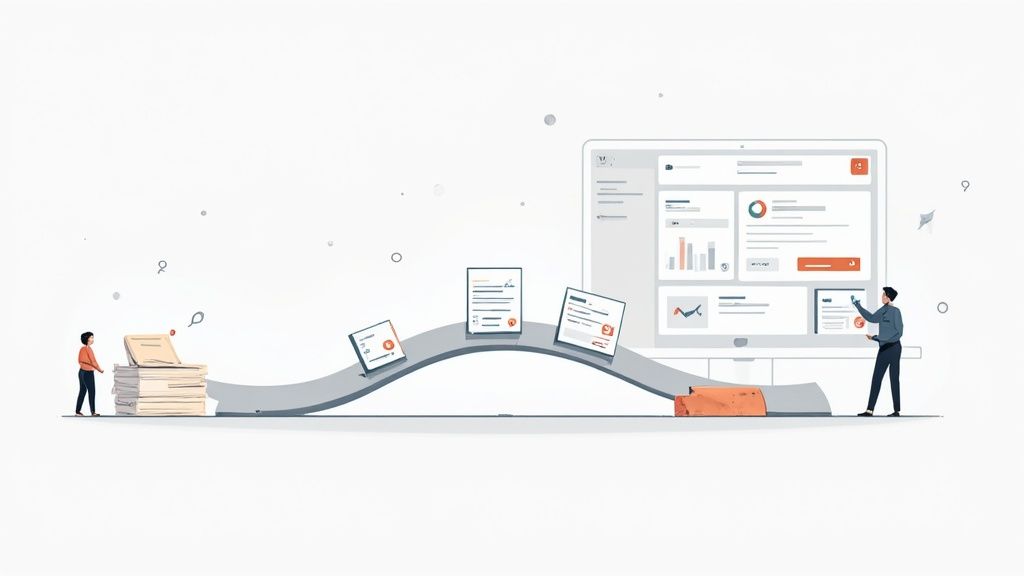
Making the switch from manual data entry to an automated text reader from image is a fundamental shift in how your business runs. Think of it this way: moving from a desk buried in paperwork to a clean, digital dashboard isn't just a cosmetic upgrade. It’s like trading in a paper map for a real-time GPS.
This change gets right to the heart of the inefficiency and inaccuracy that plague manual processes. All those hours your team used to lose trying to decipher crumpled receipts or key in invoice details? They’re immediately back in your pocket. Even better, you can finally put an end to the costly human errors that throw off financial reports and lead to questionable business decisions.
From a Data Graveyard to a Strategic Asset
For too long, the most important details in your financial documents have been locked away on paper, useless for any kind of timely analysis. An automated system sets that information free, turning what was once a data graveyard into a genuine strategic asset. Suddenly, you have a crystal-clear, up-to-the-minute picture of your spending, liabilities, and overall cash flow.
This clarity gives your business the confidence to move faster and smarter. You can identify spending trends as they develop, adjust budgets based on actual numbers, and make forecasts with far more accuracy. It’s not just about getting the same old tasks done faster; it’s about creating a more intelligent, proactive way to manage your finances. This is what intelligent document processing is all about and why it’s making such an impact.
By eliminating manual bottlenecks, you create a direct pipeline from your financial documents to your strategic insights. This empowers your team to stop chasing paperwork and start driving growth.
Your Next Step Toward a Smarter Business
The difference is night and day. The 'before' is a constant cycle of tedious admin, frustrating mistakes, and a financial picture that’s always weeks out of date. The 'after' is a seamless, automated flow that gives you accurate data in real time, freeing up your team to focus on work that actually matters.
Ready to see that change for yourself? Mintline was built to be that logical next step. It's more than just a text reader from image; it’s a complete platform designed from the ground up to bring your financial data management into the modern era.
Explore Mintline and discover how you can build a more efficient, accurate, and intelligent business. It’s time to stop managing documents and start using your data.
Frequently Asked Questions
When you start looking into automating how you handle financial documents, a few questions always pop up. Let's tackle some of the most common ones with clear, straightforward answers.
How Secure Is My Financial Data With a Text Reader From Image?
This is often the first and most important question. When you're dealing with financial information, security isn't just a feature; it's everything. Professional platforms like Mintline are built from the ground up with multiple layers of protection to keep your data confidential from the moment it leaves your device.
Think of it like a digital armoured truck. We use end-to-end encryption, which essentially scrambles your data while it's travelling to our servers and while it's stored. On top of that, these systems are designed to meet strict data protection laws like GDPR. A word of caution: steer clear of free, generic online tools for anything sensitive. Their privacy practices are often murky at best and simply aren't built for business-critical information.
A professional-grade solution will be completely open about its security setup. For instance, data is often stored in highly secure, compliant data centres, like those run by AWS within the EU. This provides both top-tier physical and digital security for your most important information.
Can These Tools Handle Documents in Different Languages or Currencies?
Absolutely. This is actually one of the biggest benefits of using a modern, AI-powered system. The best text readers aren't confined to a single language or currency because their machine learning models have been trained on millions of different documents from all over the world.
So, if you get an invoice from a supplier in Germany or have a receipt from a business trip to Japan, a platform like Mintline can process it accurately. It’s smart enough to recognise different currency symbols (like €, $, or ¥), understand various date formats (DD/MM/YYYY vs. MM/DD/YYYY), and pull out the right information without you needing to tweak anything. For any business that operates internationally, this is a must-have.
What Is the Real Difference Between a Generic OCR Tool and Mintline?
The gap between them is huge, and it all comes down to intelligence and focus. A generic OCR tool is a bit like a digital photocopier. Its main job is to turn a picture of words into a block of text you can edit. It can see the letters and numbers, but it has zero clue what they actually mean.
A specialised financial data platform like Mintline, on the other hand, is built to understand the document's context. It doesn't just read; it comprehends.
- It understands structure: It doesn't just give you a jumble of text. It identifies and correctly labels the supplier's name, the total amount, the VAT, each line item, and the invoice date.
- It provides actionable data: The information it pulls out is already neatly structured and ready to be sent straight into your accounting software. No more manual data entry.
This contextual intelligence is what creates real automation. A basic text reader gives you raw text you still have to sort through. A purpose-built platform like Mintline gives you clean, verified financial data that's ready to use.
Ready to stop chasing receipts and start unlocking your financial data? With Mintline, you can automate your document workflow in minutes, not hours. See how our AI-powered platform can transform your financial management by visiting https://mintline.ai and get started for free.